

Note: This article contains affiliate links. If you click on these links and make a purchase, I may earn a small commission at no extra cost to you. This helps support my research and content. Read my full affiliate disclosure here.
Upgrading the audio in your Honda Civic can make daily commutes and weekend drives much more enjoyable. A Bluetooth car stereo brings hands-free calling, wireless audio streaming, and modern connectivity to older factory systems while maintaining a clean fit in the Civic dashboard. This guide covers seven shortlisted Bluetooth stereos chosen for their sound quality, connection stability, and compatibility with Civic dash configurations.You will find options that focus on reliable Bluetooth performance, straightforward installation, and features that matter in everyday use such as phone integration and audio tuning. Read on to compare the key strengths and decide which setup best matches how you use your Civic.
Looking for other parts? See all Honda Civic parts & accessories.
Top Picks at a Glance
| Best Overall Car Stereo The top all‑around head unit that balances features, fit, and performance | podofo 10.1" Android Car Stereo for Honda Civic (2006–2011) — 8‑Core 6GB/128GB, IPS Touchscreen, Wireless CarPlay/Android Auto |  |
| Best Budget Car Stereo A no‑frills, wallet‑friendly unit that still adds CarPlay/Android Auto | BOSS Audio Systems 632UAB Single-DIN Car Stereo with Bluetooth and USB |  |
| Best High‑performance Car Stereo 8‑core / 6GB+ RAM models with large storage for multitasking and apps | dasaita 9" Android 13 Car Stereo for Honda Civic (2016–2021) — Snapdragon 8‑Core, 4GB RAM, 64GB |  |
| Best Large‑screen (10.1") Car Stereo 10.1‑inch head units with big touchscreens for clearer maps and split screens | podofo 10.1" Android Car Stereo for Honda Civic (2006–2011) with Wireless CarPlay and Android Auto |  |
| Best Audiophile DSP Car Stereo Units with built‑in DSP and multi‑band EQ for advanced sound tuning | MAHVEC 9" Android 15 Car Stereo for Honda Civic (2016–2020) with Wireless CarPlay and DSP |  |
| Best Plug‑and‑Play Fit Car Stereo Straight swap head units with year‑specific harnesses and steering‑wheel support | AUMUME 10.1" Linux Double-Din Car Stereo for Honda Civic 2006–2011 |  |
| Best QLED/In‑Cell Display Car Stereo Premium display panels (QLED or in‑cell) for brighter colors and sunlight visibility | Upriding Android 15 10.1" QLED Car Stereo for Honda Civic (2006–2011) |  |
1. podofo 10.1" Android Car Stereo for Honda Civic (2006–2011) — 8‑Core 6GB/128GB, IPS Touchscreen, Wireless CarPlay/Android Auto
Best Overall Car Stereo

| Compatible with Vehicle Type | Car |
|---|---|
| Screen Size | 10.1 Inches |
| Operating System | Android |
| Memory Storage Capacity | 128 GB |
| Connectivity Technology | Bluetooth, USB, Wi‑Fi |
This podofo head unit replaces the factory radio in Honda Civic models from 2006 through 2011 and turns the dash into a modern Android infotainment system. It installs into the dashboard and provides a 1280×720 IPS touchscreen driven by an 8-core processor with 6GB RAM and 128GB storage, which keeps the interface responsive and allows apps and offline maps to be stored on the unit. Wired and wireless CarPlay and Android Auto make navigation, calls, and media access simple while driving, and Bluetooth 5.0 plus a built-in mic handle hands-free calls. The included AHD waterproof backup camera and automatic reverse-screen switching improve parking visibility. Audiophiles get a built-in DSP and 36-band EQ for tuning without adding external hardware. Reported issues in some reviews include occasional Bluetooth or CarPlay dropouts and occasional stability glitches, and one USB port can be inactive on some units, so expect minor compatibility and reliability variance. For DIY installers comfortable with dashboard wiring, the unit delivers a big upgrade in features and touchscreen usability for the Civic platform.
Best for: Buyers who want a feature-rich, touchscreen-first replacement for a 2006–2011 Civic and prioritize smooth phone integration, modern navigation, and customizable audio without paying for professional installation.
Less Ideal for: Drivers who need rock-solid, factory-grade reliability out of the box or who prefer a plug-and-play swap with no dashboard wiring should consider a dealer-grade or vehicle-specific OEM upgrade instead.
- Large 10.1-inch 1280×720 IPS touchscreen for clear visibility and touch responsiveness
- 8-core CPU with 6GB RAM and 128GB storage keeps apps and navigation responsive
- Supports both wired and wireless CarPlay and Android Auto for hands-free phone integration
- Built-in DSP with 36-band EQ and Bluetooth 5.0 for better in-car audio control and connectivity
- Includes AHD waterproof backup camera with automatic reverse-screen switching for safer parking
- Some users report intermittent CarPlay/Bluetooth disconnects and occasional system reboots
- Occasional hardware issues reported such as a non-functioning USB port or muffled microphone on some units
Verdict: This slot is for the single head unit that best balances reliability, touchscreen usability, CarPlay/Android Auto support, and easy installation for most DIY installers.
2. BOSS Audio Systems 632UAB Single-DIN Car Stereo with Bluetooth and USB
Best Budget Car Stereo

| Connectivity Technology | Auxiliary, Bluetooth, USB |
|---|---|
| Controller Type | Android, iOS |
| Output Power | 200 Watts (max) |
The BOSS 632UAB is a no-frills single-DIN head unit that brings Bluetooth streaming, hands-free calling, USB playback and an AUX input to older cars. It pairs with Android and iOS phones for music and push-to-talk access to voice assistants, and the detachable faceplate helps deter theft. Use it as a straightforward replacement when you want wireless audio without touchscreen bells and whistles; you can connect front and rear speakers via preamp outputs and charge a device from the 1A USB port. The built-in EQ, balance and fader controls let you tune basic sound, but the unit reports only maximum wattage and has limited power output compared with aftermarket amps, so expect modest volume unless you add an amplifier. Installation is typical for single-DIN units and installers report the unit comes with wiring harnesses, though some users find the plastic controls and occasional Bluetooth pairing quirks worth noting. Overall it is practical for budget upgrades but not aimed at high-end audio enthusiasts.
Best for: Buyers who want the cheapest plug-and-play way to add Bluetooth streaming and phone integration to an older Civic while keeping installation simple and affordable.
Less Ideal for: If you want touchscreen navigation, advanced DSP or high-power, audiophile-grade sound without adding external amplifiers, this unit will feel too basic.
- Adds Bluetooth audio streaming and hands-free calling for wireless phone use
- USB port and AUX input let you play files and connect older devices
- Detachable faceplate reduces theft risk
- Front and rear preamp outputs allow adding external amplification or speakers
- Simple EQ, balance and fader controls for quick sound adjustments
- Low reported power output compared with dedicated amplifiers so high-volume fidelity is limited
- Basic plastic construction and occasional software/pairing quirks reported by some users
Verdict: Choose this slot if you want the cheapest plug‑and‑play upgrade that adds wireless phone integration and basic navigation without expensive extras.
3. dasaita 9" Android 13 Car Stereo for Honda Civic (2016–2021) — Snapdragon 8‑Core, 4GB RAM, 64GB
Best High‑performance Car Stereo

| Screen Size | 9 Inches |
|---|---|
| Operating System | Android 13 |
| Processor / Memory | Snapdragon 665, 4GB RAM + 64GB storage |
| Resolution | 1280 x 720 |
| Connectivity | Wireless/Wired CarPlay, Android Auto, Bluetooth, Wi‑Fi, 4G |
This dasaita 9-inch head unit is built for drivers who want a fast, app-friendly upgrade for a 2016–2021 Honda Civic. It runs Android 13 on a Qualcomm Snapdragon 665 octa-core processor with 4GB RAM and 64GB storage, so navigation, streaming and multiple background apps stay responsive. Wireless and wired Apple CarPlay and Android Auto make phone integration quick and cable-free, while Bluetooth 5.0 and built-in Wi‑Fi/4G support keep music and maps connected. The 1280×720 QLED capacitive screen is bright, anti-reflective and supports split-screen use for nav plus media. Audio features include DTS processing, a TDA7808 amp and optical output for cleaner sound or expansion to an external amp. The unit is sold as a plug-and-play Civic fit and preserves steering wheel controls, backup camera, parking sensors and OEM USB/AUX ports, though certain Civic trims require an extra CANbus harness to retain all functions. Expect modern features and snappy performance, but plan for a professional or careful DIY install to ensure full integration with vehicle systems.
Best for: Buyers who prioritize a high-RAM, high-performance head unit to run navigation, streaming and background apps without lag and who want a Civic-specific, near-factory fit and modern phone connectivity.
Less Ideal for: Drivers who prefer a simple basic radio with minimal setup or those unwilling to add a manufacturer-specified CANbus adapter for full vehicle integration.
- Powerful Snapdragon 665 octa-core CPU with 4GB RAM for smooth multitasking and fast app response
- Wireless and wired Apple CarPlay and Android Auto plus Bluetooth 5.0 for seamless phone integration
- 9" QLED capacitive 1280×720 screen with anti-glare full lamination and split-screen for safe multitasking
- Built-in GPS, Wi‑Fi and 4G support plus multiple navigation systems (GPS/GLONASS/BeiDou) for reliable routing
- Preserves factory features like steering wheel controls, backup camera and OEM ports with plug-and-play wiring harness
- Some Civic trims (Touring, Si, Sport Touring, Type R) need an additional CANbus harness to keep all vehicle signals functioning
Verdict: This pick targets buyers who need a fast, high‑RAM head unit for smooth maps, media streaming, and running multiple apps without lag.
4. podofo 10.1" Android Car Stereo for Honda Civic (2006–2011) with Wireless CarPlay and Android Auto
Best Large‑screen (10.1") Car Stereo

| Screen Size | 10.1 Inches |
|---|---|
| Resolution | 1080p |
| Operating System | Android |
| Memory Storage Capacity | 64 GB |
| Additional Features | Wireless CarPlay Android Auto, GPS, Bluetooth |
This podofo head unit brings a very large 10.1-inch capacitive touchscreen to older Honda Civics, making navigation, media control, and phone apps easier to use while driving. It runs Android with 64 GB storage and supports wireless CarPlay and Android Auto for hands-free navigation and streaming, plus a split-screen mode so you can run maps and music side by side. The unit includes a rear AHD backup camera, external mic, GPS antenna and RCA outputs, and a built-in DSP for tuning audio. Installation is generally plug-and-play into the Civic dash but the backup camera cable may need extending and some factory indicator lights may require rerouting depending on your dash. Users report occasional wireless connection quirks and mixed Wi-Fi performance, so wired Android Auto or a stable phone hotspot can improve reliability. For drivers who want the largest possible screen for clearer touch targets and easier split-screen operation, this unit delivers a modern interface and many extras bundled with the kit.
Best for: Buyers who prioritize the largest possible dash display for easier touch control and split-screen navigation in a 2006–2011 Honda Civic and want a full-featured Android head unit rather than a basic Bluetooth radio.
Less Ideal for: If you need rock-solid wireless phone connectivity without occasional drops or prefer a minimal, button-based stereo, this touchscreen-first unit is not the best match.
- Very large 10.1-inch 1080p capacitive touchscreen improves visibility and makes split-screen navigation practical
- Wireless CarPlay and Android Auto for phone integration without cables
- Includes backup camera, external mic, GPS antenna and RCA outputs so you get a full kit
- Built-in 64 GB storage and Android OS let you install apps like Google Maps and streaming services
- DSP audio and multiple EQ presets let you tune the sound to your preference
- Wireless phone connections and Wi-Fi can be inconsistent for some users
- Backup camera may require additional cabling and setup to work correctly
Verdict: Pick this slot if you prioritize the largest display for split‑screen navigation, clearer touch targets, and an easier in‑car media experience.
5. MAHVEC 9" Android 15 Car Stereo for Honda Civic (2016–2020) with Wireless CarPlay and DSP
Best Audiophile DSP Car Stereo

| Compatible with Vehicle Type | Car |
|---|---|
| Screen Size | 9 Inches |
| Operating System | Android 15 |
| Memory Storage Capacity | 64 GB |
| Additional Features | Android Auto, Built-In Bluetooth, CarPlay, DSP, GPS Navigation |
This MAHVEC head unit replaces the Civic factory radio with a 9-inch 1280×720 IPS touchscreen running Android 15 and an 8-core chipset with 4 GB RAM and 64 GB storage. It is typically used to modernize infotainment by adding wireless CarPlay and Android Auto, mirror link, Bluetooth 5.0, GPS navigation and an included AHD backup camera. The standout for audio fans is the built-in DSP with a 46-band EQ and multiple sound presets that let you tune levels and frequency response directly from the unit. Practical benefits include split-screen multitasking, plenty of app storage, and Android flexibility for streaming and navigation. Expect a near-factory fit and appearance when installed with the supplied frame and harness, but prepare for a learning curve during setup and occasional reports of inconsistent audio behavior across units. Documentation is not very detailed so installers may rely on online videos or tech support. For buyers focused on precise tuning, the DSP and EQ give strong hands-on control, though power output or dedicated subwoofer amp details are not specified so you may need external amplification for high-output systems.
Best for: Buyers who want detailed, on-head-unit audio tuning and a modern infotainment experience for a 2016–2020 Honda Civic, and who plan to pair the unit with an external amp if they need more power.
Less Ideal for: Drivers who need a plug-and-play high-power audio solution without adding external amplifiers or those who prefer step-by-step installation guides rather than troubleshooting and online setup resources.
- Built-in DSP with 46-band EQ for fine-grained tonal control
- Wireless CarPlay and Android Auto for phone integration without cables
- 9" IPS capacitive touchscreen with split-screen support for multitasking
- 4 GB RAM and 64 GB storage provide responsive performance and room for apps
- Includes AHD backup camera, external mic, and GPS antenna for a complete install kit
- No manufacturer spec for speaker preamp voltage or dedicated powered subwoofer output, so high-power systems may require an external amp
- Some users report inconsistent audio behavior or occasional sound level issues across units
Verdict: This slot is for buyers who want granular audio control (multi‑band EQ/DSP and subwoofer outputs) to tune speaker and bass performance.
6. AUMUME 10.1" Linux Double-Din Car Stereo for Honda Civic 2006–2011
Best Plug‑and‑Play Fit Car Stereo
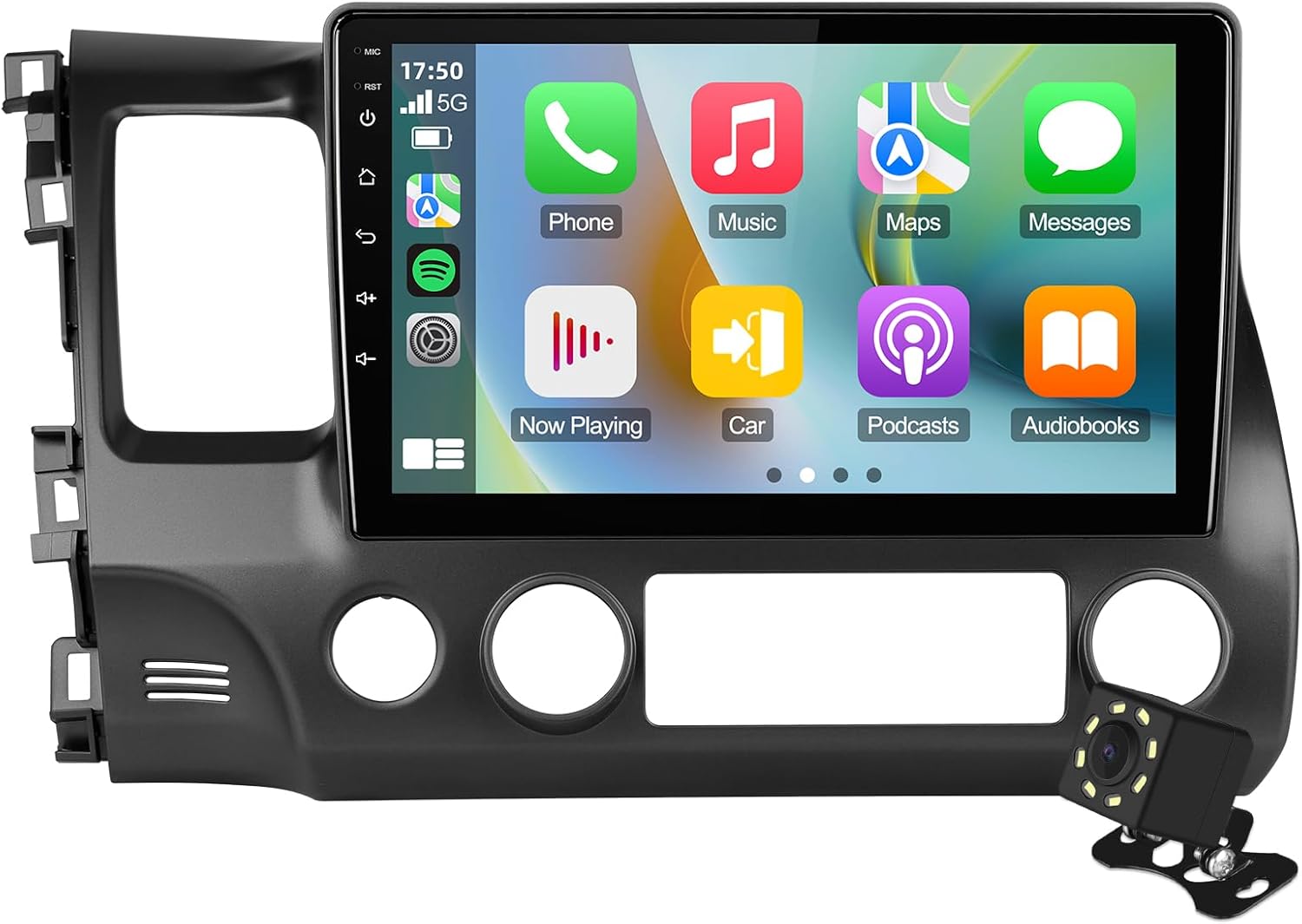
| Screen Size | 10.1 Inches |
|---|---|
| Operating System | Linux |
| Display Type | IPS |
| Touch Screen Type | Capacitive |
| Supported Satellite Navigation System | GPS |
This AUMUME double-din unit replaces the factory radio in Honda Civic models from 2006 through 2011 with a 10.1-inch IPS touchscreen and built-in navigation, wireless and wired CarPlay/Android Auto, Bluetooth calling and music, and a 720p backup camera. It ships with a vehicle-specific frame, power harness, dual USB leads, RCA cable and a CVBS-compatible camera so installation can be largely nondestructive and plug-and-play for Civic dash openings. The capacitive 1280×720 display is bright with wide viewing angles and supports phone mirroring and voice control for safer hands-free use. Steering wheel control support is included but a few users report programming glitches, so expect to verify SWC mapping after install. The unit runs Linux rather than Android which delivers a focused, stable interface but limits app flexibility compared with Android-based stereos. For buyers wanting an OEM-looking upgrade with navigation, CarPlay and a camera that installs with the provided kit, this unit covers those bases effectively; customers who need extensive app customization or guaranteed flawless SWC behavior may prefer different options.
Best for: Buyers who prioritize a fit-and-finish upgrade that installs with the supplied harness and restores modern connectivity like CarPlay, Android Auto, navigation and a backup camera without cutting the dash.
Less Ideal for: Drivers who want a highly customizable Android app ecosystem or guaranteed flawless steering-wheel control behavior should consider other head units or professional integration.
- Vehicle-specific frame and wiring harness included for nondestructive, plug-and-play installation
- Supports wireless and wired CarPlay plus Android Auto and phone mirroring for navigation and media
- 10.1-inch 1280×720 IPS capacitive touchscreen with wide viewing angles and 2.5D glass
- Includes CVBS 720p rear view camera and RCA cabling for backup camera functionality
- Built-in Bluetooth with hands-free calling and phonebook download
- Some users report inconsistent steering-wheel control programming that may require troubleshooting
Verdict: Use this pick when you need a head unit that installs with the included wiring kit, retains steering‑wheel controls, and avoids dash modifications.
7. Upriding Android 15 10.1" QLED Car Stereo for Honda Civic (2006–2011)
Best QLED/In‑Cell Display Car Stereo
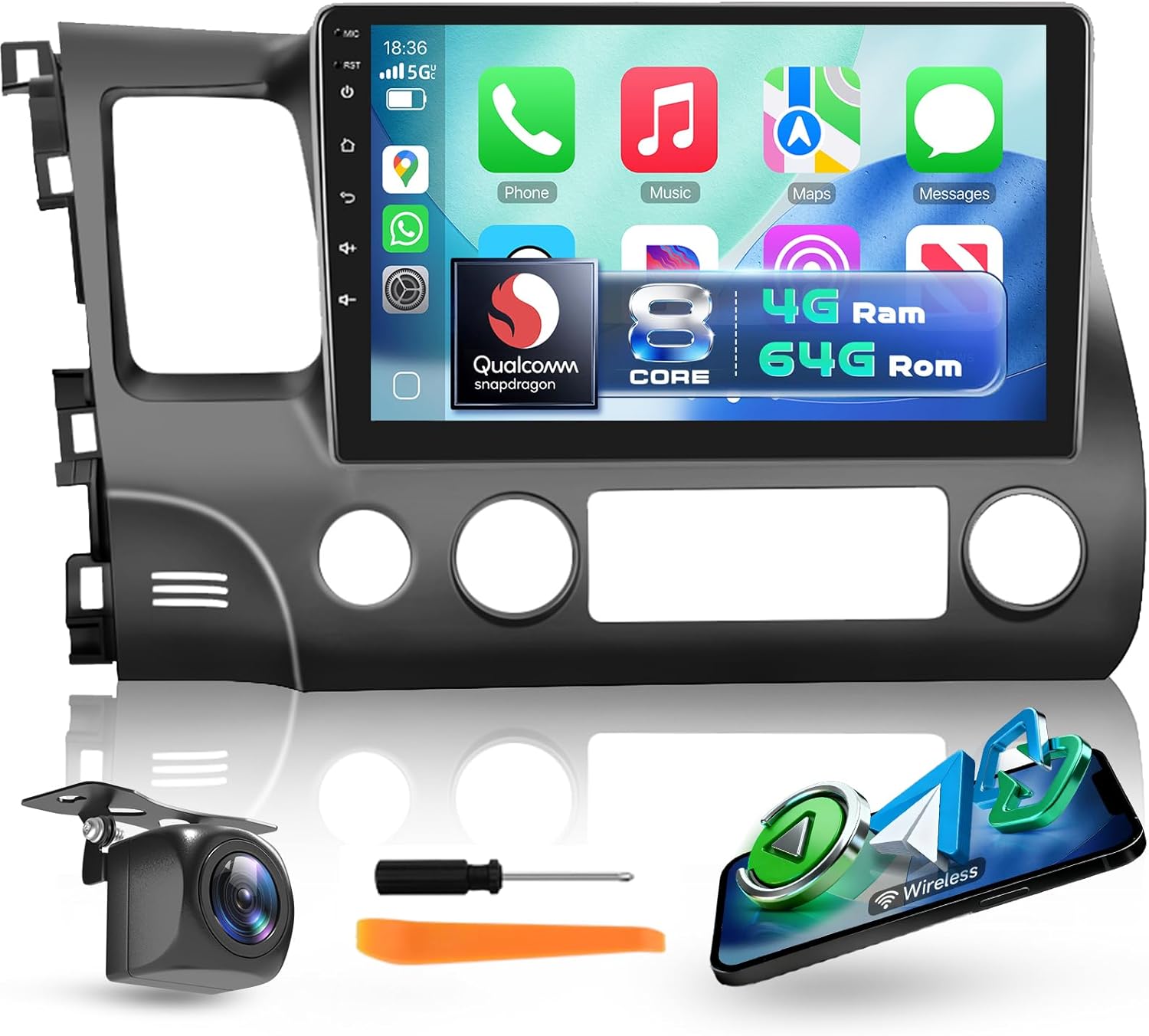
| Operating System | Android 15 |
|---|---|
| Screen Size | 10.1 Inches |
| Display Type | QLED |
| Memory Storage Capacity | 64 GB |
| Additional Features | Qualcomm 8 Core, 4GB RAM, Bluetooth 5.1 |
This Upriding head unit replaces the factory radio in Honda Civic 2006–2011 models with a 10.1-inch QLED capacitive touchscreen and a modern Android 15 platform. It is designed for dashboard mount, plugs into the Civic wiring harness, and preserves steering wheel control functionality. The Qualcomm 8-core CPU with 4GB RAM and 64GB storage keeps the interface responsive while running navigation, streaming apps, or wireless CarPlay/Android Auto. The QLED 1280×720 panel provides bright, high-contrast visuals that improve daytime map readability and make videos and menus look noticeably sharper than typical LCD replacements. Built-in DSP and Bluetooth 5.1 improve audio clarity for calls and music, and the package includes a GPS antenna and an AHD backup camera for safer reversing. Expect a multi-step installation if you are coming from a basic factory radio, and the large screen may slightly obscure some center trim on certain trims. Overall this unit prioritizes display quality and smooth performance for daily driving and navigation needs.
Best for: Buyers who prioritize a top-tier display and responsive multimedia experience in a Civic from 2006 to 2011 and want an integrated navigation and phone solution that looks and feels modern.
Less Ideal for: Drivers who need a minimal, factory-look replacement or those unwilling to spend time on a multi-cable installation should consider simpler or dealer-installed options.
- 10.1-inch QLED capacitive touchscreen for bright, high-contrast visuals and improved daytime readability
- Qualcomm 8-core processor with 4GB RAM and 64GB storage for smooth multitasking and fast app performance
- Built-in GPS antenna and included backup camera for navigation and safer reversing
- Wireless CarPlay and Android Auto plus Bluetooth 5.1 for seamless phone integration and stable streaming
- DSP audio support to improve sound clarity and tuning without extra hardware
- Large aftermarket screen may partially cover center vents or controls on some trim levels
Verdict: Select this slot if display quality matters most — QLED or in‑cell screens offer sharper visuals and better daytime readability for navigation and video.
Choosing the Right Honda Civic Bluetooth Car Stereo: Key Factors to Consider
Bluetooth Connectivity and Stability
Bluetooth performance is the central reason for this upgrade. Strong, stable pairing means fewer dropped connections while streaming music or on calls, and faster automatic reconnection when you enter the car. Interference resilience matters in urban environments and crowded parking lots where many devices compete for radio spectrum.
Connection features such as multipoint pairing, aptX or higher-quality Bluetooth codecs, and clear microphone input directly affect call clarity and audio fidelity. For Civic owners who rely on their phone for navigation and voice prompts, prioritizing reliable Bluetooth lets those features work without interruption.
Dash Fitment and Installation Complexity
Honda Civic dashboards come in a few factory configurations depending on trim and year, so choose a stereo that matches the Civic's single or double din opening and attaches with minimal modification. A unit that offers vehicle-specific mounting options or straightforward bracket compatibility will save installation time and reduce the risk of a poorly seated head unit.
Consider the wiring harness and whether the stereo supports plug-and-play harnesses or requires splicing. Ease of access to antenna and power connectors, plus clear installation instructions, will keep labor and potential for installation errors low. If you plan to keep the factory steering-wheel controls, verify compatibility with available adapters to preserve convenience.
User Interface and Controls
The user interface affects how safely and comfortably you can use the stereo while driving. Large buttons, an intuitive menu layout, and responsive touchscreen performance reduce the time your eyes are off the road. Physical volume knobs and tactile controls are helpful for quick adjustments without menu dives.
Consider whether on-screen menus are logically organized for frequent tasks like switching sources, adjusting sound settings, or answering calls. Voice command support or easy integration with phone voice assistants can further improve hands-free usability for Civic drivers.
Audio Quality and Tuning Options
A Bluetooth stereo should improve or match the factory sound in your Civic. Look for clean preamp outputs, high signal-to-noise ratios, and robust equalization features. Built-in crossovers, time alignment, and multi-band equalizers let you tailor the cabin sound to speaker layout and personal taste.
If you plan to add amplifiers or subwoofers later, strong preamp voltage and multiple output channels make upgrades simpler and preserve sound clarity at higher volumes. Good onboard amplification reduces the need for additional gear in modest systems, but verifying head unit output specs matters for any planned expansion.
Phone Integration and App Support
Modern Bluetooth stereos often supplement wireless audio with deeper phone integration. Compatibility with smartphone features like contact access, call logs, and audio metadata improves the in-car experience. App-based interfaces that let you control sources or map buttons from your phone can simplify setup and daily use.
If you use navigation, confirm how the stereo handles turn-by-turn prompts and whether audio ducking keeps directions audible over music. Firmware update support via USB or companion apps helps keep the unit current with evolving phone protocols and bug fixes.
Expandability and Auxiliary Inputs
Plan for future upgrades when selecting a Bluetooth stereo. Auxiliary inputs, multiple preamp outputs, and video inputs for backup cameras or headrest monitors add versatility. The ability to retain or add steering-wheel control adapters, backup camera inputs, and optional external microphone locations increases the stereo's usefulness across different Civic ownership scenarios.
Also consider remote bass control or subwoofer level outputs if you anticipate upgrading bass performance later. Units with ample expansion ports reduce the need to replace the head unit again when you add features.
Single Din Versus Double Din Choices
Civic dashboards accept either single din or double din head units depending on the specific model year and trim. Single din stereos are narrower and typically simpler, offering compact controls and easier installation in limited spaces. Double din units feature larger displays and more advanced touchscreen interfaces but require a wider opening.
Decide based on the dash layout in your Civic and the features you prioritize. If a full touchscreen for phone integration is important, a double din touchscreen stereo is often the better fit. If you prefer a clean, compact look with physical controls, a single din car stereo may be preferable.
- Single din: compact, often retains more dash trim
- Double din: larger display, better for navigation and apps
- Check bezel and pocket compatibility before purchase
Retaining Steering-Wheel Controls and Factory Features
Many Civic owners value maintaining steering-wheel controls after an upgrade. Check for compatibility with steering-wheel control adapters that map factory buttons to the aftermarket unit. Some stereos offer built-in support or easily configured settings to preserve these convenience features.
Also verify whether the unit supports the Civic's factory backup camera signal or parking sensor interfaces. Keeping these factory features functional reduces installation complexity and maintains resale value for the vehicle.
- Confirm adapter availability for steering controls
- Ensure camera input and reverse signal support if applicable
- Test microphone placement to preserve call clarity
Microphone Placement and Call Quality
Call quality depends on both the head unit's Bluetooth audio processing and the placement of the external microphone. Choose a stereo that includes a detachable microphone you can mount near the driver, ideally on the A-pillar or overhead area where voice pickup is unobstructed.
Wiring the microphone away from loud HVAC vents and avoiding interference sources will make hands-free calls clearer. Some stereos include noise reduction algorithms that help in highway conditions, which is beneficial for frequent phone users.
- Mount mic where it has a clear line to the driver
- Avoid routing mic cable near power converters to reduce noise
- Look for built-in noise suppression features
Preserving Dash Aesthetics and Trim
A clean-looking installation enhances the Civic interior. Choose a stereo and trim kit that match the dash contours and color. Aftermarket bezel kits are often necessary for a factory-like finish when installing double din units in dashboards designed for single din slots.
Pay attention to knob style and screen reflectivity so the new unit integrates visually with the rest of the dash. A professionally executed fitment can look factory-installed and prevent rattles or gaps that occur with poorly matched components.
- Use a Civic-specific mounting kit when available
- Match display size to available dash depth to avoid protrusion
- Secure mounting to prevent vibration noise
Wiring Harnesses and Power Connections
A proper wiring harness simplifies installation and reduces the chance of electrical issues. Look for stereos compatible with Civic-specific harness adapters that preserve factory wiring and avoid cutting factory harnesses.
Confirm the head unit supports switched power, constant memory power, and correct antenna adapter connections. Properly routed ground connections and secure terminal crimps help prevent intermittent power loss or audio noise.
- Prefer plug-and-play harnesses to minimize splicing
- Label wires and test before final assembly
- Consider professional installation for complex electrical systems
Still looking for the perfect fit?
Select your Honda Civic configuration to see the most relevant Car Stereos recommendations
How We Chose the Best Honda Civic Bluetooth Car Stereo
We evaluated Bluetooth stereos based on criteria that matter specifically for Honda Civic owners. Primary emphasis was placed on Bluetooth connectivity stability and audio performance because seamless phone pairing and clear sound are the most noticeable differences after installation. Fit and installation complexity were another major filter, prioritizing units that align with common Civic dash openings and wiring layouts to minimize custom fabrication. Usability and interface clarity were assessed so owners can operate the stereo safely while driving. Expandability and inputs were considered to accommodate subwoofers, amplifiers, or backup cameras often added to Civic systems. Finally, feature parity for phone integration, such as support for hands-free calling and media control, was a deciding factor.We excluded units that required significant dash cutting or extensive modification beyond typical Civic installations. Also excluded were products lacking basic Bluetooth audio or hands-free capabilities. The remaining picks balance dependable wireless performance, practical install considerations, and sound quality for everyday Civic ownership.
Our full evaluation process is outlined in our review methodology.
FAQ
Will a Bluetooth stereo fit all Honda Civic dashboards?
Fit depends on the Civic's dash configuration and the stereo form factor. Many Civic trims support single and double din options, but you should confirm the dash opening and whether a mounting bezel or pocket is needed for a clean install.
How do I keep my steering-wheel audio controls working?
Retaining steering-wheel controls usually requires a compatible adapter or a head unit that offers built-in support. Check compatibility lists and wiring instructions to ensure the adapter maps factory buttons correctly to the new stereo.
Can Bluetooth handle phone navigation prompts reliably?
Yes, most modern Bluetooth stereos prioritize navigation prompts and can duck music volume for directions. Reliability depends on stable pairing and correct audio routing settings within the head unit and phone.
Do I need a professional to install the head unit?
Many Civic owners can install a head unit with the right tools and a vehicle-specific harness, but complex wiring, camera integration, or preserving factory features may make professional installation worthwhile to ensure a clean result.
Will a new stereo improve sound without extra amplifiers?
A higher-quality head unit can provide clearer preamp outputs and better onboard amplification, improving sound. Significant bass or high-volume demands may still benefit from external amplifiers or upgraded speakers.
How important is firmware support for a Bluetooth stereo?
Firmware updates can fix pairing bugs and add compatibility with newer phones, so units with accessible update paths are preferable. Regular support helps maintain reliable Bluetooth performance over time.
Final Verdict
Focus first on Bluetooth reliability and a unit that fits the Civic dashboard with minimal modification. Prioritize units that preserve steering-wheel controls, offer clear microphone placement for calls, and provide tunable audio outputs if you plan future upgrades. Balance a clean install and intuitive controls against the audio and connectivity features you need.Choosing with these tradeoffs in mind will help you get a dependable Bluetooth upgrade that enhances daily driving without unnecessary complexity.
Explore More:
- Check out all Honda Civic parts & accessories
- Explore Electronics
- Browse all Accessories
