

Note: This article contains affiliate links. If you click on these links and make a purchase, I may earn a small commission at no extra cost to you. This helps support my research and content. Read my full affiliate disclosure here.
If you own a Toyota Camry, having the right OBD2 scanner makes routine troubleshooting and quick diagnostics far less stressful. The right scanner helps you read and clear engine codes, monitor live data, and decide if a trip to the shop is necessary. This guide covers seven shortlisted scanners chosen for reliability and features relevant to Camry owners. We evaluated each option for compatibility, functionality, and ease of use to help you find the best fit for routine maintenance and occasional troubleshooting.
Looking for other parts? See all Toyota Camry parts & accessories.
Top Picks at a Glance
| Best Overall The best all-around choice for most situations | OBDLink MX+ OBD2 Bluetooth Scanner |  |
| Best Quality Built to a higher standard if you want something more solid | ANCEL FX6000 Bidirectional OBD2 Scanner |  |
| Best Value The sweet spot between price and what you get | ANCEL AD410 Pro 2-in-1 OBD2 Scanner and Battery Tester |  |
| Best Budget The cheapest option that still gets the job done reliably | YAKEFLY OBD2 Scanner Diagnostic Tool (Plug-and-Play Code Reader) |  |
| Highest Rated A top-rated pick with lots of positive feedback | ANCEL AD310 Classic Enhanced OBD2 Code Reader |  |
| Most Popular A crowd favorite that many people choose with confidence | FOXWELL NT301 OBD2 Scanner — Basic Code Reader with Live Data |  |
| Best Seller A high-volume bestseller chosen again and again | BlueDriver Bluetooth Pro OBDII Scan Tool |  |
OBDLink MX+ OBD2 Bluetooth Scanner

| Operating System | iOS, Android, Windows |
|---|---|
| Power Source | Vehicle |
| Automotive Fit Type | Universal Fit |
The OBDLink MX+ plugs into the Camry's OBD2 port and streams engine and chassis data to your phone or PC over Bluetooth, letting you read and clear check engine lights and monitor live parameters. It is typically used with the OBDLink app or third-party apps like Torque and ForScan to display customizable gauges, log data, and access manufacturer-specific signals on supported Toyota systems. Notable features include fast Bluetooth pairing, enhanced support for OEM protocols relevant to Toyota, and built-in protections against over-voltage and battery drain. In practice that means quick real-time readings while driving, useful live telemetry for troubleshooting, and safer long-term connection without worrying the device will drain the battery. Limitations to expect: the tiny dongle can sometimes wiggle in the connector on certain under-dash locations so it may need securing during long test drives, and advanced programming or dealer-level reprogramming beyond what third-party apps permit will still require specialized tools or dealer access. For Camry owners who want deep live data and reliable code reading on a phone or laptop, this is a strong, practical choice.
Best for: Toyota Camry owners who want a reliable, phone-based diagnostic tool for reading and clearing codes, logging live sensor data, and customizing gauges for troubleshooting and monitoring.
Less Ideal for: Users who need dealer-level reprogramming, advanced ECU flashing, or a handheld professional scan tool for workshop-level service.
- Fast and stable Bluetooth connection for real-time data on phone or PC
- Enhanced OEM protocol support that accesses more Toyota parameters than basic scanners
- Over-voltage and battery-drain protection for safe long-term use
- Works with the OBDLink app and popular third-party apps for customizable gauges and logging
- Small form factor can shift in some under-dash connectors during driving
- Does not replace factory programming tools for dealer-level reprogramming
Verdict: If you drive a Toyota Camry and want fast, OEM-capable live data and code handling on a phone or PC, the OBDLink MX+ is a compact and dependable pick.
ANCEL FX6000 Bidirectional OBD2 Scanner
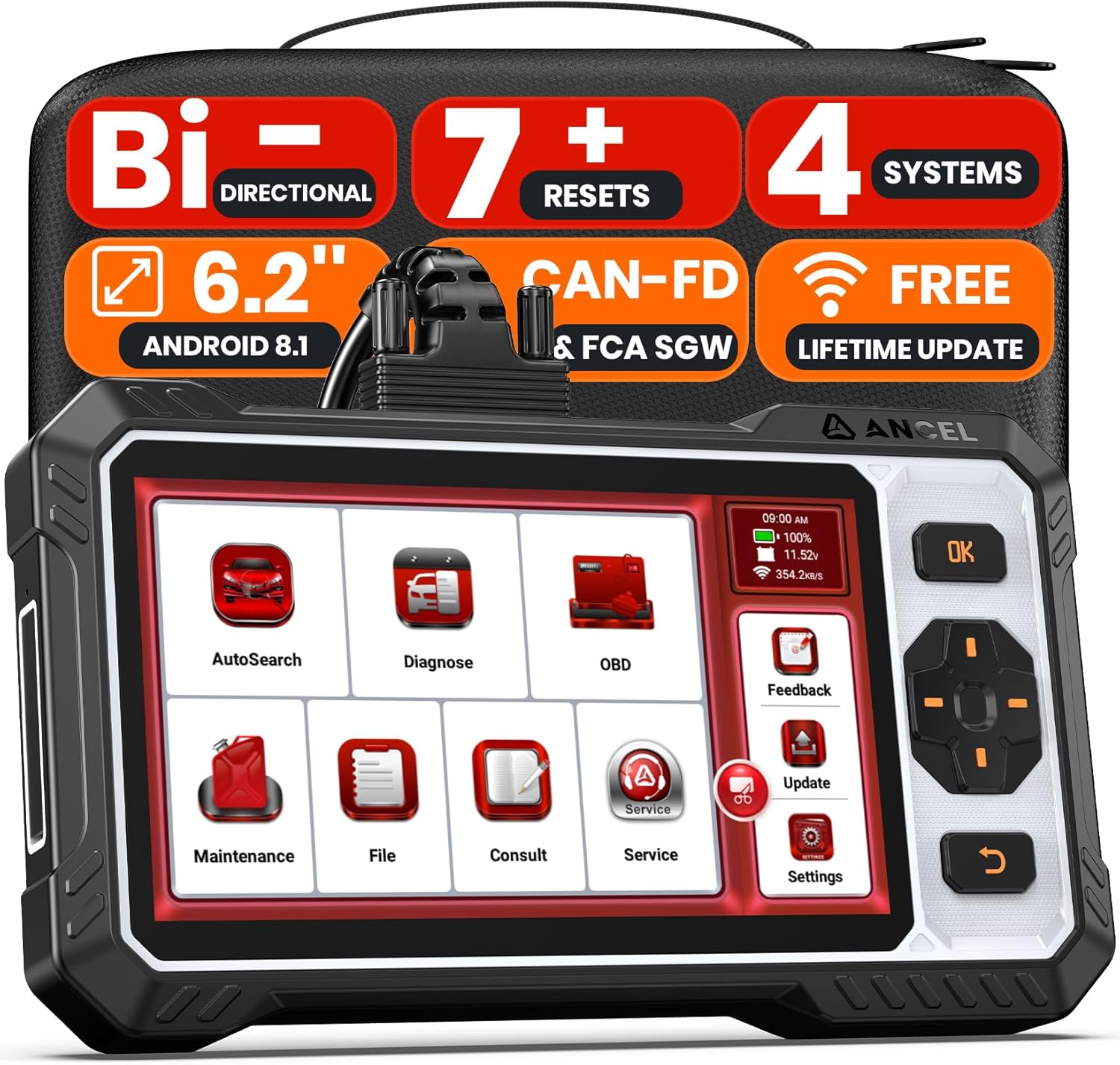
| Model | FX6000 |
|---|---|
| Processor | Quad-core 1.8GHz |
| Memory | 2GB RAM, 32GB ROM |
| Display | 6.2-inch touchscreen |
| Connectivity | Wi-Fi, Bluetooth |
The ANCEL FX6000 is a tablet-style OBD2 scanner designed for deeper troubleshooting and service tasks on compatible vehicles like the Toyota Camry. It reads and clears codes from engine, ABS, airbag, and transmission modules, displays live data, logs diagnostic reports, and supports bidirectional active tests to command components such as fuel injectors, cooling fans, and ABS pumps for real-world verification. The unit includes seven service resets including oil reset, ABS bleeding, SAS recalibration, throttle relearn, and battery initialization so common maintenance can be handled without a shop visit. Practical benefits include a large 6.2-inch touchscreen with physical buttons for glove-friendly use, Wi-Fi for free lifetime updates, onboard DTC lookup, and report sharing to document repairs. Expected limitations are vehicle-dependent availability of advanced functions and the need for FCA AutoAuth on certain Chrysler-family features, which illustrates that some manufacturer-controlled services may require extra accounts. Battery life is adequate but the device performs best when connected to the vehicle or kept charged for remote work.
Best for: Toyota Camry owners who want a capable DIY diagnostic tool for in-depth troubleshooting and routine service tasks at home or in a small shop.
Less Ideal for: Users who only need a simple code reader or those who require full dealer-level access to proprietary manufacturer systems without purchasing additional authorizations.
- Bidirectional active tests let you actuate components to pinpoint faults rather than guesswork
- Seven dealer-level reset services for common maintenance tasks
- Large touchscreen plus physical buttons improves usability in garage conditions
- Free lifetime Wi-Fi updates keep vehicle coverage and software current
- Generates and shares professional diagnostic reports and stores logs
- Advanced manufacturer-specific functions may be restricted or require third-party authorization accounts
- Screen resolution and battery capacity are good but not flagship tablet grade
Verdict: A capable, upgradeable scanner for Camry owners who want dealer-style active tests and resets at home, though some brand-specific services may need extra authorization.
ANCEL AD410 Pro 2-in-1 OBD2 Scanner and Battery Tester

| Model | AD410 Pro+ |
|---|---|
| Vehicle coverage | 1996+ US, 2001+ EU, 2005+ Asia OBD2 vehicles |
| Functions | DTC read/clear, live data, I/M readiness, battery/cranking/charging test |
| Screen | 2.4" HD display |
The ANCEL AD410 Pro merges a basic OBD2 code reader with a battery and charging system tester so you can diagnose check engine lights and battery problems without carrying two devices. For a Toyota Camry owner it plugs into the Camry’s 16-pin OBD2 port and reads and explains 42,000+ SAE DTCs, shows I/M readiness status for emissions checks, and displays live data and freeze-frame snapshots to help pinpoint intermittent faults. The integrated battery tester runs health, cranking, and charging checks so you can tell if a hard start is caused by the battery, starter, or alternator. The 2.4 inch display is easy to read and the unit is plug-and-play with no phone or app required. Limitations include no ABS, SRS, or transmission system coverage and no support for EVs, so it cannot access all modules on newer Camry trims. Some users report PC connectivity quirks on newer Windows versions. For Camry owners who want fast, on-the-spot engine and battery checks without professional-level module coverage, this is a practical, space-saving choice.
Best for: Toyota Camry owners who want a simple, portable tool to diagnose check engine lights, check emissions readiness, and verify battery and charging health before repairs.
Less Ideal for: Technicians or Camry owners who need full system diagnostics, module programming, or advanced ABS and SRS troubleshooting should choose a professional scan tool instead.
- Combines OBD2 engine diagnostics and battery/charging system tests in one handheld unit
- Reads and decodes 42,000+ SAE trouble codes and clears check engine lights
- I/M Readiness mode helps prepare a Camry for emissions testing
- Live data and freeze-frame capture reveal real-time sensor behavior
- Plug-and-play operation with a clear, easy-to-read 2.4 inch display
- Does not access ABS, SRS, or transmission modules so it cannot perform deep system diagnostics
- No EV support and limited module coverage on some newer vehicles
- PC connectivity and software updates may have compatibility issues with certain Windows versions
Verdict: A compact, budget-friendly choice for Camry owners who need reliable engine and battery diagnostics without professional-level module access.
YAKEFLY OBD2 Scanner Diagnostic Tool (Plug-and-Play Code Reader)
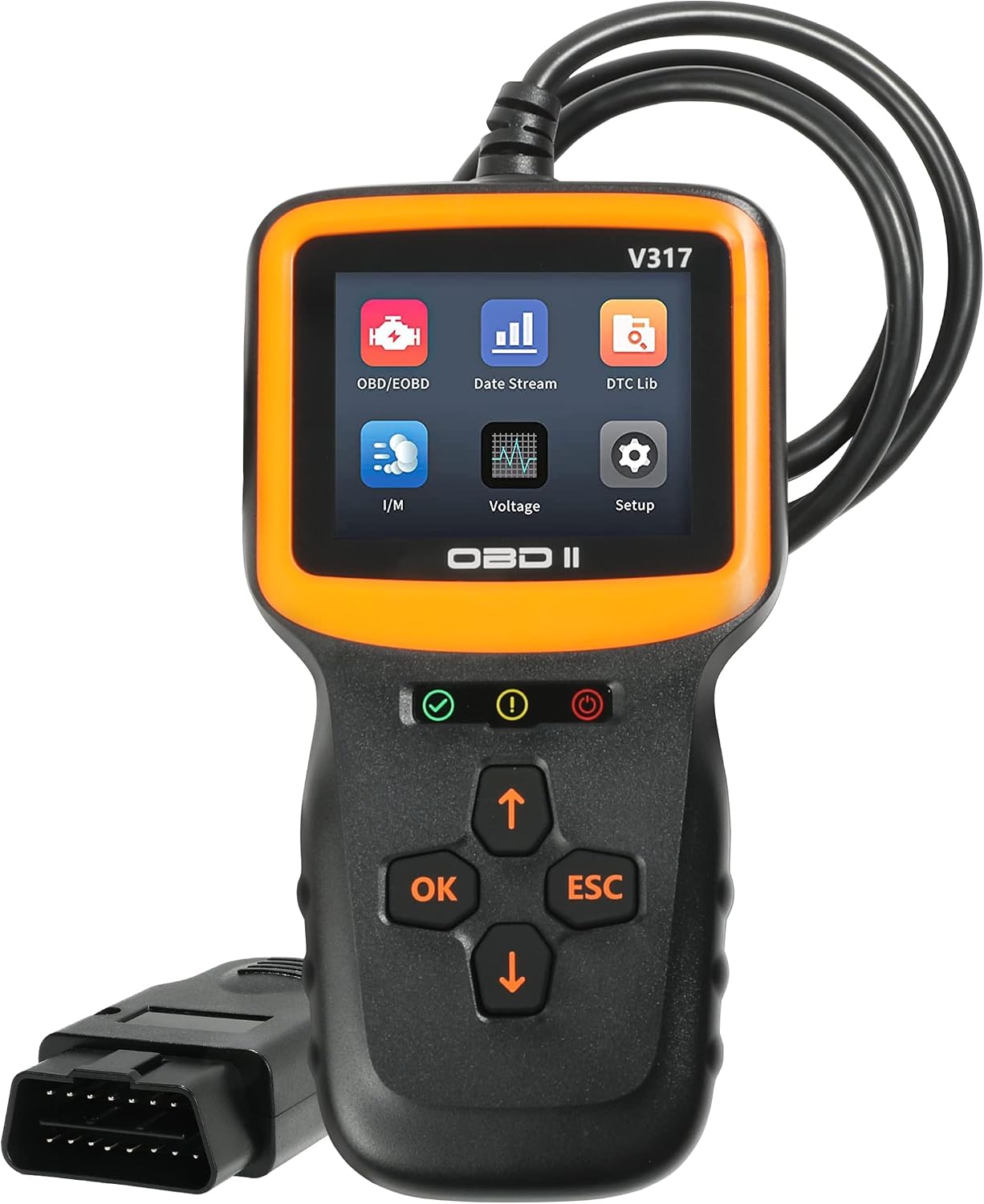
| Model | 431OBD2-SMY001 |
|---|---|
| Manufacturer | YAKEFLY |
| Supported regions | American cars after 1996, European cars after 2002, Asian cars after 2008 |
| Display | 2.8 inch color screen |
This handheld YAKEFLY OBD2 scanner is a basic, no-frills diagnostic tool for reading and clearing engine fault codes and viewing live sensor data. It plugs directly into the vehicle OBDII port so there is no app or Bluetooth pairing needed, which makes it quick to use in a home garage or at the roadside. The unit displays freeze frame data, I/M readiness, and multiple live parameters like vehicle speed and battery voltage on a small color screen, and it supports multiple languages. For a Camry owner this delivers the essentials: find a check engine code, look at live engine RPM and temps, and clear non-permanent codes before a service visit. The compact body is easy to hold and store and the built-in code database helps interpret common faults. Limitations are that it is a basic scanner so advanced Toyota-specific systems, service resets, or bi-directional tests are not available, and its small screen and simple interface mean deeper diagnostics or enhanced graphing are less convenient than higher-end tools.
Best for: Ideal for Toyota Camry owners who want a simple tool to diagnose check engine lights, view live engine data, and clear basic fault codes at home.
Less Ideal for: Not for professional technicians or users who need factory-level Toyota troubleshooting, advanced system tests, or service resets.
- Plug-and-play connection with no phone or app required
- Reads and clears standard OBDII/engine codes and shows live data streams
- Built-in code lookup and multi-language support for straightforward interpretation
- Compact, handheld design that is easy to store and use
- Does not support advanced Toyota-specific diagnostics or service functions
- Limited screen size and interface compared with tablet-style scanners
Verdict: A compact, budget-friendly plug-and-play scanner that covers essential engine codes and live data for Camry owners but lacks advanced Toyota-specific service functions.
ANCEL AD310 Classic Enhanced OBD2 Code Reader

| Supported vehicles | 1996 or newer OBD2 protocol vehicles |
|---|---|
| Power | 12 Volts |
| Language | English |
| Operating system | Linux |
The ANCEL AD310 is a straightforward handheld OBD2 code reader designed to pull and clear engine fault codes without apps or complex setup. You plug it into the vehicle’s OBDII port, navigate its simple menu, and the unit displays code IDs and common definitions on a basic screen. It is typically used by owners who want to confirm a check engine light, identify likely problem areas, and clear codes after repairs. Practical benefits include immediate plug-and-play operation, readable on-screen code descriptions that save a lookup step, and a compact, durable housing that feels solid in use. The device is strictly focused on engine and emissions codes and does not access ABS, SRS, transmission, or manufacturer-specific modules, so it will not replace dealer-level diagnostics. Cable length and the monochrome display are modest, and advanced live-data or bi-directional testing is not available. For Toyota Camry owners who just need a reliable way to read and clear CEL codes and get quick guidance on next steps, the AD310 covers the essentials efficiently.
Best for: Toyota Camry owners who want a no-nonsense tool to read and clear check engine lights and confirm fault codes before visiting a mechanic.
Less Ideal for: Technicians or Camry owners who need deep diagnostics, live data streaming, module coding, or ABS/SRS/transmission access should choose a more advanced scan tool.
- Plug-and-play operation with no software or smartphone required
- Displays code IDs with brief definitions on-screen for quick interpretation
- Solid, compact build that is easy to store in glove box
- Reads and clears engine and emissions trouble codes quickly
- Only supports standard OBD2/engine codes and not ABS, SRS, transmission, or manufacturer-specific systems
- Basic monochrome display and limited cable length may reduce convenience during some checks
Verdict: A simple, reliable code reader for Camry owners who only need to read and clear engine codes quickly.
FOXWELL NT301 OBD2 Scanner — Basic Code Reader with Live Data

| Supported protocols | KWP2000, J1850 VPW, ISO9141, J1850 PWM, CAN |
|---|---|
| Vehicle compatibility | 1996+ US and 2000+ EU/Asian OBDII vehicles |
| Display | 2.8 inch color screen |
| Power | Draws power from vehicle OBD2 port |
| Battery required | No internal battery; vehicle-powered |
The FOXWELL NT301 is a compact, plug-and-play OBD2 code reader aimed at DIYers and home mechanics who need a fast way to diagnose engine faults on Toyota Camry models that support standard OBDII protocols. Plug it into the Camry’s OBD port and it powers up from the vehicle, then reads and clears Diagnostic Trouble Codes, shows emission readiness status with color LEDs, and graphs live sensor data so you can monitor values like O2, intake air temperature, and fuel system performance. The built-in help button provides brief code definitions and likely causes, which speeds up basic troubleshooting. It does not scan ABS, airbag, transmission, or other non-engine modules and offers no bi-directional controls or service procedures, so repairs and advanced resets still require dealer-level tools. Windows-only update support is available but not required to use the unit. For Camry owners who want an affordable way to check check-engine lights, verify repairs, and watch live engine parameters, the NT301 is practical and straightforward; technicians needing deep system access or advanced service functions will need a more capable scanner.
Best for: Camry owners and DIY mechanics who want an inexpensive, easy-to-use tool to read and clear engine codes and monitor live engine data at home or on the road.
Less Ideal for: Professional technicians or owners who need full-system diagnostics, module programming, or advanced service functions for complex repairs on Camry models.
- Reads and clears engine DTCs for quick check-engine troubleshooting
- Displays live sensor data with graphing to spot trends during diagnostics
- One-click I/M readiness check with LEDs and audible indicator for emissions testing
- Plug-and-play power from the vehicle OBD2 port so no internal battery is needed
- Built-in code definitions and HELP button give practical guidance for DIY repairs
- Does not access ABS, SRS, transmission, or other non-engine modules
- No advanced service functions such as bi-directional control, module coding, or special resets
- Software and updates are Windows-only and Mac/iOS are not supported
Verdict: A budget-friendly, easy-to-use engine code reader for Toyota Camry owners who need basic diagnostics and live data but not full-system service functions.
BlueDriver Bluetooth Pro OBDII Scan Tool

| Operating System | iOS and Android |
|---|---|
| Power Source | Vehicle |
| Special Features | Enhanced codes, live data, freeze frame, Mode 6, repair reports |
| Batteries | CR2 batteries required. |
The BlueDriver Pro connects to your vehicle’s OBDII port and links to an iOS or Android app to read and clear check engine and enhanced system codes such as ABS and SRS, display live sensor data, and generate repair reports. You typically plug it into the Camry’s diagnostic port, open the app, and run a full scan or monitor live PIDs while driving to spot intermittent issues. Notable features include enhanced manufacturer-specific codes for many makes, freeze frame capture, exportable live-data logs, Mode 6 test results, and in-app repair reports that suggest likely causes and fixes. In practice it makes troubleshooting easier for DIYers by saving diagnostic time and providing vehicle-specific guidance you can share with a shop. Limitations include slower full-system scans compared with some wired professional tools and occasional connection hiccups reported during long operations. The device depends on the mobile app for its interface so it is not useful without a compatible phone and the app experience determines how quickly you can act on results.
Best for: Ideal for Toyota Camry owners who want a user-friendly scanner to diagnose check engine and enhanced system faults and to monitor live data for troubleshooting and maintenance.
Less Ideal for: Not a great choice for professional shops that need the fastest wired workflows or for users who prefer a handheld scanner with a dedicated display.
- Reads and clears standard and enhanced codes including ABS and SRS for many manufacturers
- Live data graphs and exportable logs for monitoring sensors while driving
- In-app repair reports with likely causes and reported fixes to guide DIY repairs
- Bluetooth connection for wireless use with iOS and Android devices
- Compact plug-and-play design that stays in the vehicle for on-demand scans
- Full-system scans can be comparatively slow and may take several minutes
- Requires a smartphone and the BlueDriver app for functionality, no built-in display
Verdict: A compact, phone-based scan tool that gives Camry owners expanded diagnostics and repair guidance, but depends on the app and can be slower than professional wired scanners.
Choosing the Right Toyota Camry OBD2 Scanner: Key Factors to Consider
Vehicle-specific Compatibility
Ensuring the scanner is compatible with the Toyota Camry matters because not all OBD2 tools support every manufacturer implementation or every model year. Compatibility affects the kinds of data you can read, which trouble codes are recognized, and whether the scanner can access manufacturer-specific modules beyond basic powertrain codes. A scanner that fully supports the Camry will provide more reliable live data streams, accurate freeze frame information, and a higher likelihood of reading emissions readiness monitors correctly.
When choosing a Toyota Camry OBD2 scanner, check that it explicitly lists support for the Camry model years you intend to use. Consider whether you need access to advanced systems like ABS, SRS, or transmission diagnostics; many basic readers only cover generic OBD2 powertrain codes. Picking a scanner with confirmed Camry compatibility reduces the risk of wasted features and ensures the tool will meet your diagnostic needs.
Supported Code Types and Data Access
Different scanners vary in the scope of codes and parameters they can read and clear. Basic OBD code readers typically handle generic engine fault codes, while more advanced tools offer manufacturer-specific codes, live sensor data, freeze frame, pending codes, and readiness status. The breadth of supported code types influences whether the scanner helps with simple check engine light resets or deeper troubleshooting tasks.
If your goal is routine monitoring, a reader that covers generic and pending codes may be sufficient. For diagnosing intermittent problems or understanding sensor behavior on the Toyota Camry, choose a diagnostic tool that provides comprehensive live data, graphing, and the ability to view multiple PIDs simultaneously. The level of access directly affects how actionable the scan results will be.
User Interface and Ease of Use
How intuitive the scanner is will determine how quickly you can perform scans and interpret results. User interface factors include a clear display, logical menu structure, straightforward code definitions, and simple procedures for connecting and running tests. A complex interface can slow down diagnostics and increase the chance of user error, while a well-designed one makes troubleshooting more efficient.
Consider whether you prefer a handheld device with an integrated screen or a wireless adapter that pairs with a smartphone app. For many users, readable code descriptions and guided diagnostics are more valuable than a long list of advanced features. Ease of use matters especially when the scanner will be used by different drivers or by someone without formal diagnostic training.
Connectivity and Software Ecosystem
The way a scanner connects to devices and the quality of its software ecosystem affect flexibility, feature updates, and long-term usefulness. Bluetooth or Wi-Fi adapters paired with mobile apps offer convenience and frequent updates, while standalone units do not rely on external devices. Good software can provide clear code definitions, repair suggestions, data logging, and cloud backup, which enhance the value of the hardware.
When choosing a Toyota Camry OBD2 scanner, evaluate the app or desktop software for stability, update frequency, and ease of interpreting results. Also consider platform compatibility with your phone or tablet. Reliable connectivity and active software support ensure the scanner remains useful as vehicle software and diagnostic needs evolve.
Advanced Features and Extensibility
Advanced features such as live data graphing, component tests, bi-directional controls, module coding, and the ability to save or export logs can transform a basic reader into a powerful diagnostic tool. These capabilities are important if you plan to perform in-depth troubleshooting, aftermarket modifications, or regular performance monitoring on a Toyota Camry. Advanced features expand what you can diagnose without returning to a professional shop.
Consider whether you need these extras now or might in the future. Some tools offer purchasable upgrades or subscription-based features, while others include them out of the box. Choosing a scanner with room to grow ensures it will remain useful as your diagnostic skills or vehicle needs change.
Build Quality, Support, and Warranty
Durability and manufacturer support influence both immediate satisfaction and long-term reliability. A well-built OBD2 scanner withstands regular use, temperature variations, and the occasional drop. Good customer support and a reasonable warranty provide peace of mind if the device fails or the software needs troubleshooting. Support quality also affects how quickly you can resolve connectivity issues or receive software updates for new vehicle models.
Assess the warranty terms and availability of technical support when selecting a Toyota Camry OBD2 scanner. Consider the ease of obtaining firmware updates, replacement parts, or troubleshooting guidance. Investing in a reputable tool backed by solid support reduces the chance of downtime and maximizes the scanner's lifespan.
How We Chose the Best Toyota Camry OBD2 Scanner
We focused on tools that provide reliable access to the Toyota Camry's diagnostic systems without unnecessary complexity. Key evaluation criteria included protocol and model-year compatibility with Camry OBD2 ports, the breadth of readable codes and live-data parameters, user interface and ease of navigation, build quality and connector reliability, and useful convenience features such as freeze-frame data and trouble code descriptions. We also considered software support and update options that affect long-term usability. Excluded from consideration were generic scan tools that lack Camry protocol support, single-function code readers with no live data or clearing capability, and devices reliant on obsolete connectivity. The result is a curated list of scanners balanced for everyday diagnostics, at-home troubleshooting, and occasional deeper inspections of engine and emissions-related issues.
Our full evaluation process is outlined in our review methodology.
FAQ
What features should I look for in a Toyota Camry OBD2 scanner?
Look for a scanner that reads and clears generic and manufacturer-specific codes for the Camry, displays live data, and offers freeze frame and readiness status. Ease of use, clear instructions, and reliable connection to the Camry's OBD2 port are also important. Consider whether you prefer a handheld device or a smartphone-connected adapter based on how you plan to use it.
Can an OBD2 scanner for car systems help diagnose why my Camry check engine light is on?
Yes, an OBD2 scanner will retrieve diagnostic trouble codes that often point to the subsystem causing the check engine light. Codes provide a starting point for troubleshooting, but further diagnosis may be needed to identify the exact cause. Use live data and freeze frame information to get a clearer picture of the operating conditions when the fault occurred.
Do I need a professional-grade car diagnostic tool for routine maintenance on a Toyota Camry?
For routine checks and reading standard codes, many consumer-level OBD2 code reader devices are sufficient. A more advanced diagnostic tool can offer deeper manufacturer-specific information and bi-directional controls, which may be helpful for complex diagnostics or advanced repairs. Choose based on the depth of diagnostic capability you expect to need.
How do I connect an OBD2 scanner to my Toyota Camry?
Most scanners connect to the diagnostic port located under the dashboard on the driver side. Handheld units typically plug in directly, while Bluetooth or Wi-Fi adapters pair with a smartphone app. Follow the device instructions and the app prompts for pairing, and ensure the Camry ignition is in the correct position as specified by the scanner documentation.
Will an OBD2 scanner erase maintenance reminders or other system warnings on a Camry?
Many scanners can clear diagnostic trouble codes and turn off related warning lights after the underlying issue is resolved. Some maintenance reminders may be separate from diagnostic codes and could require specific reset procedures. Check the scanner's feature list or documentation to confirm which resets it supports.
Final Verdict
Choosing the right OBD2 scanner for a Toyota Camry comes down to matching compatibility and functionality to your needs. Prioritize tools that explicitly support your Camry model year and offer the diagnostic functions you expect, such as live data and readiness monitors. Balance ease of use and connectivity with durable construction and update support so the scanner remains reliable for routine checks and deeper troubleshooting.Ultimately, focus on the features you will actually use rather than the broadest feature set. That approach helps you pick a tool that speeds up diagnosis, reduces uncertainty, and fits how you maintain and repair your Camry.
Explore More:
- Check out all Toyota Camry parts & accessories
- Browse all Tools
