

Note: This article contains affiliate links. If you click on these links and make a purchase, I may earn a small commission at no extra cost to you. This helps support my research and content. Read my full affiliate disclosure here.
Repair Snapshot
Use a mechanic if the rotor is severely worn, the caliper piston will not retract, brake fluid leaks are present, or you are unsure of torque specs and brake system procedures. Professional help is also smart if the vehicle has electronic parking brakes or complex performance brake systems.
This article is part of our Brake System Maintenance & Repair Guides.
Correctly installing brake pads and hardware is about more than swapping old parts for new ones. Clean mounting surfaces, proper hardware placement, correct lubrication, and final torque checks all matter if you want quiet, even, reliable braking.
A rushed pad job can lead to squeaks, dragging brakes, uneven wear, a soft pedal, or reduced stopping performance. The good news is that most DIYers can do this repair successfully with basic hand tools, a methodical approach, and the vehicle’s service information for exact torque specs and pad orientation.
This guide covers the full process for a typical disc brake setup, including how to inspect related parts, where lubricant does and does not belong, and what to check before driving the vehicle again.
Before You Start
Brake work should always be done on a cool vehicle parked on a level surface. Set the transmission in park or in gear, chock the wheels that will stay on the ground, and loosen the lug nuts slightly before lifting the vehicle. Support the car securely with jack stands; never rely on a jack alone.
Before removing anything, compare the new brake pads and hardware with the old parts. The friction material shape, backing plate, abutment clips, anti-rattle springs, and wear indicators should match. Many installation problems start when the wrong pad set is forced into place.
- Check whether your vehicle uses front and rear pads with different shapes or wear sensor locations.
- Look up the proper caliper bracket bolt torque, slide pin torque, and wheel lug torque for your exact vehicle.
- If your vehicle has an electronic parking brake, make sure the rear calipers are put into service mode before compressing pistons.
- Inspect brake fluid level in the master cylinder before compressing caliper pistons, since the fluid may rise.
Remove the Wheel and Inspect the Brake Assembly
Once the wheel is off, take a moment to inspect the entire brake corner before disassembly. Look for uneven pad wear, heat spots on the rotor, torn caliper slide pin boots, leaking brake fluid, and excessive rust around the pad contact points. These clues can tell you whether a simple pad and hardware replacement is enough or if a caliper, hose, or rotor issue also needs attention.
What Normal Wear Should Look Like
Ideally, the inner and outer pads should be worn fairly evenly, and the rotor surface should be smooth with only light circular marks. If one pad is much thinner than the other, the caliper slides may be sticking or the piston may not be releasing properly.
Signs You Should Stop and Inspect Further
- Pad friction material worn at a sharp angle.
- Deep rotor grooves, cracks, or blue heat discoloration.
- Caliper slide pins that will not move freely.
- Wetness around the caliper piston or brake hose connection.
- Pads jammed tightly in rusty hardware clips.
Remove the Old Pads and Hardware Carefully
Remove the caliper according to your vehicle’s design, usually by loosening the slide pin bolts. Lift the caliper off the bracket and support it with a hanger or bungee cord. Do not let the caliper hang by the brake hose, since that can damage the hose internally.
Slide the old pads out of the caliper bracket. Then remove the old abutment clips, anti-rattle springs, or other hardware pieces. Pay attention to where each part sits. Some hardware only fits one way, and some pad sets include an inner pad with a spring clip that snaps into the caliper piston.
If the rotor must be replaced or resurfaced, remove the caliper bracket if necessary and follow the correct service procedure. If you are reusing the rotor, inspect thickness and condition first. Installing new pads on badly worn rotors often causes noise, poor contact, and reduced pad life.
Clean and Prepare the Mounting Areas
This is one of the most important parts of the job. New pads should be able to move smoothly in the bracket hardware without sticking or slopping around excessively. Rust and dirt buildup under the hardware clips can pinch the pads and cause drag, overheating, or uneven wear.
Where to Clean
- Caliper bracket lands where the abutment clips seat.
- Pad ears or contact points, if they are being reused and serviceable.
- Caliper slide pins and bores, if the design allows service.
- Rotor face and hub mating surface if the rotor was removed.
Use a wire brush and brake cleaner to remove rust and debris from the caliper bracket contact points. If slide pins are removable, clean them, inspect for corrosion or pitting, and re-lubricate them with the correct brake-specific grease before reinstalling. Replace damaged boots or seized pins rather than forcing them back into service.
If you removed the rotor, clean the hub face so the rotor sits flush. Rust or scale trapped between the hub and rotor can create lateral runout, leading to pedal pulsation and uneven pad transfer later.
Tools That Make This Job Easier


Install New Hardware the Right Way
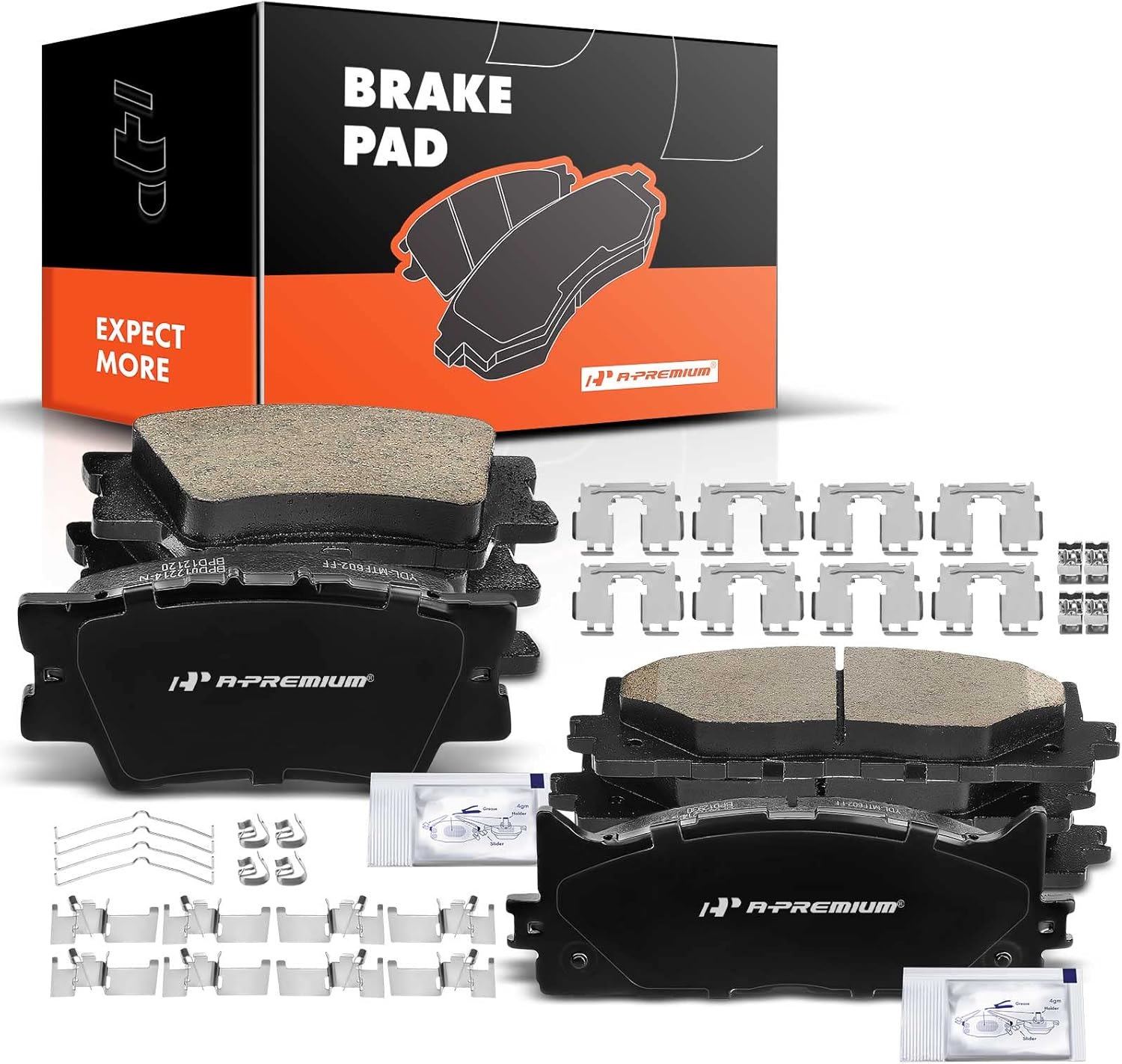
Brake hardware is not just packaging. The clips and springs locate the pads, reduce vibration, and help the pads release after braking. Reusing bent, rusty, or fatigued hardware is a common reason for noise and uneven wear, so install the new pieces included with the pad set or hardware kit whenever possible.
Snap the new abutment clips fully into the clean caliper bracket. They should sit flat with no rocking. If the clip does not seat cleanly, remove it and clean the bracket again instead of forcing it.
Important Hardware Installation Tips
- Match left and right side spring clips if the design differs.
- Make sure anti-rattle springs are not upside down or twisted.
- Check that pad wear indicators are positioned correctly, usually on the leading or specified edge according to the manufacturer.
- Test-fit the pads in the hardware before reassembling the caliper.
The pads should slide with light hand pressure. If they bind, remove them and correct the issue now. Do not grind the pad backing plate unless a service procedure specifically allows it, because the problem is usually rust under the clips or incorrect parts.
Lubricate Only the Correct Contact Points
Brake lubricant helps prevent noise and sticking, but applying it in the wrong places can contaminate friction surfaces and reduce braking performance. Use only a small amount of high-temperature brake lubricant and keep it off the pad friction material and rotor face.
Where Lubricant Usually Goes
- Caliper slide pins, if they are serviceable and use grease.
- Pad ears where they contact the abutment clips, using a very light film if recommended.
- Metal-to-metal backing plate contact points where the caliper or piston touches the pad.
- Specific anti-rattle or contact points identified in the service manual.
Where Lubricant Should Never Go
- Pad friction surface.
- Rotor braking surface.
- Wheel studs unless the vehicle manufacturer specifically says otherwise.
- Rubber components unless the lubricant is confirmed safe for them.
A thin film is enough. Excess grease can sling onto the rotor or trap grit. If lubricant accidentally gets on a rotor or pad surface, clean it thoroughly with brake cleaner or replace the contaminated friction part if needed.
Compress the Caliper Piston and Install the New Pads
Before fitting the thicker new pads, the caliper piston usually must be compressed back into its bore. Place an old pad against the piston face and use a C-clamp or the proper brake tool to push the piston in slowly and evenly. Watch the brake fluid reservoir while doing this so it does not overflow.
Some rear calipers require the piston to be rotated while compressing, especially if the parking brake mechanism is integrated. Forcing a twist-in piston straight back can damage the caliper. Always confirm the correct method before applying pressure.
Install the new pads in their proper positions. Many inner pads clip into the piston, while the outer pad rests in the bracket or caliper frame. Make sure any directional arrows, wear indicators, or chamfers match the original arrangement or the instructions included with the pad set.
Recommended Tools for This Job


Reassemble and Torque Everything Properly
Swing the caliper back over the new pads and confirm it moves into place without forcing. If it does not fit, recheck pad seating, hardware alignment, and piston retraction. Thread the slide pin bolts by hand first to avoid cross-threading, then tighten them to the manufacturer’s specification.
If you removed the caliper bracket, torque those bolts to spec as well. Brake fasteners are safety-critical, so this is not the place to guess. A torque wrench matters.
Before Reinstalling the Wheel
- Verify both pads are fully seated in the hardware.
- Check that slide pin boots are not twisted or pinched.
- Confirm the rotor spins with only light pad contact, not severe drag.
- Inspect for any grease or fingerprints on the rotor surface and clean if needed.
Reinstall the wheel and hand-start all lug nuts. Lower the vehicle enough that the tire touches lightly, then torque the lug nuts in the proper star or crisscross pattern to the correct specification.
Pump the Brake Pedal and Perform Final Checks
Do not put the vehicle in motion yet. Before starting the engine or driving, pump the brake pedal several times until it becomes firm. This seats the caliper pistons against the new pads. If you skip this step, the pedal may go to the floor the first time you try to stop.
Recheck the brake fluid level and adjust it if needed according to the reservoir markings. Then inspect the repaired area for leaks, missing clips, loose hardware, or abnormal drag. If one wheel is much harder to rotate than the other on the same axle, investigate before driving.
Basic Post-installation Checklist
- Brake pedal feels firm before driving.
- No warning lights related to the brake system are on.
- Brake fluid reservoir is properly filled and capped.
- Wheel lug nuts are torqued correctly.
- No leftover parts or hardware remain on the ground or workbench.
Bed In the New Brake Pads
Most new brake pads need a bedding-in procedure to transfer an even layer of friction material to the rotor surface. This helps maximize stopping performance, reduce noise, and prevent uneven deposits that can feel like rotor warping.
Follow the pad manufacturer’s instructions if provided. A typical bedding process involves several moderate stops from medium speed with enough cooling time between them to avoid overheating the brakes. Avoid hard panic stops unless the instructions specifically call for them.
For the first 100 to 200 miles, try not to ride the brakes or sit stopped with very hot pads clamped hard against the rotors. Heat management during the break-in period can make a big difference in long-term brake feel and noise.
Common Mistakes to Avoid
- Installing pads or hardware backward or on the wrong side of the vehicle.
- Reusing rusty or bent abutment clips instead of installing new hardware.
- Failing to clean rust from the bracket before fitting clips and pads.
- Using too much grease or getting lubricant on the rotor or pad surfaces.
- Forcing a caliper piston back without checking whether it needs to be rotated.
- Skipping torque specs on slide pins, bracket bolts, or lug nuts.
- Driving away without pumping the brake pedal first.
- Ignoring uneven old pad wear that points to a sticking caliper or seized slide pin.
If the brakes squeal immediately, drag, pull to one side, or produce smoke or a burning smell after a careful installation, stop and inspect the work. Those symptoms usually indicate a fitment, lubrication, hardware, or caliper movement problem that should be corrected right away.
Key Takeaways
- Clean the caliper bracket and install new hardware so the pads can slide freely without sticking.
- Lubricate only approved metal contact points and keep grease completely off the rotor and pad friction surfaces.
- Retract the caliper piston using the correct method for your brake design, especially on rear calipers with integrated parking brakes.
- Torque slide pins, bracket bolts, and wheel lug nuts to spec instead of tightening by feel.
- Pump the brake pedal and bed in the new pads before normal driving to restore proper pedal feel and braking performance.
FAQ
Do I Need to Replace Brake Hardware Every Time I Install New Pads?
In most cases, yes. New hardware helps the pads fit and move correctly, reduces vibration, and prevents noise. Reusing rusty or weak clips can cause sticking, uneven wear, and squeaks.
Where Should I Put Brake Grease when Installing Pads?
Apply a light amount only to approved metal contact points such as pad ears, backing plate contact spots, and serviceable slide pins if specified. Never put grease on the pad friction material or rotor surface.
Why Won’t My Caliper Fit Over the New Brake Pads?
The most common reasons are that the piston is not fully retracted, the pads are not seated correctly in the hardware, the wrong pads were supplied, or rust under the clips is making the fit too tight.
Should I Replace or Resurface the Rotors when Installing New Pads?
It depends on rotor thickness and condition. If the rotors are below minimum thickness, deeply grooved, cracked, heat-spotted, or causing pulsation, they should be replaced or machined if still within specification.
Why Do My New Brakes Squeak After Installation?
Squeaks can come from incorrect hardware placement, lack of lubrication at contact points, contaminated pads, rough rotor surfaces, or pads that were not bedded in properly. Persistent noise means the installation should be inspected.
Do I Have to Pump the Brake Pedal After Changing Pads?
Yes. Pumping the pedal seats the caliper pistons against the new pads and restores normal pedal height. Skipping this step can leave you with little or no braking on the first pedal press.
Can I Do This Job Without a Torque Wrench?
It is not recommended. Brake and wheel fasteners need proper torque for safety. Under-tightening can allow movement or loosening, while over-tightening can damage threads or components.
Need Parts for This Repair?
The right parts and supplies vary by vehicle.
Select your make and model to find compatible parts and accessories for your car.
Exact Fit
Parts that fit your make and model
Quality You Can Trust
Top brands and OEM quality options
Fast Shipping
Get the parts you need, delivered fast