

Note: This article contains affiliate links. If you click on these links and make a purchase, I may earn a small commission at no extra cost to you. This helps support my research and content. Read my full affiliate disclosure here.
If you drive a Ford Explorer XLT, a reliable backup camera makes reversing and parking faster, safer, and less stressful. The right camera improves low-light visibility, reduces blind spots, and helps you judge distance to obstacles behind the vehicle. This guide covers seven shortlisted backup cameras that suit the Ford Explorer XLT, chosen for their image quality, mounting options, and how they integrate with the vehicle's electrical and display systems.Below you will find practical notes on installation, wiring styles, and which features matter most for daily driving and occasional towing. Read on for clear evaluation criteria and tips to pick the best camera setup for your Explorer XLT.
Looking for other parts? See all Ford Explorer parts & accessories.
Top Picks at a Glance
| Best Overall Backup Camera A reliable, direct‑fit replacement with clear image and solid build | Dasbecan Replacement Backup Camera for Ford Explorer (2011–2015) |  |
| Best Budget Backup Camera An inexpensive direct-replacement that restores rearview function without breaking the bank | GlymXia Rear Backup Camera Replacement for Ford Explorer 2011–2015 |  |
| Best OEM‑Style Backup Camera A close OEM match designed for exact fit, factory connector, and original parts numbers | Ford Genuine Backup Camera Assembly (EB5Z-19G490-A) |  |
| Best 1080P / AHD Backup Camera Higher‑resolution sensor (1080P/AHD) for clearer daytime and low‑light images | PixelMan PMD2A-S 1080P AHD Metal Wide-Angle Backup Camera |  |
| Best All‑Weather / IP69K Camera Extra‑sealed metal or nano‑glued housing rated for heavy rain and washes | NATIKA Backup/Front View Metal Waterproof HD Wide‑Angle Camera |  |
| Best Dynamic‑Trajectory Backup Camera Retains steering‑linked guide lines so trajectory lines move with the wheel | Anpher Rear View 170° HD Night Vision Backup Camera for Ford Explorer (2011–2015) |  |
| Best Tailgate‑Handle / License‑Frame Camera Integrated handle or license‑plate mount for hidden install and clean appearance | GLK License Plate Backup Camera with 9 LED Night Lights |  |
1. Dasbecan Replacement Backup Camera for Ford Explorer (2011–2015)
Best Overall Backup Camera

| Compatible Devices | Ford Explorer |
|---|---|
| Optical Sensor Technology | CMOS |
| Field Of View | 170 Degrees |
| Connector Type | RCA |
| Video Capture Resolution | 720p |
This Dasbecan replacement backup camera is a direct-fit aftermarket unit intended for Ford Explorer model years 2011 through 2015. It installs as a plug-and-play replacement for the factory camera and uses an RCA connector to feed video to an in-dash monitor or aftermarket display. The camera uses a CMOS sensor with a wide-angle lens and a quoted 170 degree field of view, which gives a broad rearward perspective useful for parking and trailer hookup. It captures video at 720p and can output stills up to 10 MP, so image clarity is adequate in daylight and for routine reversing tasks. Because it is an aftermarket assembly, expect variation in weather sealing and matching of the factory trim; installation is straightforward for a DIYer comfortable with removing the tailgate trim and routing a single RCA cable. The main compromises are typical of value-oriented replacements: not every unit matches factory finish exactly and low-light performance will lag premium cameras, so additional illumination may help at night.
Best for: DIY owners who prioritize an easy plug-and-play swap that restores a factory-style backup view without needing custom wiring or extensive modification.
Less Ideal for: Drivers seeking top-tier low-light imaging or an exact OEM finish match should consider higher-end or dealer-sourced camera options.
- Direct-fit replacement tailored for Ford Explorer 2011–2015 for simpler installation
- Wide 170 degree field of view improves rear visibility and reduces blind spots
- Uses standard RCA output for easy connection to most aftermarket or factory monitors
- 720p video capture and CMOS sensor give clear daytime images for parking and hitching
- Low-light/nighttime performance is limited compared with higher-end cameras
Verdict: For DIYers who want a dependable, plug‑and‑play backup camera that balances image quality, fitment accuracy, and long‑term durability.
2. GlymXia Rear Backup Camera Replacement for Ford Explorer 2011–2015
Best Budget Backup Camera

| Compatible vehicle | Ford Explorer 2011-2015 |
|---|---|
| Connector Type | RCA |
| Video Capture Resolution | 720p |
| Field Of View | 160 Degrees |
| Minimum Lux | 0.5 Lux |
This GlymXia rear camera is a direct-fit replacement for the factory unit on Ford Explorer 2011–2015 that plugs into the existing tailgate harness for a mostly tool-free swap. It uses a Super CMOS sensor and a 720p-capable imaging pipeline with a 160 degree field of view, so you get a noticeably wider, clearer picture than many worn stock cameras and usable night performance down to about 0.5 lux. The camera preserves dynamic parking guidelines that move with the steering, which helps with backing and trailer alignment. Installation follows the original housing removal and reconnects to the factory connector with no reprogramming. Limitations to note are that the factory zoom up feature is not supported and some advanced factory behaviors that rely on the original module may be disabled. For drivers who want an inexpensive, working replacement that restores a clear rear view and the moving guidance lines, this unit delivers practical value without needing wiring changes.
Best for: Buyers who need an affordable, functional replacement to restore the reversing camera and guidance lines on a 2011–2015 Ford Explorer without custom wiring or dealer programming.
Less Ideal for: Drivers who require full factory camera features such as zoom-up behavior or who want an exact OEM-spec unit with every factory function preserved.
- Direct-fit design plugs into the existing Ford Explorer tailgate harness with no cutting or reprogramming
- Super CMOS sensor and 720p video capture for clearer daytime and low-light images
- 160 degree wide field of view reduces rear blind spots
- Dynamic trajectory parking guidelines that follow steering for easier reversing
- Does not support the factory zoom-up feature, so some OEM camera modes are unavailable
Verdict: Choose this when you need a cheap, functional replacement camera that simply restores your reversing view and plugs into the factory harness.
3. Ford Genuine Backup Camera Assembly (EB5Z-19G490-A)
Best OEM‑Style Backup Camera

| Optical Sensor Technology | CMOS |
|---|---|
| Field Of View | 120 Degrees |
| Connector Type | RCA |
| Video Capture Resolution | 720p |
| Installation Type | Surface Mount |
This is a genuine Ford backup camera assembly intended as a direct replacement for the factory unit. It uses a 1/3-inch CMOS sensor with a fixed wide-angle lens and a 120 degree field of view to provide a clear rear image to a compatible monitor over an RCA connector. Installation is surface-mount and the camera is supplied as a factory part number to preserve fitment and wiring, which reduces the need for adapters, re-routing, or coding when swapping into the original location. The camera records 720p MP4 video capture and is built to Ford manufacturing standards, which helps ensure parts-level compatibility and predictable performance compared with aftermarket alternatives. Limitations include a modest 720p resolution rather than HD/1080p and an analog RCA output, so owners wanting higher-resolution digital video or advanced features like dynamic guidelines or vehicle integration via CAN may need a different upgrade path.
Best for: Buyers who need a like-for-like factory replacement that installs without modification and preserves factory wiring and fitment for a Ford vehicle.
Less Ideal for: Drivers seeking higher-resolution digital video, advanced camera features, or direct integration with non-factory infotainment systems should consider aftermarket alternatives.
- Factory part-number fit for direct replacement with original mounting and connector
- Wide 120 degree field of view for good rear coverage
- CMOS sensor with 1/3-inch optical size for reliable low-light performance
- Surface-mount installation mirrors factory placement to minimize modifications
- Analog RCA output and 720p capture limit video resolution and modern digital integration
Verdict: Buy this if you want a replacement that replicates the factory unit’s fit, connector and OE part‑number compatibility to avoid modification or coding.
4. PixelMan PMD2A-S 1080P AHD Metal Wide-Angle Backup Camera
Best 1080P / AHD Backup Camera

| Video Capture Resolution | 1080p |
|---|---|
| Field Of View | 170 Degrees |
| Optical Sensor Size | 1/2.7in |
| Connector Type | RCA |
| Voltage | 12.0 |
The PixelMan PMD2A-S is a compact license-plate style backup camera built around a larger 1/2.7in imaging chip and an HD glass lens to deliver clearer daytime images and stronger night performance than basic 720p modules. It mounts using one of two included brackets for hidden license-plate installation or surface mounting and connects to a monitor with an RCA input; the camera ships with a 26 ft double-shielded RCA cable and a power lead for a straightforward install. Notable features are AHD/HD switching to enable 1080P output when paired with an AHD-capable display, a 170 degree field of view for broad rear coverage, and an alloy housing with enhanced waterproofing for durability. Practical benefits include sharper detail when reversing and improved color and brightness in low light, plus a sturdy bracket that resists vibration. Limitations are that it requires a monitor that accepts RCA/AHD signals and it is not intended for direct use with dash cams or 24V truck systems without a dedicated converter.
Best for: Buyers who want a noticeable step up in image clarity and low-light performance for reversing and plan to pair the camera with a compatible AHD-capable in-cabin monitor on their Ford Explorer XLT.
Less Ideal for: Drivers who need a wireless solution, a camera prewired for 24V trucks, or who cannot use an RCA/AHD display should consider other options.
- Supports AHD/1080P output for higher-resolution video when paired with an AHD monitor
- Larger 1/2.7in sensor and F1.4 glass lens improve brightness, color and night visibility
- 170 degree wide-angle lens gives broad rear coverage to reduce blind spots
- Metal alloy housing with nano waterproof sealing increases durability in harsh weather
- Includes 26 ft double-shielded RCA cable and two mounting brackets for flexible installation
- Requires a monitor that accepts RCA/AHD input and may need setup to switch to AHD output
Verdict: Select this pick when you want an upgraded sensor and AHD/1080P output for noticeably sharper video and improved night performance.
5. NATIKA Backup/Front View Metal Waterproof HD Wide‑Angle Camera
Best All‑Weather / IP69K Camera
| Voltage | 12 Volts |
|---|---|
| Optical Sensor Technology | CMOS |
| Field Of View | 170 Degrees |
| Video Capture Resolution | 720p |
| Lux rating | 0.01 Lux |
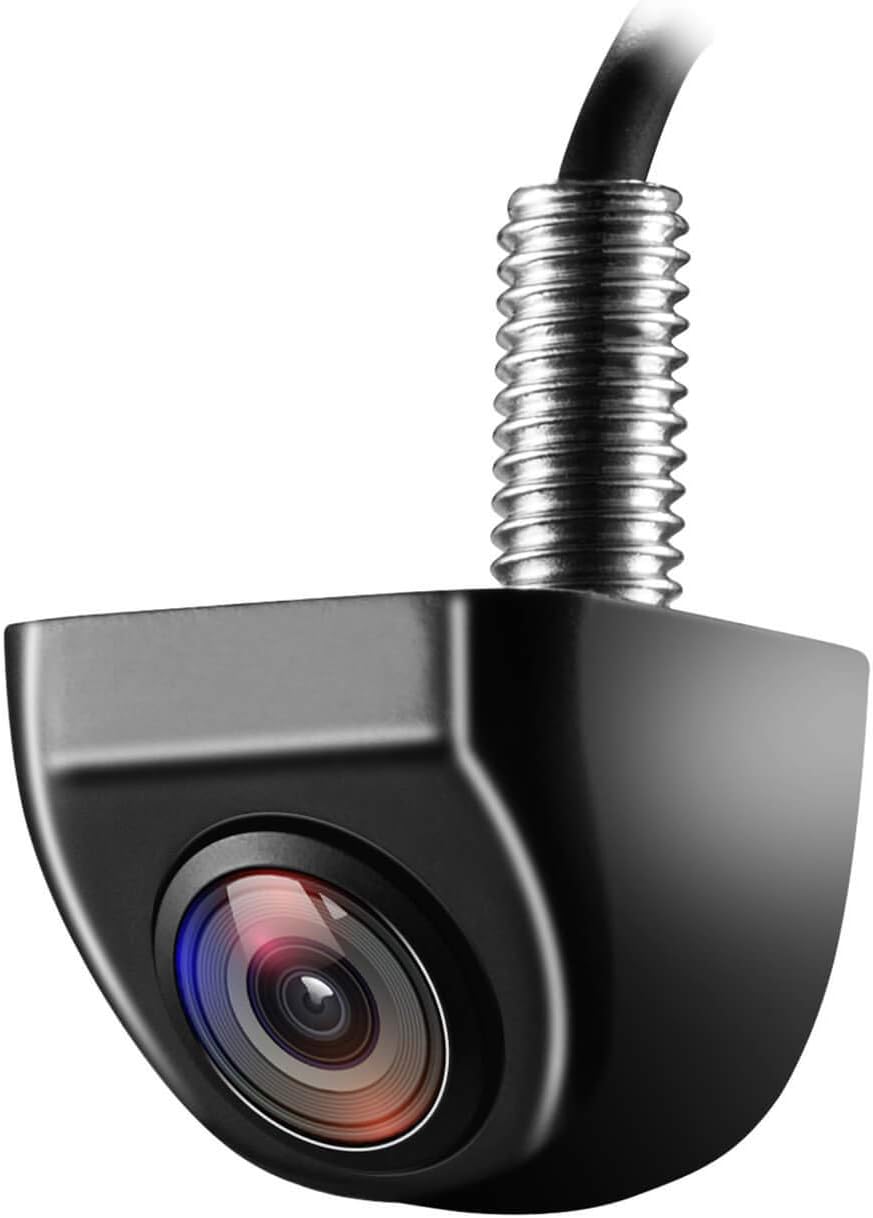
This NATIKA camera is built for rugged, all‑weather duty: a metal OEM‑style housing with fully sealed glue filling and IP69K‑grade waterproofing keeps moisture, road spray and pressure washes out of the sensor. It uses a 1/2.7" CMOS sensor with a 170 degree field of view and 720p video capture, so you get a broad, usable image for reversing or as a front-facing camera on an Explorer XLT. The camera includes multifunction wiring loops that let you switch to front view, enable or disable parking guide lines, or choose a vertical tailgate view for drop‑down mounting. Low‑light sensitivity is good at 0.01 lux, so night and low illumination backing maneuvers remain clear. Installation requires a compatible head unit or an RCA connection and may need a separate harness for factory screens, so plan for extra wiring. The compact size and metal body make it sturdy, but achieving a clean, factory look may need careful mounting and wiring during installation.
Best for: Buy this if you prioritize a rugged, weatherproof backup camera that can survive frequent washes, winter salt and rough conditions and you want flexible mounting or front/rear switching on an Explorer XLT.
Less Ideal for: Skip this camera if you need a plug‑and‑play factory‑style integration without extra harnesses or if you want the highest possible image sharpness for close‑up detail work.
- IP69K‑level waterproof sealed metal housing for heavy wash and severe weather protection
- Wide 170 degree field of view for broad rear visibility
- 720p capture with a 1/2.7" CMOS sensor and low‑light sensitivity (0.01 Lux) for usable night images
- Multifunction wiring: front/rear switching, guide line on/off and vertical tailgate view option
- Requires an RCA input or an additional harness to connect to some factory screens, adding installation complexity
- Effective still resolution listed lower than modern HD sensors which may limit fine detail
Verdict: Opt for this camera if you need extra waterproofing and rugged housing that withstands frequent car washes, road salt and severe weather.
6. Anpher Rear View 170° HD Night Vision Backup Camera for Ford Explorer (2011–2015)
Best Dynamic‑Trajectory Backup Camera

| Field Of View | 170 Degrees |
|---|---|
| Voltage | 12 Volts |
| Connector Type | RCA (original 6-pin interface) |
| Video Capture Resolution | 1080p |
| Waterproof Rating | IP68 |
This Anpher rearview camera replaces the factory unit on 2011–2015 Ford Explorer models and shows a wide 170 degree image on your in-dash monitor to help with reversing and tight parking. It is built for plug-and-play fitment to the original 6-pin connector and is surface-mountable, so most installers can swap it in without coding or major wiring changes. The camera offers 1080p capture, H.264 format, a CMOS sensor and LCD-compatible output via RCA, and it claims HD night vision with an IP68 waterproof rating for exposure to rain and car washes. Notably the guide lines rotate with steering input so the predicted trajectory updates as you turn, which is helpful when aligning trailers or squeezing into narrow spots. Practical limitations include reliance on the vehicle having the factory-style 6-pin interface and a compatible display; owners with nonstandard monitors may need adapters. Also, the mounting and image angle are optimized for Explorer rear geometry so it is not a universal camera for other vehicles.
Best for: Buyers who need a direct-replacement camera for a 2011–2015 Ford Explorer and prioritize steering-linked dynamic guidelines to improve trailer alignment and close-quarters reversing.
Less Ideal for: Drivers who want a universal camera for multiple different vehicles or those with aftermarket head units lacking the original connector should consider alternatives.
- 170 degree ultra-wide field of view reduces rear blind spots and improves situational awareness
- Moving parking guidelines that rotate with steering input for accurate trajectory prediction during maneuvers
- Designed to plug into the factory 6-pin connector for largely plug-and-play installation on supported Explorers
- IP68 waterproof rating and ABS construction for durability in wet conditions
- 1080p capture and CMOS sensor deliver clear daytime and improved night-time imaging
- Requires a compatible factory-style 6-pin interface and display connection so may need adapters for aftermarket monitors
Verdict: Pick this model when you rely on moving parking guidelines tied to steering input for accurate trailer alignment and tight‑space maneuvering.
7. GLK License Plate Backup Camera with 9 LED Night Lights
Best Tailgate‑Handle / License‑Frame Camera

| Compatible Devices | 12V cars |
|---|---|
| Connector Type | RCA |
| Video Capture Resolution | 960×576 |
| Field Of View | 135 Degrees |
| Lux rating | 0.1 Lux |
This GLK license‑plate backup camera is a discreet plate‑frame/tailgate‑handle style camera that gives a wide field of view and built‑in night illumination for reversing and parking. It connects via RCA and is intended for a 12V vehicle monitor or radio; wiring includes selectable loops to enable or disable guide lines and flip the image for front use. The camera uses a sensitive CMOS sensor and a multi‑glass lens stack to produce a sharper 960×576 HD image than older low‑TVL units, and nine LEDs with a light sensor help retain color and visibility after dark. The housing is sealed with a full‑glue waterproof process rated up to IP69K, so it tolerates wet conditions on an SUV or truck. Expect a wired installation that mounts in a license plate or tailgate handle area and may require restarting the head unit after changing loop settings; it does not include a monitor and relies on RCA input and AHD/CVBS compatibility, so verify your Explorer XLT display supports the signal before buying.
Best for: Buyers who want a low‑profile, factory‑style backup camera that mounts in the license plate or tailgate handle area to keep wiring hidden and preserve the Explorer XLT's appearance.
Less Ideal for: Drivers who need a plug‑and‑play wireless kit or a camera that delivers true 720p/1080p resolution and advanced digital features should look elsewhere.
- Discreet license‑plate/tailgate‑handle form factor preserves factory look and hides wiring.
- Wide viewing angle with multi‑glass lens for clearer daytime images and blind‑spot coverage.
- Nine LEDs plus a light sensor provide improved night visibility and more natural colors at night.
- Full‑glue waterproof housing rated to withstand heavy weather and road spray.
- Includes long 8 m video cable to reach rear monitors on larger SUVs without extra parts.
- Wired RCA connection requires a compatible monitor or head unit and basic electrical work to install.
- Image output is 960×576 rather than modern 720p/1080p AHD natively, which limits detail compared with higher‑resolution cameras.
Verdict: Choose this form‑factor when you prefer a discreet, license‑plate or tailgate‑handle mount that hides wiring and preserves factory styling.
Choosing the Right Ford Explorer XLT Backup Camera: Key Factors to Consider
Image Resolution and Low-Light Performance
Higher resolution cameras provide clearer images, making it easier to detect small obstacles, curbs, or children behind the vehicle. For the Ford Explorer XLT, improved resolution is most valuable in tight parking situations and when towing a small trailer or carrying a cargo load that obscures rear sightlines.
Low-light performance affects nighttime reversing and parking in dimly lit lots. Look for cameras with wide dynamic range or infrared assistance so the sensor handles headlights and shadowed areas without losing contrast. Real-world testing often shows that a marginal difference in sensor sensitivity can change whether a camera is useful in dusk conditions or not.
Mounting Style and Fitment
Mounting options determine how the camera integrates with the Explorer XLT's rear fascia. License-plate mount cameras are the least invasive and typically the easiest to align, while bumper or flush-mount cameras offer a cleaner factory look but may require more precise fitment or minor trim removal.
Consider where the camera will sit relative to the bumper and tow hitch so it does not get obscured by dirt or trailer hardware. For SUV use, mounting height affects the field of view and how parking guidelines map to real distances, so choose a style that matches your typical reversing scenarios.
Wiring Type and Installation Complexity
Backup cameras are available in wired and wireless configurations. Wired cameras avoid signal dropouts and usually connect directly to an existing display or an aftermarket monitor, but they require routing video and power cables through the cabin or tailgate. That can mean removing interior panels or feeding cables through grommets on the Explorer XLT.
Wireless cameras simplify initial setup by sending video to a receiver, but they depend on a robust transmitter and stable power source. Consider the difficulty level you are comfortable with and whether you can access the reverse-light circuit for power. Also evaluate if the installation requires drilling or cutting; owners often prefer solutions that preserve factory trim and can be reversed without damage.
Compatibility With Existing Monitor Or Head Unit
Check whether the chosen camera outputs a format and connector compatible with your Explorer XLT's display or an aftermarket monitor. Common outputs include analog RCA composite and digital wireless signals. If you plan to use the factory head unit, verify the display input and any required adapters.
Some cameras include a dedicated monitor or integrate with add-on rearview mirrors that have screens. Consider whether you want a simple camera-only solution or a package that includes a display, and make sure the display placement does not obstruct sightlines or interfere with airbag zones.
Durability and Weather Resistance
The camera will be exposed to road spray, salt, and temperature swings, so water resistance and corrosion protection are important. Look for cameras with sealed housings and industry-standard IP ratings that indicate protection against dust and moisture.
Also consider the robustness of connectors and cables; rubber booted connectors and braided cable sleeves help prevent wear where the cable passes through the tailgate or bumper. A more durable unit will last longer and require less maintenance for Explorer owners who drive in varied climates.
Field of View and Parking Aids
Field of view determines how much of the rear area the camera captures. A wider field of view helps show cross-traffic and approaching pedestrians but can distort distance, while a narrower view gives more accurate distance perception. For the Explorer XLT, choose a balance that provides ample side coverage without making objects seem farther than they are.
Many cameras offer parking guide overlays or adjustable angle mounts that let you tailor the image to your vehicle height and bumper geometry. If you tow or frequently park in tight spots, those features can make the camera significantly more useful day to day.
Wired Versus Wireless: Practical Pros and Cons
Wired systems provide a stable video connection and are less prone to interference, which is useful if you need consistent image quality while reversing on busy roads or near power lines. They typically require routing an RCA or similar video cable through the tailgate and into the cabin, which can be time-consuming but results in reliable performance.
Wireless systems reduce installation time and avoid running long video cables, but signal quality depends on the transmitter and the vehicle environment. For the Ford Explorer XLT, interior metalwork and other electronics can affect signal strength, so wireless units with robust antenna designs or a short-range paired receiver are preferable.
- Wired: reliable signal, harder installation, best for factory head unit integration
- Wireless: easier install, potential interference, good for add-on monitors or mirrors
Choosing a Mount That Stays Clean
Where you mount the camera affects how quickly it accumulates dirt and how often you will need to wipe the lens. Lower bumper mounts are closer to road spray and grime, which can blur the image after a wet or salty drive. License-plate mounts tend to be a bit higher and are often easier to keep clean.
If you frequently drive off-road or on gravel, favor mounts that can be angled slightly upward to avoid direct spray from the tires. Some owners add small covers or rinse spray nozzles to keep the lens clear; these additions should be compatible with the chosen camera housing.
- Higher mounts reduce road spray but change parking perspective
- Protected mounts last longer in harsh weather or off-road use
Integrating With Trailer Wiring and Towing Setup
If you tow with the Explorer XLT, think about how the camera's line of sight will interact with a trailer or hitch-mounted accessories. A camera mounted too low or too central may be obscured by a trailer tongue or hitch ball. Choose a mount that retains a clear view when towing or consider a camera position that can be adjusted easily.
Also plan the wiring so it does not interfere with trailer wiring harnesses or connector access. Wireless camera systems avoid some of these challenges, but you still need a stable power connection and a way to secure the transmitter when hauling a trailer.
- Angle and height adjustments help keep view clear while towing
- Secure cabling prevents interference with trailer harnesses
Monitor Options and Where To Mount Them
Aftermarket displays come in a range of sizes and mounting styles, from dash-mounted screens to rearview mirrors with built-in monitors. For the Explorer XLT, choose a monitor position that offers a natural line of sight while driving and does not block vents, sensors, or instrument visibility.
If you prefer a discreet installation, mirror-style monitors replace or clip over the factory mirror and show the camera feed when the vehicle is in reverse. Dash-mounted screens provide larger images but require a stable mounting location and careful cable routing to the camera.
- Mirror monitors: discreet and easy to glance at
- Dash monitors: larger view, need more permanent mounting
Basic Troubleshooting and Maintenance Tips
Regularly inspect the lens and housing for buildup, and clean with a soft cloth and mild cleaner to avoid scratching the lens. Check cable entry points for chafing or loose connectors, especially around the tailgate where opening and closing can stress wiring.
If a wireless system shows intermittent feed, test for interference by operating other wireless devices and locating the transmitter away from heavy wiring bundles. For wired systems, check voltage at the camera with the vehicle in reverse to confirm the power source is working.
- Keep lens clean and check seals after winter to prevent corrosion
- Test power and connections before replacing hardware
Still looking for the perfect fit?
Select your Ford Explorer configuration to see the most relevant Backup Cameras recommendations
How We Chose the Best Ford Explorer XLT Backup Camera
We focused on criteria that matter specifically for Ford Explorer XLT owners and the typical use cases for this SUV. Priority factors included camera resolution and low-light performance because clear imaging is critical when reversing in dim conditions or at night. Mounting and fit were evaluated to favor cameras that install cleanly on the Explorer XLT's rear, whether using license-plate mounts, bumper integration, or surface mounts. Wiring options and power compatibility were assessed to ensure reliable operation with the vehicle electrical system, including the ease of tapping into reverse-light circuits and available 12 V feeds.We also rated signal type and range for wireless models to account for interference inside the Explorer cabin and around trailer wiring. Durability and water resistance ratings were required to withstand road spray and seasonal use. Finally, we considered user-facing features such as parking guide overlays, adjustable viewing angles, and monitor compatibility for units that pair with aftermarket displays. Exclusions: we did not include cameras that require major body modification or permanent cutting of trim, and we excluded single-purpose camera models that lack standard automotive mounting or fail basic weatherproofing tests.
Our full evaluation process is outlined in our review methodology.
FAQ
Will an aftermarket backup camera work with my Explorer XLT factory display?
It depends on the head unit inputs. Many factory displays do not have an exposed composite video input, so you may need an adapter or a dedicated interface module. Alternatively, consider a standalone monitor or mirror display that accepts the camera output without modifying the factory unit.
Can I power the camera from the reverse light circuit on the Explorer XLT?
Yes. Most backup cameras are designed to draw power from the reverse-light circuit so they turn on automatically when you shift into reverse. Ensure you use proper connectors and fuses, and check that tapping into the circuit does not interfere with factory wiring or diagnostics.
Is a wireless camera reliable for daily use in this SUV?
Wireless cameras can be reliable if the transmitter and receiver are paired correctly and the system uses robust signal encoding. However, metal components and vehicle electronics can sometimes weaken the signal. For mission-critical reliability, a wired connection is usually more consistent.
How do parking guide lines relate to actual distances on the Explorer XLT?
Parking guide overlays are general references and may not match exact distances on every vehicle. The guide lines are most useful as relative cues; you should verify distances by measuring once after installation and adjust any angle or mounting height so the guides match the Explorer XLT's bumper geometry.
What maintenance does a backup camera need in winter?
In cold months, ice and salt buildup can obscure the lens and corrode connectors. Regularly clear ice and rinse salt from the lens area, and inspect seals and cable boots for cracks. Applying dielectric grease to external connectors can help prevent moisture intrusion.
Final Verdict
For a Ford Explorer XLT, prioritize cameras with clear imaging, reliable mounting, and installation that fits your comfort level. Decide between wired units for steady performance or wireless options for simpler installs, and choose a mount height that balances cleanliness with useful perspective.Weigh tradeoffs such as field of view versus distance accuracy and plan installations to avoid interference with towing equipment. With these priorities in mind you can select a backup camera that meaningfully improves rear visibility and parking confidence for your Explorer XLT.
Explore More:
- Check out all Ford Explorer parts & accessories
- Explore Electronics
- Browse all Accessories
