

Note: This article contains affiliate links. If you click on these links and make a purchase, I may earn a small commission at no extra cost to you. This helps support my research and content. Read my full affiliate disclosure here.
An OBD-II scanner can save time, reduce guesswork, and help you understand what your vehicle is trying to tell you before you start replacing parts. For DIY car diagnostics, the right tool does more than read a trouble code. It can show live sensor data, clear faults after repairs, and help you narrow down problems with better confidence.Not every scanner fits every user, though. Some are best for basic check engine light issues, while others are better for deeper system access, service functions, and guided testing. The picks that follow are meant to help you compare the most useful options for home garage work, whether you want a simple code reader or a more capable scan tool.
Top Picks at a Glance
| Best Overall OBD-II Scanner for DIY Mechanics All-around scanner balancing coverage, ease of use, and value | ANCEL AD310 Enhanced Universal OBD2 Code Reader |  |
| Best Budget OBD-II Scanner for DIY Mechanics Essential code reader with basic live-data at a low price | AUCELI OBD2 Code Reader Diagnostic Scanner (Compact) |  |
| Best Compact OBD-II Scanner Pocketable scanner for quick inspections and convenient mobile troubleshooting | Veepeak VP11 Mini Bluetooth OBD2 Scanner for Android |  |
| Best Bluetooth OBD-II Scanner Wireless OBD-II interface for app-based diagnostics and cable-free use | OBDLink MX+ Bluetooth OBD2 Scanner for iPhone, Android, and Windows |  |
| Best Professional-Grade OBD-II Scanner Durable, advanced scanner with bi-directional controls and extensive coverage | ANCEL DS100 5" Full-Touch 4-System OBD2 Diagnostic Scanner |  |
| Best Multi-Protocol OBD-II Scanner Supports diverse OBD-II protocols to maximize vehicle compatibility | Innova 5610 Bidirectional OBD2 Scan Tool | 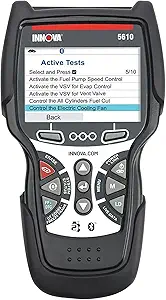 |
| Best Premium OBD-II Scanner High-end unit with refined UI, faster updates, and features | XTOOL D7 Bidirectional OBD2 Scanner Diagnostic Tablet |  |
ANCEL AD310 Enhanced Universal OBD2 Code Reader
Best Overall OBD-II Scanner for DIY Mechanics

| Operating System | Linux |
|---|---|
| Automotive Fit Type | Universal Fit |
| Voltage | 12 Volts |
| Batteries | 1 Lithium Ion battery required. |
The ANCEL AD310 is a straightforward handheld OBD2 scanner that reads and clears check-engine codes and displays basic live data for supported vehicles. You plug it into the vehicle DLC and use the built-in LCD and simple buttons to pull diagnostic trouble codes, view code definitions, and erase codes after repairs. Its strengths are ease of use and universal OBD2 coverage for 1996-or-newer cars that follow standard protocols, making it a practical tool for DIYers diagnosing emission-related faults. The unit runs from the vehicle 12V supply and is lightweight and portable for garage or driveway use. Limitations are that it focuses on engine/Emission system codes only and does not support ABS, transmission, or advanced manufacturer-specific modules, so deeper system-level diagnostics require a more advanced scanner. Also live data availability depends on the vehicle manufacturer and some functions, like code clearing, require key-on engine-off procedure. For basic fault-finding and clearing after fixes, it delivers a reliable, no-frills experience.
Best for: Hands‑on DIYers who want a simple, reliable code reader to diagnose and clear engine check codes, confirm emissions-related issues, and perform routine troubleshooting without needing advanced vehicle‑specific functions or expensive software.
Less Ideal for: Technicians or hobbyists who need full-system diagnostics, manufacturer-specific functions, or bi-directional control should choose a professional-level scan tool instead.
- Simple plug-and-play operation with a clear LCD and tactile buttons for quick code checks
- Universal OBD2 protocol support for 1996-or-newer vehicles, covering emission and engine codes
- Portable, handheld design powered from the vehicle so no separate batteries are required for short diagnostics
- Only reads and clears engine/emission-related codes and does not access ABS, transmission, or other system modules
- Live data support varies by vehicle and some functions require specific key-on/engine-off procedures
Verdict: The best all-around OBD-II scanner that balances diagnostic coverage, ease of use, update support, and value for typical DIY car troubleshooting and repair.
AUCELI OBD2 Code Reader Diagnostic Scanner (Compact)
Best Budget OBD-II Scanner for DIY Mechanics

| Power Source | Corded Electric |
|---|---|
| Operating System | Windows 10 |
| Screen Size | 2.7 |
| Automotive Fit Type | Vehicle Specific Fit |
This compact AUCELI OBD2 code reader plugs into the vehicle OBD-II port to read and erase engine diagnostic trouble codes, display live sensor data and I/M readiness, and show basic vehicle information like VIN and engine RPM. It is designed for quick hands-on use by DIYers: power comes directly from the vehicle, navigation uses a simple six-button layout, and the eye-friendly LCD presents codes, freeze frame data, and real-time curves without a phone or app. The unit supports six languages and claims broad compatibility with post-1996 OBD-II cars. Practical benefits include fast on-the-spot diagnostics to help you decide whether a repair is needed and the ability to clear minor codes after a confirmed fix. Limitations are its basic feature set compared with advanced scan tools: it lacks bi-directional controls, advanced ABS/airbag diagnostics, and graphing/detail storage is limited by the small screen and no wireless connectivity. For routine engine checks and emissions troubleshooting this is a straightforward, pocketable scanner but it will not replace a professional-level diagnostic tool.
Best for: DIY mechanics who want an affordable, no-frills scanner to read and clear engine codes, check basic live data, and perform quick on-the-spot diagnostics without needing phone apps or advanced features.
Less Ideal for: Technicians or owners who need deep system diagnostics, bi-directional controls, logged data or OEM-level repair functions should choose a more advanced scanner.
- Reads and clears standard OBD-II engine trouble codes for quick diagnostics
- Displays live data, freeze frame and I/M readiness without a phone or app
- Compact, corded design draws power from the vehicle and is easy to store and carry
- Supports multiple languages for broader user accessibility
- No advanced system coverage such as ABS, SRS or manufacturer-specific modules
- Small screen limits detail and long-term data review or storage
- No wireless connectivity or phone app integration for extended analysis
Verdict: A low-cost OBD-II scanner that provides essential code reading and basic live-data capability for DIY mechanics who need reliable diagnostics without extra features.
Veepeak VP11 Mini Bluetooth OBD2 Scanner for Android
Best Compact OBD-II Scanner
| Power Source | OBD II Port |
|---|---|
| Operating System | Android phones & tablets (NOT for iOS) |
| Connection Method | Classic Bluetooth |
| Supported OBD II protocols | J1850 PWM/VPW, ISO9141-2, ISO14230-4, ISO15765-4 (CAN) |
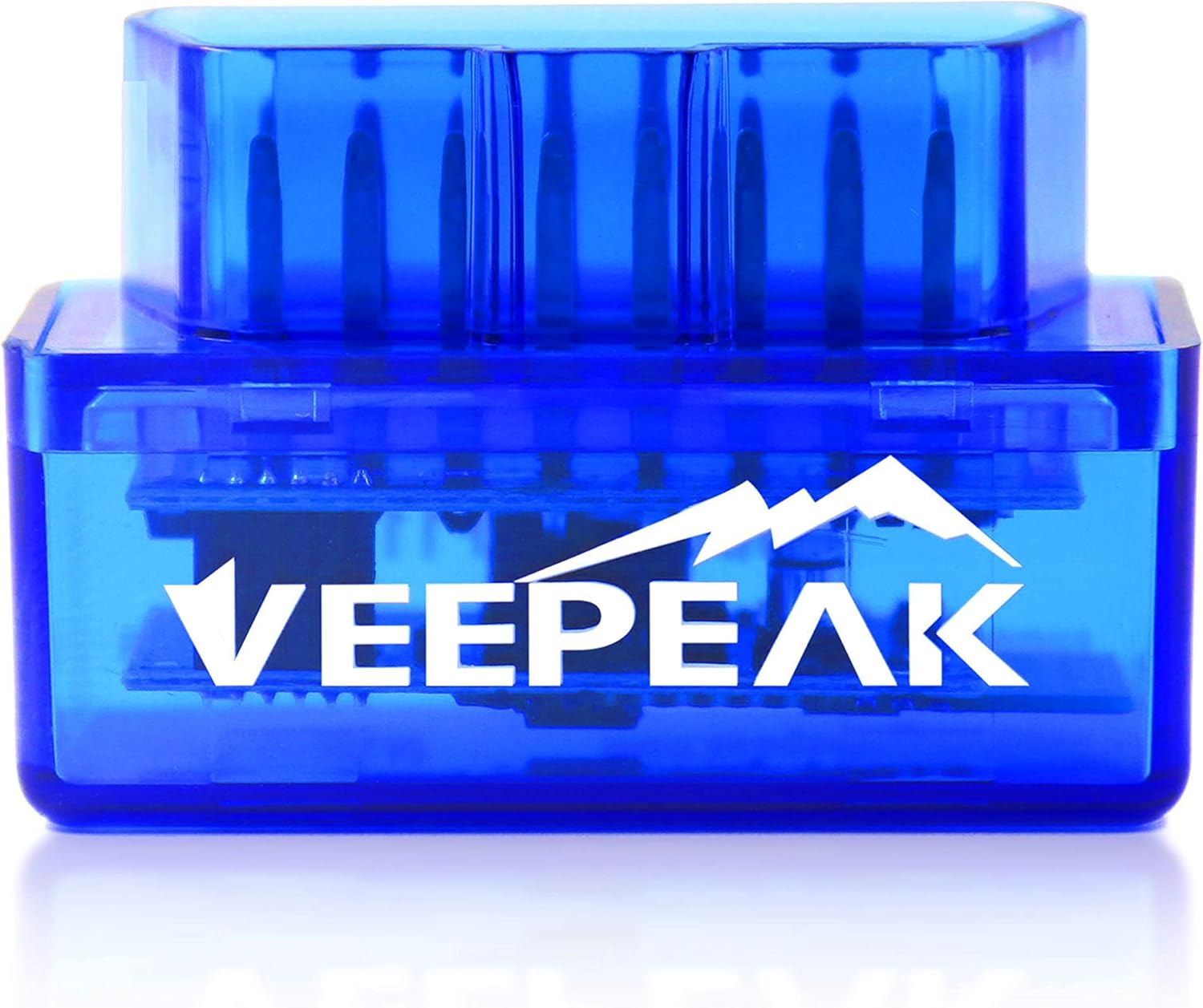
The Veepeak VP11 is a pocket-size OBD2 Bluetooth adapter that turns an Android phone or tablet into a basic diagnostic tool. Plug it into your car's OBD-II port, pair it to a compatible app such as Car Scanner or Torque, and you can read and clear check engine codes, view live sensor data, and check I/M readiness. The unit uses classic Bluetooth and supports the common OBD-II protocols used on gas and many diesel passenger vehicles, so it covers routine diagnostics for most 1996-and-newer cars. Its small form factor makes it easy to leave plugged in or store in the glovebox. Limitations are clear: it does not support iOS, advanced or manufacturer-specific functions such as ABS, airbag, transmission, or service resets, and MS-CAN/SW-CAN networks are not supported. You also need a third-party Android app and in some cases pay for advanced app features. For basic code reading and live-data monitoring on Android, it is a convenient and affordable option; for professional-level or manufacturer-specific work you will need a more capable tool.
Best for: Drivers and mobile DIYers who want a tiny, pocketable OBD-II dongle for quick check-engine scans and basic live-data checks on an Android phone, especially useful for roadside troubleshooting and fast inspections without a bulky tool.
Less Ideal for: Technicians, advanced DIYers, or owners who need manufacturer-level diagnostics, service resets, or iOS compatibility should choose a more capable or platform-compatible scanner.
- Compact, pocketable design that stays out of the way when plugged into the OBD port
- Provides core OBD-II functions: read and clear engine trouble codes and view live sensor data
- Uses standard Bluetooth for easy pairing with popular Android apps
- Compatible with a wide range of 1996+ OBD-II vehicles for generic diagnostics
- Not compatible with iPhone or iPad
- Does not support advanced or manufacturer-specific systems such as ABS, SRS, transmission, or service resets
- MS-CAN and SW-CAN networks are not supported
Verdict: A small, portable scanner that prioritizes pocketable size and simple on-tool operation for quick inspections and mobile troubleshooting.
OBDLink MX+ Bluetooth OBD2 Scanner for iPhone, Android, and Windows
Best Bluetooth OBD-II Scanner

| Operating System | iOS, Android, Windows |
|---|---|
| Automotive Fit Type | Universal Fit |
| Model | OBDLink MX+ |
| Power Source | Vehicle |
The OBDLink MX+ is a Bluetooth OBD2 adapter that turns a phone, tablet, or Windows PC into a diagnostic tool for reading and clearing trouble codes and viewing live sensor data. It is typically plugged into the vehicle OBD-II port and paired with apps like Torque, FORScan, BimmerCode, or DashCommand to monitor engine, ABS, SRS, TPMS and other systems. Notable features include broad operating system support for iOS, Android and Windows, enhanced manufacturer support for many brands, and built-in protections against over-voltage and battery drain. Those protections and regular firmware updates make it a more reliable long-term tool than generic adapters. The unit is very small and unobtrusive, so it can stay connected during testing without blocking the port. Limitations are that advanced manufacturer-level functions still depend on the app you choose and certain high-end dealer functions will not be available, and Bluetooth range and app compatibility can vary by phone and vehicle. For DIY diagnostics it delivers a robust, well-supported Bluetooth interface with practical safeguards for everyday use.
Best for: DIYers and hobbyist technicians who want a cable-free Bluetooth OBD-II interface to run diagnostics, live data monitoring, and app-based logging on an iPhone, Android device, or Windows PC without needing a full scan tool.
Less Ideal for: Technicians who need factory-level programming, dealer-only diagnostics, or a wired, bench-style scan tool for heavy shop use should consider professional diagnostic equipment instead.
- Works with iOS, Android and Windows for wide device compatibility
- Enhanced manufacturer support for deeper data on many brands
- Over-voltage and battery drain protection for safer vehicle connection
- Small form factor that stays plugged in without obstructing the port
- Receives firmware updates to maintain compatibility and features
- Advanced dealer-level functions require specialized software beyond typical apps
- Bluetooth performance and app feature set depend on the vehicle and phone combination
Verdict: A wireless Bluetooth-enabled OBD-II interface that pairs with smartphones or tablets for app-based diagnostics, data logging, and a cable-free workflow.
ANCEL DS100 5" Full-Touch 4-System OBD2 Diagnostic Scanner
Best Professional-Grade OBD-II Scanner

| Operating System | Android |
|---|---|
| Screen Size | 5 Inches |
| Power Source | Corded Electric |
| Automotive Fit Type | Universal Fit |
The ANCEL DS100 is a portable, corded diagnostic scanner aimed at DIYers who want more than a basic code reader. It plugs into a 12V vehicle OBD2 port and runs on an Android-based interface displayed on a 5-inch full touchscreen, letting you scan engine, transmission, ABS, and airbag systems, view live data, and clear fault codes. The unit includes seven common service functions such as oil reset, EPB/BMS tasks, and ABS bleeding plus AutoVIN for quick vehicle identification. Built-in 32GB storage, PDF report generation, and options to share via Bluetooth or email make it useful when documenting repairs or communicating with a shop. Practical benefits include a more modern touchscreen workflow than button-style scanners, lifetime software updates, and on-device support to help troubleshoot unusual codes. Limitations are that it only supports 12V passenger vehicles and specific manufacturer functions vary by make, model, and year, so some advanced or dealer-level features and heavy truck coverage are not available.
Best for: Hands-on DIYers who want near-professional diagnostic capability without stepping up to a shop-grade tablet; ideal for owners who perform regular maintenance, troubleshooting, and a range of service resets and who value clear touchscreen workflows, built-in support, and report-sharing to document repairs.
Less Ideal for: Technicians who need full dealer-level coverage, advanced coding or 24V heavy-truck diagnostics should consider a higher-tier professional tool instead.
- Full 5-inch touchscreen for faster, more intuitive navigation than button readers
- Scans four major systems (Engine, Transmission, ABS, SRS) and shows live data graphs
- Seven service resets for common maintenance tasks including ABS bleeding and BMS
- AutoVIN, 32GB storage, and PDF report export make record keeping and sharing straightforward
- Lifetime software updates and built-in support reduce the need for external help
- Does not support 24V commercial vehicles or heavy trucks
- Some manufacturer-specific diagnostics and reset functions are limited by vehicle make, model, and year
Verdict: A robust scanner offering advanced diagnostics, bi-directional controls, and extensive code coverage for DIYers who demand near-professional capability and durability.
Innova 5610 Bidirectional OBD2 Scan Tool
Best Multi-Protocol OBD-II Scanner

| Item model number | 5610 |
|---|---|
| Batteries | 3 AA batteries required |
| Supports OBD2 modes | All 10 OBD2 modes |
| Special features | Bidirectional tests, Live Data, Reset functions, BMS/TPMS readouts |
The Innova 5610 is a handheld bidirectional OBD2 scan tool designed for DIYers and independent shops who need more than a basic code reader. It connects to the vehicle OBD2 port to read and clear check engine, ABS, SRS, and transmission codes, display enhanced live data streams, and execute bidirectional commands such as fuel pump on/off and electronic parking brake service. Notable features include all-system network scans, battery management and initialization, hybrid battery cell voltage reading, TPMS and transmission temperature readouts, and dealer-style special reset procedures like SAS and DPF regen. It pairs with Innova’s RepairSolutions2 app and receives free updates without a subscription, and US-based ASE-certified support is available. Practical benefits are fast fault isolation, the ability to verify repairs via live data, and advanced reset/service functions that save shop time. Limitations are that not every make and model supports every advanced feature and some cloud-enabled functions rely on the app and vehicle compatibility, so coverage should be checked before purchase.
Best for: DIYers and home mechanics who need a single scanner that maximizes vehicle coverage and protocol support so they can diagnose a wide variety of makes and model years without swapping tools.
Less Ideal for: Buyers who only need a very basic code reader or who require guaranteed universal support for every advanced function across all makes and models should consider simpler or manufacturer-specific options instead.
- Bidirectional controls for active tests and actuator commands
- Enhanced live data stream across engine, AT, ABS, and SRS for deeper troubleshooting
- Special reset functions (SAS, DPF regen, oil light reset) that replicate dealer procedures
- Free software updates and app integration for repair guidance
- US-based ASE-certified technical support
- Advanced features vary by vehicle and require checking compatibility
- Relies on app connectivity for some functions which may be limiting without a smartphone or tablet
Verdict: A scanner that supports the widest range of OBD-II protocols and VIN/vehicle identification features to ensure compatibility across diverse makes and model years.
XTOOL D7 Bidirectional OBD2 Scanner Diagnostic Tablet
Best Premium OBD-II Scanner

| Operating System | Android 10.0 |
|---|---|
| Screen Size | 7 Inches |
| Power Source | Battery Powered |
| Native Resolution | 1024×600 |
The XTOOL D7 is a tablet-style diagnostic scanner designed to behave like a shop-level tool for DIY enthusiasts and small repair shops. It performs OE-level full system scans across engine, ABS, SRS, transmission and more, reads and clears codes, runs bi-directional active tests and graphs up to eight live PIDs simultaneously. The unit also includes 36+ service functions such as EPB, injector tests, throttle and crank relearns, and advanced ECU resets and relearns so common post-repair procedures can be done without dealer visits. Practical benefits include a responsive Android 10 interface, built-in storage and Wi-Fi for updates, exportable diagnostic reports for customer records, and a battery that supports extended sessions. Limitations to expect are vehicle-dependent function availability, occasional need for FCA account management for certain makes, and that advanced features like ECU coding and DoIP require compatible modules and may not work on every model. The AI diagnostic suggestions speed troubleshooting but should be used alongside factory procedures and professional judgement.
Best for: Committed DIYers and home mechanics who want a near-professional, long‑term diagnostic tablet with fast updates, advanced bi-directional tests and shop-style reporting to diagnose, repair, and document complex vehicle issues.
Less Ideal for: Users who only need a basic code reader for occasional check-engine light clearing or those who prefer the simplicity of a phone app plug-in rather than a full tablet diagnostic system.
- Full-system diagnostics with bi-directional control and active tests for deeper troubleshooting
- 36+ special functions and relearns to perform common repair procedures without dealer tools
- Graphing live data (up to 8 PIDs) and exportable reports for professional diagnostics and record keeping
- AI-assisted fault explanations and step-by-step guidance to help less experienced users
- Not all advanced functions are available on every vehicle or control module and compatibility varies by make and year
- Some manufacturer-specific protocols require account authorization or depend on vehicle configuration
Verdict: A higher-end OBD-II scanner that justifies its price with superior build quality, faster updates, expansive feature sets, and refined user interfaces for committed DIY enthusiasts.
How We Chose the Best OBD-II Scanner
We focused on the features that matter most when an OBD-II scanner is used in a home garage rather than a full repair shop. First, we looked at vehicle compatibility, including support for common domestic, Asian, and European vehicles, plus model year coverage and protocol support. Next, we considered code reading depth, especially whether a tool can access only generic powertrain faults or also read manufacturer specific codes and systems beyond the check engine light.We also weighed live data quality, because clear data streams, graphing, freeze frame access, and readiness monitor status make diagnosis much easier for DIY users. Ease of use mattered too, including menu layout, screen readability, update process, and whether the scanner is practical for quick checks in the driveway. We gave extra credit to tools that offer useful service functions or bidirectional capability when those features are meaningful for at-home repairs. We excluded tools with unclear compatibility, limited diagnostic feedback, poor interface design, or feature lists that sound impressive but add little real troubleshooting value.
Our full evaluation process is outlined in our review methodology.
What an OBD-II Scanner Can Actually Do
Many buyers expect any scanner to identify a bad part instantly, but that is not how vehicle diagnostics works. An OBD-II scanner reads fault codes, shows system status, and lets you view data from the car's control modules. That information helps you build a diagnosis, not skip it. A code pointing to a sensor, for example, can also be caused by wiring faults, vacuum leaks, poor fuel delivery, or another failed component upstream.
For DIY use, the most valuable functions are usually reading and clearing codes, checking emissions readiness monitors, viewing freeze frame data, and watching live data while the engine is running. More advanced scanners may also access transmission, ABS, and airbag systems, run active tests, or perform common service resets. The best choice depends on how deep you want to go and how often you work on your own vehicles.
- Basic tools are best for reading and clearing generic fault codes
- Midrange tools often add live data graphing and more vehicle system access
- Advanced tools may include service functions and active testing support
Basic Code Reader or Full Scan Tool
A basic code reader is often enough if your main goal is checking a check engine light, confirming emissions readiness, and clearing codes after a repair. These tools are usually simpler to navigate and faster to learn, which makes them a good fit for occasional DIYers who want straightforward answers without a steep learning curve.
A full scan tool makes more sense if you maintain multiple vehicles, work on newer cars with more complex electronics, or want access to more than engine codes. The jump in capability often includes live data graphing, module level diagnostics, service procedures, and better support for troubleshooting intermittent faults. If you regularly handle brake work, battery replacements, throttle relearns, or transmission issues, a more capable scanner can be worth the extra complexity.
- Choose a basic reader for occasional check engine light diagnosis
- Choose a fuller scan tool for system level diagnostics and maintenance tasks
- Match the tool to the jobs you actually do, not the longest feature list
Key Features That Matter Most for DIY Car Diagnostics
Compatibility should be your first checkpoint. Even if a scanner works with OBD-II vehicles in general, deeper functions can vary widely by make, model, and year. A tool may read engine codes on almost any car but offer only limited access to ABS, airbag, or service functions on others. Always think in terms of your exact vehicle lineup rather than broad claims.
Live data is one of the most useful features for real troubleshooting. Being able to watch fuel trims, oxygen sensor behavior, coolant temperature, misfire counters, and throttle data can tell you far more than a stored code alone. Freeze frame data is also important because it shows the operating conditions present when a fault was recorded. That context can help you identify whether a problem happens cold, hot, under load, or only at idle.
Ease of use should not be underrated. A scanner with clear menus, readable graphs, quick startup, and sensible code definitions saves time and reduces frustration. For many DIY users, a tool that presents a smaller set of strong features clearly is more valuable than one packed with extras that are hard to access or interpret.
- Vehicle specific coverage matters more than generic compatibility claims
- Live data and freeze frame often reveal the real cause behind a fault
- A clear interface makes the tool more useful in actual garage work
Understanding Code Coverage and System Access
Not all trouble codes are the same. Generic powertrain codes are standardized and readable by most OBD-II tools, but manufacturer specific codes can require better software coverage. If you work on newer vehicles or want more than a simple check engine diagnosis, broader code support is important. It can make the difference between seeing a vague symptom and getting a more useful starting point.
System access also matters. Some scanners can communicate with only the engine control module, while others can reach the transmission, ABS, SRS, body modules, and more. For DIY mechanics, this broader access is especially helpful when warning lights appear outside the engine system or when a repair involves multiple modules. If you plan to diagnose wheel speed sensor faults, airbag warnings, or charging system issues, make sure your scanner does more than the basics.
Readiness monitors are another feature worth understanding. They tell you whether the vehicle has completed self checks after battery disconnects or code clearing. That is useful after repairs and before inspection, since a cleared code alone does not mean the car is ready.
- Generic codes are common, but manufacturer specific coverage adds depth
- Broader module access helps with non engine warning lights
- Readiness monitors are essential after repairs or battery disconnects
When Live Data and Graphing Become Essential
Live data is where an OBD-II scanner becomes a real diagnostic tool instead of just a code reader. A code might tell you there is a lean condition, but live fuel trim data helps show whether the issue is constant, load related, or tied to one bank. Watching oxygen sensor switching, coolant temperature, intake airflow, and throttle position can reveal patterns that static codes cannot.
Graphing adds another layer of usefulness because trends are easier to spot visually than in a changing list of numbers. Sudden sensor dropouts, slow warmup behavior, unstable idle control, or inconsistent charging voltage become clearer when the data is displayed over time. Even if you are not an advanced technician, graphing can help you compare normal and abnormal behavior more confidently.
For intermittent faults, recording or reviewing data can be especially helpful. Problems that happen only during cold starts, highway driving, or stop and go traffic are easier to understand when you can capture what the vehicle was doing when the symptom appeared.
- Live data helps confirm whether a code matches the real fault
- Graphing makes patterns and dropouts easier to see
- Data recording is useful for intermittent issues
Service Functions and Bidirectional Control
Some DIY mechanics only need fault code reading, but others want tools that can support maintenance and repair procedures. Depending on the vehicle, useful service functions may include oil reset, battery registration, electronic parking brake service mode, steering angle reset, throttle relearn, or brake bleeding support. These can make a scanner much more valuable if you do your own routine service.
Bidirectional control goes a step further by letting the tool command certain components or tests. That can help confirm whether a relay, fan, injector, or actuator responds when requested. It is a powerful feature, but it is not necessary for every user. If your repair work mostly involves basic sensors, ignition parts, or emissions faults, you may not need it right away.
The key is not to chase advanced features just because they sound professional. Choose them when they fit the systems you actually service and the level of diagnosis you are comfortable performing.
- Service functions can streamline common maintenance tasks
- Bidirectional control helps verify component operation
- Advanced features are useful only when they match your actual repair needs
How to Choose the Right Scanner for Your Garage
Start by listing the vehicles you own and the kinds of repairs you realistically handle. If you mainly check engine lights, monitor readiness, and clear codes after straightforward repairs, a simpler scanner may be the best fit. If you maintain several cars, diagnose recurring drivability issues, or work on braking and body systems, broader coverage becomes more valuable.
Next, think about how you prefer to use the tool. Some users want a dedicated handheld unit with fast startup and physical controls. Others prefer app based tools that offer a familiar interface and easy updates. Neither approach is automatically better. What matters is whether the scanner is convenient enough that you will actually use it before replacing parts.
Finally, consider the learning curve. A scanner is only as useful as the information you can understand. Clear code definitions, organized menus, reliable data presentation, and practical system coverage usually matter more than a long list of advanced terms. The right choice is the one that helps you make better repair decisions with less guesswork.
- Match the tool to your vehicles and common repair tasks
- Choose an interface style you will actually use
- Prioritize usable diagnostics over feature overload
FAQ
Is an OBD-II scanner worth buying for home use?
Yes, for many drivers it can pay off in saved time and better repair decisions. Even a basic scanner helps you read check engine codes, verify readiness monitors, and avoid replacing parts based only on guesses. A more capable tool becomes even more useful if you maintain multiple vehicles or do your own troubleshooting regularly.
Will any OBD-II scanner work on every car?
No. Most will communicate with OBD-II compliant vehicles for basic engine related diagnostics, but deeper coverage varies by make, model, and year. Functions like ABS access, airbag diagnostics, service resets, and bidirectional testing are often vehicle specific. Always make sure the scanner supports your exact vehicles and the systems you want to access.
Can an OBD-II scanner tell me exactly what part to replace?
Not usually. A scanner provides codes and data that point you toward the affected circuit or system, but that is only the start of diagnosis. You still need to interpret the code, inspect related components, and sometimes test wiring, vacuum, fuel, or mechanical conditions before replacing anything.
What is the difference between reading codes and viewing live data?
Reading codes tells you what fault the vehicle has detected and stored. Live data shows what sensors and systems are doing in real time while the engine runs. Codes tell you where to start, while live data helps you confirm the cause and see whether a repair actually fixed the issue.
Do I need bidirectional control for DIY repairs?
Not always. If your work is mostly limited to reading codes, checking emissions readiness, and handling common engine repairs, you may not need bidirectional functions. It becomes more useful when you want to command fans, actuators, relays, or service procedures as part of a more advanced diagnostic process.
Can I clear a check engine light with a scanner?
Yes, most scanners can clear stored fault codes and turn off the light if the fault is no longer present. However, if the underlying issue remains, the code and light will usually return after the vehicle runs its self tests. Clearing codes also resets readiness monitors, so that should be considered before inspection.
Final Verdict
The best OBD-II scanner for DIY car diagnostics depends on how deep you want to go, what vehicles you work on, and whether you need simple code reading or broader system access. Basic users should focus on compatibility, clear code definitions, and dependable live data, while more advanced DIY mechanics may benefit from service functions and bidirectional control.A smart choice is one that fits your real garage workflow, not just the biggest feature list. If you pick a scanner that matches your vehicles, your skill level, and the kinds of faults you actually diagnose, you will troubleshoot more confidently and waste less time on guesswork.
