

Note: This article contains affiliate links. If you click on these links and make a purchase, I may earn a small commission at no extra cost to you. This helps support my research and content. Read my full affiliate disclosure here.
Repair Snapshot
Use a mechanic if the driveshaft is heavily rusted, seized on the splines, requires pressing work you cannot do safely, or if your vehicle uses critical driveline alignment procedures you cannot verify.
This article is part of our Transmission and Drivetrain Maintenance & Repair Guides.
A worn driveshaft center support bearing can cause vibration, clunking on takeoff, rumbling at speed, and extra stress on the rest of the driveline. On two-piece driveshafts, this bearing supports the shaft in the middle and keeps the driveline aligned under load.
Replacing it is not usually a beginner-level job because the driveshaft must be removed, kept in phase, and sometimes partially disassembled with press tools. If you mark everything before disassembly and reinstall the shaft exactly as it came apart, this is still a realistic DIY repair for an experienced home mechanic.
The exact design varies by vehicle, but the core process is the same: safely raise the vehicle, mark the driveshaft orientation, remove the shaft, replace the center support bearing, and reinstall everything to spec without introducing imbalance or misalignment.
Before You Start
Confirm that the center support bearing is actually the problem before removing the driveshaft. A bad center support bearing often shows torn rubber around the carrier, roughness or play in the bearing itself, drivetrain vibration at certain speeds, or a thump when shifting from drive to reverse. Similar symptoms can also come from worn U-joints, bad transmission or differential mounts, bent driveshaft tubing, or incorrect driveline angles.
If the vehicle has been driven with a failed support bearing for a while, inspect the U-joints and the slip joint carefully. Replacing only the bearing on a shaft that also has seized or loose U-joints may not solve the vibration.
- Work on a flat, solid surface only.
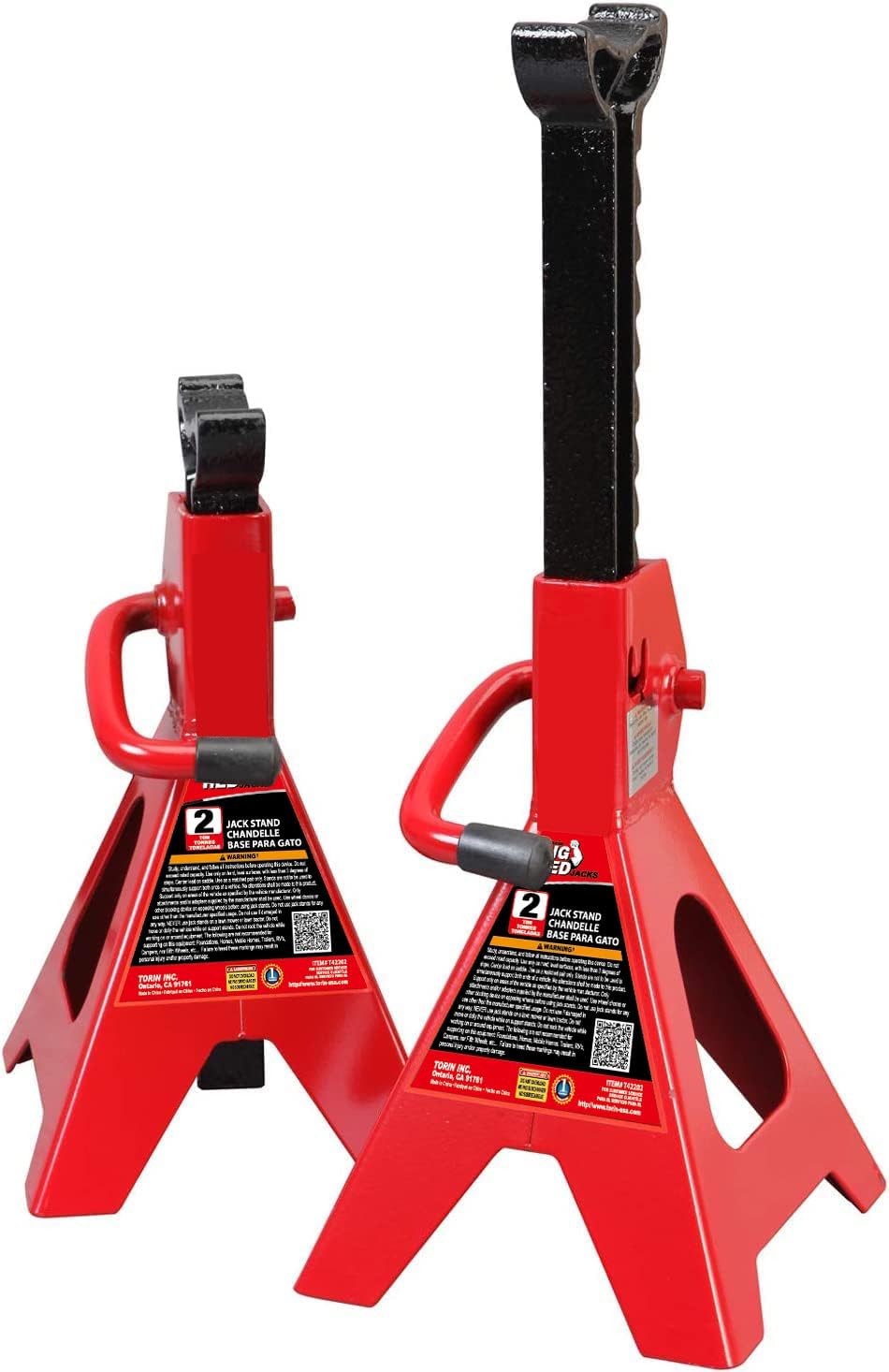
- Chock the wheels and support the vehicle securely on jack stands.
- Do not rely on a hydraulic jack alone.
- Mark every driveshaft connection before removal to preserve balance and phasing.
How the Job Differs by Vehicle
Some vehicles use a bolt-on center support bearing assembly that is fairly straightforward once the driveshaft is out. Others require separating the front and rear driveshaft sections at a splined joint, removing a dust shield, and pressing the old bearing off the shaft. On some trucks and rear-wheel-drive cars, the support bearing is sold with a mount and rubber carrier. On others, the bearing and rubber support may be separate.
Always compare the replacement part to the original before pressing anything apart. Check bearing width, inside diameter, mount shape, bracket clocking, and whether any preload or spacer arrangement is required. If the service information for your vehicle specifies orientation marks, preload distance, or special torque procedures, follow that information over generic instructions.
Prepare the Vehicle and Mark the Driveshaft
Lift and Support the Vehicle
Set the parking brake if the driveshaft can still be rotated by hand after lifting, or leave the brake off and chock securely if you need to rotate the shaft to access fasteners. Raise the vehicle high enough to work comfortably along the full length of the driveshaft and support it at manufacturer-approved lift points.
Locate and Inspect the Center Support
The center support bearing sits near the middle of a two-piece driveshaft, usually bolted to a crossmember or underbody bracket. Check the rubber isolator for cracking, separation, sagging, or metal-to-metal contact. Spin and wiggle the shaft by hand if possible. Excessive roughness or visible movement in the bearing is a strong sign replacement is needed.
Mark Alignment Before Loosening Anything
Use a paint marker to make clear alignment marks at the differential flange or yoke, at the transmission or transfer case end if applicable, and across the two driveshaft sections if they separate at splines. These marks are critical. Reinstalling the shaft in a different orientation can create a new vibration even if the new bearing is installed correctly.
- Mark rear flange to pinion flange or rear yoke.
- Mark front section to rear section at the slip or spline joint.
- Mark any dust shields, spacers, or washers so they go back in the same order.
- Take reference photos before disassembly.
Remove the Driveshaft
Loosen Rear Fasteners First
Spray penetrating oil on flange bolts, strap bolts, and center support bracket hardware if rust is present. Remove the rear driveshaft fasteners at the differential or axle flange first. Depending on the setup, you may be removing U-joint straps, flange bolts, or a bolted companion flange.
Support the driveshaft as the last fasteners come out. Do not let it hang by the center support or by one U-joint cap. If the rear joint has exposed bearing caps, be careful not to knock a cap loose and spill the needle bearings.
Remove the Center Support Bracket
With the rear end free, support the shaft and remove the bolts holding the center support bracket to the body or crossmember. Note any shims, spacers, or washers under the bracket. These can affect driveline angle and should go back exactly where they came from unless the service manual specifies otherwise.
Disconnect the Front of the Shaft
At the front, you may have a slip yoke that pulls out of the transmission, a bolted flange, or a transfer case connection. If the shaft uses a slip yoke, place a drain pan under the transmission tail housing because some fluid may leak out when the yoke is removed. Plug the opening if needed.
Lower the full driveshaft assembly carefully and move it to a clean workbench. Keep dirt away from the splines and U-joints.
Tools That Make This Job Easier


Disassemble the Shaft and Remove the Old Bearing
This is the stage where patience matters most. Do not hammer randomly on the shaft, splines, or bearing surfaces. Damage here can ruin driveshaft balance or make reassembly impossible.
Separate the Driveshaft Sections
If your shaft has a splined center joint, line up the paint marks and count the exposed spline relationship before separation. Pull the sections apart carefully. If they are stuck, use gentle twisting and penetrating oil rather than aggressive impact. Keep the slip joint clean and protected.
Remove Retaining Hardware and Shields
Some shafts have a dust shield, snap ring, lock nut, spacer, or slinger ahead of the center support bearing. Remove these in order and lay them out on the bench. If a large nut secures the assembly, hold the shaft properly and remove the nut with the correct socket. Replace any one-time-use hardware if your vehicle manufacturer requires it.
Press or Pull the Old Bearing Off
Use a bearing puller, press, or approved service tools to remove the old center support bearing from the shaft. Support the shaft correctly so you do not bend it. Apply force only where it belongs. In most cases, that means supporting the inner race area or the component being removed, not the thin outer bracket or rubber mount.
If the bearing is seized and the service method allows cutting, carefully split the inner race with the proper tool without nicking the shaft. Any groove or gouge on the shaft can prevent the new bearing from seating correctly.
- Inspect the shaft where the bearing rides for scoring, corrosion, or heat discoloration.
- Inspect the splines for wear, rust, and looseness.
- Inspect nearby U-joints for stiffness, binding, or red rust dust at the seals.
Install the New Center Support Bearing
Compare the New and Old Parts
Before installation, verify the new bearing matches the old one in diameter, width, bracket shape, and offset. Check the direction of any flanges, seals, dust shields, or rubber support features. Installing the support backward is an easy mistake and can force you to remove it again.
Press the Bearing on Squarely
Press the new bearing onto the shaft using the proper driver or a press tool that contacts only the inner race when pressing onto the shaft. Never press through the outer race or the rubber carrier. Pressing force through the wrong area can damage the bearing before the vehicle is even driven.
Install any spacers, slingers, shields, snap rings, and retaining nuts in the same order they were removed. If a retaining nut has a specified torque, use a torque wrench. If thread locker is called for, apply only the amount needed and keep it off bearing surfaces.
Set Preload Only if Specified
Some vehicles require the center support bracket or rubber support to be positioned with a slight forward preload during installation. This is not universal, so do not guess. If your service information specifies a preload measurement or direction, follow it exactly. If no preload is specified, install the support in its natural position without forcing it.
Recommended Tools for This Job


Reassemble and Reinstall the Driveshaft
Reconnect the Shaft Sections in Phase
Align the paint marks you made earlier and slide the driveshaft sections back together. Keeping the shaft in phase is critical. If the yokes are reassembled one or more splines off, the shaft can vibrate even though all hardware is tight and the new bearing is good.
Install the Front and Rear Connections
Raise the driveshaft into place and connect the front end first if that gives you better control, then loosely install the center support bracket bolts, and finally attach the rear flange or U-joint connection. Start all fasteners by hand to avoid cross-threading.
If the front uses a slip yoke, inspect the yoke surface for wear and damage before inserting it. Do not force it past the seal. If fluid leaked out during removal, check and top off the transmission or transfer case fluid after the job is complete.
Torque Fasteners Correctly
Tighten all driveshaft flange bolts, strap bolts, bracket bolts, and retaining hardware to the vehicle manufacturer’s specification. Driveshaft hardware is safety-critical. Overtightening can distort bearing caps or strip threads, while undertightening can allow the shaft to loosen in service.
If your vehicle uses locking tabs, prevailing torque nuts, or one-time-use bolts, replace them. Reusing damaged or stretched fasteners is not worth the risk on a rotating driveline component.
Final Checks and Test Drive
Before lowering the vehicle, rotate the driveshaft by hand and make sure it moves smoothly without binding, rubbing, or obvious runout. Confirm the center support bracket sits squarely and the rubber support is not twisted. Verify all paint marks line up where they should.
- Check that all U-joint caps are fully seated.
- Confirm rear straps or flange bolts are torqued properly.
- Make sure the center support bracket bolts are tight and evenly seated.
- Remove any transmission tailshaft plug if used and verify fluid level if applicable.
Lower the vehicle and take a short, careful test drive. Start at low speed, then gradually increase speed while listening for vibration, humming, or clunking. A successful repair should reduce or eliminate the original driveline noise and shudder.
If vibration remains, recheck phasing marks, flange orientation, and torque values first. If everything is correct, inspect for bent shaft tubing, worn U-joints, incorrect drivetrain angles, or differential and transmission mount problems.
Common Mistakes to Avoid
- Failing to mark the driveshaft orientation before removal.
- Letting a U-joint cap fall off and losing needle bearings.
- Hammering directly on the shaft and damaging balance or splines.
- Pressing the new bearing on by the outer race instead of the inner race.
- Ignoring worn U-joints or slip-joint play while the shaft is already out.
- Reusing damaged strap bolts or other driveline hardware.
- Skipping fluid level checks after removing a slip yoke.
When This Repair Is Worth Outsourcing
If the old bearing is severely seized, the shaft needs balancing, or the splined joint is loose or worn, a driveline shop may be the better option. Many shops can replace the center support bearing, inspect the U-joints, verify shaft straightness, and rebalance the assembly for less hassle than repeated DIY removal and reinstallation.
This is also a smart job to outsource if you do not have safe access to a press or the service manual for your exact vehicle. Pressing a bearing off incorrectly can damage an otherwise reusable driveshaft.
Key Takeaways
- Mark every driveshaft connection before removal so the shaft goes back in the exact same orientation.
- Support the driveshaft during removal and installation to avoid damaging U-joints, splines, or seals.
- Press the new center support bearing on by the inner race only and reinstall shields and spacers in the original order.
- Torque all driveline hardware to spec and replace one-time-use bolts or damaged fasteners.
- If vibration remains after replacement, check driveshaft phasing, U-joints, mounts, and shaft balance before blaming the new bearing.
FAQ
What Does a Bad Driveshaft Center Support Bearing Sound Like?
It often causes a low rumble, humming, or droning noise at speed, plus clunking or shudder when taking off from a stop. On some vehicles, the most obvious symptom is vibration under acceleration rather than noise.
Can I Drive with a Bad Center Support Bearing?
You may be able to drive short distances, but it is not a good idea. A failed support bearing can allow excessive driveshaft movement, which can damage U-joints, mounts, seals, and in severe cases create a dangerous driveline issue.
Do I Need to Replace the Whole Driveshaft?
Not always. Many vehicles allow replacement of just the center support bearing assembly. However, if the shaft is bent, badly rusted, out of balance, or the splined joint is worn, replacing or rebuilding the complete driveshaft may be the better repair.
Why Is Marking the Driveshaft so Important?
Driveshafts are balanced assemblies. Reinstalling the shaft in a different orientation or putting the splined sections together out of phase can create a new vibration even if the new bearing is installed perfectly.
Do I Need a Press to Replace a Center Support Bearing?
On many vehicles, yes. Some bearings can be removed with a puller and installed with proper service tools, but many jobs are much easier and safer with a shop press. If you do not have the right tools, a driveline shop can often handle just the pressing portion.
Should I Replace the U-joints at the Same Time?
If the driveshaft is already out and the U-joints show any play, stiffness, rust at the seals, or roughness, replacing them now is smart preventive maintenance. Labor overlaps heavily with center support bearing replacement.
Do I Need an Alignment After Replacing a Driveshaft Center Support Bearing?
A wheel alignment is usually not required just for this repair. What does matter is correct driveshaft orientation, proper bracket placement, any factory-specified preload, and making sure drivetrain mounts and driveline angles are still correct.
Need Parts for This Repair?
The right parts and supplies vary by vehicle.
Select your make and model to find compatible parts and accessories for your car.
Exact Fit
Parts that fit your make and model
Quality You Can Trust
Top brands and OEM quality options
Fast Shipping
Get the parts you need, delivered fast