

Note: This article contains affiliate links. If you click on these links and make a purchase, I may earn a small commission at no extra cost to you. This helps support my research and content. Read my full affiliate disclosure here.
If you drive a Ford Maverick, a mirror dash cam can upgrade both safety and convenience by combining a rearview display with continuous front and rear recording. The right mirror dash cam reduces blind spots, records incidents, and provides useful footage for insurance or personal review. It also keeps your factory sightlines intact by replacing or clipping onto the existing mirror with a display that feels integrated.This guide covers the seven top mirror dash cams shortlisted for the Ford Maverick. We evaluated each option on video quality, installation and fitment, parking features, and driver-facing usability to help you pick the best fit for daily driving, commuting, or light-duty hauling. Read on for practical buying factors and owner-focused answers about fit and installation.
Looking for other parts? See all Ford Maverick parts & accessories.
Top Picks at a Glance
| Best Overall Mirror Dash Cam A well-rounded top pick balancing features, reliability, and usability | WOLFBOX G840S 12" 4K Mirror Dash Cam with Dual Cameras, GPS and 32GB Card |  |
| Best Budget Mirror Dash Cam An affordable option that covers core recording needs reliably | BAOHZ H10 10" 4K Front and 1080P Rear Mirror Dash Cam |  |
| Best Premium Mirror Dash Cam A high-end model offering top video, features, and build quality | WOLFBOX G900 Tripro 3-Channel 4K Mirror Dash Cam (Cabin Version) with 256GB Card |  |
| Best Dual-Lens Mirror Dash Cam Front-and-rear or interior+front recording for complete coverage | Pelsee S12 Pro 12" Mirror Dash Cam with STARVIS 2, 4K Front and 1080p Rear |  |
| Best Compact Mirror Dash Cam A low-profile, space-saving unit that preserves mirror function | UNITOPSCI 4-Inch Mirror Dash Cam with Front and Rear 1080p Cameras |  |
| Best 4K Mirror Dash Cam Highest-resolution models for maximum detail and license-plate clarity | Veement VT10 10" 4K Rear View Mirror Dash Cam with 1080P Rear Camera |  |
| Best Night-Vision Mirror Dash Cam Optimized low-light performance and noise reduction for night driving | Roadwitness SQ13 PRO Dual Sony STARVIS 2 12" Mirror Dash Cam (4K Front + 4K Rear) |  |
1. WOLFBOX G840S 12" 4K Mirror Dash Cam with Dual Cameras, GPS and 32GB Card
Best Overall Mirror Dash Cam

| Video Capture Resolution | 2160p |
|---|---|
| Mounting Type | Rearview Mirror Mount |
| Field Of View | 170 Degrees |
| Included Memory Card Size | 32 GB |
| Frame Rate | 30 FPS |
The WOLFBOX G840S replaces your factory mirror with a large 12" touch display that records a 4K front view and 1080p rear view while keeping mirror functionality. It is typically installed over the stock mirror using supplied straps and connects to the rear camera with the included cable; an optional hardwire kit enables the 24‑hour parking monitor. Notable features include a wide 170° front and 140° rear field of view, external GPS for speed and route logging, Wi‑Fi for live view and file transfer, and built‑in WDR/HDR plus a Sony‑grade sensor for improved night performance. In real use the big screen makes reversing and lane awareness easier and split‑screen mode lets you watch both lenses at once. Expect easy DIY installation for most trucks and cars, but routing the rear camera cable can take time on compact pickups. Limitations include the need to buy a hardwire kit for true 24‑hour monitoring and that touch controls can be harder to operate while parked in bright sunlight due to screen reflections despite the low‑reflectivity LCD.
Best for: A driver who wants a high‑resolution mirror dash cam that balances image quality, in‑car visibility, and straightforward DIY installation for daily driving and occasional parking surveillance.
Less Ideal for: Drivers who need out‑of‑the‑box 24/7 monitoring without any additional accessories or those unwilling to run rear camera wiring in a compact pickup without professional help.
- 4K front camera plus 1080p rear for clear incident footage
- Large 12" touch display and split‑screen for live monitoring and reversing
- External GPS and Wi‑Fi allow route logging and quick video transfer to a phone
- WDR/HDR and a quality sensor improve low‑light and high‑contrast recordings
- Includes a 32GB card and rear backup camera with mounting accessories
- Hardwire kit required separately for continuous 24‑hour parking surveillance
- Rear camera cable may be short for some vehicle layouts requiring an extension
Verdict: The best all-around mirror dash cam that balances video quality, ease of installation, dependable day/night performance, and convenient features for most drivers and DIY installers.
2. BAOHZ H10 10" 4K Front and 1080P Rear Mirror Dash Cam
Best Budget Mirror Dash Cam

| Video Capture Resolution | 4k front, 1080P rear |
|---|---|
| Screen Size | 10 inches |
| Field Of View | 170 degrees |
| Included Memory Card Size | 64 GB |
| Flash Memory Supported Size Maximum | 128 GB |
The BAOHZ H10 replaces your factory rearview mirror with a 10-inch touch screen that records continuously from a 4K front camera and a 1080P rear camera. Installation is the typical mirror-mount approach and is straightforward for DIYers who want a clean, integrated look on a Ford Maverick without altering the dash. Video features include wide 170 degree coverage, selectable frame rates, WDR and enhanced night sensors to keep license plates and signs readable in many lighting conditions. Practical conveniences include loop recording, a G-sensor that locks collision clips, parking monitoring when wired to a constant power kit, and support for up to 128 GB microSD cards (64 GB card included). The screen and touch controls make menu navigation easy, but advanced driver alerts and cloud features are not present, so this is aimed at simple recording rather than driver assistance. Expect solid image clarity for the price and a compact rear camera that mounts externally, while power wiring for parking mode requires the optional BAOHZ hardware kit.
Best for: Buyers who want a low-cost mirror dash cam that focuses on continuous recording and readable video rather than advanced driver aids, and who prefer an integrated mirror-style installation for a Ford Maverick.
Less Ideal for: Drivers seeking built-in advanced driver alerts, cloud connectivity, or a fully wireless parking solution should look at feature-rich alternatives.
- True 4K front recording for clearer license plate and sign capture at highway speeds
- Integrated 10-inch touch display replaces the mirror for a tidy installation
- Wide 170 degree field of view reduces blind spots front and rear
- Includes loop recording and G-sensor to lock collision footage
- Supports up to 128 GB microSD and includes a 64 GB card
- Parking monitor requires an extra wired power kit to function when the vehicle is off
Verdict: The best low-cost mirror dash cam for buyers prioritizing basic continuous recording, acceptable image quality, and simple installation without extra bells and whistles.
3. WOLFBOX G900 Tripro 3-Channel 4K Mirror Dash Cam (Cabin Version) with 256GB Card
Best Premium Mirror Dash Cam

| Screen Size | 12 inches |
|---|---|
| Video Capture Resolution | 2160p |
| Field Of View | 170 degrees |
| Included Memory Card Size | 256 GB |
| Connectivity Technology | USB, Wi-Fi |
The WOLFBOX G900 Tripro is a premium three-channel mirror dash cam designed to replace your factory rearview mirror with a 12-inch display while capturing high-resolution footage from three perspectives. The front STARVIS 2 IMX678 sensor records 4K at 30FPS for detailed daytime and improved low-light video, the rear camera captures 2.5K, and an interior camera records 1080p for cabin monitoring. It mounts over the existing mirror and includes long rear camera and power cables plus an external GPS antenna for speed and location stamping. Practical features include 5.8GHz Wi-Fi and a smartphone app for live view and downloads, voice control to minimize driver interaction, parking monitor support with a hardware kit, and a supercapacitor for better temperature tolerance. The kit ships with a preinstalled 256GB card so you can record immediately. Downsides to consider are the mirror size and integration may require careful fitting on some vehicles and advanced features like parking monitor need extra hardware for full operation.
Best for: Buyers who prioritize the best possible video quality and a full feature set in a mirror-style dash cam and want a ready-to-record, durable system for long-term use in their Ford Maverick.
Less Ideal for: Drivers who prefer a minimalist small dash cam, need built-in parking power without extra hardware, or want a simple plug-and-play stick camera rather than an in-mirror replacement.
- 4K front recording with STARVIS 2 IMX678 sensor for strong detail and low-light performance
- Triple-channel setup (front 4K, rear 2.5K, interior 1080p) for comprehensive coverage
- Includes 256GB card preinstalled so it is ready to record out of the box
- 5.8GHz Wi-Fi and smartphone app for fast live view, downloads, and configuration
- Supercapacitor and external GPS antenna improve reliability in extreme temperatures and enable location stamping
- Full parking monitor functionality requires purchasing and installing an additional hardwire kit
- Large 12-inch mirror display may be difficult to fit or aesthetically mismatch some dashboards
Verdict: The best premium mirror dash cam for users who want superior video resolution, robust feature sets, and durable construction and are willing to pay extra for long-term performance.
4. Pelsee S12 Pro 12" Mirror Dash Cam with STARVIS 2, 4K Front and 1080p Rear
Best Dual-Lens Mirror Dash Cam

| Video Capture Resolution | 2160p front, 1080p rear |
|---|---|
| Screen Size | 12 Inches |
| Field Of View | 160 Degrees |
| Included Memory Card Size | 64 GB |
| Connectivity Technology | 5.8GHz Wi-Fi |
The Pelsee S12 Pro is a dual-lens mirror dash cam designed to replace your factory rearview mirror while capturing both front and rear footage continuously. The 4K front camera with a STARVIS 2 sensor plus a 1080p rear camera produce detailed daytime and low-light recordings, and the system keeps color-rich night video instead of switching to monochrome. Installation uses a rearview mirror mount and the 19.6 ft rear cable covers most small trucks and compact trucks like the Ford Maverick without routing issues. In daily driving the S12 Pro acts as a live digital mirror, offers ADAS voice alerts for lane departure and forward collision risks, and switches automatically to a rear view with parking guidelines when reversing. The 5.8GHz Wi-Fi stream and included 64GB card let you review and download clips via the app quickly. Limitations to consider are the 25 fps frame rate, which is sufficient for evidence but not as smooth as higher-frame devices, and parking mode requires a separately sold hardwire kit. Also check mirror size and shape on your Maverick for fit before buying.
Best for: Drivers who want continuous, high-resolution front and rear footage integrated into their mirror and prioritize clear nighttime detail and quick app access on a compact truck like the Maverick.
Less Ideal for: Drivers who need higher frame-rate recording for very smooth slow-motion review or those who want 24/7 parking recording without adding a hardwire kit.
- Genuine 4K front recording with STARVIS 2 sensor for strong low-light detail.
- Simultaneous front and rear dual-channel recording for multi-angle incident coverage.
- 12-inch IPS mirror display doubles as a live digital rearview with real-time reverse assist and parking guidelines.
- Fast 5.8GHz Wi-Fi and included 64GB card simplify footage access and immediate use.
- Built-in ADAS and voice control provide hands-free alerts and operation while driving.
- Parking surveillance requires purchasing a separate hardwire kit to enable 24/7 monitoring.
Verdict: The best dual-lens mirror dash cam for drivers who need simultaneous front and rear (or interior) footage to capture incidents from multiple angles and improve evidentiary coverage.
5. UNITOPSCI 4-Inch Mirror Dash Cam with Front and Rear 1080p Cameras
Best Compact Mirror Dash Cam
| Video Capture Resolution | 1080p |
|---|---|
| Screen Size | 4 inches |
| Field Of View | 150 degrees |
| Included Memory Card Size | 32 GB |
| Flash Memory Supported Size Maximum | 128 GB |
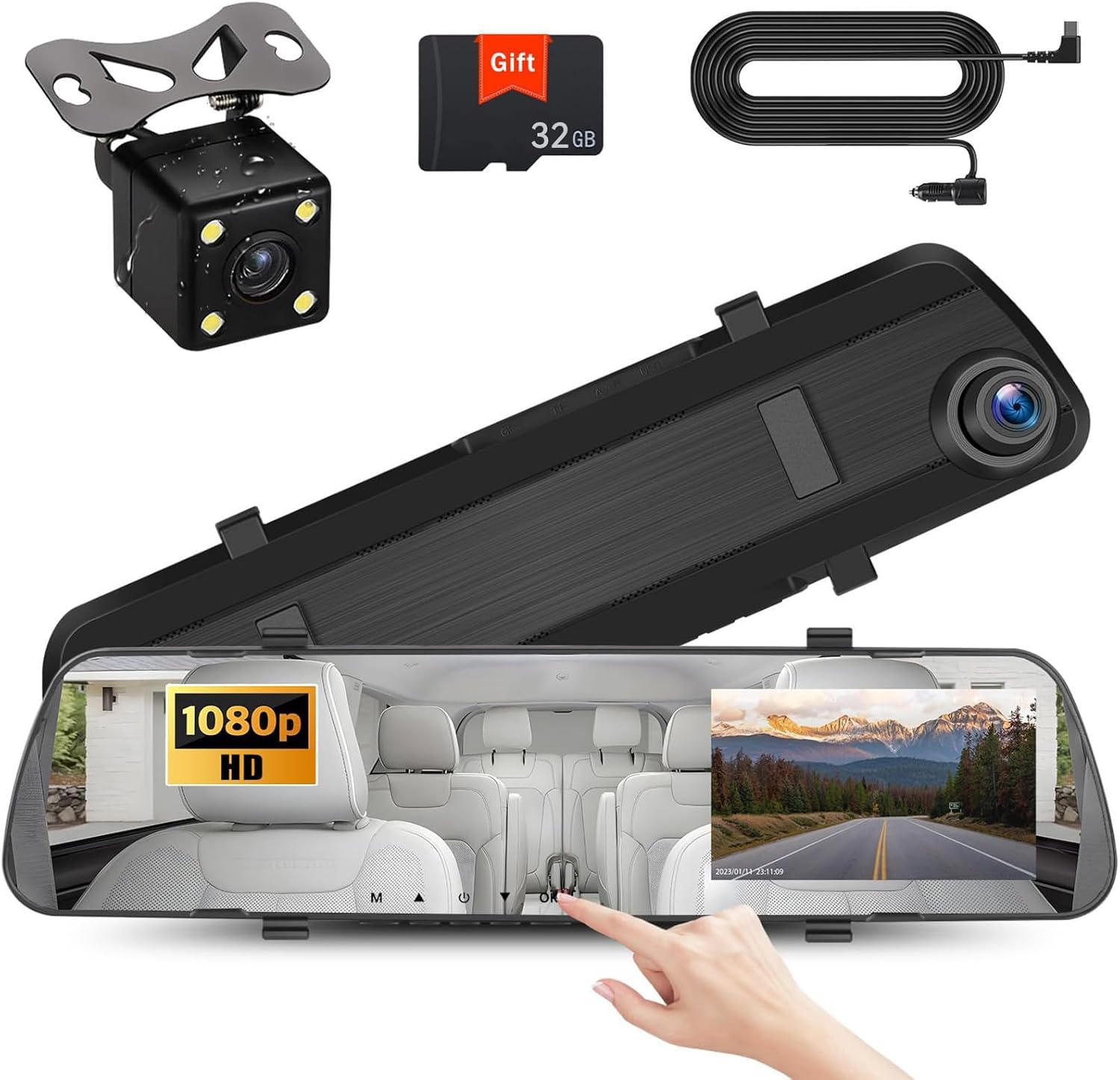
The UNITOPSCI 4-inch mirror dash cam mounts over your existing rearview mirror and provides simultaneous front and rear 1080p recording on a slim LCD display that keeps the driver sightline largely unobstructed. It is typically used as a compact in-cabin recorder and reverse aid: the touchscreen shows front, rear, or split views and automatically switches to the backup camera with parking guidelines when you reverse. Notable features include night-vision sensors for low-light clarity, motion detection and 24-hour parking monitoring (requires a hardwire kit for true continuous power), loop recording, and an included 32 GB microSD card with support up to 128 GB. In real-world use this unit gives clear daytime footage and useful reversing assistance while minimizing bulk behind the mirror; however the small 4-inch screen limits detail and on-screen controls compared with larger mirror units and advanced models. Installation requires routing a wired connection for the rear camera and optional parking monitor, so plan for basic wiring or pro installation if you want uninterrupted 24-hour monitoring.
Best for: Buyers who prioritize a low-profile mirror-mounted recorder that keeps the windshield view clear while providing reliable day and night front and rear recording and a simple reverse camera display for parking on their Ford Maverick.
Less Ideal for: Drivers who want a large, feature-rich touch display or integrated wireless connectivity should consider larger mirror units or standalone dash cams instead.
- Slim 4-inch mirror design that preserves the driver’s forward sightline
- Front and rear 1080p recording with night-vision rear camera for clearer low-light evidence
- Touchscreen offers quick switch between front, rear, and split views including automatic reverse display
- Includes 32 GB microSD card and supports up to 128 GB for longer recording
- Loop recording and motion-detection parking monitor add continuous protection when wired to constant power
- 4-inch screen is small so playback and menu navigation show less detail than larger mirror displays
Verdict: The best compact mirror dash cam for buyers who want a slim, unobtrusive unit that keeps sightlines clear while still delivering reliable recording and essential features.
6. Veement VT10 10" 4K Rear View Mirror Dash Cam with 1080P Rear Camera
Best 4K Mirror Dash Cam

| Video Capture Resolution | 1440p |
|---|---|
| Field Of View | 170 Degrees |
| Screen Size | 10 Inches |
| Included Memory Card Size | 32 GB |
| Flash Memory Supported Size Maximum | 256 GB |
The Veement VT10 replaces your factory mirror with a 10-inch touch mirror dash cam that records the front view at 4K and the rear at 1080p. It is used like a standard mirror with a streaming-media display that switches to the rear camera when you shift into reverse and offers voice controls for locking footage hands-free. Notable features include a large F1.8 aperture and starlight night vision for improved low-light capture, a 170-degree front field of view for wide coverage, loop recording with an included 32 GB SD card, and a G-sensor that locks collision clips. Practical benefits include very high-resolution evidence capture useful for license plates and signs, an integrated mirror look that blends with the cabin, and easy on-screen setup via the full-touch IPS display. Limitations are that 24-hour parking monitoring requires a separately purchased hardwire kit and the unit records at 30 fps which may be less ideal for very fast-motion details; you'll also need to use a high-quality U1 or better SD card for reliable 4K recording.
Best for: Drivers who want the best possible front-camera detail in a mirror-style install on their Ford Maverick and prioritize clear daytime and low-light evidence capture.
Less Ideal for: Buyers who need built-in hardwire parking power out of the box or who require higher frame-rate capture for high-speed track use should consider alternatives.
- 4K front camera captures fine detail for license plates and road signs
- Large F1.8 aperture plus starlight night vision improves low-light clarity
- 10" full-touch IPS mirror display with split-screen dual-lens viewing
- G-sensor and loop recording with included 32 GB SD card for immediate use
- 24H parking mode needs a separately sold hardwire kit to avoid draining the battery
- Maximum 30 fps recording may miss extremely fast-moving details
Verdict: The best 4K mirror dash cam for users who prioritize the highest possible video detail to capture fine evidence like license plates and road signs in varied lighting.
7. Roadwitness SQ13 PRO Dual Sony STARVIS 2 12" Mirror Dash Cam (4K Front + 4K Rear)
Best Night-Vision Mirror Dash Cam

| Video Capture Resolution | 4K |
|---|---|
| Screen Size | 12 Inches |
| Field Of View | 170 Degrees |
| Connectivity Technology | App, USB-C, Wifi, touch |
| Auto Part Position | Front, Rear |
The Roadwitness SQ13 PRO is a mirror-style dash cam built around dual Sony STARVIS 2 IMX678 sensors to maximize low-light clarity for both front and rear views. It mounts over the factory mirror and uses a 12" anti-glare touchscreen for live view and menu control while also supporting app control and USB-C connectivity. In practice the real 4K+4K recording and STARVIS 2 HDR/WDR processing reduce noise and preserve license-plate legibility at night and in tunnels, and the 170° lenses capture wide lanes with minimal distortion. The unit also adds practical driving aids: ADAS voice alerts and AI blind-spot detection help during lane changes, and built-in GPS stamps speed and route data to footage. Loop recording, G-sensor lock, and a 24-hour parking monitor (requires hardwire) make it suitable for day-to-day protection. Trade-offs to note are the large mirror footprint that may obscure a small portion of the factory view and the need to hardwire for full-time parking surveillance; installation of the rear camera requires routing a long cable to the rear of the vehicle.
Best for: Drivers who regularly drive at night and prioritize clear, low-noise footage and reliable dynamic range for incident documentation and safer lane changes.
Less Ideal for: Drivers who want a minimal or nearly invisible dash cam setup or who cannot run a hardwire for continuous parking monitoring should consider smaller dash cams or battery-powered alternatives.
- True simultaneous 4K front and rear recording with Sony STARVIS 2 sensors for very low-light detail.
- STARVIS 2 HDR/WDR processing reduces noise and preserves contrast in challenging lighting and at night.
- 170° ultra-wide lenses capture multi-lane scenes and reduce blind spots.
- Built-in ADAS and AI blind spot detection provide real-time voice and visual alerts while driving.
- Includes 64GB card, GPS, 5G WiFi and touchscreen for easy setup and viewing.
- Full 12" mirror unit is large and can block part of the original mirror sightline.
- 24-hour parking monitoring requires a hardwire kit and professional-style wiring to enable continuous surveillance.
Verdict: The best night-vision mirror dash cam for drivers who frequently operate after dark and need clear, low-noise footage and strong dynamic range in low-light conditions.
Choosing the Right Ford Maverick Mirror Dash Cam: Key Factors to Consider
Video Quality and Night Performance
Video clarity is the single most important factor for a mirror dash cam because footage must reliably show license plates, traffic signals, and incident details. Higher resolution and a higher frame rate improve detail, especially at speed. For the Ford Maverick, you should prioritize a unit that provides a sharp front-facing feed with at least 1080p resolution and a rear camera capable of matching or closely approaching that standard.
Low-light sensitivity matters for early-morning, dusk, and nighttime driving. Look for sensors and lens apertures that reduce grain and preserve contrast under street lighting. Effective night performance reduces false positives for motion detection and makes parking-mode footage more useful when the vehicle is parked along roads or in dimly lit lots.
Mounting Style and Fitment
Mirror dash cams come as clip-on units, full replacement mirrors, or adhesive-backed displays. For the Maverick, mounting style affects visibility and ease of installation. Clip-on mirrors are usually the easiest to install and keep the factory mirror intact, but they must fit securely and not obstruct the OEM mirror adjustments. Full replacement mirrors require more effort and may need precise fitment to match the Maverick's mirror bracket and windshield angle.
Assess how the mirror housing sits relative to your line of sight and whether the display interferes with complex sightlines during lane changes or while towing small loads. Consider the Maverick's compact cab dimensions when choosing a unit that does not feel oversized or block the rear view when the display is active.
Power Options and Parking Mode
How the camera is powered affects both installation difficulty and parking surveillance capability. A simple 12V plug-in is easiest but can run down a battery if the camera stays powered while parked. Hardwiring kits enable true parking mode with low-voltage cutoffs and event-triggered recording, which is especially useful if you park the Maverick on city streets or at work sites.
Parking mode can operate via motion detection, impact detection, or time-lapse. Choose a system with proven voltage protection or an external battery pack option to prevent a dead vehicle battery. Consider whether you want constant surveillance for overnight parking or just incident-triggered capture while parked.
Rear Coverage and Camera Placement
A core benefit of mirror dash cams is integrated rear coverage that replaces or supplements the factory backup camera. For a Ford Maverick, ensure the rear camera angle covers the area behind the tailgate and the truck bed opening when loaded. Camera mounting on the rear window, license plate area, or bumper each offers different viewpoints; confirm the expected field of view for the rear lens so you get useful footage of following traffic or collisions.
Also verify cable routing options from the mirror down the headliner and A-pillar to reach the rear camera location without exposing wiring. Professional-style routing improves durability and aesthetics and reduces the risk of snagging during cargo loading.
User Interface and Display Readability
The on-screen interface determines how quickly you can view live feeds, change settings, and play back clips. For driving tasks, a clear, glare-resistant display helps maintain situational awareness. Choose a mirror dash cam with an intuitive menu layout, responsive touch or tactile buttons, and screen brightness controls for daylight readability and low-nighttime glare.
Durable menus and physical controls are helpful if you need to operate the unit while stopped or adjust settings after installation. Consider whether the display can be dimmed or turned off while still recording to prevent distraction on night drives.
Storage, File Management, and Reliability
Reliable storage behavior ensures footage is preserved when it matters. Look for support for high-capacity microSD cards, clear long-term file management rules like loop overwrite and emergency lock, and a mechanism for protecting g-sensor-triggered clips. Compatibility with commonly available microSD card classes and straightforward file access via computer or Wi-Fi makes evidence retrieval simpler.
Firmware stability and the availability of updates also affect long-term reliability. A unit that frequently corrupts files or handles power interruptions poorly will be less useful. Consider documented endurance for continuous recording and owners' reports about file integrity when evaluating options for regular Maverick use.
Types of Mirror Dash Cam Mounts
Mirror dash cams are offered in a few distinct mounting styles that affect installation and in-cab presence. Clip-on units fasten over the factory mirror and usually require no permanent changes. Full replacement mirrors remove the factory unit and mount directly to the OEM bracket for a cleaner look but involve more effort.
Adhesive or stick-on displays mount to the glass or trim and can be compact, but may limit adjustability. For Maverick owners who value a low-effort install, clip-on units are often the best compromise, while full replacements suit owners seeking an integrated appearance.
- Clip-on: easiest to install, preserves factory mirror
- Full-replacement: cleaner integration, more complex install
- Adhesive displays: compact, less adjustable
Wiring Routes and Professional Vs DIY Installation
Routing power and rear-camera cables can be straightforward or time-consuming depending on the selected unit and your comfort with trim removal. The common route runs from the mirror along the headliner and down the A-pillar to the dash, then through the kick panel to the interior fuse box for hardwiring. Rear camera cables are typically routed under trim to the tailgate or bumper area.
A professional install avoids loose wiring, prevents pinched cables, and ensures reliable power with a dedicated fuse tap or hardwire harness. If you prefer DIY, choose a unit with a plug-and-play wiring harness and clear instructions, and take time to remove panels carefully to avoid damage.
- Headliner to A-pillar routing keeps wires hidden
- Hardwire kits offer parking mode but require a fuse tap
- DIY-friendly kits use cigarette plug adapters for quick setup
Understanding Parking Mode Options
Parking mode can be implemented in several ways: motion-activated recording, impact-triggered emergency capture, or buffered time-lapse. Buffered systems keep a short pre-event clip allowing capture of seconds before an impact. For the Maverick, select a parking mode that balances power draw and coverage since trucks may sit idle for longer periods between drives.
If you frequently park in unsecured areas or work sites, prioritize robust parking features and voltage protection. For low-risk parking scenarios, a less power-intensive motion or time-lapse mode may be adequate and easier to manage.
- Motion detection: starts recording when movement is detected
- Impact detection: locks clips when a g-sensor triggers
- Time-lapse: minimal storage use while capturing extended events
Rear Camera Placement and Field of View
Rear camera placement should capture both the road behind and any activity around the bed or tailgate. Mounting on the rear window gives a higher vantage point while bumper or license-plate mounts provide a view closer to ground level. Consider whether rear cargo or a raised tailgate will alter the camera sightline.
Confirm the rear lens field of view and whether it offers a wide-angle perspective without extreme fisheye distortion. A practical rear view balances breadth with enough detail to interpret vehicle positions and license plates at typical following distances.
- Window mounts: higher viewpoint, less exposure to debris
- Bumper/license mounts: road-level perspective, easier cable runs
- Aim for balanced wide-angle without excessive distortion
Maintaining and Troubleshooting Mirror Dash Cams
Regular maintenance helps prevent recording gaps and extend device life. Clean the lens surfaces periodically, check mount tightness after heavy use or off-road drives, and inspect wiring for wear near door jambs and tailgate hinges. Firmware updates address bugs and improve compatibility, so verify update procedures and check for releases occasionally.
If you encounter frequent file corruption, fluctuating timestamps, or unexpected reboots, check the power source and microSD card health. Use recommended card classes, format the card in the device, and replace aged cards to avoid data loss.
- Clean lenses and check mounts monthly
- Format microSD in-device to avoid file errors
- Monitor firmware updates and apply as needed
How We Chose the Best Ford Maverick Mirror Dash Cam
Our shortlist reflects practical priorities for Ford Maverick owners who want improved visibility and reliable recording without major vehicle modification. We focused on concrete, vehicle-relevant criteria that affect everyday use and long-term ownership. Evaluation criteria included: video resolution and frame rate for both front and rear lenses to ensure readable license plates and clear incident capture; lens field of view and low-light performance to reduce blind spots around the compact bed and cabin; mounting style and physical fit to work with the Maverick's factory mirror height and windshield slope; power and wiring options including hardwire kits, 12V plug installs, and support for battery-saving parking modes; storage and recording behavior such as loop recording, auto-incident locking, and microSD support; and usability features like touchscreen or button controls, on-screen display size, and menu simplicity.We excluded options that require major mirror housing modification or complex dash disassembly that would not be practical for typical Maverick owners. We also deprioritized units lacking firmware updates or that have poor documented reliability. The resulting list balances fitment, ease of installation, recording reliability, and ownership convenience.
Our full evaluation process is outlined in our review methodology.
FAQ
Will a mirror dash cam block my factory mirror view in the Ford Maverick?
Many mirror dash cams are designed to clip over or replace the factory mirror without significantly reducing visibility. Choose a unit sized for compact cabs and with adjustable tilt. Clip-on styles usually preserve the factory mirror; full replacements require careful selection to avoid obstructing sightlines.
Can I install a mirror dash cam myself on the Maverick?
Yes, basic installations using a 12V plug or clip-on mount are feasible for owners comfortable with simple wiring. Hardwiring the unit for parking mode or routing a rear camera may require removing trim and using a fuse tap, which some owners prefer to have done professionally.
How do I ensure the rear camera captures useful footage behind the Maverick?
Position the rear camera to account for the tailgate and typical cargo load. Window or high-mounted positions give broader perspective, while bumper-level mounts show nearer road detail. Verify the field of view and adjust the angle so the license plate and following vehicles are within frame during normal driving.
Does a mirror dash cam use a lot of battery when parked?
Power draw depends on parking mode settings. Continuous parking recording can drain a battery over time. Hardwire kits with voltage-cutoff features or external battery packs prevent deep discharge, while motion or time-lapse modes lower average consumption.
What microSD card should I use for reliable recording?
Use a high-endurance microSD card of the class or specification recommended by the manufacturer and format it in the device before use. High-endurance cards are built for continuous recording workloads and reduce the likelihood of file corruption compared with standard cards.
Will a mirror dash cam integrate with the Maverick's existing reverse assist features?
Some mirror dash cams offer a dedicated backup mode that switches to the rear view when reverse is engaged. Integration depends on the unit and whether you hardwire the camera to the reverse light circuit. Confirm compatibility and wiring requirements before installation.
Is parking mode reliable for overnight surveillance?
Parking mode can be reliable if implemented with proper power management and a sensitive motion or impact sensor. Buffered parking systems that save pre-event video provide better context, but sustained overnight monitoring may require an external power solution to avoid draining the Maverick's battery.
Final Verdict
Choosing the right mirror dash cam for a Ford Maverick means balancing video clarity, unobtrusive mounting, and dependable power for parking surveillance. Prioritize units with strong front and rear recording performance, flexible mounting that fits the Maverick's compact cab, and reliable parking-mode power management.Decide whether you prefer a simple clip-on install or a full-replacement look, and plan wiring routes if you want hardwired parking features. By focusing on fitment, low-light performance, and storage reliability, you can select a mirror dash cam that improves visibility and preserves crucial footage when incidents occur.
Explore More:
- Check out all Ford Maverick parts & accessories
- Explore Electronics
- Browse all Accessories
