

Note: This article contains affiliate links. If you click on these links and make a purchase, I may earn a small commission at no extra cost to you. This helps support my research and content. Read my full affiliate disclosure here.
If you own a 2006-2010 Ford Explorer, swapping the factory radio is one of the most noticeable upgrades you can make to daily driving. A modern car stereo brings clearer sound, hands-free calling, and smartphone integration that older factory units lack. Choosing the right 2006-2010 Ford Explorer car stereo matters because this platform has specific dash dimensions, wiring harnesses, and climate or steering-wheel control interfaces that affect fit and function.This guide shortlists the top seven car stereos that fit the 2006-2010 Explorer and explains the practical tradeoffs between single-DIN and double-DIN options, touchscreen features, and connectivity. We evaluate units on audio performance, installation fitment, and user features so you can pick the best upgrade for how you drive. Next, read the product selections and the buying criteria that matter for your Explorer.
Looking for other parts? See all Ford Explorer parts & accessories.
Top Picks at a Glance
| Best Overall Car Stereo A balanced head unit with good performance, features, and fit kit | Rimoody 10.1" Android 15 Car Stereo for Ford Explorer 2006-2010 with Wireless CarPlay and Android Auto |  |
| Best Budget Car Stereo Affordable single- or double‑DIN units that cover CarPlay/Android Auto basics | AMprime Android 15 10.1" Car Stereo for Ford Explorer (2005–2010) with Wireless CarPlay & Android Auto |  |
| Best 10‑inch Car Stereo Large 10-inch touchscreens for easier navigation, media, and split‑screen use | CAMECHO 10" Android 15 Car Stereo with Wireless CarPlay/Android Auto and AHD Backup Camera |  |
| Best 7‑inch Compact Stereo Smaller double‑DIN screens and compact units for tighter dash spaces | EWLSAC 7" Android 13 Double Din Car Radio for Ford Explorer 2006-2010 with CarPlay & Android Auto |  |
| Best High‑performance Car Stereo Top CPU/RAM and larger storage units for snappier operation and apps | METEESER 10.1" Android 15 Car Stereo for Ford Explorer 2005–2010 (8‑Core, 6GB+128GB) |  |
| Best Plug‑and‑Play Install Stereo Units that include vehicle harnesses, dash kit support, and simple wiring | KYNNT 10" Android Car Stereo with Wireless CarPlay/Android Auto for Ford Explorer 2005–2010 |  |
| Best Audio/DSP‑Tuned Car Stereo Head units with DSP, multi‑band EQ, subwoofer outputs and audio tuning | METEESER 10" Android 13 Car Stereo for Ford Explorer (6+128GB, 8-Core) |  |
1. Rimoody 10.1" Android 15 Car Stereo for Ford Explorer 2006-2010 with Wireless CarPlay and Android Auto
Best Overall Car Stereo

| Screen Size | 10.1 Inches |
|---|---|
| Operating System | Android 15 |
| Memory | 6 GB RAM |
| Storage | 128 GB |
| Connectivity | Bluetooth, USB, Wi-Fi |
This Rimoody 10.1-inch head unit is aimed at Explorer owners who want a modern, feature-rich replacement that is straightforward to fit. It runs Android 15 on an 8-core CPU with 6 GB RAM and 128 GB storage, which keeps the interface snappy and lets you install apps, use split-screen, and store media. Wireless CarPlay and Android Auto plus mirror-link support make phone integration painless, while Bluetooth 5.0, FM/RDS and a DSP with 32-band EQ let you fine-tune sound without extra processors. Built-in GPS and Wi-Fi provide online and offline navigation and app access, and the reversing camera input and optional 360-degree camera support improve parking visibility. The unit is designed for panel or dashboard mounting and supports steering wheel control so most factory controls keep working. Important caveats are that fitment and wiring must be checked for the Explorer center console and harness, and some optional features require extra cameras or activation. For a DIY upgrade this unit balances screen size, connectivity, and audio control in a single package.
Best for: Buyers seeking a reliable, full-featured replacement head unit that balances a large touchscreen, strong connectivity, and configurable audio while remaining suitable for a DIY install on a Ford Explorer.
Less Ideal for: Drivers who want a plug-and-play factory-exact module without any wiring or dash modification or those who only need a basic radio without smartphone integration.
- Powerful hardware: 8-core CPU with 6 GB RAM and 128 GB storage for smooth multitasking and app installs
- Wireless CarPlay and Android Auto plus mirror link for seamless phone integration
- Built-in GPS and Wi-Fi for online/offline navigation and direct app downloads
- Advanced audio options: Bluetooth 5.0, FM/RDS, DSP tuning and a 32-band EQ for detailed sound adjustment
- May require verifying center console design and wiring harness for proper fit and installation
Verdict: The pick for shoppers who want a reliably performing head unit that balances touchscreen size, connectivity, audio features, and an easy install kit for a smooth DIY upgrade.
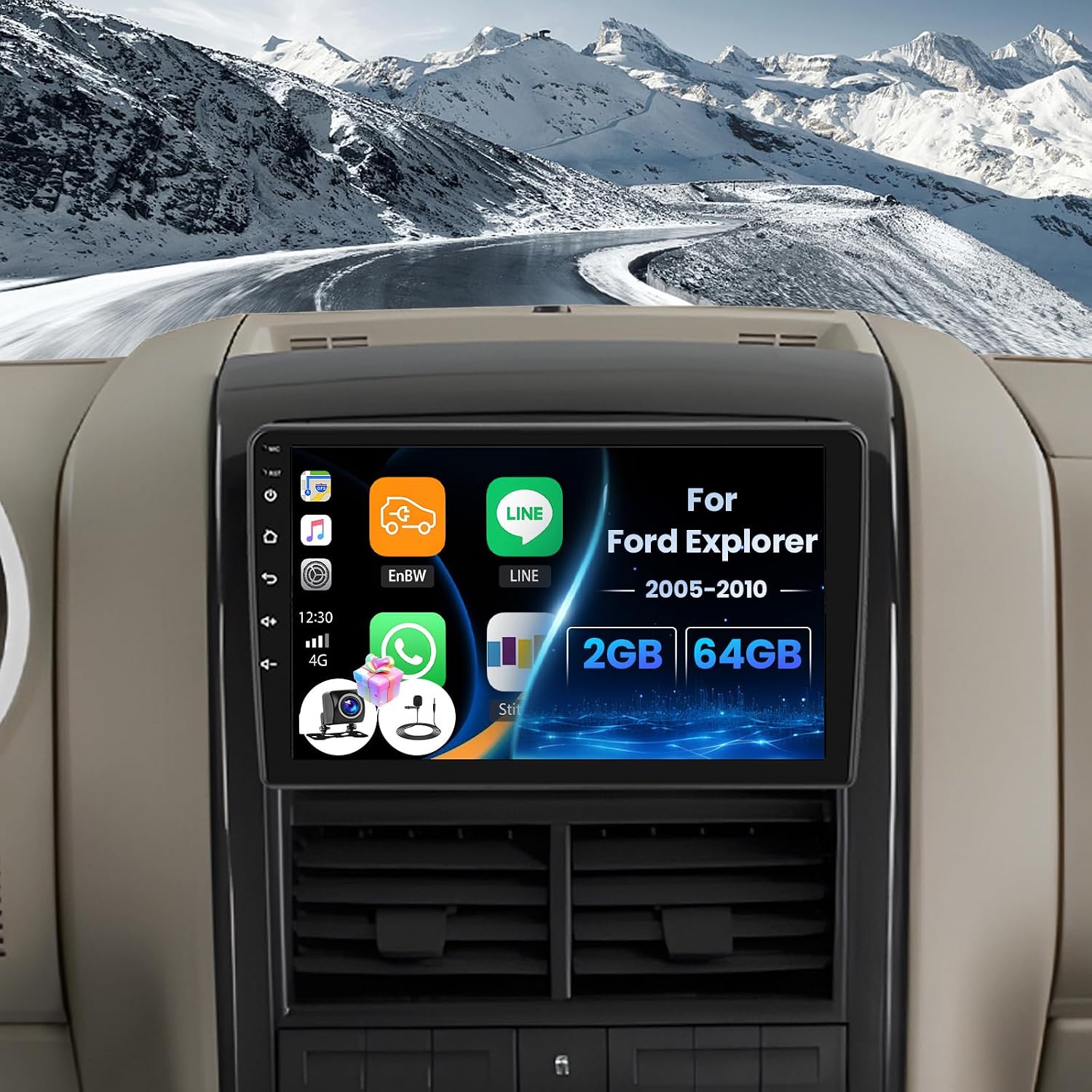
2. AMprime Android 15 10.1" Car Stereo for Ford Explorer (2005–2010) with Wireless CarPlay & Android Auto
Best Budget Car Stereo
| Operating System | Android 15 |
|---|---|
| Screen Size | 10.1 Inches |
| Memory Storage Capacity | 64 GB |
| Connectivity Technology | Wi-Fi |
| Supported Satellite Navigation System | GPS |
This AMprime Android 15 double-din replacement is aimed at drivers who want modern phone integration for an older Ford Explorer without spending much. It installs as a dashboard-mount 10.1 inch capacitive touchscreen and runs Android 15 with 64 GB storage, so you can run navigation apps, stream over Wi-Fi and play 1080p video. Wireless CarPlay and Android Auto plus mirror-link let you project phone apps and handle calls and navigation hands-free, while built-in GPS and offline North America maps cover basic routing without a phone connection. Audio features include FM/RDS radio, Bluetooth hands-free and selectable EQ profiles for simple sound tuning. It supports steering-wheel controls and includes an AHD backup camera with wide-angle night viewing. The trade-offs are typical for a budget unit: the LCD 1024×600 screen and unspecified processor won't match premium head units for responsiveness or audio refinement, and advanced sound tuning and high-end DSP are not offered. For the price it modernizes an older Explorer with key connectivity and navigation features.
Best for: Buyers who want a low-cost way to add wireless phone projection, basic navigation and Bluetooth to a 2006–2010 Ford Explorer without investing in a high-end multimedia system.
Less Ideal for: Audiophiles or drivers seeking a high-performance head unit with advanced DSP, premium audio processing or the fastest UI responsiveness should consider higher-tier models.
- Adds wireless CarPlay and Android Auto for convenient phone integration
- Built-in GPS with offline North America map and Wi-Fi for online navigation
- Includes Bluetooth hands-free, FM/RDS radio and selectable EQ presets
- Supports steering-wheel controls and comes with AHD backup camera support
- LCD 1024×600 display and modest hardware likely deliver slower responsiveness than premium units
Verdict: Choose this slot if you need a low-cost replacement that brings wireless/wired phone integration and basic Bluetooth/FM without high-end processing or large internal storage.
3. CAMECHO 10" Android 15 Car Stereo with Wireless CarPlay/Android Auto and AHD Backup Camera
Best 10‑Inch Car Stereo

| System | Android 15 |
|---|---|
| Memory | 4GB RAM + 128GB ROM |
| Screen resolution | 1280×720 |
| Power output | 4×45W |
| Compatible vehicles | Ford Explorer 2006–2010 (Low-End Version, Without Canbus) |
This CAMECHO 10-inch Android 15 head unit brings a large, 1280×720 incell touchscreen and modern smartphone integration to 2006–2010 Ford Explorer dashboards that lack a factory navigation screen. It functions as a media center, navigation hub and hands-free system: wireless Apple CarPlay and Android Auto for maps and voice assistants, Bluetooth 5.0 for calls and streaming, built-in GPS with online and offline maps, plus WiFi for app installs. The included AHD backup camera provides clearer reverse imaging and night visibility compared with basic CVBS cameras. Performance is supported by a RK3326 chipset and 4GB RAM/128GB storage, so multitasking and split‑screen navigation plus media playback are smooth for day-to-day driving. Installation notes and steering‑wheel control learning are documented, but this unit is intended for Explorer low-end versions without CANbus and is not compatible with premium audio systems, so some vehicles will require extra wiring or adapters. Power and signal quirks (ACC wiring, 2.4GHz WiFi only) mean careful wiring and setup are needed for reliable operation.
Best for: Buyers who want a significantly larger, high-resolution display to improve map clarity, video playback and split-screen use in a 2006–2010 Explorer and who are comfortable with an aftermarket install and setup.
Less Ideal for: Drivers who want a plug-and-play swap for Explorers with factory navigation, CANbus integration, or factory premium audio without additional adapters should look elsewhere.
- Large 10" incell 1280×720 touchscreen ideal for clearer maps and split-screen multitasking
- Wireless Apple CarPlay and Android Auto for phone navigation and hands-free control
- 4GB RAM and 128GB storage support smooth app use, media playback and multitasking
- Includes AHD backup camera for higher-resolution reversing image and better night vision
- Built-in GPS and WiFi enable both online and offline navigation and app installs
- Not compatible with Ford models that use CANbus or premium audio systems and may need extra wiring or adapters
Verdict: This label is for buyers who prioritize a big, high-resolution display for clearer maps, video playback, and split-screen multitasking while driving.
4. EWLSAC 7" Android 13 Double Din Car Radio for Ford Explorer 2006-2010 with CarPlay & Android Auto
Best 7‑Inch Compact Stereo

| Screen Size | 7 Inches |
|---|---|
| Operating System | Android 13 |
| Memory Storage Capacity | 32 GB |
| Additional Features | Android Auto, Apple with Carplay |
| Supported Satellite Navigation System | GPS |
This 7-inch EWLSAC stereo is built to fit the smaller Dash openings found in the 2006–2010 Ford Explorer while adding modern connectivity. It runs Android 13 on a 2GB/32GB platform and uses a 7-inch IPS touchscreen capable of 1080P playback, making media and navigation clear and responsive for everyday driving. Wireless and wired CarPlay and Android Auto support, plus mirror-link, let you use familiar navigation and voice controls without reaching for your phone. Built-in GPS with online and offline maps and WiFi or hotspot support make route planning practical on longer trips. Bluetooth handles hands-free calls and audio streaming and the unit supports steering wheel controls for safer operation. The bundle includes an AHD backup camera with night vision for easier parking. Expect a straightforward feature upgrade for stock Explorer interiors, though advanced audio tuning and very high-end soundstage features are not the focus here and installation may require dash trim adaptation or wiring harnesses for a clean factory-style fit.
Best for: Buyers upgrading a 2006–2010 Explorer who need a compact head unit that brings modern smartphone integration, navigation and a backup camera without changing the dashboard footprint.
Less Ideal for: Drivers seeking audiophile-grade sound processing or extensive onboard tuning controls should consider higher-end multimedia receivers or separate amplifiers and processors.
- Compact 7-inch IPS touchscreen suitable for limited dash openings
- Android 13 with 2GB RAM and 32GB storage for app support and media playback
- Supports CarPlay and Android Auto plus mirror-link for phone integration
- Built-in GPS with online and offline map capability and WiFi/hotspot support
- Includes AHD backup camera with night vision and steering wheel control compatibility
- 2GB RAM is modest for heavy multitasking and very large apps
- May require dash trimming or additional harnesses for a factory-like install
Verdict: Pick this slot when you need a compact head unit that fits limited dash openings while still offering CarPlay/Android Auto and core connectivity.
5. METEESER 10.1" Android 15 Car Stereo for Ford Explorer 2005–2010 (8‑Core, 6GB+128GB)
Best High‑performance Car Stereo

| Operating System | Android 15 |
|---|---|
| CPU | 8 Core |
| Memory | 6 GB RAM |
| Storage | 128 GB ROM |
| Screen | 10.1 Inches IPS capacitive |
This METEESER replacement head unit focuses on speed and multitasking for Ford Explorer models from 2005 to 2010. It runs Android 15 on an 8‑core CPU with 6 GB RAM and 128 GB ROM, so maps, streaming apps and background navigation stay responsive while you run other apps. The 10.1‑inch capacitive IPS touchscreen offers a clear, vertical display and supports wireless CarPlay, Android Auto and mirror link for hands‑free calling and media. Built‑in GPS works with offline or online maps and 5G Wi‑Fi keeps streaming stable when available. The unit also supports up to four AHD cameras, includes an HD backup camera, Bluetooth 5.0, dual USB ports, subwoofer output and compatibility with factory steering wheel controls. Installation needs basic dash wiring and Canbus setup for full feature integration, and the 360° panoramic kit is not included. For drivers who load multiple navigation and media apps, this unit delivers the fast, fluid experience expected from a high‑performance head unit but will require proper installation to unlock all vehicle-specific functions.
Best for: Buyers who prioritize a fast, app‑friendly in‑dash experience and want a head unit capable of running multiple navigation, streaming and utility apps smoothly in a 2006–2010 Explorer.
Less Ideal for: If you prefer a simple plug‑and‑play single‑function radio or want an integrated factory dealer upgrade with guaranteed vehicle‑specific coding, this aftermarket, app‑focused unit may be more than you need.
- 8‑core CPU with 6 GB RAM and 128 GB storage for smooth multitasking and app-heavy use
- Android 15 and 5G Wi‑Fi for up‑to‑date app compatibility and faster connectivity
- Wireless CarPlay and Android Auto for hands‑free phone integration
- Built‑in GPS with online/offline maps and support for multiple AHD cameras including an HD backup camera
- 360° panoramic camera kit not included so full surround setup requires additional purchases
- May require Canbus configuration and professional installation for full steering wheel and vehicle function integration
Verdict: This slot fits buyers who want the fastest head unit experience—multi‑core CPUs, 4–6+ GB RAM and big ROM—for smooth navigation, streaming, and heavy app use.
6. KYNNT 10" Android Car Stereo with Wireless CarPlay/Android Auto for Ford Explorer 2005–2010
Best Plug‑and‑Play Install Stereo

| Screen Size | 10 Inches |
|---|---|
| Operating System | Android |
| Memory Storage Capacity | 64 GB |
| Connectivity Technology | Bluetooth |
| Supported Satellite Navigation System | GPS |
This KYNNT 10-inch Android stereo is designed as a direct-fit upgrade for Ford Explorer models from 2005 through 2010 and aims to simplify DIY installation by including a plug-and-play radio kit and wiring harness. It runs Android with 4 GB RAM and 64 GB storage, a 1280×720 capacitive touchscreen with split-screen support, and both wireless and wired CarPlay and Android Auto for phone mirroring and voice control. Practical features include GPS and WiFi for online navigation, Bluetooth 5.0 for hands-free calling and music streaming, FM radio, and an AHD backup camera that switches the display automatically when reversing. The unit delivers smartphone-style app access and sound tuning with digital signal processing and EQ. Expect a much more modern interface and connectivity than the factory radio, and a straightforward install in Explorers when using the supplied kit. Note that fitting still requires basic dash removal and verifying the included harness matches your Explorer trim and any factory steering‑wheel control adapter you use.
Best for: Buyers who want a modern touchscreen head unit that they can install themselves with minimal wiring work, prioritizing a direct-fit harness and built-in camera and smartphone integration for daily driving and navigation.
Less Ideal for: Drivers who prefer a factory-matched appearance or want a professional shop to handle custom dash modifications and color-matching trims.
- Includes plug-and-play radio kit and wiring harness to simplify installation
- Wireless and wired CarPlay and Android Auto for easy phone integration
- 10-inch 1280×720 capacitive touchscreen with split-screen multitasking
- Built-in GPS, WiFi, and Bluetooth 5.0 for navigation and hands-free use
- Comes with AHD reversing camera that auto-switches on reverse
- May still require dash removal and verification of trim-specific fittings before install
- Steering-wheel control support may need additional adapter depending on vehicle configuration
Verdict: Choose this pick if you want the easiest DIY install with supplied harnesses or a direct-fit kit to avoid splicing and lengthy wiring work.
7. METEESER 10" Android 13 Car Stereo for Ford Explorer (6+128GB, 8-Core)
Best Audio/DSP‑Tuned Car Stereo

| Screen Size | 10 Inches |
|---|---|
| Operating System | Android 13 |
| Memory Storage Capacity | 128 GB |
| Bluetooth | 5.0 |
| Audio Output Mode | APE/FLAC/WAV/MP3/WMA etc |
This METEESER 10-inch Android 13 head unit replaces the stock radio in a 2006–2010 Ford Explorer and focuses on connectivity and sound tuning. It runs an 8-core processor with 6 GB RAM and 128 GB storage, an IPS capacitive touchscreen and built-in wireless CarPlay and Android Auto for hands-free navigation and media. The unit includes Bluetooth 5.0, dual USB, GPS with online/offline maps, and a packaged backup camera and mic for a complete install. For audio it offers a 32-band DSP and multi-band EQ, subwoofer output and a 4x45W power rating, which lets DIY installers tune tone precisely and feed aftermarket amps or a sub. Practical benefits are modern smartphone integration, ample onboard storage for apps and media, and detailed EQ control for improving factory sound. Expect typical caveats of replacement head units: installation may require dash trim or adapter parts for a clean fit and advanced tuning benefits depend on speaker/amplifier upgrades rather than the head unit alone.
Best for: DIY-minded drivers who want to significantly improve in-car sound through on-unit DSP and EQ while keeping modern phone integration and navigation in a single replacement head unit.
Less Ideal for: Buyers seeking a simple plug-and-play upgrade without any dash or wiring work or those who plan no speaker or amplifier upgrades and only need basic radio features.
- 32-band DSP with extensive EQ for detailed sound tuning
- Built-in wireless CarPlay and Android Auto for phone integration without cables
- 6 GB RAM and 128 GB storage allow smooth operation and installing audio apps
- Subwoofer output and 4x45W power make it easier to drive an aftermarket amp and add bass
- Includes backup camera, external mic and GPS antenna for a complete replacement kit
- May require dash trimming, adapter brackets or wiring harness for a clean, factory-like install
- Tuning benefits are limited by the quality of speakers and external amplification rather than the head unit alone
Verdict: This slot suits DIYers focused on sound: head units offering DSP, wide EQ bands and dedicated outputs for aftermarket amps/subwoofers to improve in‑car audio.
Choosing the Right 2006-2010 Ford Explorer Car Stereo: Key Factors to Consider
Physical Fit and Dash Compatibility
Measure the dash opening and confirm whether you need a single-DIN or double-DIN head unit. The 2006-2010 Explorer dash can accept different form factors depending on trim and existing factory bezel, and some installations require an adapter plate or trim kit to achieve a factory-like appearance.
Failing to verify physical fit can lead to loose mounting, blocked vents, or an uneven bezel. Also consider depth clearance behind the dash for wiring harnesses and antenna connections, because tight spaces can complicate installation and may require relocation of components or trimming of the radio bracket.
Wiring Harness and Steering Wheel Control Integration
Check that the stereo supports a compatible wiring harness or adapter for 2006-2010 Ford Explorer electrical connections. A correct harness preserves factory connectors and simplifies installation by matching power, ground, speaker outputs, and accessory connections.
If you want to retain steering wheel audio controls, ensure the head unit supports an interface module that translates factory signals. Skipping this step can result in loss of convenient controls or the need for additional adapters, increasing cost and installation time.
Audio Quality and Source Flexibility
Evaluate the head unit's preamp output voltage, number of RCA outputs, built-in EQ and time alignment, and support for high-resolution playback. Higher quality preamp stages reduce background noise and give the Explorer's speakers clearer dynamics and better imaging.
Also consider supported sources such as USB, Bluetooth A2DP, and digital inputs that let you play music from phones and high-capacity storage. A unit with multiple outputs makes future upgrades easier if you plan to add amplifiers or external processors.
Smartphone Integration and Hands-Free Features
Decide how important native smartphone features are to you. Apple CarPlay and Android Auto head units provide a familiar interface and voice control for navigation, calls, and messaging, which enhances safety and convenience on longer drives.
If a head unit does not natively support those platforms, check for reliable adapter options or built-in Bluetooth for basic audio streaming and hands-free calling. Consider microphone placement and call quality, because a poorly placed mic or low-quality Bluetooth implementation can interfere with clear conversations while driving.
Display, Controls, and Usability
If you prefer a touchscreen stereo, verify screen size, brightness, and responsiveness. A well-designed touchscreen improves navigation through menus and media, but physical buttons for volume and tuning remain valuable for quick adjustments while driving.
Also review the user interface layout and customization options. A confusing or slow UI can be distracting. For some owners a compact single-DIN unit with a flip-out touchscreen combines space savings with modern features, while others will prefer the larger on-dash presence of a double-DIN touchscreen head unit.
Installation Complexity and Future Expandability
Assess how much time and effort the installation will require, including dash removal steps and the need for specialty tools or soldering. Look for radios that work with plug-and-play harnesses and preserve factory connectors to reduce install time.
Consider expandability for future upgrades such as adding amplifiers, subwoofers, backup cameras, or external modules. Multiple preamp outputs and dedicated camera inputs simplify future additions without replacing the head unit.
Single-DIN Versus Double-DIN: Which Works Best In Your Explorer
The choice between single-DIN and double-DIN head units in a 2006-2010 Ford Explorer often comes down to dash aesthetic and feature priorities. Single-DIN units are smaller and can be paired with a flip-out or slide-out touchscreen to save dash space while still offering modern features. They are useful when preserving factory ventilation and controls is a priority.
Double-DIN head units occupy more dashboard real estate and typically provide larger touchscreens and integrated displays for smartphone mirroring. If a large screen and direct access to navigation or camera views matter most to you, a double-DIN installation may be preferable, provided you are comfortable with a dash kit for a clean fit.
- Single-DIN: compact, often easier to fit behind factory bezels
- Double-DIN: larger displays, more on-screen controls and integrated features
- Consider dash trim kits to achieve a factory appearance for either form factor
Retaining Factory Features and Controls
Many Explorer owners want to keep steering wheel audio buttons, factory climate controls, and any existing display functions. Look for head units that are explicitly compatible with common interface modules that preserve these features. These interface modules often translate factory signals into the new head unit's control protocol and maintain chime or vehicle settings where possible.
If maintaining factory features is important, factor the additional cost and wiring steps for those interface modules into your installation plan. A clean integration makes the upgrade feel like a natural extension of the vehicle rather than an aftermarket add-on.
- Verify support for steering wheel control adapters
- Confirm whether the head unit integrates with vehicle chimes or vehicle info displays
- Plan for extra wiring time if retention modules are required
Modern Connectivity Options and Daily Use
Decide whether you need native Apple CarPlay or Android Auto, or if Bluetooth and USB inputs suffice. Native smartphone platforms provide reliable navigation, messaging, and voice control without relying on a phone-specific interface. For drivers who frequently use navigation and voice assistants, native integration reduces distraction and improves usability.
Bluetooth audio and phone connectivity remain important even if you have native smartphone support. Check for support of modern Bluetooth codecs and reliable signal performance, as audio streaming stability and call clarity matter for daily commuting and road trips.
- Native CarPlay/Android Auto: better app integration and voice control
- Bluetooth and USB: essential for basic streaming and charging
- Look for external microphone support for improved call quality
Soundstage Tuning and Speaker Compatibility
A new head unit can dramatically affect the Explorer's soundstage and tonal balance. Check if the unit offers built-in equalization, time alignment, and crossover options to tailor sound to your speaker layout. These features let you dial out vehicle-induced resonances and improve clarity across seating positions.
Consider the head unit's output voltage and whether you plan to add an external amplifier. Higher preamp output voltage and multiple RCA outputs make it easier to drive amplifiers and build a more capable system without adding signal noise.
- Built-in EQ and time alignment help correct cabin acoustics
- Multiple RCA outputs simplify adding amplifiers or processors
- Match the head unit's outputs to your speaker and amp plan
Backup Camera and Parking Integration
If reversing safety matters to you, choose a stereo with a dedicated camera input and automatic screen switching on reverse. Many double-DIN touchscreens include a camera input and configuration options to overlay parking guides. Verify camera power and trigger wiring requirements for proper operation in a 2006-2010 Explorer.
If your chosen unit lacks a dedicated camera input, external video adapters exist but increase complexity. Planning the camera route and mounting location ahead of purchase reduces surprises during installation and ensures a neat, reliable final result.
- Look for dedicated camera inputs with reverse trigger functionality
- Plan sensor or camera wiring routes before beginning installation
- Confirm video format compatibility if using an aftermarket camera
Practical Installation Tips for Explorer Owners
Before starting, disconnect the battery and label any factory connectors you remove. Gather required dash trim tools, a compatible harness adapter, and any steering wheel control interface. Having the proper trim kit and bracket ensures the head unit installs flush with the Explorer dash.
Test the new unit on a bench with power and speaker leads before final mounting, and verify that all functions and outputs work. When in doubt, consult a wiring diagram specific to 2006-2010 Explorer models or consider professional installation for complex integrations.
- Always disconnect the battery before cutting or soldering wires
- Use a harness adapter to avoid cutting factory wiring
- Bench-test the unit and check microphone and antenna operation before final assembly
Still looking for the perfect fit?
Select your Ford Explorer configuration to see the most relevant Car Stereos recommendations
How We Chose the Best 2006-2010 Ford Explorer Car Stereo
We focused on practical fit and in-vehicle performance for the 2006-2010 Ford Explorer, prioritizing units that address common owner needs. Our evaluation filtered candidates by physical fitment and dash compatibility, wiring and harness support, and compatibility with factory steering wheel controls and factory climate or display interfaces where applicable. We also weighed audio performance metrics such as signal-to-noise ratio, preamp outputs and EQ flexibility, since these directly affect sound quality in an Explorer cabin.Connectivity was another core filter: Bluetooth call and audio quality, USB and auxiliary inputs, and native or adapter-based smartphone integration were required considerations. Installation complexity and the availability of dash and harness adapters to minimize dash modification were assessed to gauge real-world install effort. We excluded units that required extensive dash cutting or permanent modification, and we did not consider factory-original radios or obsolete models lacking modern connectivity.The final shortlist reflects balance across installation practicality, audio capability, and modern connectivity, with attention to the typical wiring and dash constraints of 2006-2010 Ford Explorer models.
Our full evaluation process is outlined in our review methodology.
FAQ
Will a double-DIN stereo fit without modifying the dash on a 2006-2010 Explorer?
It depends on the trim and existing bezel. Some Explorer trims require a dash kit or trim adapter for a clean double-DIN fit. Verify the dash opening and select a compatible installation kit to avoid cutting the dash.
Can I keep my steering wheel audio controls after upgrading the stereo?
Often you can retain steering wheel controls using a compatible interface module. Confirm that the head unit supports the required adapter and plan for the additional wiring and programming steps during installation.
Is it necessary to upgrade the amplifier when installing a modern head unit?
Not always. A quality head unit with good preamp outputs and built-in processing can improve sound on its own. However, adding an external amplifier will provide more power and cleaner dynamics if you plan to drive higher-performance speakers or a subwoofer.
Do modern touchscreens support backup cameras in the Explorer?
Many modern double-DIN touchscreens include a dedicated camera input and reverse trigger. Check the unit's camera input specifications and ensure you have the correct power and trigger wiring for the 2006-2010 Explorer.
Will Bluetooth audio drain my phone battery faster than USB?
Bluetooth uses more phone CPU for audio streaming and may drain the battery faster than a wired USB connection. USB also provides charging and often supports direct digital audio with improved audio quality compared with Bluetooth streaming.
How do I confirm the antenna and amplifier connections will work?
Verify that the head unit supports the factory antenna connector and any antenna adapter required for the 2006-2010 Explorer. If your vehicle uses a factory external amplifier or unique antenna module, check whether adapters or bypasses are needed to maintain radio reception.
Final Verdict
When choosing a car stereo for a 2006-2010 Ford Explorer, prioritize fitment and wiring compatibility first, because a neat installation preserves vehicle function and minimizes headaches. Next, balance audio features and connectivity based on how you use the vehicle: choose native smartphone integration and touchscreen size if you frequently navigate or stream, or opt for robust preamp outputs and EQ if sound quality is the primary goal.Understand the tradeoffs between single-DIN and double-DIN formats, and factor in the cost and effort of retaining steering wheel controls or adding a backup camera. With attention to installation details and the decision factors outlined above, you can select an Explorer stereo that delivers clearer sound and modern convenience without extensive modification.
Explore More:
- Check out all Ford Explorer parts & accessories
- Explore Electronics
- Browse all Accessories
