

Note: This article contains affiliate links. If you click on these links and make a purchase, I may earn a small commission at no extra cost to you. This helps support my research and content. Read my full affiliate disclosure here.
Adding a mirror dash cam to your Subaru Crosstrek can improve everyday safety and capture incidents without changing the car's look. You get continuous front-facing recording built into a rearview mirror form factor, often plus a rear-facing camera for evidence, parking surveillance, or reversing assistance.This guide shortlists seven mirror dash cams chosen for reliable video, straightforward installation, and features that matter to Crosstrek owners. We explain the criteria used, what to expect during installation, and the tradeoffs between compact designs, screen size, and parking-mode recording. Read on to find which mirror-style camera fits your driving habits and installation comfort.
Looking for other parts? See all Subaru Crosstrek parts & accessories.
Top Picks at a Glance
| Best Overall Mirror Dash Cam A balanced mirror-style dash cam with solid features and reliability | WOLFBOX G930 4K Front + 1080P Rear Mirror Dash Cam with 5.8GHz WiFi and GPS |  |
| Best Budget Mirror Dash Cam Cost-conscious mirror dash cam that covers core recording needs | Jansite 10" Mirror Dash Cam with Dual 1080P Front and Rear Cameras | 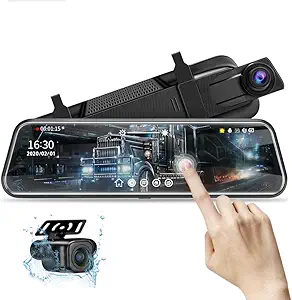 |
| Best Premium Mirror Dash Cam Higher-end mirror cam with advanced features and superior components | mangoal 4K Front + 2K Rear Mirror Dash Cam with Dual STARVIS 2 Sensors |  |
| Best Dual-Channel Mirror Dash Cam Front-and-rear recording mirror cam for complete coverage while driving | WOLFBOX G840S 12" 4K Dual-Channel Mirror Dash Cam with GPS and 32GB Card |  |
| Best 4K Mirror Dash Cam Ultra-high-resolution mirror cam for maximum detail and clarity | pelsee S12 12" Mirror Dash Cam with True 4K Front and 2.5K Rear |  |
| Best Compact Mirror Dash Cam Slim, low-profile mirror camera that tucks into tight spaces | AUKEPO 4.3" Dual-Cam In-Mirror Dash and Backup Camera |  |
| Best Low-Light / Night Vision Mirror Dash Cam Enhanced low-light performance for clear nighttime and poor-light footage | pelsee S12 Pro 12" Mirror Dash Cam with STARVIS 2, 4K Front + 1080P Rear |  |
1. WOLFBOX G930 4K Front + 1080P Rear Mirror Dash Cam with 5.8GHz WiFi and GPS
Best Overall Mirror Dash Cam

| Video Capture Resolution | 2160p |
|---|---|
| Rear Camera Resolution | 1080p |
| Screen Size | 9.66 |
| Real Angle of View | 170 Degrees |
| Included Memory Card Size | 64 GB |
The WOLFBOX G930 installs over your factory mirror to provide continuous front 4K and rear 1080p recording while doubling as a touchscreen streaming mirror. It is typically used as an everyday recording and parking-monitor solution and supports loop recording, G‑sensor collision locking, and reverse-assist when wired to the reverse light. The 10-inch touchscreen makes switching views and changing settings simple, and the upgraded 5.8GHz WiFi plus included 64GB card speed up file transfers and first-time setup. GPS logs speed and location for evidence-ready clips and the wide 170 degree lens and WDR/super night vision help capture usable detail in high contrast and low-light conditions. Downsides are that the rear camera wiring is fairly long and a bit fiddly to route for a clean install, and parking monitoring may require a hardwire kit for fully reliable operation when the vehicle is off. For a Crosstrek this model fits the typical mirror profile and provides a strong balance of video quality, ease of daily use, and useful driving features for routine driving and parking coverage.
Best for: Drivers who want an all-around mirror dash cam for daily use that prioritizes clear front video, easy in-cabin control, and helpful features like GPS and WiFi for quick file access.
Less Ideal for: Drivers who prefer a fully hidden OEM-style installation or who need a plug-and-play hardwire solution included out of the box should consider alternate designs or purchase a hardwire kit separately.
- True 4K front and 1080p rear recording for clear incident evidence
- 10-inch touchscreen mirror that makes view switching and settings intuitive
- 5.8GHz WiFi and included 64GB card speed up file transfers and setup
- GPS receiver records speed and location for context in saved clips
- Wide 170 degree view plus WDR and multi-glass lens improves low-light and high-contrast footage
- Full-featured parking monitor may require a separate hardwire kit for consistent off‑vehicle power
Verdict: The best all-around mirror dash cam that balances video quality, ease of installation, useful driving features, and dependable daily performance for most drivers.
2. Jansite 10" Mirror Dash Cam with Dual 1080P Front and Rear Cameras
Best Budget Mirror Dash Cam

| Screen Size | 10 Inches |
|---|---|
| Video Capture Resolution | 1080p |
| Field Of View | 140 Degrees |
| Real Angle of View | 170 Degrees |
| Memory Slots Available | 1 |
This Jansite 10" mirror dash cam replaces your factory mirror with a streaming-media display that shows live front and rear camera feeds and records both at 1080p. It is typically mounted over the existing mirror using supplied rubber straps and runs from the car charger or an optional hardwire kit for 24-hour parking monitoring. The full-touch IPS screen makes on‑the‑fly adjustments easy: slide to switch views, tweak exposure or adjust the rear camera angle with simple gestures. Notable features include a wide 170 degree front view, an IP68 waterproof rear camera with a long 6 m cable, loop recording with a G-sensor that locks collision files, and support for up to 128 GB SD cards. Practical benefits for budget buyers are clear: good low-light performance from the upgraded backup lens and parking assist lines that simplify reversing. Limitations include only 1080p resolution rather than higher‑end 2.5K options, reliance on the vehicle power source because the internal battery is only for settings, and a reflectivity change that means the mirror is not usable as a conventional reflective mirror when the display is off.
Best for: Buyers wanting an affordable, feature‑focused mirror dash cam that delivers simple installation, usable night visibility, and core recording and parking assist functions without advanced extras.
Less Ideal for: Drivers who prioritize higher-resolution footage, cloud connectivity, or a mirror that remains reflective when the display is off should consider higher-end alternatives.
- Dual 1080p front and IP68 rear cameras provide clear daytime and improved low-light video
- 10" IPS touch streaming display for easy live view switching and adjustments
- G-sensor and loop recording protect collision files and support up to 128 GB SD cards
- Long 6 m rear camera cable eases routing to larger vehicles and trailers
- Includes parking assist lines and adjustable rear view angle for safer reversing
- Internal battery only preserves settings so the unit needs vehicle power to record
Verdict: The best low-cost mirror dash cam that provides acceptable video, straightforward installation, and essential features without unnecessary extras for budget-minded buyers.
3. mangoal 4K Front + 2K Rear Mirror Dash Cam with Dual STARVIS 2 Sensors
Best Premium Mirror Dash Cam
| Compatible with Vehicle Type | Subaru Crosstrek 2024 2025 2026 (Model B) |
|---|---|
| Video Capture Resolution | Front 4K and Rear 2K |
| Connectivity Technology | Wi-Fi (5GHz) |
| Mounting Type | Rearview Mirror Mount |
| Included Memory Card Size | 128 GB |
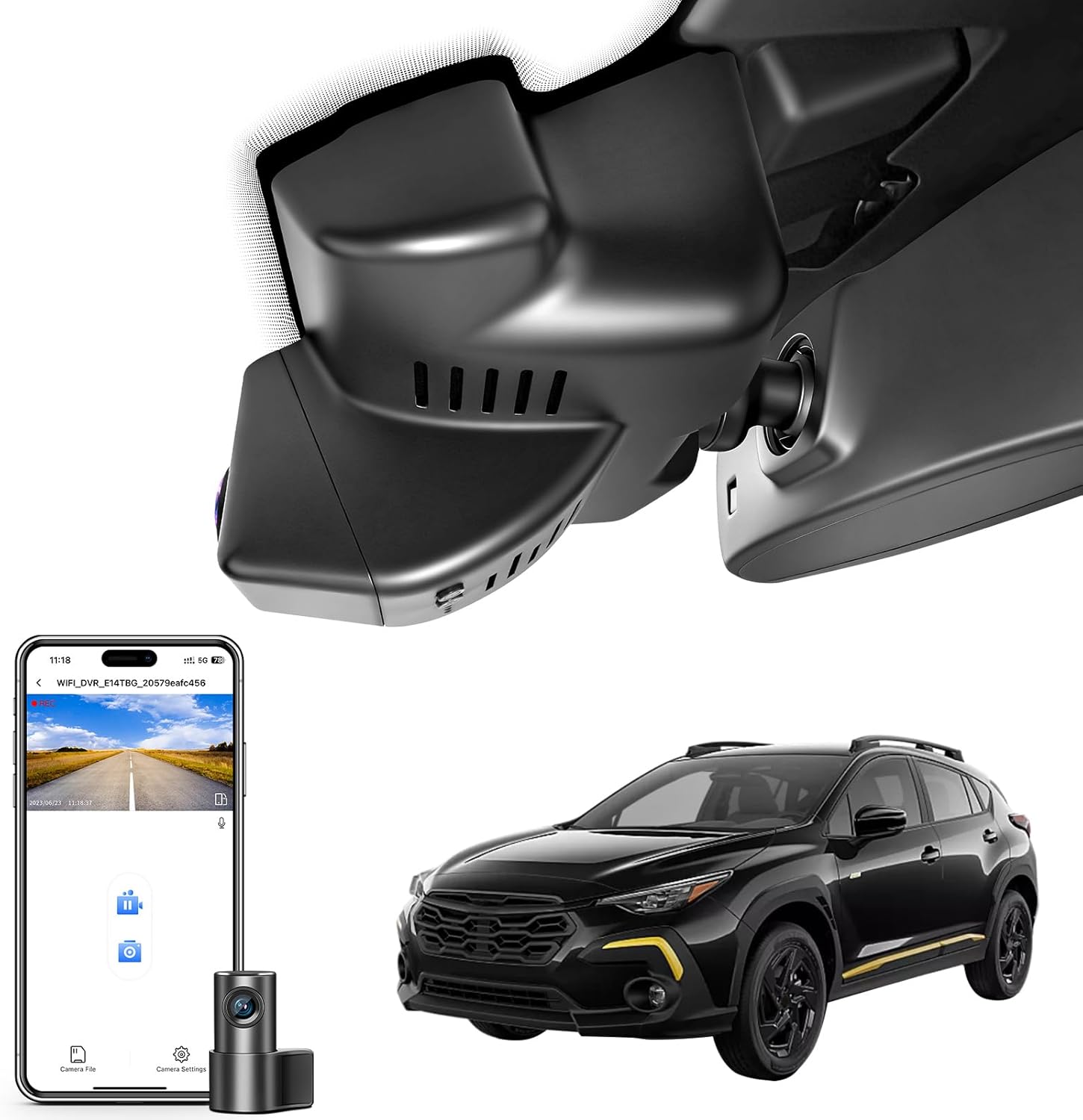
This mangoal mirror dash cam replaces the factory mirror area and provides continuous dual-channel recording with a 4K front sensor (IMX678) and a 2K rear sensor (IMX675). It installs behind the rearview mirror for a clean, integrated look and uses loop recording, a G-sensor and optional external GPS to log speed and route data. Night performance benefits from STARVIS 2 sensors and HDR 2.0 processing, which helps retain license plate detail and manage high-contrast scenes. The unit offers app control over a 5GHz Wi‑Fi link for live preview and quick video transfer to your phone, and it includes a 128 GB card with support for larger cards. Practical advantages are the OEM-style mount that hides wiring, parking monitor capability for parked-event recording, and bundled GPS and power adapter accessories. Expect a more involved install than a simple suction-cup camera because it mounts to the mirror area and requires routing power and the GPS module, and advanced features depend on the app and accessory connection rather than being fully self-contained.
Best for: Buyers who prioritize top-tier video quality, factory-style fitment, and fast wireless control on a Subaru Crosstrek and who want built-in parking recording and GPS trip logging.
Less Ideal for: Drivers who want a plug-and-play stick-on camera or the simplest possible install should consider simpler dash cams instead.
- Front 4K and rear 2K recording using dual STARVIS 2 sensors for strong daytime and low-light detail
- Factory-style mirror mount that hides wiring for a clean, integrated installation
- 5GHz Wi‑Fi and companion app for live preview, configuration, and quick video transfer
- Includes external GPS module to record speed and route data for accurate trip logs
- Built-in parking monitor and G-sensor for parked-event detection
- GPS requires the included external module to function rather than being built into the unit
- Installation is more complex than stick-on or suction cameras since it integrates with the mirror area
Verdict: The best premium mirror dash cam for buyers who want top-tier video quality, build materials, and extras like driver-assist alerts or integrated GPS and Wi‑Fi.
4. WOLFBOX G840S 12" 4K Dual-Channel Mirror Dash Cam with GPS and 32GB Card
Best Dual-Channel Mirror Dash Cam

| Video Capture Resolution | 2160p (front), 1080p (rear) |
|---|---|
| Screen Size | 12 inch |
| Field Of View | 170 Degrees (front), 140 Degrees (rear) |
| Connectivity Technology | USB, 5.8GHz Wi‑Fi |
| Included Memory Card Size | 32 GB |
The WOLFBOX G840S is a dual-channel mirror dash cam that replaces your factory mirror with a 12-inch touchscreen and records the road ahead in 4K while capturing the rear in 1080p. It is typically mounted over the OEM mirror and used for continuous driving recording, reverse assist, and evidence capture after incidents. Notable features include a large 12" touch LCD for split-screen viewing, built-in GPS via an external antenna for routes and speed overlay, 5.8GHz Wi-Fi for live view and file transfer to the WOLFBOX app, and night-optimizing WDR/HDR processing with a multi-glass lens. Practical benefits are clear daytime detail from the 4K front sensor, easier playback and sharing over Wi-Fi, and a parking-monitor mode for off-hour surveillance when hardwired. Important limitations are that the rear camera uses 1080p rather than matching the front 4K, the unit relies on a hardwire kit for true 24-hour recording, and the large 12" mirror may require checking clearance and fit against the Crosstrek’s headliner and mirror area before buying.
Best for: Drivers who want simultaneous front and rear evidence capture and an oversized touchscreen for easy live viewing, playback, and sharing on smartphones.
Less Ideal for: Drivers wanting perfectly matched front/rear 4K recording or those who cannot hardwire accessories for continuous parking surveillance.
- True 4K front recording for high-detail footage
- Large 12" touchscreen with split-screen front/rear viewing
- Built-in GPS support and 5.8GHz Wi-Fi for route overlay and quick file transfer
- Includes 32GB card and external GPS antenna in the package
- Night-optimized imaging with WDR/HDR and a wide front field of view
- Rear camera records at 1080p, so rear detail is lower than the front
- Full 24-hour parking monitoring requires an additional hardwire kit
Verdict: The best dual-channel mirror dash cam when you need simultaneous front and rear (or interior) recording for comprehensive incident capture and added peace of mind.
5. pelsee S12 12" Mirror Dash Cam with True 4K Front and 2.5K Rear
Best 4K Mirror Dash Cam

| Front video resolution | 3840×2160P |
|---|---|
| Rear video resolution | 2560×1440P |
| Screen size | 12 Inches |
| Included memory card size | 64 GB |
| Connectivity technology | Wi‑Fi (Wi‑Fi 6) |
The pelsee S12 replaces your factory mirror with a 12-inch mirror dash cam that records true 3840×2160 front video and native 2560×1440 rear video, delivering the extra detail you want for reading plates and signs. It mounts over the existing mirror and is controlled via touch or the Pelsee app, which uses Wi‑Fi 6 to download clips quickly and show GPS tracks. The unit includes a 19.6 ft rear camera cable and an IP67-rated rear camera, so the rear feed is usable in wet conditions and for reversing assistance. Night performance is boosted by an f/1.5 aperture and image processing that preserves color and detail in low light. Expect straightforward use for daily commuting and road trips, plus optional hardwiring for 24/7 parking monitor support. Tradeoffs are the large mirror size and the need to hardwire for round‑the‑clock surveillance; professional installation can simplify routing the rear cable in larger Crosstreks or when hiding wiring is a priority.
Best for: Drivers who prioritize capturing the highest-resolution evidence on their Crosstrek and want a mirror-style solution that shows a live rear feed while recording dual-channel 4K/2.5K footage.
Less Ideal for: Buyers who prefer a minimal, factory-looking mirror conversion without additional wiring or those who want built-in 24/7 recording without installing a hardwire kit or professional help.
- True native 4K front recording for maximum license plate and sign detail
- Native 2.5K rear camera with IP67 waterproofing for reliable outdoor performance
- Wi‑Fi 6 and app control let you download and review footage quickly with GPS overlays
- Includes 64 GB microSD card, GPS antenna, and long 19.6 ft rear cable for most installations
- Large 12-inch IPS mirror display with touch control for easier live monitoring and reversing
- Requires hardwiring to enable continuous 24/7 parking surveillance
Verdict: The best 4K mirror dash cam for drivers who prioritize the highest video detail to capture license plates, road signs, and fine evidence in recordings.
6. AUKEPO 4.3" Dual-Cam In-Mirror Dash and Backup Camera
Best Compact Mirror Dash Cam

| Display size | 4.3 inches |
|---|---|
| Front resolution | Full HD 1080P |
| Rear camera | Waterproof backup camera |
| Features | G-Sensor, Loop Recording, Night Vision |
| Rear cable length | 23FT |
This AUKEPO mirror-style dash cam replaces your interior mirror with a low-profile 4.3-inch display that shows simultaneous front and rear feeds while recording both at 1080p. It is designed to sit over the factory mirror area so it keeps the windshield clear and preserves a near-stock look on vehicles like the Subaru Crosstrek. Typical use is daily driving and parking surveillance: the front camera captures driving footage while the waterproof rear camera provides a backup view and records incidents. Built-in loop recording and a G-sensor automatically protect and lock files when impact is detected, and enhanced night vision helps visibility in low light. Installation involves mounting over the mirror and routing the 23-foot rear cable to the back of the vehicle, so expect a modest wiring effort for a clean install. The compact display and dual-cam layout strike a good balance between discreet placement and useful coverage, but the small 4.3-inch screen limits detail for playback in-car and controls are more basic than larger units.
Best for: Buyers who prioritize a low-profile mirror-mounted dash cam that keeps the windshield clear and provides both front and rear recording for daily driving and parking surveillance on a Subaru Crosstrek.
Less Ideal for: Drivers who want large in-car playback screens, advanced menu systems, or plug-and-play wireless installation features should consider alternate mirror cams with bigger displays or more streamlined installs.
- Dual 1080p front and rear recording for continuous coverage.
- Compact 4.3-inch in-mirror display that minimizes windshield obstruction.
- Built-in G-sensor that auto-locks recordings on impact.
- Waterproof rear camera suitable for exterior mounting and backup view.
- Loop recording simplifies long-term use without manual file management.
- 4.3-inch screen is small for detailed in-car playback and menu navigation.
Verdict: The best compact mirror dash cam for shoppers who want a discreet, space-saving unit that minimizes obstruction and integrates smoothly with the mirror area.
7. pelsee S12 Pro 12" Mirror Dash Cam with STARVIS 2, 4K Front + 1080P Rear
Best Low-Light / Night Vision Mirror Dash Cam

| Video Capture Resolution | 2160p |
|---|---|
| Rear Camera Resolution | 1080p |
| Field Of View | 160 Degrees |
| Screen Size | 12 Inches |
| Included Memory Card Size | 64 GB |
The pelsee S12 Pro is a mirror-mounted dash camera built to improve nighttime visibility and capture detailed footage when light is low. It pairs a STARVIS 2 front sensor with HDR/WDR processing to deliver 4K@25fps front recordings and full-color night video, while the 1080p rear camera provides a wide 160 degree view for reversing and parking. Typical use is replacing the factory rearview mirror on a Subaru Crosstrek to get continuous front/rear recording, live phone viewing over 5.8GHz Wi-Fi, and hands-free controls via voice commands. On the practical side you get a large 12-inch IPS display, included 64GB card and GPS antenna, built-in ADAS warnings, and a lengthy 19.6 ft rear camera cable for easy routing to the hatch area. Limitations to note are the wired rear camera (requires cable routing), parking mode needs a separate hardwire kit, and the mirror size/shape may not suit every factory mirror without the optional bracket. Installation on a Crosstrek should be straightforward if the stock mirror dimensions match the unit or with the OEM bracket accessory.
Best for: Drivers who regularly drive the Subaru Crosstrek at night and prioritize capturing clearer, less noisy footage after dark while keeping hands free with voice and app controls.
Less Ideal for: Owners who need a fully wireless solution or continuous 24/7 parking recording without adding a hardwire kit should consider other setups.
- STARVIS 2 front sensor with HDR/WDR for clearer low-light, color night recordings
- 4K front and 1080p rear dual recording preserves fine detail like plates and signs
- Large 12-inch IPS mirror display for easy live viewing and reversing guidance
- 5.8GHz Wi-Fi and app control for fast footage transfer and remote live view
- Includes 64GB card and GPS antenna so the unit is ready to use out of the box
- Parking surveillance requires purchasing a separate hardwire kit
- Rear camera is wired so cable routing is needed and may require an extension on longer vehicles
Verdict: The best low-light mirror dash cam for drivers who frequently travel at night or in dim conditions and need clearer, less noisy recordings after dark.
Choosing the Right Subaru Crosstrek Mirror Dash Cam: Key Factors to Consider
Video Quality and Dynamic Range
Clear, legible footage is the primary function of a mirror dash cam. High-resolution front sensors help capture license plates and road signs, while wide dynamic range reduces blown highlights when exiting tunnels or driving into bright sunlight.
For a Subaru Crosstrek, pay attention to how the camera handles shadow detail and license plate legibility at typical urban and highway speeds. Low-light performance matters for dawn, dusk, and poorly lit parking areas. Balanced compression and bitrate also affect footage clarity and file size, so consider models that offer adjustable recording settings.
Rear Camera Integration and Field of View
A rear-facing camera expands coverage for reversing, lane changes, and rear-impact incidents. How the rear camera mounts and its viewing angle determine usefulness as a backup aid versus an evidence camera.
On the Crosstrek, rear camera wiring route and mounting options should account for hatchback geometry. A narrow vertical field of view may miss adjacent lanes, while an overly wide lens can distort details. Ensure the system supports synchronized front-and-rear recording and time-stamped files to simplify incident review.
Mounting Style and Mirror Fit
Mirror dash cams generally either strap over your existing rearview mirror or replace it entirely. Strap-on units are typically quicker to install and preserve the OEM mirror, while replacement units can offer a cleaner look and larger displays.
For the Crosstrek, verify that a strap-on will not obstruct sightlines and that it clears sensors or auto-dimming functions if present. Replacement mirrors require careful alignment and secure mounting to avoid vibration and ensure the internal camera lines up with the windshield for consistent framing.
Power and Parking Mode Options
Parking mode lets the camera monitor your vehicle while parked, capturing impacts or motion-triggered events. This requires a reliable low-current draw solution, either through hardwiring kits to the fuse box or an external battery pack.
Crosstrek owners should confirm hardwire compatibility and whether the dash cam supports voltage cutoff to protect the car battery. Some units include motion-detection with buffered recording to capture pre-event footage. Consider how long you expect parking surveillance to run and whether the chosen model offers a timed or event-only recording mode.
Display Size and User Interface
The built-in display affects in-car usability for live view, menu navigation, and playback. A larger screen makes reversing and menu control easier, but may be more visually intrusive in a compact cabin.
On the Crosstrek, balance screen size with cockpit visibility. Intuitive menus and physical buttons can simplify daily operation, especially while driving. Ensure the interface makes it straightforward to access recorded clips and adjust settings without disconnecting the unit.
Wiring and Installation Complexity
Installation time and the need for tools or professional help vary widely. Some mirror dash cams require routing a rear camera cable through the headliner and C-pillar, and hardwiring to the vehicle fuse box for parking mode.
Owners should consider their comfort with interior trim removal, routing cables past airbags, and tapping fuses. A simpler plug-and-play cigarette-lighter power lead may be acceptable for short-term testing, but hardwiring provides cleaner results and continuous parking surveillance when done properly.
Choosing Between Strap-On and Replacement Mirrors
Strap-on mirror dash cams are designed to fasten onto your stock rearview mirror using elastic straps or clamps. They are typically faster to install and let you revert to the factory mirror without tools. Replacement mirror units involve swapping out the OEM mirror and can deliver a neater appearance with a wider display that aligns directly with the windshield.
Consider whether your Crosstrek has auto-dimming, compass, or driver-assist sensors integrated into the existing mirror. Strap-on designs are less likely to interfere with these functions, but replacement units can integrate features more seamlessly if fitted correctly. Think about how much visual intrusion you can tolerate on the windshield and whether you prefer a permanent or temporary installation.
- Strap-on: quick install, preserves factory mirror, may sit proud of OEM mirror
- Replacement: cleaner look, larger screen options, requires careful alignment
- Check for compatibility with auto-dimming or integrated sensors before replacing the mirror
How Rear Camera Placement Affects Parking Assistance
Rear camera placement determines the quality of reverse guidance and incident recording. A lower mount near the license plate provides a realistic backup perspective and useful proximity cues. Higher mounts behind the hatch trim sometimes offer a wider view but can be farther from typical impact zones.
For the Subaru Crosstrek, choose a mounting location that minimizes obstruction from the hatch or cargo and provides a consistent horizon line for reference. If you plan to use the rear camera for parking, confirm the system offers adjustable guidelines or option to toggle overlay lines for better depth judgment.
- Lower bumper or near-license-plate mounts: accurate proximity view
- Higher hatch trims: wider field but may miss low obstacles
- Ensure cables can route easily through hatch seals without pinching
Balancing Night Performance and Noise Reduction
Low-light sensitivity, sensor size, and lens aperture all influence nighttime footage. Noise reduction algorithms improve image clarity but can smooth fine details like plate characters. Selecting a unit with a balanced approach helps ensure readable night recordings without excessive artifacting.
For Crosstrek drivers who frequently park on-street or drive rural routes, prioritize models with proven low-light performance and parking-mode motion detection that does not generate excessive false events from streetlights or passing headlights.
- Look for wide aperture and large pixels for better night capture
- Adjustable exposure and WDR help with mixed lighting
- Firmware that differentiates between true motion and lighting changes reduces false triggers
Practical Tips for Wiring the Rear Camera
Routing the rear camera cable cleanly is essential to avoid pinched wires and intermittent connections. Use the headliner, door trim, and weather seals to hide cables, and secure them with adhesive clips or zip ties to prevent rattle.
When routing wires in the Crosstrek, plan the path before removing trim panels. Disconnect the battery when accessing fuse taps or permanent power to reduce the risk of short circuits. If you are uncomfortable with internal trim removal or running cables through the hatch, consider professional installation.
- Use factory grommets and existing wire channels where possible
- Avoid routing near airbags and keep cables clear of hinge points
- Test the camera and connections before reinstalling trim
Managing File Storage and MicroSD Cards
Mirror dash cams record continuous or event-based video to microSD cards. Card speed and capacity affect recording reliability and clip fragmentation. Choose a high-endurance card rated for continuous video to reduce file corruption and wear.
Set recording loop lengths and resolution according to your storage needs. On the Crosstrek, regular review and backup of important clips prevent accidental overwrites. Consider a card with sufficient capacity for several days of typical driving if you rely on parking-mode incidents.
- Prefer high-endurance microSD cards designed for dash cams
- Use loop recording with sensible clip lengths to simplify file management
- Regularly check card health and format cards in-camera to reduce errors
Using Parking Mode Without Draining the Battery
Parking-mode recording can be a heavy draw on the vehicle battery if left running continuously. Many owners use a hardwire kit with a low-voltage cutoff or an inline battery protection module to prevent a dead battery.
Alternatively, consider dedicated battery packs that provide isolated power for parking surveillance. For the Subaru Crosstrek, factor in typical parking durations and climate, since cold weather can reduce battery capacity and affect parking-mode runtime.
- Hardwire kits with low-voltage cutoff protect vehicle battery
- Battery packs isolate the dash cam from the car electrical system
- Adjust parking-mode sensitivity to reduce unnecessary recordings
How We Chose the Best Subaru Crosstrek Mirror Dash Cam
We focused on performance attributes and real-world fit for the Subaru Crosstrek when curating this list. Primary evaluation criteria included daytime and low-light video quality, since clear footage is the main purpose of a mirror dash cam. We also prioritized reliable rear-camera integration for reversing and incident capture, and we assessed parking-mode capability and how the device handles event recording while the vehicle is off. Installation complexity was another key filter: we looked for units that mount over the stock rearview mirror or replace it with minimal dashboard routing, with clear cable paths suited to the Crosstrek interior. Power options received attention, including hardwire readiness and compatibility with fuse-box taps for unattended parking recording. Usability factors such as screen size, touchscreen responsiveness, and menu clarity were weighed to ensure daily operation is straightforward. Finally, we excluded any units that require extensive mirror modification, have known firmware reliability problems, or lack documented support for dual-channel recording. The result is a curated set of mirror dash cams that balance dependable recording, practical installation, and feature sets Crosstrek owners tend to value.
Our full evaluation process is outlined in our review methodology.
FAQ
Will a mirror dash cam obstruct the Crosstrek's factory auto-dimming mirror?
It depends on the unit and how it mounts. Strap-on models that sit over the OEM mirror are less likely to interfere, while some replacement mirrors require compatible features. Verify whether the camera unit supports or preserves auto-dimming before installation.
Can I route the rear camera cable without removing trim in my Crosstrek?
Minor routing can sometimes be done using existing channels and door seals, but fully concealing the cable often requires partial trim removal. Plan the cable path and secure it to avoid pinching near hinge points.
How long will parking-mode recording run before draining the Subaru battery?
Runtime varies with the camera's power draw and battery condition. Using a hardwire kit with a low-voltage cutoff or an external battery pack helps prevent battery drain. Expect a few hours to a few days of coverage depending on settings and the chosen power solution.
Does a dual-lens mirror dashcam record front and rear simultaneously?
Most dual-lens mirror units support simultaneous front-and-rear recording and create separate synchronized files. Confirm that the model you choose actually records both channels continuously if that is important for evidence capture.
What microSD card should I use for a mirror dash cam in a Crosstrek?
Choose a high-endurance microSD card rated for continuous video, and follow the manufacturer's recommended maximum capacity. Regularly format the card in-camera and back up important clips to avoid data loss.
Is professional installation necessary for mirror dash camera installation?
Professional installation is not always necessary, but it is recommended if you are uncomfortable removing trim, routing cables through the hatch, or hardwiring to the fuse box. Proper installation reduces the risk of rattles, pinched wires, and battery issues.
Final Verdict
Prioritize dependable video quality, sensible rear-camera placement, and a power solution that supports parking-mode without jeopardizing the Subaru Crosstrek battery. Your decision should balance how much wiring and trim removal you are willing to do against the benefits of a cleaner, integrated replacement mirror.Choose a model that matches your routine driving and parking habits: simpler strap-on units are quick and reversible, while replacement mirrors and hardwired systems deliver a cleaner install and fuller parking surveillance. Focus on low-light performance and reliable recording behavior to ensure the footage you need is available when it matters.
Explore More:
- Check out all Subaru Crosstrek parts & accessories
- Explore Electronics
- Browse all Accessories
