

Note: This article contains affiliate links. If you click on these links and make a purchase, I may earn a small commission at no extra cost to you. This helps support my research and content. Read my full affiliate disclosure here.
A dedicated Subaru Crosstrek dash cam gives you continuous, objective video evidence and peace of mind during daily drives, commuting, and road trips. Because the Crosstrek is used for a mix of city, highway, and light off-road driving, choosing a camera that handles vibration, variable light, and simple wiring is important.This guide covers our shortlist of seven top dash cams chosen for fitment, installation, and real-world usability in the Crosstrek. We evaluate each option for image quality, mounting and wiring convenience, power and storage handling, and the features that matter most for everyday driving and long trips.
Looking for other parts? See all Subaru Crosstrek parts & accessories.
Top Picks at a Glance
| Best Overall Dash Cam The best all-around dash cam balancing features, reliability, and value | VIOFO A229 Plus Dual-Channel Dash Cam (Front + Rear) |  |
| Best Budget Dash Cam A low-cost option that still records dependable footage and features | 70mai M310 Plus 4K Dash Cam (Front) |  |
| Best Compact Dash Cam A small, low-profile camera for discreet mounting and tight fitment | Garmin Dash Cam Mini 3 — Ultracompact 1080p Dash Camera with Clarity Polarizer |  |
| Best Dual-Channel Dash Cam Front-and-rear recording for complete coverage inside and outside the vehicle | FITCAMX Front 2K + Rear 1080P Dual Dash Cam for Subaru Crosstrek 2024-2026 (HD2-D6800) |  |
| Best 4K Dash Cam Ultra-high-resolution recording for maximum detail in daytime footage | mangoal Custom-Fit 4K Dash Cam for Subaru Crosstrek (Model B) |  |
| Best Parking-Mode Dash Cam Reliable parked-vehicle monitoring with motion or impact-triggered recording | BOTSLAB G980H 3K 4-Channel Dash Cam with 3.18" Touchscreen and Built-In GPS |  |
| Best Premium Dash Cam A higher-end pick with top build quality and advanced features | mangoal 4K Front + 2K Rear Dual STARVIS 2 Dash Cam for Subaru Crosstrek (2024–2026) |  |
1. VIOFO A229 Plus Dual-Channel Dash Cam (Front + Rear)
Best Overall Dash Cam

| Video Capture Resolution | 1440p |
|---|---|
| Frame Rate | 60fps |
| Field Of View | 140 Degrees |
| Flash Memory Type | microSD |
| Flash Memory Supported Size Maximum | 512 GB |
The VIOFO A229 Plus is a two-channel dash cam that records both front and rear at up to 1440p using Sony STARVIS 2 sensors to improve low-light detail and reduce noise. It is typically mounted on the windshield and runs continuously while driving and in parking mode when hardwired. Notable features include Dual HDR processing for balanced exposure, ultra-fast 5GHz Wi‑Fi for quick downloads to the VIOFO app, voice commands for hands-free control, and a quad-mode GPS module for precise location and speed data during playback. Practical benefits include clearer night footage, faster phone transfers, and flexible 24/7 parking recording options (event-triggered buffered recording, time lapse, and low-bitrate continuous). Important limitations are that front 60fps is not available while HDR is enabled and a hardwire kit for full parking-mode operation is sold separately; a microSD card is also required and not included. The unit’s compact size and included wiring make it straightforward to install in compact crossovers such as the Subaru Crosstrek, but expect to plan for a hardwire install if you want continuous, battery-safe parking surveillance.
Best for: Drivers who want a dependable, well-rounded front-and-rear system that prioritizes clear daytime and nighttime evidence, easy phone interaction, and reliable parking detection for daily commuting and occasional off-hour incidents in a compact crossover.
Less Ideal for: Buyers who need built-in continuous parking power without extra accessories or who require simultaneous highest-frame-rate HDR front recording should consider other setups or add the hardwire kit and compatible high-end storage solutions.
- Dual STARVIS 2 sensors deliver noticeably better low-light and night video compared with standard sensors
- Dual 1440p front and rear recording with HDR improves license plate and color detail in many conditions
- 5GHz Wi‑Fi enables fast video preview and downloads through the VIOFO app
- Built-in quad-mode GPS records precise location and speed for evidence and playback
- Multiple parking modes including buffered event recording for captured pre- and post-event footage
- Full 60fps front recording cannot be used at the same time as HDR
- Hardwire kit for true 24/7 parking mode is an optional purchase and not included
Verdict: The best all-around dash cam that balances video quality, reliability, usability, and essential features for everyday driving and evidence capture.
2. 70mai M310 Plus 4K Dash Cam (Front)
Best Budget Dash Cam

| Video Capture Resolution | 2160p |
|---|---|
| Field Of View | 140 Degrees |
| Connectivity Technology | Wi-Fi |
| Flash Memory Supported Size Maximum | 256 GB |
| Other Special Features of the Product | 24H/7 Parking Monitor, Time‑Lapse, App Control, Loop Recording, Night Vision, Voice Control |
The 70mai M310 Plus 4K is a straightforward front dash camera that records in 4K resolution and is aimed at drivers who want clear, dependable footage without a lot of extras. It mounts to the windshield with an adhesive pad and uses a Type‑C power cable for plug‑in or hardwiring with an optional kit for parking surveillance. Key features you will use daily include built‑in Wi‑Fi and a smartphone app for live view and downloads, voice control for hands‑free locking of clips, G‑sensor emergency locking with pre‑recording, loop recording, and a 24/7 parking mode with time‑lapse to minimize power draw. The F1.55 aperture, WDR, and noise reduction improve low‑light capture, making license plates and signs easier to read in many conditions. Tradeoffs: it is a single‑channel front camera so it does not capture rear view, and advanced driver aids or integrated GPS are not included, so location or speed stamping requires a separate solution. For the price-conscious Crosstrek owner this delivers clear day/night evidence and simple app workflow in a compact package.
Best for: Budget-minded Subaru Crosstrek owners who want reliable, high-resolution front‑facing video and easy smartphone control for everyday driving and occasional incident documentation.
Less Ideal for: Drivers who need dual-channel (front and rear) coverage, embedded GPS tracking, or advanced driver assistance features should consider more fully featured systems.
- True 4K recording for clearer license plate and sign detail
- Enhanced night vision with large aperture, WDR, and noise reduction
- Wifi and smartphone app for live view and easy file downloads
- G‑sensor with pre‑recording locks incident clips automatically
- Simple adhesive windshield mount and Type‑C power make installation quick
- Front‑only camera with no rear channel included
- No built‑in GPS or speed/location stamping
Verdict: The best low-cost dash cam that provides reliable recording, basic features, and easy installation for buyers prioritizing price over advanced extras.
3. Garmin Dash Cam Mini 3 — Ultracompact 1080p Dash Camera with Clarity Polarizer
Best Compact Dash Cam

| Video Capture Resolution | 1080p |
|---|---|
| Field Of View | 140 Degrees |
| Frame Rate | 24 FPS |
| Connectivity Technology | Bluetooth, USB, Wi‑Fi |
| Memory Slots Available | 1 |
The Garmin Dash Cam Mini 3 is a key-sized windshield dash camera designed to stay out of sight while capturing 1080p, 24 fps video across a 140-degree field of view. It mounts low-profile on the windshield and records automatically, saving clips when incidents are detected and stamping footage with date and time. The built-in Clarity polarizer and Clarity HDR optics help reduce windshield glare and improve detail in bright and low-light conditions, which is useful for capturing license plates and road signs. Voice control makes hands-free saving and audio toggling convenient, and the camera pairs with the Garmin Drive app to view files and use features like live view and parking guard when the device has constant power and a Vault subscription. The small form factor means it is unobtrusive in tight mounting positions common to compact crossovers, but advanced cloud features require paid subscription, Wi-Fi access, and continuous power to unlock remote functionality.
Best for: Drivers who prioritize a discreet, low-profile camera that fits tight windshield mounting points and still records clear daytime and nighttime footage for everyday driving and incident capture in a Subaru Crosstrek.
Less Ideal for: Drivers who need 4K resolution, high frame-rate performance for motorsports, or those unwilling to provide constant power and a subscription for remote/cloud features.
- Very small, low-profile housing that stays out of view on the windshield
- 1080p 24 fps recording with a wide 140-degree field of view for clear road coverage
- Built-in polarizer and HDR optics reduce glare and improve detail day and night
- Voice control and smartphone app integration for hands-free operation and easy file access
- Parking guard and live view support for remote monitoring when used with constant power and subscription
- Many remote and cloud features require a paid Vault subscription and an active Wi-Fi connection
Verdict: The best compact dash cam for drivers who want a discreet, unobtrusive unit that fits tight mounting points while still delivering clear footage.
4. FITCAMX Front 2K + Rear 1080P Dual Dash Cam for Subaru Crosstrek 2024-2026 (HD2-D6800)
Best Dual-Channel Dash Cam

| Compatible with Vehicle Type | Subaru Crosstrek 2024-2026 & Crosstrek Hybrid |
|---|---|
| Video Capture Resolution | Front 1440P + Rear 1080P |
| Frame Rate | 30 |
| Connectivity Technology | Powerline; WiFi 2.4GHz |
| Control Method | App |
This FITCAMX dual dash cam is a vehicle-specific unit that installs into the headliner area to provide synchronized front-and-rear recording tailored for Subaru Crosstrek 2024-2026 and the hybrid variant. The front camera captures 1440p at 30fps with an f/1.6 aperture while the rear records 1080p, and WDR helps balance exposure in bright or low light. It connects to your phone over 2.4GHz WiFi and the FITCAMX app for live view and footage download, and the system is set to loop record and trigger saves via the G-sensor. The unit is built from PC+ABS and claims wide operating temperatures, and the package includes a 64GB microSD card for immediate use. Being made to mimic a factory-installed option, wiring is kept discreet when fitted correctly. Limitations to consider are the fixed 30fps capture rate and the requirement to confirm vehicle features such as auto-dimming mirror for the intended integration and power hookup method.
Best for: Buyers who prioritize synchronized front-and-rear evidence capture for their Subaru Crosstrek and want a camera that integrates with the vehicle interior for a discreet, factory-style installation.
Less Ideal for: Drivers who need higher frame rates for very fast-motion events or who prefer a universal, plug-and-play dash cam that does not require vehicle-specific fit confirmation.
- Synchronized dual-channel recording with front 1440p and rear 1080p video for multi-angle incident coverage
- OEM-style integrated design keeps installation low-profile and preserves interior aesthetics
- Built-in WiFi and FITCAMX app allow live view and easy footage download to a phone
- Includes 64GB microSD card and necessary installation tools for a ready-to-use setup
- Records at a fixed 30fps which may miss finer motion detail compared with higher-frame alternatives
- Integration requires verifying vehicle features like auto-dimming mirror to ensure correct power connection
Verdict: The best dual-channel dash cam for buyers who need synchronized front-and-rear video to capture incidents from multiple angles and improve evidence coverage.
5. mangoal Custom-Fit 4K Dash Cam for Subaru Crosstrek (Model B)
Best 4K Dash Cam

| Compatible Vehicle Type | Subaru Crosstrek 2024 2025 2026 (Model B) |
|---|---|
| Video Capture Resolution | Front 4K 2160P |
| Field Of View | 150 degrees |
| Frame Rate | 30 fps |
| Included Memory Card Size | 64 GB |
This mangoal dash cam is a vehicle-specific, OEM-style front camera built to tuck behind the Crosstrek's rearview mirror for a factory-integrated look. It records 2160p/30fps front video with a 150 degree field of view, uses a CMOS sensor with an f/1.8 aperture for improved low-light capture, and stores footage on a microSD card (64 GB included, supports up to 128 GB). The unit supports loop recording, G-sensor automatic incident detection, parking monitor, and motion sensing so it will lock and preserve events without user intervention. Built-in WiFi plus a free app makes previewing and downloading clips convenient at close range. Installation is intended to be plug-and-play for the listed Crosstrek model and keeps wiring concealed for a clean finish. Expect strong daytime detail from the 4K sensor and useful features for event protection; however the camera is front-only so it will not capture rear footage and the app preview is compressed compared with recorded files, so reviewing true quality requires downloading recordings.
Best for: Buyers who prioritize highest daytime video clarity and a factory-integrated appearance for a Subaru Crosstrek and want easy phone access to footage without exposed wiring.
Less Ideal for: Drivers who need dual-channel front-and-rear coverage or remote cloud access should consider other systems that include a rear camera or remote upload features.
- True 4K front recording at 2160p/30fps for high daytime detail
- Custom-fit design for Subaru Crosstrek 2024–2026 that mounts discreetly behind the mirror
- Built-in WiFi and app control for quick preview and file transfer
- Event protection with G-sensor, loop recording, motion detection, and parking monitor
- Includes 64 GB microSD card and supports up to 128 GB cards
- Front-only camera with no included rear recorder option
- App preview is compressed so live view may look lower quality than saved video
Verdict: The best 4K dash cam for users who want the highest daytime video clarity to capture fine license-plate and scene details.
6. BOTSLAB G980H 3K 4-Channel Dash Cam with 3.18" Touchscreen and Built-In GPS
Best Parking-Mode Dash Cam

| Video Capture Resolution | 4 Channel: 3K+1080P*3 |
|---|---|
| Field Of View | 560 degrees |
| Screen Size | 3.18 inches |
| Included Memory Card Size | 128 GB |
| Flash Memory Supported Size Maximum | 512 GB |
The BOTSLAB G980H is a 4-channel dash cam package that records front, both sides, and rear views at the same time to provide full perimeter coverage while your Crosstrek is parked or driving. It is typically installed on the windshield with side cameras mounted via magnetic brackets; footage is viewable on the 3.18" IPS touchscreen or through the Botslab app over 5.8GHz Wi-Fi. For parking surveillance it supports time-lapse, motion-triggered sentry recording, and collision detection, but those automatic modes require a dedicated hardwire kit to supply constant power. Night performance benefits from an F1.8 aperture, infrared LEDs, and WDR processing, and a super capacitor improves reliability in hot or cold climates and helps preserve files during power loss. The unit records GPS location and speed so parked-event footage includes location metadata. Expect straightforward setup and useful pre-event buffering thanks to the G-sensor, but plan to hardwire the camera for full 24/7 parking coverage and to use the hardwire accessory for sentry and time-lapse modes.
Best for: Drivers who prioritize dependable unattended surveillance for their Crosstrek and want full perimeter recording plus GPS-tagged footage for incident documentation.
Less Ideal for: Buyers who need out-of-the-box 24/7 parking monitoring without any hardwiring or those who prefer a minimal two-camera setup with a smaller screen.
- Four simultaneous channels (front, rear, left, right) for comprehensive coverage
- 24/7 parking modes including time-lapse, sentry, and collision detection (hardwire kit required)
- F1.8 aperture with IR LEDs and WDR for improved low-light imaging
- Built-in GPS and 5.8GHz Wi-Fi for fast transfers and route/speed data overlay
- Super capacitor design for reliable file preservation in extreme temperatures
- Parking-mode features require a separate hardwire kit to run continuously
Verdict: The best parking-mode dash cam for owners who need dependable surveillance while parked, using motion, impact, or time-lapse recording to catch incidents.
7. mangoal 4K Front + 2K Rear Dual STARVIS 2 Dash Cam for Subaru Crosstrek (2024–2026)
Best Premium Dash Cam
| Compatible Vehicle | Subaru Crosstrek 2024 2025 2026 (Model B) |
|---|---|
| Video Resolution | Front 4K and Rear 2K |
| Image Sensors | Dual STARVIS 2 (IMX678 front, IMX675 rear) |
| Connectivity | 5GHz Wi-Fi |
| Included Storage | 128 GB |
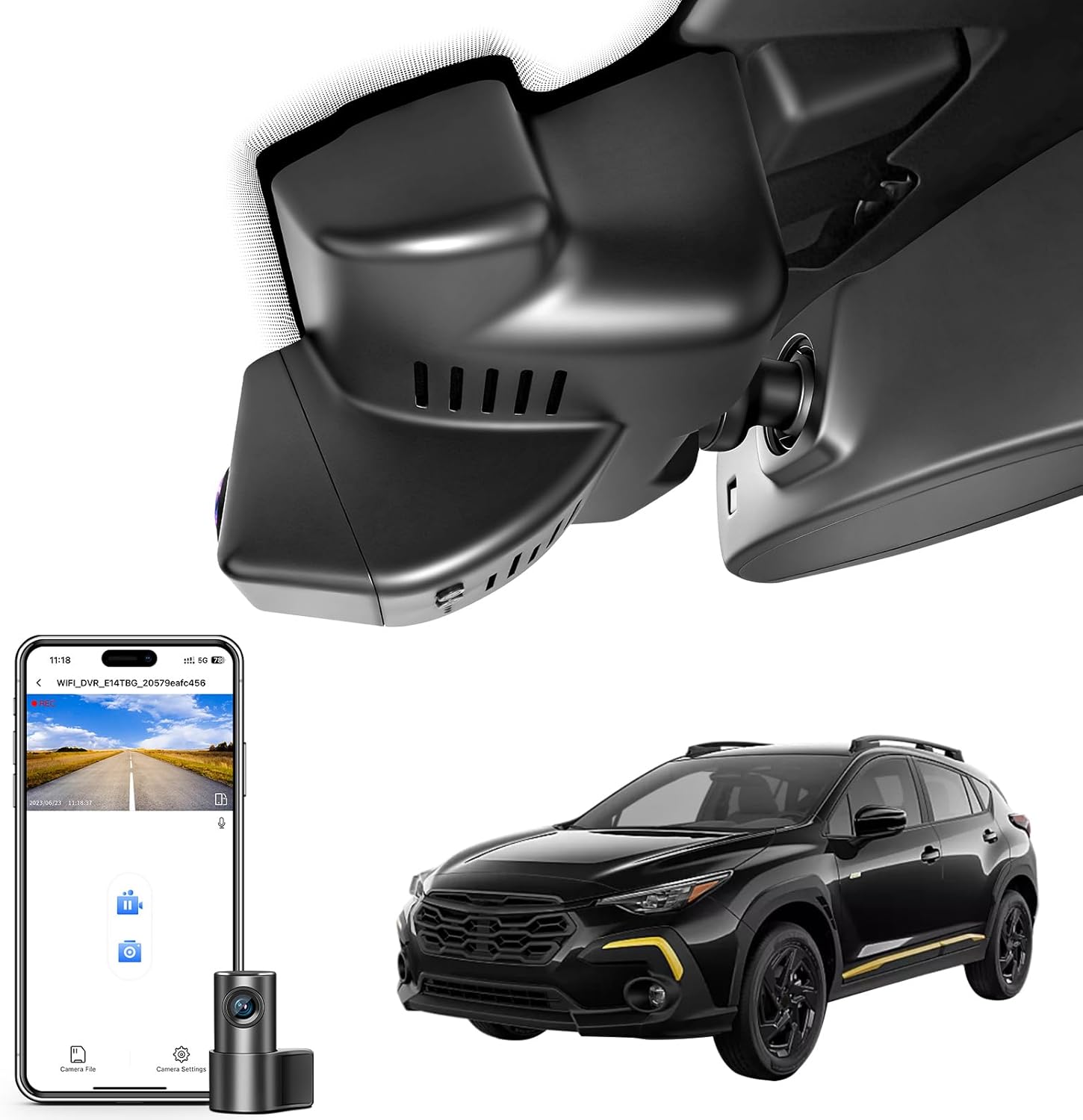
This mangoal dash cam is a premium, vehicle-specific mirror-mount system designed to sit discreetly behind the rearview mirror on Subaru Crosstrek 2024–2026 models. It records front 4K@30fps and rear 2K@30fps using dual STARVIS 2 sensors (IMX678 front, IMX675 rear), which improves daytime detail and low-light performance for license-plate capture and critical incident footage. The unit uses HDR 2.0 for better dynamic range, supports loop recording and G-sensor event locking, and offers parking monitor capability when wired for constant power. Setup is simplified by the Crosstrek-specific fit and a reading-light plug power Y-adapter; the included external GPS module records speed and route data. Connection and video preview are handled via the 5GHz Wi-Fi and mangoal app for quick downloads and configuration. Expect strong video quality and a tidy, OEM-like installation, but note GPS requires the supplied module and advanced parking features need hardwiring for continuous power. The product targets buyers who prioritize top-tier imaging and integrated appearance over basic plug-and-play simplicity.
Best for: Buyers seeking a high-end, factory-style dash cam for their Subaru Crosstrek who value best-in-class video quality, integrated appearance, and advanced features managed through a mobile app.
Less Ideal for: Drivers who want a simple plug-and-play recorder without any hardwiring or who do not need top-tier night performance should consider more basic, universally mounted options.
- Front 4K and rear 2K recording with dual STARVIS 2 sensors for strong day and night detail
- Custom rearview-mirror fitment for Subaru Crosstrek 2024–2026 for a clean, integrated install
- 5GHz Wi-Fi and companion app enable live preview and fast file transfers
- HDR 2.0 and G-sensor event locking improve usable footage in high-contrast and collision scenarios
- GPS requires connection of the external module rather than being built into the unit
- Parking monitor and continuous recording require hardwiring for constant power
Verdict: The best premium dash cam for buyers willing to pay more for superior build, cutting-edge features, extended warranties, and top-tier video performance.
Choosing the Right Subaru Crosstrek Dash Cam: Key Factors to Consider
Video Resolution and Dynamic Range
Resolution determines how much usable detail you capture in an incident. For the Subaru Crosstrek, higher-resolution footage helps identify license plates, road signs, and details in both bright daylight and low-light conditions. Dynamic range matters when you drive through tunnels, shaded forests, or glare-prone intersections; a camera with good dynamic range balances bright highlights and dark shadows so important details are not lost.
Keep in mind that higher resolution increases file size and storage demands. Consider how much onboard storage you want and whether the camera supports efficient compression without sacrificing crucial detail.
Mounting, Size, and Driver Visibility
A compact dashboard camera is less likely to obstruct the driver's view and is easier to position behind the rearview mirror in the Crosstrek. Low-profile mounts reduce distraction and are less likely to be noticed by thieves. The mount type also affects stability; a well-secured mount minimizes vibration blur during rough roads or light off-roading.
Consider whether the camera requires adhesive pads or a suction mount, and how that fits with your Crosstrek's windshield slope. Also think about rear camera placement if you plan a front and rear dash camera setup so both units have clean sightlines without interfering with headrests or cargo space.
Power Options and Wiring Convenience
Powering the dash cam can be as simple as plugging into the cigarette lighter or as integrated as a hardwired kit to the vehicle fuse box. For a neat installation in the Subaru Crosstrek, hardwiring can hide cables for a factory look and enable parking-mode features, but it requires more installation effort or professional help. Cigarette-lighter power is easier and removable, but may not support advanced parking monitoring features.
Also evaluate power draw and low-voltage protection to avoid draining the battery, especially if you use parking mode or leave the camera active when parked for extended periods.
Storage, File Management, and Loop Recording
Loop recording dash cam behavior ensures continuous capture by overwriting the oldest footage when the card fills. Good file management separates normal recordings from event clips triggered by G-sensors so important footage is not lost. For Crosstrek drivers who take long drives or road trips, consider whether the camera supports large-capacity microSD cards and how it handles long files to avoid corruption.
Also check whether the device uses file checksum, has emergency file lock during power loss, and how easy it is to offload clips for long-term storage.
Low-Light Performance and Night Recording
Many incidents occur at dawn, dusk, or night. Cameras with larger sensors, wider apertures, or superior noise reduction produce clearer nighttime footage. On the Crosstrek, which may be used on dim forest roads or highway drives, better low-light performance helps capture license plates and road details when illumination is limited.
Consider whether the camera offers dedicated night mode, adjustable exposure settings, or firmware features that reduce motion blur under low light while maintaining recognizable detail.
Connectivity and Ease of Use
WiFi enabled dash cam features and companion apps make it easier to view, download, and configure footage without removing the memory card. For casual users, a straightforward app and intuitive interface reduce friction when retrieving clips after an incident. Physical controls and clear on-screen menus matter during initial setup and when making adjustments on the road.
Note that wireless features can complicate initial pairing or drain battery slightly faster, so balance convenience against how you plan to access footage.
Mounting and Placement Tips for the Crosstrek
Position the dash cam just behind the rearview mirror so it does not impede your field of view but still captures a centered view of the road. Use routing paths along the headliner and A-pillar trim to hide cables and keep the interior tidy. For front and rear dash camera setups, check rear camera cable length and plan a path that avoids pinching or stretching when cargo shifts.
If you plan to hardwire, identify a fused accessory circuit that turns off with the ignition unless you want parking mode active. When using adhesive mounts, clean the glass thoroughly and allow the adhesive to set before driving off to ensure a secure hold.
- Aim the lens level and avoid angling too far down; mounting too low can distort license plate visibility.
- Test camera placement with a daytime and nighttime sample recording before finalizing installation.
- For rear cameras, route the cable under trim panels or through the rear hatch weather seal as appropriate.
Using Parking Mode Safely
Parking mode can record incidents while the vehicle is unattended, but it typically increases power draw. Choose a camera with configurable parking-mode sensitivity and an option for low-power monitoring so it will not drain the Crosstrek battery. Some cameras offer motion detection, buffered pre-event recording, or impact-triggered clips to capture incidents without continuous full-power recording.
If you use parking mode frequently, consider a hardwired installation with a voltage cutoff set to a safe level for your battery, or use a separate battery pack designed for dash cams.
- Set sensitivity to avoid frequent false recordings from passing traffic or wind.
- Regularly check stored clips to ensure parking mode functions correctly.
Selecting Storage and Memory Management
Choose a dash cam that supports reputable high-endurance microSD cards and accepts large capacities for extended coverage. Look for cameras that format cards automatically and can isolate incident files so they are not overwritten by routine loop recording. Consider whether the unit supports scheduled overwriting, file fragmentation handling, and one-touch emergency file lock.
Maintain a backup routine for important incidents. Relying solely on the internal microSD without offloading critical footage can risk losing evidence if the card fails or is overwritten.
- Prefer devices that support at least 64GB to 128GB for frequent long drives.
- Periodically reformat the card in the camera to reduce the chance of file errors.
Practical Considerations for Road Trips
For longer trips in your Crosstrek, battery management and storage become more critical. A camera with stable long-duration recording, efficient compression, and reliable loop recording reduces the need for frequent card swaps. Compact dashboard cameras that do not obstruct passenger sightlines are preferable for family trips.
Also evaluate how easy it is to offload and organize footage on the road. Cameras with simple WiFi transfer or an easy-to-access microSD slot cut down the time required to extract and back up clips between stops.
- Bring a spare high-endurance microSD card for long journeys.
- Test in-car power options for continuous operation during overnight stops if you rely on parking mode.
Legal and Privacy Notes for Recording
Recording laws vary by jurisdiction. While most dash cam use is legal, be mindful of local privacy rules regarding audio recording and the display of footage. Avoid sharing or posting footage that could infringe on privacy or legal restrictions without proper context or consent when required.
Use recorded footage responsibly and retain original files in case authorities or insurers request unaltered evidence.
- Disable audio recording if local rules restrict it or if you prefer to avoid capturing private conversations.
- Keep a clear copy of timestamps and GPS data when provided for corroborating an incident.
How We Chose the Best Subaru Crosstrek Dash Cam
We focused on attributes that directly affect ownership and performance on the Subaru Crosstrek. Evaluation criteria included video resolution and dynamic range because varied lighting conditions and shadows on trails make clear footage essential. We assessed mounting and form factor to ensure the camera sits unobtrusively behind the rearview mirror without blocking sight lines. Power integration and wiring options were judged for ease of routing in the Crosstrek cabin and compatibility with common accessory power sources. Storage and recording behavior received attention, with emphasis on loop recording reliability, event locking, and how the camera manages long-duration files. Connectivity and usability were weighed, including basic WiFi or app control for quick clip retrieval and straightforward configuration. Finally, build quality and heat tolerance were considered since interior temperatures can vary in different climates.We excluded specialty cameras intended only for commercial fleets or units requiring extensive dashboard modification. We did not include single-use novelty cameras or devices lacking key safety recording features such as continuous loop recording and basic incident locking.
Our full evaluation process is outlined in our review methodology.
FAQ
Will a dash cam void my Subaru Crosstrek warranty?
Installing a dash cam typically does not void the vehicle's warranty as long as the camera is installed without altering factory systems. Hardwiring into the electrical system should be done correctly to avoid warranty issues related to electrical faults; using a professional installer or following manufacturer guidance reduces that risk.
Can I install a front and rear dash camera without professional help?
Many owners can install a front and rear dash camera using included cables and routing along trim panels, but rear installations can be trickier due to cable length and routing through the hatch or headliner. If you plan to hardwire the unit for parking mode, professional installation is recommended to ensure safe integration with the vehicle's electrical system.
How much storage do I need for long drives in the Crosstrek?
Storage needs depend on resolution and trip length. For 1080p recording, a 64GB to 128GB high-endurance card typically provides many hours of continuous footage. If you record at higher resolutions or take frequent long trips, opt for larger capacities and back up important clips regularly.
Does WiFi on a dash cam drain my car battery when parked?
WiFi itself uses modest power but most cameras only enable wireless features when the camera is active. If the camera is left in parking mode with WiFi enabled, it will draw more power. Use a camera with configurable power management or hardwire with a cutoff to protect your battery.
How do I ensure important footage is not overwritten?
Look for a camera with event-locking via a G-sensor or manual lock feature that isolates clips from loop overwriting. Regular offloading or copying of critical footage to an external drive or cloud service provides additional protection against accidental overwriting.
Is a compact dashboard camera less capable than larger units?
Compact cameras can offer comparable core features like loop recording, decent video quality, and WiFi connectivity. Size tradeoffs sometimes affect sensor size or heat dissipation, so evaluate feature lists and sample footage rather than assuming larger equals better.
Final Verdict
Choose a dash cam for your Subaru Crosstrek by balancing image quality, mounting convenience, and power management. Prioritize cameras with reliable loop recording and good low-light performance if you drive in varied conditions. If you need unattended recording, plan for proper wiring or battery protection to avoid draining your battery.Focus on the features that match how you use the Crosstrek: compact mounts and easy wiring for daily use, larger storage and stable recording for long road trips, and parking-mode options if you park in high-traffic areas. That approach will help you select a dependable unit that captures the footage you need when it matters most.
Explore More:
- Check out all Subaru Crosstrek parts & accessories
- Explore Electronics
- Browse all Accessories
