

Note: This article contains affiliate links. If you click on these links and make a purchase, I may earn a small commission at no extra cost to you. This helps support my research and content. Read my full affiliate disclosure here.
If you drive a Nissan Rogue you need a dash cam that fits the cabin, records useful evidence, and survives everyday wear. The right Nissan Rogue dash cam will give you clear footage of incidents, support routine driving tasks like parking surveillance, and integrate cleanly with the Rogue's windshield and electrical layout.This guide shortlists seven top options selected for their video quality, mounting options, and user-friendly features. Below we explain the selection criteria, the practical tradeoffs to consider for the Rogue, and answer common owner questions to help you pick the best dash cam for your driving style and needs.
Looking for other parts? See all Nissan Rogue parts & accessories.
Top Picks at a Glance
| Best Overall Dash Cam The best all-around dash cam balancing features, reliability, and value | ROVE R2-4K DUAL Dash Cam Front and Rear with SONY STARVIS 2 and 128GB Card |  |
| Best Budget Dash Cam A low-cost option that still records dependable, clear video | javiscam 4K Front Dash Cam with Built-In WiFi and 32GB Card |  |
| Best Premium Dash Cam A higher-end model with top build quality and advanced features | VANTRUE N4 Pro S 4K Triple-Channel Dash Cam |  |
| Best Compact Dash Cam A small, unobtrusive unit for minimal dashboard or windshield footprint | Garmin Dash Cam X110 — Compact 1080p Dash Camera with Clarity Polarizer |  |
| Best Dual-Channel Dash Cam Front-and-rear recording for complete coverage of vehicle surroundings | REDTIGER F7N TOUCH 4K Dual-Channel Dash Cam (Front 4K + Rear 1080P) |  |
| Best 4K Dash Cam Ultra-high-resolution recording for maximum detail and license-plate clarity | IIWEY Q7 Dual 4K Dash Cam with Wi‑Fi 6, GPS and 3.18" Screen |  |
| Best Parking-Mode Dash Cam Reliable parked-vehicle monitoring with motion or impact detection | 70mai A810 Lite 4K Front and Rear Dash Cam with 5GHz Wi‑Fi 6 and 4G LTE Support |  |
1. ROVE R2-4K DUAL Dash Cam Front and Rear with SONY STARVIS 2 and 128GB Card
Best Overall Dash Cam

| Front resolution | 3840x2160P @30fps |
|---|---|
| Rear resolution | 1920x1080P @30fps |
| Sensor | SONY STARVIS 2 (IMX675) |
| Storage support | Includes 128GB microSD, up to 1TB support |
| Connectivity | Dual-band WiFi (5GHz/2.4GHz) |
The ROVE R2-4K DUAL is a feature-rich dual-channel dash cam that records the front view in 4K and the rear in 1080p, making it useful for capturing clear evidence of incidents around a Nissan Rogue. Installation is straightforward for DIY fitment using the included suction and 3M mounts and the long rear extension cable, and the camera runs from the cigarette-style power adapter or an optional hardwire kit for true parking-mode coverage. Image quality benefits from a Sony STARVIS 2 sensor, fast f/1.5 and f/1.8 apertures, HDR, and ROVE's Super Night Vision for better low-light detail. Built-in GPS stamps speed and route on video and 5GHz WiFi lets you download clips to the ROVE app at high speed without removing the card. Practical touches include a 3-inch IPS screen for setup, a supercapacitor for heat resilience, and a free 128GB microSD card. The system is broad in capability for daily driving and parking surveillance, but full 24/7 unattended monitoring needs a hardwire kit and may require managing large video files when using high-resolution 4K recording.
Best for: Drivers of a Nissan Rogue who want a well-rounded, easy-to-install front-and-rear camera that prioritizes clear daytime and night footage, fast wireless access to clips, and reliable GPS-stamped evidence for everyday and parking use.
Less Ideal for: Users who need continuous always-on fleet monitoring or want a fully wired installation out of the box without buying a hardwire kit or doing additional electrical work.
- True 4K front and 1080p rear recording for detailed footage
- Sony STARVIS 2 sensor plus wide apertures improve low-light performance
- Built-in GPS records speed and route for stronger evidence
- 5GHz WiFi and app support enable fast wireless downloads and OTA updates
- Includes 128GB microSD card and supports up to 1TB external storage
- 24/7 parking surveillance requires a separately sold hardwire kit and power setup
Verdict: The best all-around dash cam that balances video quality, reliability, ease of use, and useful features for most drivers and DIY mechanics.
2. javiscam 4K Front Dash Cam with Built-In WiFi and 32GB Card
Best Budget Dash Cam
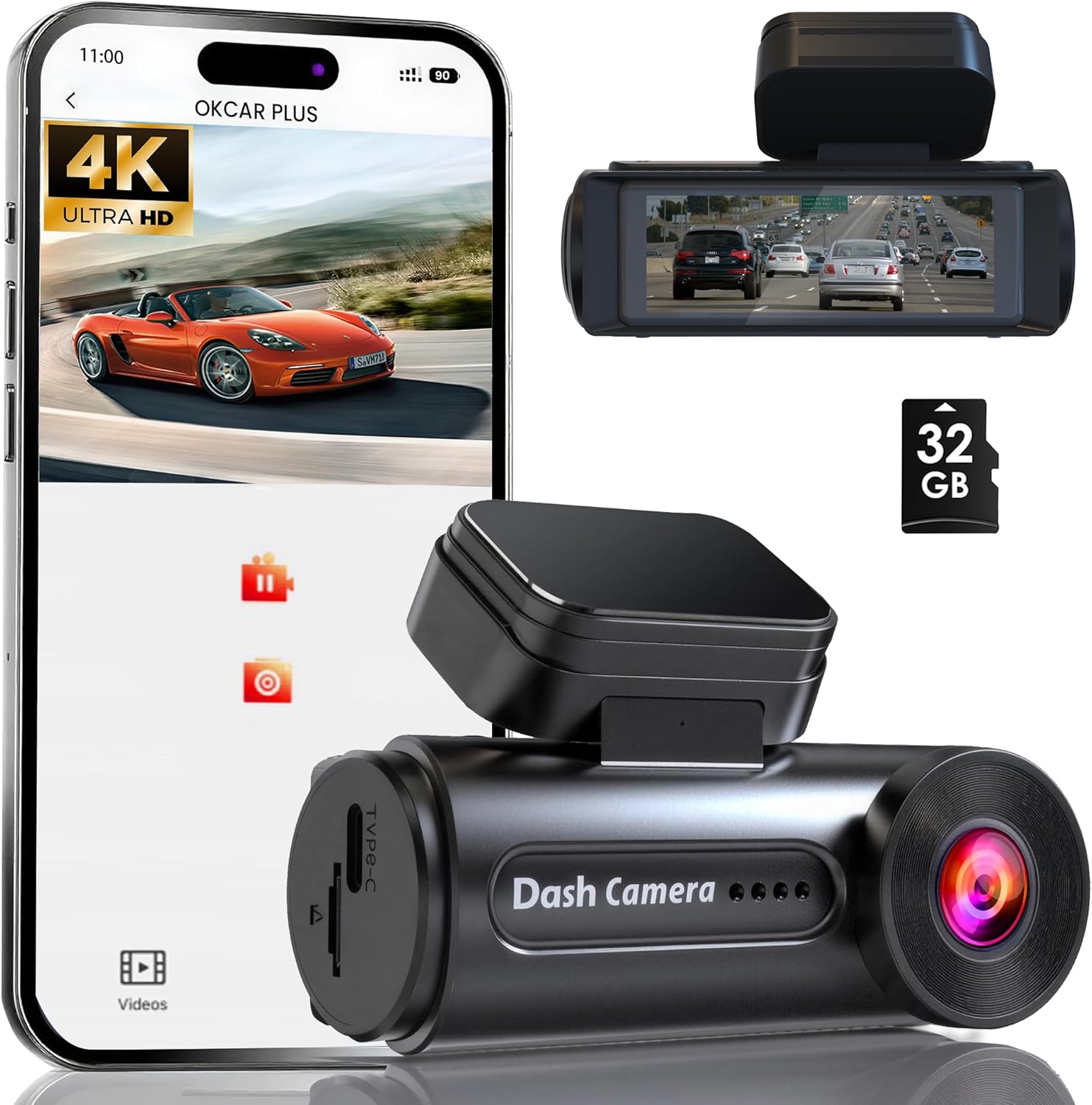
| Video Capture Resolution | 4K |
|---|---|
| Field of View | 150° |
| Built-In Media | 32 GB memory card included |
| Screen Size | 3 Inches |
| Flash Memory Supported Size Maximum | 256 GB |
This compact javiscam dash cam records 4K footage with a 150° lens and is designed as an affordable front-facing recorder for daily driving in a Nissan Rogue. It mounts to the windshield and provides live view on a 3-inch screen while offering built-in WiFi and app control for quick downloads to a smartphone. Practical features include loop recording with the included 32GB card, automatic impact detection via a G-sensor to lock important clips, and enhanced night vision with WDR to improve low-light clarity. The unit supports up to 256GB microSD if you want longer retention and can run a 24-hour parking monitor when hardwired. Expect straightforward installation and basic app-based controls rather than advanced driver assistance features. Image quality is strong in daytime and usable at night, but as a budget option the camera prioritizes value over premium low-light performance and additional cameras or cloud services. For Rogue owners wanting an inexpensive, reliable front recorder, this covers the essentials without complexity.
Best for: A buyer who wants the lowest-cost dash camera that still delivers dependable daytime video, simple app control, and basic safety recording for everyday use in a Nissan Rogue.
Less Ideal for: Drivers who need top-tier low-light recording, multi-channel setups, professional-grade evidence capture, or integrated cloud services should consider higher-end models.
- 4K resolution and 150° wide-angle lens capture clear daytime detail across multiple lanes
- Built-in WiFi and app control make previewing and downloading clips quick and wireless
- Includes 32GB microSD card and supports up to 256GB for longer recording
- G-sensor locks collision footage automatically and loop recording maintains continuous capture
- Compact windshield mount with 3" screen for easy live view and setup
- Night performance is improved but not as strong as higher-end, low-light premium models
Verdict: The best low-cost dash cam that delivers dependable daytime video and basic features for buyers who prioritize price without sacrificing essential performance.
3. VANTRUE N4 Pro S 4K Triple-Channel Dash Cam
Best Premium Dash Cam

| Video Capture Resolution | 4K+1080P+2.5K |
|---|---|
| Field Of View | 165 Degrees |
| Connectivity Technology | USB, Wi-Fi |
| Frame Rate | 30 FPS |
| Storage Support | Supports up to 1TB |
The VANTRUE N4 Pro S is a flagship triple-channel dash cam built for drivers who prioritize the clearest evidence and nonstop coverage. It records the road in 4K while also capturing a 2.5K rear view and a 1080p interior channel using three STARVIS 2 sensors and triple HDR to improve low-light detail and license plate readability. Typical use includes continuous driving recording and parked-vehicle surveillance via buffered motion and impact detection; activating parking modes requires a hardwire kit. Notable features are 5GHz Wi-Fi for faster file transfers, built-in precision GPS for speed and location stamps, voice control, loop recording, and a supercapacitor designed for high-temperature reliability. The flexible 360-degree rear camera and selectable front+rear or full 3-channel modes let you balance heat and power for prolonged operation. Downsides are that an industrial-grade microSD card and a hardwire kit are not included and that the unit is overkill for buyers who only need a simple single-channel recorder.
Best for: Buyers who want the highest-resolution, feature-rich surveillance for long-term reliability and are willing to invest in a complete installation for full 24/7 protection in their Nissan Rogue.
Less Ideal for: Drivers seeking a simple, budget single-channel recorder or a plug-and-play unit without wiring or additional accessory purchases should look elsewhere.
- True 4K front recording plus 2.5K rear and 1080p interior for detailed, multi-angle evidence
- Triple STARVIS 2 sensors and triple HDR improve low-light clarity and license plate capture
- Buffered 24/7 parking mode with 10-second pre-event capture for parked-vehicle incidents
- 5GHz Wi-Fi and built-in GPS speed up downloads and embed precise location/speed data
- Supercapacitor design and selectable dual/tri-channel modes improve reliability and thermal management
- MicroSD card and hardwire kit required but sold separately
- Three-channel operation uses more power and storage compared with single-channel units
Verdict: The best premium dash cam for buyers who want superior video resolution, robust build, extended feature sets, and the best long-term performance regardless of cost.
4. Garmin Dash Cam X110 — Compact 1080p Dash Camera with Clarity Polarizer
Best Compact Dash Cam

| Video Capture Resolution | 1080p |
|---|---|
| Field Of View | 140 Degrees |
| Frame Rate | 30 FPS |
| Screen Size | 2.41 Inches |
| Connectivity Technology | Bluetooth, USB, Wi-Fi |
The Garmin Dash Cam X110 is a small windshield-mounted recorder designed to stay unobtrusive while capturing clear 1080p video at 30 fps. It mounts near the top of the windshield and records a wide 140-degree view, automatically saving detected incidents with GPS-stamped clips for easy review. The built-in Clarity polarizer and HDR optics reduce windshield glare and improve detail in bright and low-light conditions, and the 2.4-inch LCD makes on-device playback and setup straightforward. Voice control lets you save clips and start or stop audio hands-free, and built-in Wi‑Fi plus the Garmin Drive app enable clip transfer and remote viewing when paired with Garmin Vault subscription features. Practical compromises include limited on-device screen size for menu navigation and reliance on a subscription for continuous cloud features such as remote live view and parking alerts. For users seeking a discreet recorder that still offers helpful smart features and solid day/night video, the X110 balances concealment with functionality.
Best for: Buyers who prioritize a discreet, low-profile dash cam that stays out of sight while still delivering reliable, day and night video and basic smart features.
Less Ideal for: People who want a large onboard screen for detailed menu navigation or those who need full cloud-based remote monitoring without a subscription.
- Compact, low-profile form that mounts unobtrusively on the windshield
- 1080p 30 fps recording with 140-degree field of view for wide coverage
- Clarity polarizer and HDR optics reduce glare and improve detail in varied lighting
- Voice control for hands-free saving and recording commands
- Wi‑Fi connectivity and Garmin Drive app support for easy clip transfer
- Advanced remote and parking features require a paid Garmin Vault subscription
Verdict: The best compact dash cam for users who need a discreet, low-profile recorder that stays out of sight while delivering reliable footage.
5. REDTIGER F7N TOUCH 4K Dual-Channel Dash Cam (Front 4K + Rear 1080P)
Best Dual-Channel Dash Cam

| Front resolution | 4K UHD |
|---|---|
| Rear resolution | 1080P FHD |
| Field of view (front) | 170° |
| Connectivity | 5.8GHz Wi-Fi, app control |
| Included storage | 128GB memory card |
The REDTIGER F7N TOUCH is a two-camera dash system that records high-resolution front and rear footage simultaneously to give comprehensive coverage of incidents. The front uses a STARVIS 2 sensor to capture 4K video at a wide 170 degree field of view while the rear records 1080p at 140 degrees, and WDR/HDR plus night-vision improvements help preserve details in low light. It mounts to the windshield with a suction cup and offers a 3.18 inch touchscreen for quick local control plus voice commands for hands-free operations. Built-in GPS stamps route and speed into video and 5.8GHz Wi-Fi lets you transfer files to the REDTIGER app at faster download speeds; a 128GB card is included for out-of-the-box use. The unit supports loop recording, G-sensor incident locking, and parking monitor modes, though full 24-hour surveillance requires a separate hardwire kit. For Nissan Rogue drivers this system provides solid front-and-rear evidence capture, but installation may take extra time to route the long rear cable cleanly and to hardwire for continuous parking monitoring.
Best for: Drivers who want reliable simultaneous front and rear recordings to document collisions, hit-and-runs, and parking incidents and prefer easy transfer of footage to a phone for quick evidence sharing.
Less Ideal for: People who want a plug-and-play 24/7 parked-vehicle surveillance solution without additional wiring or those who prefer a discrete hardwired installation handled professionally.
- True dual-channel capture with 4K front and 1080p rear for clear incident evidence
- STARVIS 2 sensor and WDR/HDR for improved night and high-contrast performance
- Built-in GPS records speed and route metadata for evidentiary value
- Touchscreen plus voice control and app Wi-Fi make playback and file transfer convenient
- Includes 128GB memory card and long rear cable for immediate installation
- Parking mode requires a separate hardwire kit for continuous 24-hour monitoring
Verdict: The best dual-channel dash cam for drivers who want simultaneous front and rear video to capture incidents from both directions and improve evidentiary coverage.
6. IIWEY Q7 Dual 4K Dash Cam with Wi‑Fi 6, GPS and 3.18" Screen
Best 4K Dash Cam

| Video Capture Resolution | 4K+4K |
|---|---|
| Connectivity Technology | Powerline, WiFi-6 (5GHz) |
| Field Of View | 170 Degrees |
| Included Memory Card Size | 128 GB |
| Frame Rate | 30 FPS |
The IIWEY Q7 is built to capture the highest possible detail from both front and rear views by recording 4K on each camera. It mounts to the windshield and records continuous loop video at 30 fps with dual STARVIS sensors and an f/1.6 aperture to improve night clarity and plate legibility. Use the Q7 on your daily Nissan Rogue drives to document incidents, parking events, or long trips; the built-in GPS stamps location and speed on clips while the G-sensor locks evidence after collisions. Wi‑Fi 6 lets you preview and download clips to your phone quickly through the app, and a 128 GB card is included with support up to 512 GB for longer storage. For true 24/7 parking monitoring you will need the separate hardwire kit to enable time-lapse and low-voltage protection so the car battery is preserved. The unit uses a suction or adhesive mount and relies on a supercapacitor for power management, so it avoids a permanent battery but requires proper wiring for persistent surveillance.
Best for: Buyers who prioritize the clearest possible evidence from both front and rear views on their Nissan Rogue and want a system that captures readable license plates day or night.
Less Ideal for: Drivers who need a plug-and-play always-on parking recorder without additional wiring or those who prefer a battery-backed unit for off-vehicle use.
- True 4K recording on both front and rear cameras for maximum image detail
- Dual STARVIS sensors with f/1.6 aperture improve low-light visibility and plate capture
- 5 GHz Wi‑Fi 6 enables fast in-car transfer and quick app previews
- Built-in GPS provides location and speed data embedded in footage
- Includes 128 GB memory card and supports up to 512 GB for extended recording
- 24/7 parking monitoring requires a separately sold hardwire kit to enable continuous recording
Verdict: The best 4K dash cam for buyers who need the highest possible image detail for identifying license plates and fine scene details in recordings.
7. 70mai A810 Lite 4K Front and Rear Dash Cam with 5GHz Wi‑Fi 6 and 4G LTE Support
Best Parking-Mode Dash Cam

| Video Capture Resolution | 1080p, 2160p |
|---|---|
| Connectivity Technology | 5GHz Wi‑Fi 6 |
| Other Special Features of the Product | 24H Parking Mode + G‑Sensor Protection + Loop Recording |
| Flash Memory Supported Size Maximum | 512 GB |
| Included Memory Card Size | 64 GB |
The 70mai A810 Lite is a compact dual-channel dash cam built to keep a parked Nissan Rogue monitored day and night. The front camera records in true 4K while the rear records 1080p, and HDR plus an F1.55 aperture help preserve usable detail in low light. For parked surveillance the unit offers 24H parking mode with G‑sensor impact locking and time‑lapse low‑power recording so events are captured without constant high drain. Adding a compatible hardwire kit enables low‑voltage protection and continuous monitoring without killing the vehicle battery, and optional 4G LTE support lets you view live footage and receive alerts remotely. Transfer and configuration are handled through a 5GHz Wi‑Fi 6 connection and a smartphone app, and the supercapacitor design improves heat tolerance for summer parking. Downsides are that full remote features require the UP05 4G hardwire accessory and installation for true 24/7 hardwired operation can be more involved than a plug‑and‑play USB feed. Installation behind the mirror is unobtrusive but may need tidy routing of the rear camera cable for a clean Rogue fit.
Best for: Buyers who prioritize reliable parked‑vehicle surveillance and want a system that can be hardwired for continuous monitoring with app alerts and impact‑triggered locking.
Less Ideal for: Shoppers who need a plug‑and‑play unit with no hardwiring or those who do not plan to use remote monitoring features should consider simpler dash cams instead.
- True 4K front and 1080p rear recording for clear evidence capture
- 24H parking mode with G‑sensor impact locking and time‑lapse low‑power recording
- 5GHz Wi‑Fi 6 and app control for fast transfers and remote playback
- Supercapacitor power design for better heat resistance and longevity
- Built‑in 3‑mode GPS for location and speed logging
- Full remote 4G functionality requires an optional 4G hardwire accessory and separate installation
Verdict: The best parking-mode dash cam for people who want dependable parked-vehicle surveillance, including motion/impact-triggered recording and battery or hardwire support for unattended protection.
Choosing the Right Nissan Rogue Dash Cam: Key Factors to Consider
Video Resolution and Frame Rate
High resolution and a stable frame rate directly affect how useful footage is for identifying license plates, reading street signs, and documenting incidents. Higher resolution like 1080p or better produces more detail, but the improvement is only meaningful when combined with good lens quality and compression handling.
Frame rate matters for capturing fast-moving events without motion blur. For highway speeds and quick maneuvers around the Rogue, a consistent 30 fps is usually sufficient, while 60 fps can help with very fast incidents. Consider how resolution and frame rate affect file sizes and storage needs when planning memory card capacity.
Night and Low-Light Performance
A dash cam that handles low-light conditions will capture more usable evidence during dusk, dawn, and poorly lit streets. Sensor size, aperture, and image processing determine whether footage remains clear or becomes noisy when light is limited.
For Rogue owners who drive early or late, prioritize cameras with good night performance and noise reduction. Some models use HDR or WDR processing to balance highlights from headlights and shadows from surrounding areas, which improves visibility of license plates and facial features after dark.
Mounting Style and Placement
How a dash cam mounts affects both field of view and driver visibility. The Rogue's windshield slope and rearview mirror position mean compact, low-profile mounts are often preferable to avoid blocking sightlines.
Consider adhesive versus suction mounts, swivel options for exact aiming, and whether the camera can be tucked behind the mirror. For front-and-rear setups, rear camera cabling route and trunk or hatch access are important for neat installation. A compact dashboard camera reduces distraction and is easier to hide from view when parked.
Power and Installation Options
Dash cams can be powered via the cigarette lighter, a hardwire kit to the fuse box, or by integrated batteries/capacitors. Each option has tradeoffs for permanence, safety, and parking-mode runtime.
Hardwiring provides a clean installation and supports 24/7 parking mode but requires careful fuse selection and possibly professional installation. USB or 12V plug power is simple but may cut power when the vehicle is off. Consider the Rogue owner's intended use and whether they need continuous parking surveillance when choosing the power approach.
Storage, Loop Recording, and File Management
Loop recording ensures the camera overwrites the oldest footage when the card fills, but implementation varies. Reliable loop recording prevents lost files during long drives or frequent short trips common to daily Rogue use.
Look at supported microSD capacities, recommended card classes, and whether the camera protects incident files automatically. File management features such as automatic segmentation, timestamping, and easy file export are important for quickly retrieving evidence after an event.
Connectivity and User Interface
Wi-Fi, Bluetooth, and an intuitive app or onboard interface simplify setup and make it easier to view and save clips. For many Rogue owners, being able to download a clip to a phone for immediate sharing is a key convenience.
However, connectivity should not compromise reliability. Cameras that depend on flaky wireless connections for basic functions can be frustrating. Evaluate the clarity of the mobile app, the responsiveness of live view, and whether firmware updates are straightforward to apply.
Front Vs Front-and-Rear Systems
Decide whether you need only a front-facing camera or a front-and-rear camera package. Front-only units capture the majority of incidents that occur in front of the vehicle, while a paired rear camera records backing collisions, hit-and-run incidents from the rear, and activity around the trunk area of the Rogue.
- Front-only: simpler installation, smaller footprint on the windshield, and lower power draw.
- Front-and-rear: broader coverage, requires routing a cable to the rear and possibly a second mounting point on the hatch.
- Consider where you park the Rogue and whether rear surveillance during parking mode is important.
Parking Mode and Impact Detection
Parking mode lets the dash cam monitor while the vehicle is off and can save footage of impacts or motion near the Rogue. There are several strategies for parking mode including motion detection, time-lapse, and event-triggered recording based on G-sensor input.If parking surveillance is a priority, pick a unit with a reliable G-sensor and configurable sensitivity to avoid excessive false positives from minor vibrations. Also check how the camera behaves when the car battery voltage drops: some cameras offer low-voltage cutoffs or require hardwiring to support extended parking mode without draining the battery.
- Motion-triggered recording captures movement but can produce many short clips.
- Time-lapse conserves storage and power while still providing context over long parked periods.
- Voltage protection and timed parking sessions help prevent battery drain.
Mounting and Cable Management in the Rogue
Routing power and rear camera cables neatly in a Rogue matters for both aesthetics and long-term reliability. Tuck cables behind headliners and trim where possible and avoid tight bends that stress connectors.If you plan to hardwire, familiarize yourself with accessible fuse slots near the dashboard for a clean connection. For rear camera runs, route cable along the headliner and side trim toward the hatch to keep wiring out of sight and protect it from abrasion.
- Use trim tools to avoid damaging plastic panels during installation.
- Leave a small service loop near connectors to prevent tension on the cable.
- Secure cables with adhesive clips to prevent rattle and wear.
Data Security and Privacy Considerations
Dash cam footage may capture sensitive information such as license plates, faces, and private property. Understand where footage is stored and how to secure it, especially if the camera uses cloud services or a mobile app with account login.Prefer local storage on a microSD card for maximum control, and enable any available encryption or app authentication. If you use cloud features, review data retention settings and whether footage is uploaded over cellular or Wi-Fi to limit unexpected data usage.
- Regularly back up important clips to a computer to prevent accidental loss.
- Change default app passwords and enable any two-factor protections where available.
- Be mindful of local laws about recording audio or private conversations while driving.
How We Chose the Best Nissan Rogue Dash Cam
We selected these dash cams by focusing on vehicle-specific fit, recording reliability, and real-world usability for Nissan Rogue owners. Our evaluation prioritized recording performance and evidence quality, including resolution, frame rate, and low-light handling. We also weighed mounting flexibility and size so the unit does not obstruct sightlines or interfere with Rogue cabin features.Additional criteria included power and installation options, such as hardwiring or 12V adapters, plus parking-mode capabilities and loop recording behavior that matter for parked-vehicle protection. Connectivity and user experience were considered, including app access, Wi-Fi transfer, and ease of retrieving footage. Durability and heat tolerance were part of the filter to ensure consistent operation in a Rogue left in varied climates.We excluded units with unclear documentation, poor mounting hardware, or inconsistent loop recording behavior. The final list represents devices that meet minimum standards for video clarity, stable recording, and practical installation in the Rogue without requiring invasive vehicle modifications.
Our full evaluation process is outlined in our review methodology.
FAQ
What dash cam features are most useful for daily commuting in a Nissan Rogue?
For daily commuting prioritize clear daytime video, reliable loop recording, and a compact mount that does not block the view. Parking mode and a solid G-sensor are also useful if you park on busy streets where hit-and-runs occur.
Can I install a rear camera without professional help?
Many owners can install a rear camera using basic tools and trim removal techniques, but routing the cable neatly and hardwiring power can be tricky. If you are uncomfortable working around trim panels or fuse boxes, seek professional installation.
How much storage do I need on the microSD card?
Storage needs depend on resolution and how often you drive. For 1080p recording, 64GB to 128GB is a practical range for regular use with loop recording. If you record at higher resolutions or want longer parking-mode recordings, choose larger cards and follow the manufacturer's recommended card class.
Will a dash cam drain my Rogue's battery if left on in parking mode?
Continuous parking mode can drain the battery if the camera is powered from the accessory outlet. Hardwiring with a low-voltage cutoff or using a battery pack designed for dash cams reduces the risk of a dead battery while maintaining parking surveillance.
Do dash cams record GPS location and speed for incidents?
Some dash cams include GPS logging to add location and speed stamps to footage, which can be valuable for incident documentation. If GPS data is important, choose a camera or accessory that explicitly lists GPS logging as a feature.
Are Wi-Fi features worth having in a dash cam?
Wi-Fi convenience lets you download clips to your phone without removing the card, which is handy for quick sharing after an incident. However, Wi-Fi is not essential for basic recording and can add complexity; weigh convenience against interface reliability.
Final Verdict
For Nissan Rogue owners the best dash cam balances clear, reliable recording with a compact install and practical power options. Prioritize video quality and low-light performance if you drive at night, and choose mounting and power solutions that fit how you use the vehicle.Decide early whether rear coverage and parking mode are must-haves, since those features influence installation complexity and power requirements. Focus on the tradeoffs between convenience and permanence to pick a dash cam that delivers the coverage and evidence quality you need without complicating everyday use.
Explore More:
- Check out all Nissan Rogue parts & accessories
- Explore Electronics
- Browse all Accessories
