

Note: This article contains affiliate links. If you click on these links and make a purchase, I may earn a small commission at no extra cost to you. This helps support my research and content. Read my full affiliate disclosure here.
If you own a 2008-2013 Nissan Rogue, adding a dedicated backup camera can dramatically reduce blind spots and make tight parking maneuvers easier. Older factory setups often lack modern rear visibility features, so an aftermarket camera is one of the most practical upgrades you can make for daily driving and urban parking.This guide shortlists seven top options suited to the Rogue model years covered, focusing on image quality, mounting style, and how straightforward the install will be. We evaluate signal type, night performance, and wiring complexity so you can pick an option that matches your comfort level with installation and the features you need. Read on for our top picks and buying guidance tailored to this vehicle scope.
Looking for other parts? See all Nissan Rogue parts & accessories.
Top Picks at a Glance
| Best Overall Backup Camera A well-rounded, reliable camera with clear image and durable build | LeeKooLuu 4.3" 1080p Backup Camera Kit with Monitor |  |
| Best Budget Backup Camera A low-cost, no-frills camera that covers basic reversing needs | UHANBUT 170° License Plate Frame Backup Camera with 12 LED Night Vision |  |
| Best License‑Plate Frame Camera A camera built into a license‑plate frame for simple bolt-on mounting | QUICTO License-Frame Backup Camera with 12 LED Night Vision |  |
| Best Flush‑Mount Metal Camera Compact metal-housed unit designed for flush or hole-mount installation | RAAYOO L002 Flush-Mount Metal Backup Camera (170°) |  |
| Best Plug‑and‑Play Camera Kit Complete kit with camera and monitor for quick, no-wire splicing install | Purthog Plug-and-Play Backup Camera with 4.6" Monitor |  |
| Best OEM‑Replacement Backup Camera Direct-fit replacement camera matching OE part numbers and connectors | A-Premium Rear View Backup Camera Compatible with Nissan Rogue (Replace# 284421VX1A) |  |
| Best IP69 / AHD Night‑Vision Camera High‑durability metal or alloy camera with AHD/1080P and IP69 rating | PixelMan PMD2A-S AHD 1080P Wide-Angle Backup Camera |  |
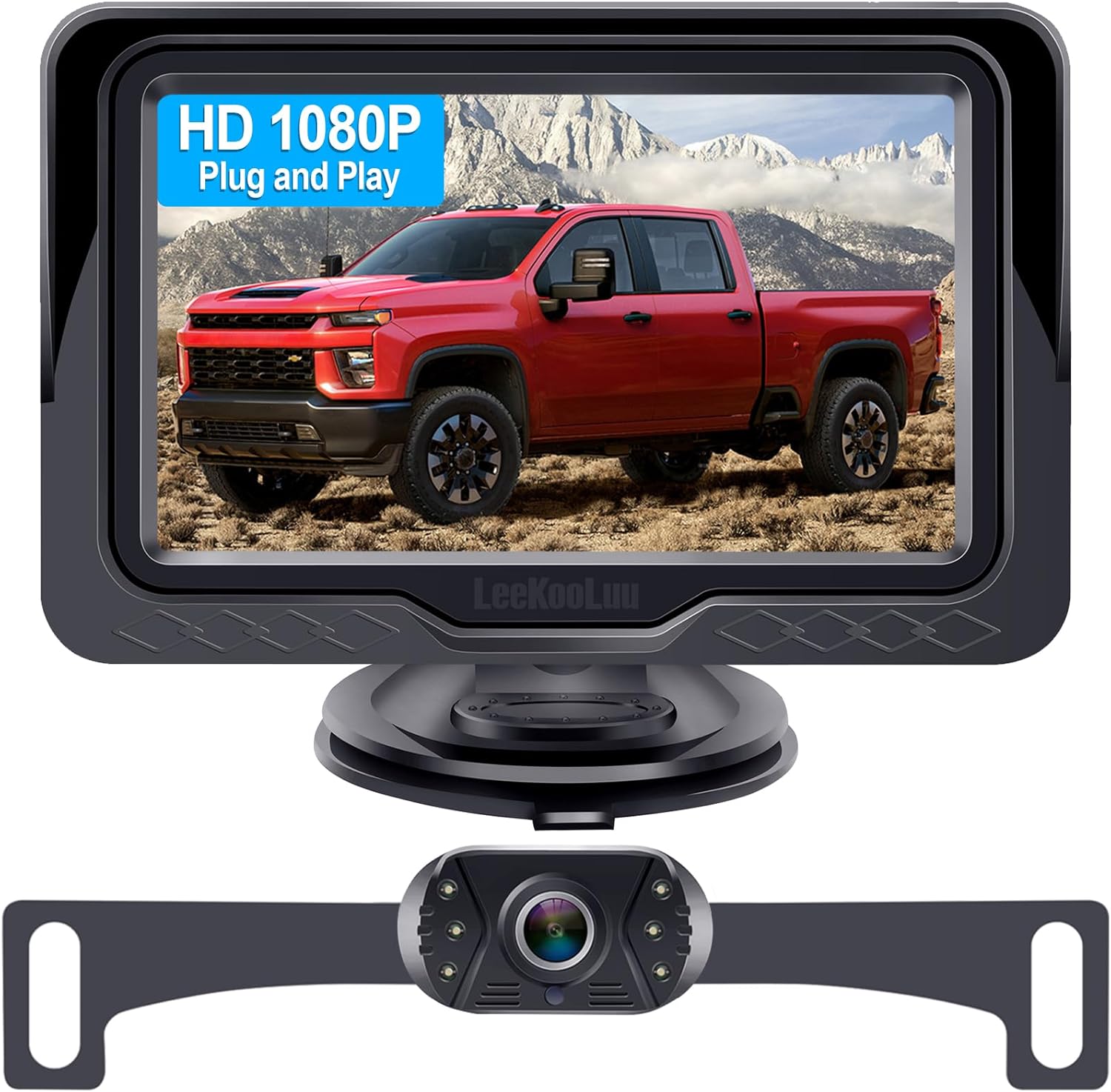
1. LeeKooLuu 4.3" 1080p Backup Camera Kit with Monitor
Best Overall Backup Camera
| Screen Size | 4.3 Inches |
|---|---|
| Video Capture Resolution | 1080p |
| Field Of View | 149 Degrees |
| Connector Type | RCA |
| Voltage | 12 Volts |
This LeeKooLuu kit combines a 1080p CMOS rear camera and a 4.3-inch LCD monitor into a simple plug-and-play package tailored for everyday reversing. Installation is straightforward: the camera connects to the monitor via the included 4-pin cable and can be powered either from the cigarette lighter or tied into the reverse light circuit for automatic activation. The camera offers a wide 149 degree field of view, adjustable parking grid lines and built-in LEDs for improved low-light visibility, while the monitor lets you tweak brightness and contrast to suit glare or night conditions. The housing and nano-coating report IP69K-level protection, so it should withstand rain, dust, and temperature extremes experienced in typical use. The small monitor is unobtrusive on the dash and the suction bracket rotates for flexible mounting. Expect clear, low-lag video for routine parking and backing tasks, though the compact screen may limit detail compared with larger displays and the RCA connection requires routing a wired harness during fitting. For a 2008–2013 Nissan Rogue this kit offers a practical, weather-resistant upgrade that focuses on dependable image and easy setup rather than integrated OEM-style fitment.
Best for: Buyers who want a dependable, weatherproof aftermarket rear camera that is quick to install and tuned for everyday reversing confidence on a 2008–2013 Nissan Rogue.
Less Ideal for: Drivers seeking a factory-integrated look or a large dash touchscreen with built-in infotainment features should consider alternatives that offer OEM-style fitment and larger displays.
- True 1080p image sensor for clearer daytime and nighttime views
- Wide 149 degree field of view reduces blind spots
- IP69K-level waterproofing and temperature tolerance for all-weather reliability
- Adjustable parking guidelines and monitor settings to match vehicle and driver preference
- Small 4.3-inch monitor provides less detail than larger displays
- Wired RCA connection requires running a cable and basic installation work
Verdict: Pick this when you want the most dependable all-around rearview camera that balances image clarity, weather resistance, and easy installation for everyday reversing tasks.
2. UHANBUT 170° License Plate Frame Backup Camera with 12 LED Night Vision
Best Budget Backup Camera

| Voltage | 12 Volts |
|---|---|
| Field Of View | 170 Degrees |
| Connector Type | RCA |
| Installation Type | Surface Mount |
This UHANBUT backup camera is a budget-friendly reverse camera intended for simple rear-vision upgrades. It mounts to a license plate frame or surface and connects to any monitor with an RCA input and a 12V power source. The 170 degree field of view and adjustable angle give a wide coverage of the area behind the vehicle, while 12 built-in LEDs boost illumination for low-light reversing. The housing is described as weatherproof to IP68 level and the unit uses plastic, iron, and copper wiring for durability. Installation is straightforward for someone comfortable routing a power lead and RCA video cable through a trunk or hatch, but the camera is basic: there is no wireless option, parking guidelines, or advanced image processing. Image clarity will be acceptable for spotting obstacles and improving safety at night, but it will not match higher-end CCD or OEM-quality cameras. For drivers who want a low-cost functional backup view on a compatible monitor, it delivers solid value; buyers expecting premium image fidelity or integrated wiring kits should look higher up the range.
Best for: Drivers looking for the cheapest practical rear camera to add basic wide-angle, night-capable reversing visibility to a compatible monitor on a 2008–2013 Nissan Rogue.
Less Ideal for: Drivers who want a factory-style, high-resolution replacement or wireless installation ease should consider more premium, vehicle-specific options.
- Wide 170° field of view covers blind spots behind the vehicle.
- 12 LED lights provide improved night visibility for reversing.
- IP68-rated weatherproofing for reliable outdoor use in rain and car washes.
- Simple RCA output and 12V wiring work with most aftermarket monitors.
- Basic video quality compared with higher-end backup cameras and no image processing features.
- Requires run of an RCA cable and power wire; not wireless and no included vehicle-specific plug-and-play adapter.
Verdict: Choose this if you need a cheap, functional backup camera that gives acceptable night visibility and a wide view without breaking the bank.
3. QUICTO License-Frame Backup Camera with 12 LED Night Vision
Best License‑Plate Frame Camera

| Voltage | 12 Volts |
|---|---|
| Optical Sensor Technology | CMOS |
| Real Angle of View | 170 Degrees |
| Connector Type | RCA |
| Lux rating | 1.5 Lux |
This QUICTO license-plate frame camera mounts in place of a standard plate frame to give a wide rear view and illuminated night visibility. It connects via RCA to a compatible monitor or head unit and is powered by a 12V vehicle feed so wiring ties into the reverse circuit to show the image when you back up. The 1/3-inch CMOS sensor and 170 degree field of view expand the visible area behind the vehicle, while 12 built-in LEDs boost low-light performance. The housing is rated IP67, so it holds up to rain and road spray without exposing the electronics. Installation is compact and meant for license plate mounting, keeping the camera tucked neatly at the rear. Expect a basic 420-line resolution image rather than a high-definition feed and plan for RCA cabling runs and a separate display since a monitor is not included. Angle adjustment and a low lux rating improve practicality for reversing in dim conditions.
Best for: Buyers who want a clean, bolt-on backup camera that replaces the license plate frame and prioritizes wide-angle coverage and improved night visibility for everyday reversing.
Less Ideal for: Drivers who need a high-definition digital camera or a camera system that integrates wirelessly with modern infotainment systems should consider alternatives.
- 170 degree wide field of view reduces rear blind spots
- 12 built-in LEDs improve visibility for night reversing
- IP67 waterproof rating for reliable all-weather use
- Designed to replace a license-plate frame for tidy, low-profile mounting
- Video output is standard-definition 420-line via RCA rather than modern digital HD
Verdict: Opt for a license-plate frame camera when you prefer a tidy, bolt-on installation that replaces the plate frame and provides wide-angle coverage and built-in LEDs.
4. RAAYOO L002 Flush-Mount Metal Backup Camera (170°)
Best Flush‑Mount Metal Camera

| Field Of View | 170 Degrees |
|---|---|
| Video Capture Resolution | 960×576 Pixels |
| Connector Type | RCA |
| Voltage | 24 Volts |
| Lux rating | 0.1 Lux |
The RAAYOO L002 is a flush-mount backup camera built for a low-profile, durable installation on a 2008–2013 Nissan Rogue with an RCA video input. It installs either flush in an 18.5mm hole or on the supplied bracket, and the metal housing plus IP69 sealing helps resist water and road debris. The 170 degree wide-angle lens and 960×576 CVBS output give a broad, usable view for reversing and parking; guide lines are enabled by default and can be removed or flipped to a front view by cutting small loops on the cable. The camera runs on 12–24V power and includes a long 26 ft double-shielded video cable plus an 18.5mm drill bit and installation hardware, which simplifies mounting in the Rogue’s bumper or license-plate area. Limitations include NTSC/CVBS-only output and the need for an RCA-equipped head unit or an adapter/harness for factory radios, and the image is not full HD. For buyers prioritizing a neat, factory-style flush fit and tough metal construction, this is a practical choice; users wanting native HD digital outputs or plug-and-play compatibility with a stock Nissan screen may need a different option.
Best for: Drivers of a 2008–2013 Nissan Rogue who want a low-profile, impact-resistant backup camera that looks factory-installed and holds up to wet road conditions.
Less Ideal for: People who need a plug-and-play HD or digital camera for a stock Nissan screen without an RCA input or who prefer higher-than-960×576 resolution for detailed image quality.
- True flush-mount design with 18.5mm hole saw and mounting hardware included for a discreet, factory-like install
- Sturdy metal housing and IP69 rating for high resistance to water, dust, and road spray
- Wide 170° field of view helps reveal blind spots while reversing
- Includes 26 ft double-shielded video cable and power lead, easing routing to the factory radio or aftermarket display
- Selectable guide lines and reversible image function for use as rear or front/side camera
- Outputs only NTSC/CVBS over RCA so it will not connect directly to digital/HD inputs
- 960×576 resolution is lower than modern 720p/1080p cameras
Verdict: Select a flush-mount metal camera if you want a low-profile, impact-resistant installation with a neat factory look and improved weather durability.
5. Purthog Plug-and-Play Backup Camera with 4.6" Monitor
Best Plug‑and‑Play Camera Kit

| Screen Size | 4.62 Inches |
|---|---|
| Voltage | 12 Volts |
| Field Of View | 150 Degrees |
| Connector Type | RCA |
| Installation Type | Surface Mount |
This kit is designed as an all-in-one plug-and-play backup solution: the 150° wide-angle camera mounts to the rear, connects to the included RCA video cable, and the small 4.6-inch monitor powers from the cigarette lighter so you can avoid complicated wiring. Typical use is DIY installation for drivers who want immediate rear visibility without routing power through the vehicle harness. Notable features include built-in 12 LED night lights for low-light visibility, sealed camera housing for water and dust resistance, and on-monitor brightness and contrast adjustment. The practical benefits are fast setup and a stable wired video feed with distance guide lines to help judge clearance while reversing. Limits to consider are the small screen size compared with dash-integrated displays and the RCA/cigarette-lighter power method which is best for temporary or simple installs rather than a hidden, factory-like integration. The system is only for 12V passenger vehicles, so it must be used within that electrical scope.
Best for: Drivers who want an out-of-the-box, quick-install backup camera and monitor they can fit themselves in minutes and use immediately without tapping into vehicle wiring.
Less Ideal for: Drivers seeking a factory-style hidden install or integration with the Rogue's original display, or those who prefer a larger, dash-mounted screen should consider wired-in replacement options instead.
- Complete kit with monitor, camera, long video cable, and cigarette-lighter power lead for true plug-and-play setup
- 150° wide-angle lens provides a broad rear view for backing and parking
- Built-in 12 LED lights improve visibility at night or in low-light conditions
- Sealed camera housing and wired connection offer stable, low-latency video in wet or dusty conditions
- On-screen brightness and contrast controls let you tune the image for different vehicles and lighting
- 4.6-inch monitor is compact and may be small for some drivers who prefer larger screens
Verdict: Go with a plug-and-play kit when you want an out-of-box solution that includes a monitor and simple connections so you can install and drive in minutes.
6. A-Premium Rear View Backup Camera Compatible with Nissan Rogue (Replace# 284421VX1A)
Best OEM‑Replacement Backup Camera

| Compatible vehicles | Nissan Rogue 2012-2013, Rogue Select 2014-2015 (Type 2) |
|---|---|
| Image resolution | 800 TVL |
| Viewing angle | Diagonal 206°, Vertical 142.3°, Horizontal 193.8° |
| Waterproof rating | IP69K |
| Operating temperature | -40°C to 105°C |
This A-Premium backup camera is built as a direct-fit replacement for Nissan Rogue models listed, plugging into the factory harness to restore the original reverse camera function without cutting or splicing wires. It provides up to 800 TVL image clarity and a very wide viewing angle, which helps when lining up trailers or checking blind zones while reversing. The camera body is IP69K rated and rated to operate from -40°C to 105°C, so it is intended to survive road spray and temperature extremes common on daily drivers. Installation typically follows the factory mounting points and uses the listed OEM reference numbers to match fitment, so it suits mechanically stock vehicles. Limitations include fewer modern features compared with new aftermarket systems such as dynamic guidelines, wireless operation, or integrated parking sensors. Expect a straightforward factory-style restore rather than added functionality beyond the original equipment behavior.
Best for: Buyers who want a factory-style replacement that reconnects to the vehicle harness and restores original backup camera function with minimal installation effort.
Less Ideal for: Drivers seeking upgraded features such as wireless cameras, adjustable guidelines, or multi-camera systems should consider full aftermarket options instead.
- Direct-fit design using factory reference numbers for plug-and-play installation
- High-definition imaging up to 800 TVL for clearer reverse view
- Very wide field of view to cover blind spots when reversing
- Rugged construction with IP69K waterproof rating and broad operating temperature range
- Does not add modern extras like wireless connectivity or active parking guidelines
Verdict: Choose an OEM-replacement camera if you need a direct-fit unit that plugs into factory harnesses and restores original functionality without wiring modifications.
7. PixelMan PMD2A-S AHD 1080P Wide-Angle Backup Camera
Best IP69 / AHD Night‑Vision Camera

| Video Capture Resolution | 1080p (AHD) / 720p default |
|---|---|
| Field Of View | 170 Degrees |
| Optical Sensor Technology | CMOS |
| Connector Type | RCA |
| Voltage | 12.0 |
The PixelMan PMD2A-S is a license-plate style reversing camera designed for clear daytime and night-time visibility on vehicles like the 2008–2013 Nissan Rogue. It uses a 1/2.7-inch AHD chip and a wide-angle optical glass lens to deliver sharper, more vivid 1080p images when paired with an AHD-capable monitor, with a default 720p HD mode for standard RCA displays. The camera ships with two mounting brackets including a license-plate bracket for hidden, no-drill installation and a 26-foot double-shielded RCA cable for routing to an in-dash screen. Practical benefits include improved low-light brightness and color saturation from the larger chip, a 170-degree viewing angle for broad rear coverage, and an alloy housing sealed with nano waterproofing rated to IP69 for resistance to water and temperature cycling. Trade-offs to note are the need for an RCA-equipped monitor and the requirement to switch signal mode to 1080p if your head unit supports AHD; it will not interface with dash cams and is aimed at 12V vehicle systems. Installation takes some wiring work but includes the necessary cables and mounting hardware.
Best for: Buyers who prioritize long-term reliability and best-possible night vision in a compact backup camera and are willing to pair it with an RCA or AHD-capable in-dash monitor on a 12V vehicle.
Less Ideal for: Drivers who want a wireless or plug-and-play camera that pairs directly with a factory screen without RCA connections or who need a 24V truck-specific unit.
- Supports 1080p AHD output for higher-resolution displays when paired with an AHD-capable monitor
- Larger 1/2.7in image sensor and F1.4 glass lens for improved low-light clarity and color
- IP69-rated alloy housing with nano sealing for strong resistance to water and temperature extremes
- Includes two mounting brackets and a 26 ft double-shielded RCA cable for flexible, hidden installation
- Requires a monitor with RCA input and may need manual switching to AHD 1080p to reach full resolution
Verdict: Pick this high-end, AHD-capable camera when you need top-tier night vision, extreme waterproofing and rugged construction for long-term reliability in harsh conditions.
Choosing the Right 2008-2013 Nissan Rogue Backup Camera: Key Factors to Consider
Mounting Style And Fitment
Choosing the right mounting style matters because the 2008-2013 Nissan Rogue has limited factory mounting locations and trim shapes that affect where a camera can be installed. A license plate mount or a unit that integrates into the trunk handle area will usually fit with minimal modification, while puck-style or stick-on cameras may need careful alignment to avoid water intrusion or awkward angles.
Fitment also affects how much trimming or drilling is required. Some mounts use existing screw locations for a neater install, others require a small hole in the bumper or tailgate which increases installation time and risk. Consider how the chosen mount will expose the camera to road spray and whether the housing includes gaskets or seals to keep moisture out.
Image Quality And Field Of View
Image quality determines how useful the camera is in real driving conditions. Look beyond basic resolution specs and consider low-light sensitivity and the camera sensor type because parking at night or in shaded garages is common. A camera that washes out in low light or produces grainy images will not provide reliable assistance.
Field of view is also key. A wide-angle lens helps show obstacles close to the bumper and the area immediately behind the vehicle, but extreme wide angles can distort distance perception. Choose a camera that balances a broad horizontal view with a sensible vertical coverage so you can see curbs and low obstacles without losing depth cues.
Wired Vs Wireless Signal Type
The decision between wired and wireless systems affects installation complexity and signal reliability. Wired cameras typically provide a steady, lag-free feed and integrate directly with an existing head unit or aftermarket display. However, they require running video and power cables through the cabin which takes more time and may require removing interior panels.
Wireless systems minimize cabin wiring because video transmits over a short-range RF link, making them attractive for DIY installers. Be aware that wireless signals can be prone to interference from other electronics and may suffer occasional dropouts. If you frequently park in dense urban environments with many wireless devices, a wired connection may offer more consistent performance.
Night Performance And Lighting Handling
Night performance matters because many reversing maneuvers happen in unlit driveways, parking lots, or during dawn and dusk. Cameras with good sensitivity and built-in low-light enhancement will deliver clearer images when ambient light is low. Infrared LEDs can help in total darkness, but they may produce a monochrome image and can reflect off nearby surfaces.
Also consider how the camera handles high-contrast scenes when headlights or backlit objects are present. Dynamic range and automatic gain control influence whether bright lights wash out the image or shadowed areas become unusable. A model with balanced exposure handling will preserve useful detail in mixed lighting.
Durability And Weather Resistance
Rear-mounted cameras are exposed to road grime, salt, and temperature swings, so durability is critical. Check for at least an IP67 rating or equivalent to ensure resistance to dust and temporary submersion. Corrosion-resistant connectors and sealed cable entry points reduce the chance of water ingress that can cause intermittent failures.
Temperature tolerance matters in regions with hot summers or cold winters. Housings that resist UV degradation and flexible cable jackets help maintain a reliable connection and image quality over time. Consider whether replacement parts or service documentation are readily available when assessing long-term value.
Installation Complexity And Required Tools
Assess how much time, tools, and skill the installation demands. Some camera kits are designed for plug-and-play integration with common aftermarket monitors and require only basic hand tools and a wiring harness. Others need routing of video RCA cables, tapping into the reverse light power, and potentially drilling or trim removal.
If you plan to DIY, choose a kit with clear instructions, labeled connectors, and included mounting hardware. If you prefer a cleaner, factory-like look, expect to spend more time concealing cables and possibly purchasing additional adapters for factory stereo integration.
Mounting Options Explained For The Rogue
The 2008-2013 Nissan Rogue supports several practical mounting approaches that affect appearance and ease of install. License plate mounts attach around the existing plate area and usually require minimal drilling or use the plate screws for a tidy fit. Trunk-handle or tailgate-integrated mounts aim for a factory look but need a unit sized to the Rogue's handle recesses.
Puck or surface-mount cameras can be placed on the bumper or under the trim but require careful sealing against water. Some installers route the cable through an existing grommet in the hatch to keep the cabin watertight.
- License plate mounts: minimal trim removal, straightforward alignment
- Trunk-handle integration: cleaner look, may require precise fit
- Surface mounts: flexible placement, higher sealing attention
Wiring Tips For A Clean Install
Plan the cable route before you start. For wired systems, run the video cable along factory wiring paths when possible to avoid pinching and to keep the interior tidy. Use grommets when passing cables through metal panels and seal any new holes with silicone or rubber grommets to prevent water entry.
When tapping into the reverse light for power, use a reliable splice method and test the connection before reassembling trim. If using a wireless kit, still ground the camera properly and mount the transmitter away from heat sources to maintain a stable link.
- Follow existing wiring harnesses where possible
- Use grommets and sealants for any new openings
- Test power and video feed before final reassembly
Display Compatibility And Mirror Modes
Determine how you will view the camera feed. Many owners choose an aftermarket display or rearview mirror monitor that accepts an RCA or composite video input. Confirm the monitor supports standard mirror or normal image modes so the view aligns with driving expectations.
If integrating with a factory head unit, check that the unit accepts external camera input or that an appropriate interface adapter is available. Some displays can overlay parking guidelines or switch automatically when reverse gear is engaged, which simplifies operation during daily use.
- Confirm video input type on your chosen monitor
- Look for automatic reverse trigger compatibility
- Check for mirror image option and guideline overlays
Weatherproofing And Connector Choices
Prefer kits with sealed, threaded connectors or rubber boot covers to reduce corrosion risks. Exposed barrel connectors are more vulnerable to moisture, so a kit that hides the connector inside the hatch or behind trim is preferable. Cable jackets should be flexible in cold weather to avoid cracking during repeated hatch movement.
Corrosion-resistant metals and stainless fasteners extend service life, especially in coastal or winter salted-road regions. Pressure-fit grommets where cables pass through body panels and add dielectric grease to connectors to protect against salt and moisture.
- Choose sealed connectors and flexible cable jackets
- Use dielectric grease on exposed electrical contacts
- Secure cables to prevent chafing from hatch movement
Optional Features To Consider
Some cameras include parking guidelines, night-vision LEDs, or IR cut filters that improve daytime color reproduction. Guidelines can be fixed or dynamic; fixed guides are simple and reliable, while dynamic guides attempt to show steering angle but rely on compatible head units.
Other convenience features include integrated microphones for audio, remote adjustability for fine-tuning angle after installation, and detachable housings to simplify replacement. Weigh extras against installation complexity and your personal needs.
- Parking guidelines: fixed or dynamic options
- Night LEDs and IR cut filters for low-light use
- Adjustable mounts and detachable housings for serviceability
Still looking for the perfect fit?
Select your Nissan Rogue configuration to see the most relevant Backup Cameras recommendations
How We Chose the Best 2008-2013 Nissan Rogue Backup Camera
We selected products by applying vehicle-specific fitment and usability filters geared to the 2008-2013 Nissan Rogue. First, we required cameras that have documented mounting methods compatible with Nissan Rogue rear panels and license plate areas used on those model years. Next, we prioritized image quality metrics such as pixel resolution and low-light sensitivity, plus useful optical features like wide field of view and adjustable mounting angles.Practical installation factors were weighed heavily: wiring complexity, whether a wireless option reduced dash wiring, and compatibility with common in-dash monitors and aftermarket displays. Durability criteria included waterproof rating, temperature tolerance, and robust housings for long-term outdoor exposure. We also considered user-facing features such as parking guidelines, mirror image mode, and day/night performance.Excluded items included cameras requiring extensive body modification or major trim cutting, units without clear fitment guidance for the Rogue years, or those lacking basic durability ratings. The result is a list focused on real-world fit, dependable imagery, and manageable installation for typical owners.
Our full evaluation process is outlined in our review methodology.
FAQ
Will a backup camera for the 2008-2013 Rogue require drilling?
It depends on the mounting style. License plate and trunk-handle mounts often use existing screw locations and avoid drilling, while some surface or bumper mounts require a small hole. The product description should indicate whether drilling is necessary.
Can I connect a backup camera to my factory monitor?
Some aftermarket cameras can feed into a factory monitor if the head unit has an external video input or if an adapter exists for that model year. Compatibility varies, so confirm your head unit's inputs before buying and consider a dedicated display if integration is unclear.
Are wireless backup cameras reliable on the Rogue?
Wireless kits can be convenient and reliable for many owners, but signal stability depends on local RF interference and where the transmitter is mounted. Wired connections typically offer more consistent image quality with less risk of occasional dropouts.
How do I power the camera so it only runs when reversing?
Most installs tap the camera's power lead to the reverse light circuit so the camera is energized only when the vehicle is in reverse. This minimizes battery drain and simplifies automatic triggering of the monitor.
Will rain and car washes damage the camera?
A camera rated at IP67 or similar is designed to withstand rain and splashing, and should survive car washes. Proper sealing at cable entry points and using sealed connectors improves long-term resistance to water exposure.
Do parking guidelines affect actual stopping distance?
Parking guidelines are visual aids that help judge angles and approximate clearance but they are not a substitute for checking actual distance. Guidelines may vary between camera models and do not account for load changes that affect vehicle position.
Final Verdict
For owners of a 2008-2013 Nissan Rogue, prioritize a camera that balances reliable image quality with an installation style you can complete confidently. If you prefer a clean, factory look, choose a trunk-handle or license plate mount sized to the Rogue; if ease of install is the main goal, a wireless or surface-mount option can speed the job but expect potential tradeoffs in signal consistency.Also weigh night performance and sealing against weather exposure because these directly affect long-term usefulness. Focus on the factors most important to your driving conditions and skill level, and pick a camera that offers the right mix of visibility, durability, and manageable installation for your Rogue.
Explore More:
- Check out all Nissan Rogue parts & accessories
- Explore Electronics
- Browse all Accessories
