

Note: This article contains affiliate links. If you click on these links and make a purchase, I may earn a small commission at no extra cost to you. This helps support my research and content. Read my full affiliate disclosure here.
If you drive a 2022-present Honda Civic you want a dash cam that fits the cabin, captures usable footage, and stays discreet. The right 2022-present Honda Civic dash cam records clear video of incidents and everyday drives, supports continuous loop recording, and mounts without blocking driver sightlines or safety systems. This guide focuses on the top shortlisted dash cams that work well in the Civic's interior and evaluates them by video quality, mounting and power options, installation ease, and parking-mode reliability. Read on to compare the top picks and see which features matter most for your Civic.
Looking for other parts? See all Honda Civic parts & accessories.
Top Picks at a Glance
| Best Overall Dash Cam The best all-around dash cam balancing features, image quality, and reliability | mangoal Front 4K & Rear 1080P Dash Cam — Custom Fit for 11th Gen Honda Civic (2022–2026) |  |
| Best Budget Dash Cam A low-cost dash cam that records reliably without extra frills | 70mai M310 Plus 4K Dash Cam (Front) |  |
| Best Compact Dash Cam A small, low-profile camera that minimizes windshield obstruction | FUVYMYT 4K OEM-Style Dash Cam for Honda Civic (Rearview Mirror Mount) |  |
| Best Premium Dash Cam Higher-end model with superior sensors, features, and build quality | mangoal STARVIS 2 4K Front Dash Cam (Custom Fit for 11th‑Gen Honda Civic) |  |
| Best Dual-Lens Dash Cam Front-and-rear or interior coverage for complete incident recording | FITCAMX Front 4K + Rear 1080P Dual Dash Cam for Honda Civic 2022–2026 |  |
| Best 4K Dash Cam Ultra-high-resolution recording for maximum detail in footage | OVAMAN OEM-Style 4K Dash Cam for Honda Civic (2022–2026) |  |
| Best Wireless Dash Cam Wi‑Fi or Bluetooth-enabled camera for easy file transfer and setup | ROVE R2-4K DUAL Dash Cam — Front 4K + Rear 1080P with STARVIS 2 and 5G WiFi |  |
1. mangoal Front 4K & Rear 1080P Dash Cam — Custom Fit for 11th Gen Honda Civic (2022–2026)
Best Overall Dash Cam

| Compatible Vehicle | 11th Honda Civic 2022-2026 (Model B) |
|---|---|
| Video Resolution | Front 4K / Rear 1080P |
| Connectivity | Wi-Fi (app control) |
| Included Memory | 128 GB microSD |
| Special Features | G-sensor, Parking Monitor, Loop Recording |
This mangoal dash cam is designed specifically for the 11th generation Honda Civic and hides neatly behind the rearview mirror for a factory-style installation. The front camera records in 4K and the rear in 1080p, both using a STARVIS-capable IMX335 sensor for improved low-light detail and reduced noise. Installation is straightforward for this custom-fit unit because the wiring and mounting match the Civic's interior, and the package includes a GPS module and a preloaded 128 GB microSD card. Daily use is centered on continuous loop recording, G-sensor incident locking, and an app-accessible Wi-Fi connection for quick downloads and settings changes when the car is running. The unit also supports parking monitoring via built-in supercapacitor power for safer stationary surveillance. Limitations to note: the Wi-Fi connection only works at close range with the engine on and the rear camera cannot be added separately to a front-only host due to different hardware configurations. For most Civic owners who want crisp day and night footage combined with a concealed, OEM-style install, this offers a balanced, ready-to-fit solution.
Best for: Buyers who want a concealed, factory-style dual-channel dash cam for a Honda Civic that delivers clear daytime and improved low-light video while keeping installation neat and vehicle-specific.
Less Ideal for: Drivers who need remote Wi-Fi access to live footage from afar or those who anticipate upgrading just the rear camera later.
- Custom-fit design mounts behind the mirror for a factory-installed appearance and tidy wiring
- Front 4K and rear 1080p recording with STARVIS IMX335 sensor for clearer low-light footage
- Built-in Wi-Fi and free app let you view and download clips directly to your phone
- Includes GPS module and 128 GB microSD card so the system is ready to use out of the box
- Camera Wi-Fi only connects at close range while the vehicle is on and the app preview is compressed
- Rear camera is not available as an add-on to a front-only unit because of different internal hardware
Verdict: The best all-around dash cam for most buyers, delivering a balanced mix of clear video, reliable recording, easy installation, and useful safety features.
2. 70mai M310 Plus 4K Dash Cam (Front)
Best Budget Dash Cam

| Video Capture Resolution | 2160p |
|---|---|
| Field of View | 140 Degrees |
| Mounting Type | Windshield Mount |
| Connectivity Technology | Wi-Fi |
| Flash Memory Supported Size Maximum | 256 GB |
The 70mai M310 Plus is a compact front dash cam focused on delivering clear, dependable footage without extra complexity. It records up to 4K (2160p) with a 140 degree field of view and a large f/1.55 aperture plus WDR and 3D noise reduction to improve night recordings. Installation is straightforward: the low-profile windshield mount hides easily behind the mirror on a Civic and the included Type‑C power cable and static stickers make setup quick. Built‑in Wi‑Fi pairs to the 70mai app for live view and downloads, and voice control plus a G‑sensor provide hands‑free operation and automatic locking of incident clips. Parking mode with time‑lapse is supported when you add 70mai hardwire hardware. Downsides to expect are a lack of an included microSD card and occasional app pairing quirks reported by some users, so initial setup may take a few minutes. For a Honda Civic driver wanting solid daytime and night video at a low price, this camera covers the essentials well.
Best for: Drivers who want reliable, high-resolution front-cabin footage and simple smartphone control on a budget, prioritizing clear day and night evidence over extra sensors or dual-channel setups.
Less Ideal for: Buyers looking for dual-channel front/rear coverage, built-in GPS logging, or plug-and-play 24/7 remote monitoring without adding a hardwire kit should consider other options.
- True 4K recording for readable details like license plates in many conditions
- Large f/1.55 aperture with WDR and 3D noise reduction improves low-light/night clarity
- Compact, low‑profile mount that hides behind the rearview mirror for unobstructed sightlines
- Built‑in Wi‑Fi and app access for quick clip review and downloads without removing the card
- G‑sensor and voice control enable automatic incident protection and hands‑free operation
- MicroSD card not included so you must buy storage separately
- Some users report occasional difficulties pairing or initial setup friction with the mobile app
Verdict: The best budget dash cam for buyers who need dependable video and basic features at a low price without unnecessary bells and whistles.
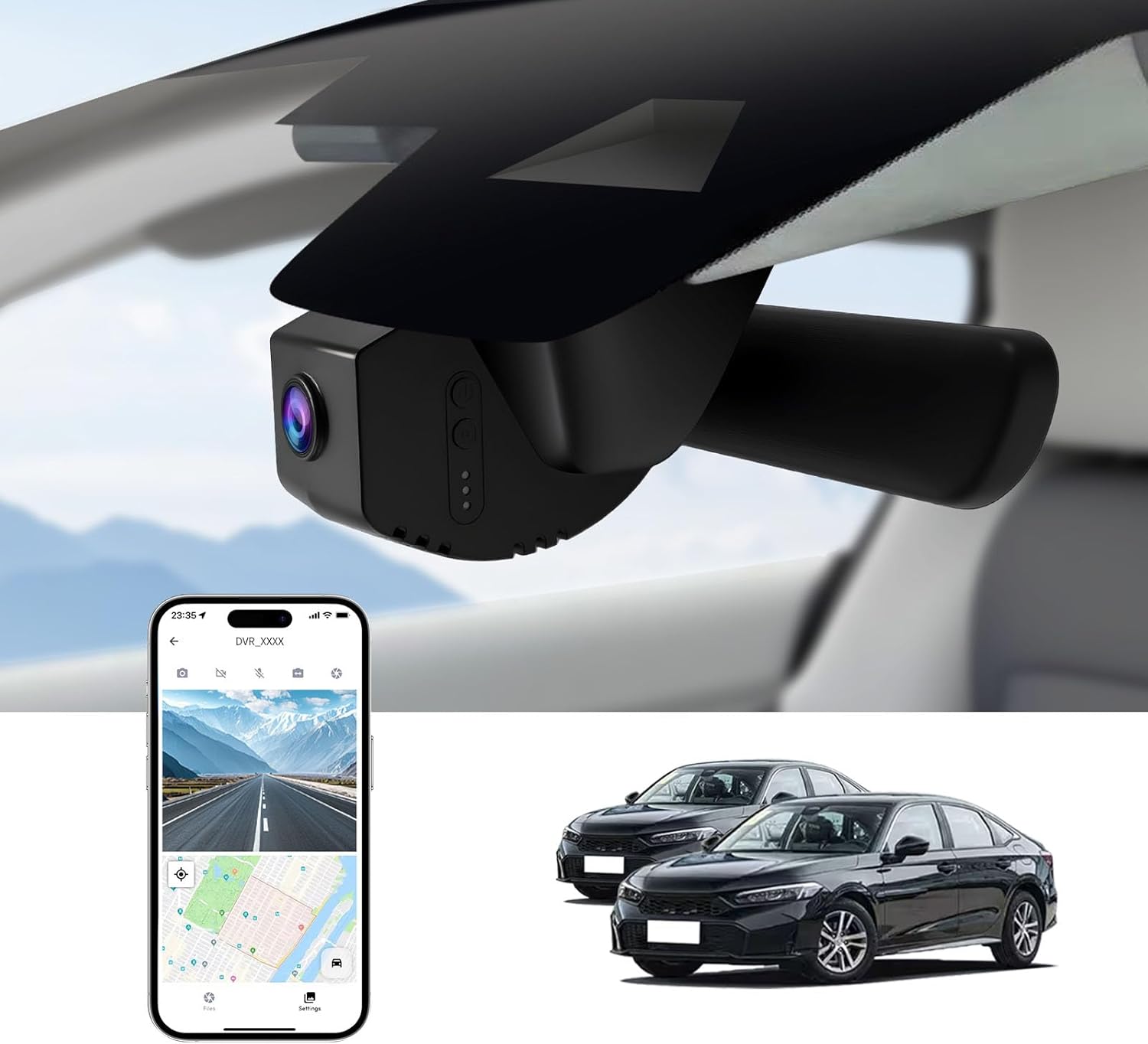
3. FUVYMYT 4K OEM-Style Dash Cam for Honda Civic (Rearview Mirror Mount)
Best Compact Dash Cam
| Compatible Vehicle | Honda Civic 2022–2026 |
|---|---|
| Video Resolution | 3840×2160 (4K) @ 30 FPS |
| Mounting Type | Rearview Mirror Mount |
| Included Storage | 64 GB microSD |
| Field of View | 145 Degrees |
This FUVYMYT dash cam is an OEM-style, rearview-mount unit built to sit discreetly behind the Civic’s mirror while recording 4K/2160p footage at 30 fps. It is intended as a clean, low-profile upgrade that preserves windshield sightlines and integrates with the car’s cabin appearance. Typical use is continuous driving recording with loop overwrite and collision detection via a G-sensor that locks impact clips. The f/1.6 aperture and HDR processing aim to improve low-light performance, and the package includes a 64 GB card plus tools to simplify fitment. Connection is via built-in Wi-Fi and the vendor app for previewing and downloading clips; several users report the app can be clunky and may require disabling phone cellular or Bluetooth to connect reliably. The unit lacks built-in GPS and needs the app-enabled GPS function if location data is required. Parking surveillance is possible but requires an optional hardwire harness. Overall this model favors drivers who want a compact, factory-integrated recorder and straightforward continuous capture, while accepting some app and accessory limitations.
Best for: Drivers who prioritize a discreet, space-saving dash cam that blends into the Civic interior and provides continuous front recording with basic smart features.
Less Ideal for: Users who need built-in GPS tracking, a polished mobile app experience, or an out-of-the-box parking power solution without additional accessories.
- OEM-style rearview mirror mount keeps the camera hidden and preserves windshield visibility
- 4K (2160p/30fps) recording with f/1.6 aperture and HDR for improved daytime and low-light capture
- Includes a 64 GB microSD card and basic install tools so it records out of the box
- Loop recording with G-sensor protects collision clips from being overwritten
- Built-in Wi‑Fi and dedicated app let you preview and download footage without removing the card
- Companion app is reported as unreliable or unintuitive by some users, and may require workarounds to connect
- No built-in GPS module; GPS data only available when using the app and phone GPS
- 24-hour parking mode requires an extra hardwire harness that is not included
Verdict: The best compact dash cam for drivers who want discreet, space-saving installation while still capturing solid video and essential safety recording.
4. mangoal STARVIS 2 4K Front Dash Cam (Custom Fit for 11th‑Gen Honda Civic)
Best Premium Dash Cam

| Compatible Vehicle Type | 11th Honda Civic 2022 2023 2024 2025 2026(Gray) |
|---|---|
| Video Capture Resolution | Front 4K |
| Connectivity Technology | Wi‑Fi (5GHz) |
| Other Special Features | STARVIS 2 IMX678, HDR 2.0, GPS, Parking Monitor, G‑sensor |
| Included Memory Card Size | 64 GB |
This mangoal dash cam is a factory-style, windshield-mounted front camera tailored to fit 11th‑generation Honda Civic interiors. It records 4K video with a STARVIS 2 IMX678 sensor and HDR 2.0, which together improve dynamic range and help preserve license plate and detail clarity in day and night conditions. The unit connects to a smartphone app over faster 5GHz Wi‑Fi for live preview, configuration, and quick file transfer. Built-in GPS logs speed and route for easy replay, and features like loop recording, G‑sensor automatic incident detection, parking monitor, and a supercapacitor protect footage and provide continuous surveillance. The package includes a 64 GB microSD card and accessories for an OEM-style install so the camera tucks behind the mirror without exposed wiring. Expect high-quality daytime footage and notably better low-light performance than typical 1080p models, but advanced features depend on the app and occasional firmware updates, and adding a rear camera requires a separate purchase. Overall this is aimed at buyers who want premium video and integrated fitment for their Civic.
Best for: Drivers who prioritize best-in-class video quality and a factory-like install for their 11th‑generation Honda Civic and who value integrated GPS and app control for easy evidence capture and review.
Less Ideal for: Buyers seeking an inexpensive universal dash cam or an all-in-one front-and-rear package out of the box should consider other options that include rear coverage or lower upfront cost.
- True 4K front recording with STARVIS 2 IMX678 sensor for detailed daytime and improved night footage
- HDR 2.0 processing that balances highlights and shadows in high-contrast scenes
- 5GHz Wi‑Fi and smartphone app for fast live view, configuration, and easy file transfer
- Built-in GPS, G‑sensor, loop recording, parking monitor, and supercapacitor for reliable incident capture
- Custom OEM-style fitment and included 64 GB card plus install accessories for a clean installation in 11th‑gen Civic
- Rear camera is not included and must be purchased separately to get full surround coverage
- Advanced features and bug fixes rely on the vendor app and firmware updates, which may vary over time
Verdict: The best premium dash cam for buyers willing to pay more for top-tier video quality, advanced driver-assist features, and robust build and software support.
5. FITCAMX Front 4K + Rear 1080P Dual Dash Cam for Honda Civic 2022–2026
Best Dual-Lens Dash Cam

| Compatible Vehicle Type | Honda Civic 2022-2026 |
|---|---|
| Video Capture Resolution | Front 2160P, Rear 1080P |
| Connectivity Technology | Wi-Fi |
| Field Of View | 170 Degrees |
| Flash Memory Type | microSD (included 128GB, supports up to 256GB) |
This FITCAMX unit is a vehicle-specific dual-channel dash cam built to integrate behind the overhead console on Honda Civic 2022–2026 models, giving a discreet, factory-like appearance with no visible wires. It records the front view at 2160P and the rear at 1080P using a CMOS sensor, f/1.6 aperture and wide 170 degree front field of view, which produces detailed daytime footage and broad coverage around the car. The camera connects over built-in Wi‑Fi and the FITCAMX app for previewing and downloading clips, and it supports loop recording plus a G‑sensor that locks collision footage. Installation is plug-and-play to the overhead console panel but rear camera routing requires some cable tucking and the documentation is sparse, so plan for a little hands-on fitting or a professional install if you want a clean job. There is no built-in parking mode without an extra harness and some users report durability and app stability issues over long term use, but for drivers prioritizing a near-OEM look with solid front/rear capture this is a strong, purpose-built dual cam.
Best for: Drivers of 2022–2026 Honda Civic models who want a discreet, factory-style dual dash cam that captures synchronized front and rear footage for incident evidence and everyday driving.
Less Ideal for: Buyers who need out-of-the-box 24/7 parking surveillance or who prefer extensive on-device controls and robust vendor support should consider alternatives with native parking mode and longer service coverage.
- Integrated OEM-style housing hides the unit behind the overhead console for a clean, factory appearance
- Front 4K (2160P) and rear 1080P simultaneous recording provides high-resolution multi-angle coverage
- Built-in Wi‑Fi and FITCAMX app allow wireless previewing and file transfer without removing the SD card
- G-sensor and loop recording automatically protect and manage incident footage
- Includes a 128GB microSD card and supports up to 256GB for longer storage between overwrites
- No built-in parking mode without purchasing an additional harness
- Limited installation guidance for the rear camera and a somewhat unstable app reported by some users
- Some customers reported durability problems after extended use
Verdict: The best dual-lens dash cam for shoppers who want simultaneous front and rear (or interior) coverage to capture multiple angles during incidents and parking events.
6. OVAMAN OEM-Style 4K Dash Cam for Honda Civic (2022–2026)
Best 4K Dash Cam

| Compatible with Vehicle Type | Honda Civic & Si 2022-2026 |
|---|---|
| Video Capture Resolution | 2160p |
| Video Sensor | Sony STARVIS 2 IMX675 |
| Mounting Type | Rearview Mirror Mount |
| Included Memory Card Size | 64 GB |
This OVAMAN dash cam replaces the Civic's mirror sensor cover with a factory‑style 4K front camera that records at 3840×2160 30fps using a Sony STARVIS 2 IMX675 sensor and an f/1.5 lens. It is designed for clean, hidden installation behind the mirror so wiring is concealed and the windshield view remains unobstructed. The unit includes built-in Wi‑Fi and a mobile app for live view, playback, settings, and file transfer, and it starts recording automatically when the car powers on. For parked vehicles the included hardwire kit enables 24/7 parking monitoring with adjustable G‑sensor locking and loop recording to protect incident clips. HDR/WDR and STARVIS 2 improve night and high‑contrast scenes, which helps when you need readable license plates or distant detail. Limitations are fitment specificity and the front‑only configuration here; this model only fits Honda Civic/Si/Type R 2022–2026 body styles shown in the compatibility images and does not include a rear camera in this package.
Best for: Drivers who put the highest priority on capturing fine visual detail and want a factory‑integrated, discreet 4K front camera specifically for 11th‑gen Honda Civics.
Less Ideal for: Anyone who needs a universal or multi‑vehicle dash cam or who requires a bundled rear camera, since this front‑only, model‑specific unit is limited to Civic fitment.
- True 4K 30fps capture with Sony STARVIS 2 sensor for clearer daytime and low‑light detail
- OEM‑style hidden mount that replaces the mirror cover for a factory look and concealed wiring
- Includes hardwire kit and supports 24/7 parking monitoring with adjustable G‑sensor
- Built‑in Wi‑Fi and app control for live view, file download, and settings without removing the card
- 64GB microSD included and supports up to 256GB cards for longer storage
- Fits only specified Honda Civic 2022–2026 mirror covers and connectors so buyers must confirm exact fitment
Verdict: The best 4K dash cam for drivers who prioritize the highest video resolution to capture fine detail like license plates and distant objects.
7. ROVE R2-4K DUAL Dash Cam — Front 4K + Rear 1080P with STARVIS 2 and 5G WiFi
Best Wireless Dash Cam

| Front resolution | 3840×2160 @30fps |
|---|---|
| Rear resolution | 1920×1080 @30fps |
| Connectivity | Dual-band WiFi (5GHz/2.4GHz), USB |
| Storage included | 128GB microSD (supports up to 1TB) |
| Display | 3" IPS screen |
The ROVE R2-4K DUAL is a front-and-rear dash camera system built around high-resolution imaging and fast wireless connectivity. It records the front view at 3840×2160@30fps and the rear at 1080p, using a Sony STARVIS 2 sensor and wide-aperture lenses to improve daytime detail and low-light performance. You mount the front unit on the windshield and route the included rear cable to the back; the 3" IPS screen and 360° swivel rear camera make positioning and playback straightforward. Where this model stands out for smartphone-focused users is its dual-band 5GHz/2.4GHz WiFi and ROVE app, which let you preview footage, change settings, and download clips to your phone at speeds claimed up to 20 MB/s. Built-in GPS stamps speed and location on videos and the supercapacitor improves heat tolerance compared with battery-based units. The package includes a 128GB card and supports up to 1TB external storage. Expect very good image clarity and convenient wireless transfers, but rely on the app for most wireless workflows since occasional firmware or app update issues have been reported and a hardwire kit is required for full 24/7 parking monitoring.
Best for: Buyers who prioritize seamless smartphone control and fast wireless transfers and want high-resolution front-and-rear coverage without constantly swapping SD cards.
Less Ideal for: Drivers who need an out-of-the-box always-on parking solution without additional wiring or users who prefer to avoid relying on a vendor app for access to recordings.
- True 4K front recording with Sony STARVIS 2 sensor for sharp daytime and improved night detail
- Dual-band 5GHz WiFi and app support for fast wireless previewing and downloads
- Built-in GPS for speed and route stamping on footage
- Includes 128GB microSD card and supports up to 1TB external storage
- Supercapacitor design tolerates heat and cold better than small lithium batteries
- Full 24/7 parking mode requires a separately sold hardwire kit
- Some users report app or firmware update hiccups that can interrupt wireless access
Verdict: The best wireless dash cam for users who value convenient smartphone connectivity, quick video transfer, and wireless setup without frequent cable handling.
Choosing the Right 2022-Present Honda Civic Dash Cam: Key Factors to Consider
Video Resolution and Low-Light Performance
Clear daytime footage and usable nighttime video are the two most important qualities in a dash cam for your Civic. Higher resolution sensors capture more detail for license plates and incident context, while a strong low-light sensor or wide dynamic range reduces bloom from headlights and streetlights.
When evaluating cameras, pay attention to tested resolution performance rather than marketing specs alone. For in-cabin placement on a Civic, a balanced field of view prevents distortion while still covering adjacent lanes. Low-light capability is especially important if you often drive early mornings, late evenings, or through poorly lit areas.
Mounting Size and Placement
A compact dashboard camera preserves forward visibility and avoids covering windshield-mounted sensors or the rearview mirror area. The Civic's windshield slope and factory-fitted driver aids mean you should choose a model with a small footprint and flexible mount angle to position the lens at the windshield's optimal height.
Consider whether the camera uses an adhesive pad or a suction mount and if it can be easily hidden behind the mirror. A neat installation reduces attention from passengers and minimizes the chance of accidental knocks. Also check that the cable routing is manageable for your Civic so the harness does not interfere with airbags or A-pillars.
Power Options and Parking Mode
How a dash cam is powered affects its convenience and function when your Civic is parked. Cameras that support hardwiring to a fused constant power source enable true 24/7 parking mode monitoring without relying on the internal battery. Units with capacitors offer better heat tolerance and longer service life in a car cabin than battery-based designs.
If you plan to use parking surveillance, check current draw and whether the camera has intelligent parking modes that reduce battery drain by using motion detection or time-lapse recording. Professional hardwiring or a dedicated parking power kit is often the best choice for consistent, long-term parking monitoring in the Civic.
Recording Features and File Management
Loop recording is essential for continuous coverage; it overwrites the oldest files automatically so you do not run out of storage. Confirm how the camera handles G-sensor-triggered events, whether those clips are locked automatically, and how easy it is to retrieve clipped footage for evidence.
Consider file segmentation length, compatibility with standard microSD cards, and whether the unit supports automatic file integrity checks. Good file management reduces the risk of losing critical footage and simplifies exporting clips when needed.
Connectivity and User Interface
Wi-Fi and a stable companion app make it easier to download clips without removing the card. Look for responsive apps, straightforward live-view access, and quick transfer options. Some models also provide GPS logging for speed and location data, which can help contextualize an incident.
A clear on-device menu and intuitive button layout simplify in-vehicle adjustments. Since you may need to change settings after installation, favor designs that let you tweak recording quality and parking sensitivity without complicated procedures.
Durability and Environmental Tolerance
The Civic's interior can get hot in direct sun, so choose a dash cam with high operating temperature ratings and robust construction. Capacitor-based power systems typically outperform small lithium batteries in heat resistance.
Also check manufacturer guidance on recommended operating temperatures and the build quality of mounting hardware. A durable, well-mounted camera will maintain alignment over time and keep recording reliably through seasonal temperature swings.
Best Places to Mount a Dash Cam in the Civic
Mounting location affects footage composition, driver visibility, and legal compliance. For a 2022-present Civic, the most common mounting spot is tucked behind the rearview mirror where the camera has an unobstructed forward view while remaining out of the driver's line of sight. Place the camera high on the windshield close to the top edge to keep the hood and dashboard out of frame and to capture more of the road ahead.
If you add a rear camera, position it near the top center of the rear window for a balanced view of following traffic. Ensure the mounting does not interfere with defroster lines or rear glass treatments. Before finalizing a mount, test the camera angle and viewing area by recording short clips during daytime and nighttime to confirm coverage and low-light behavior.
- Tuck the front camera behind the rearview mirror to minimize obstruction.
- Route cables along trim pieces and under headliner seams to conceal wiring.
- For rear cameras, avoid placing mounts near wiper pivots or defroster elements.
Choosing the Right Memory Card
Not all microSD cards are equal in dash cam use. Dash cams benefit from high-endurance cards rated for continuous write cycles. For most Civic owners, a 64GB or 128GB high-endurance microSD card strikes a balance between storage and cost while reducing the frequency of file overwrites. Larger capacities are useful if you enable high-bitrate recording or extended parking mode segments.
Verify the dash cam's supported card types and format the card in-camera after installation. Periodic card replacement every one to two years can prevent unexpected failures, and using cards from reputable manufacturers reduces the risk of corruption.
- Prefer high-endurance microSD cards rated for dash cam use.
- Format cards in the camera to ensure compatibility.
- Replace cards periodically to avoid silent failures.
Legal and Privacy Considerations
Local laws vary regarding video recording and audio capture. Many jurisdictions allow forward-facing recording in public spaces, but specifics around audio recording or capturing passengers may differ. If you record audio, include visible notice in shared vehicles and be mindful of laws about recording conversations.
Store and handle footage responsibly. If an incident requires sharing clips with authorities, provide the raw files when possible and avoid altering timestamps. Respect passenger privacy by limiting access to recorded files and erasing nonessential footage regularly.
- Check local regulations on audio and video recording in vehicles.
- Notify passengers if you record in-cabin audio.
- Safeguard and provide original files when sharing footage with authorities.
Optimizing Camera Settings for Everyday Use
Adjust resolution and bitrate to match your priorities. Use 1080p or higher for clear evidence while balancing file size and card capacity. If you commute in heavy traffic, a narrower field of view can help identify plate numbers at distance; if you drive rural roads, a wider angle may capture more environmental context.
Set loop intervals to sensible lengths such as one, three, or five minutes depending on how you prefer to manage files. Configure G-sensor sensitivity to avoid frequent event locks from normal pothole impacts while still capturing notable incidents. Enable timestamp and GPS overlays when available to add context to recorded clips.
- Use 1080p or higher for critical incident documentation.
- Tune G-sensor sensitivity to reduce false event locks.
- Enable GPS and timestamp overlays for added context.
Maintaining Your Dash Cam for Reliability
Routine checks keep the camera aligned and recording correctly. Inspect the mount and wiring periodically for loosened adhesives or sun-damaged cables. Clean the windshield area behind the camera to prevent glare and maintain clear optics.
Rotate and reformat the memory card on a schedule and check for firmware updates that can fix bugs or improve stability. If you use parking mode frequently, monitor battery drain and heat exposure to avoid unexpected shutdowns.
- Inspect mounts and cabling every few months.
- Keep the windshield area clean for clear footage.
- Check for firmware updates and replace memory cards as needed.
How We Chose the Best 2022-Present Honda Civic Dash Cam
We shortlisted models that match the specific needs of 2022-present Honda Civic owners and applied consistent editorial filters to identify dependable dash cams. Key evaluation criteria included video resolution and low-light performance, since clear footage is essential for incident documentation on busy roads and at night. We prioritized compact mounting designs and adjustable placement to avoid interference with driver visibility and factory sensors in the Civic cabin.Power and installation flexibility were also decisive factors. We considered units that offer hardwiring or discreet 12V connection, plus battery or capacitor designs for safe parking-mode operation. Recording features such as loop recording, G-sensor event save, and reliable parking monitoring were weighted heavily to ensure continuous coverage without constant manual management.Connectivity and usability were assessed by testing app stability, Wi-Fi transfer speeds, and ease of retrieving clips. We also examined heat tolerance and long-term reliability for the cabin environment. We excluded units without clear documentation on mounting compatibility or those lacking essential safety-focused recording features. The resulting list favors compact, easy-to-install dash cams with strong video performance and practical parking options tailored to Civic owners.
Our full evaluation process is outlined in our review methodology.
FAQ
Will a dash cam affect my Civic's airbags or sensors?
A properly mounted dash cam should not interfere with airbags or windshield-mounted sensors. Place the camera behind the rearview mirror and avoid taping or routing cables over sensor areas. If uncertain, consult your vehicle manual or a professional installer to confirm placement.
Do I need professional hardwiring for parking mode?
Hardwiring provides the most reliable parking mode because it connects to a fused constant or switched power source and avoids draining the battery. Some owners use dedicated parking power kits or have the unit professionally installed to ensure safe and consistent operation.
What resolution is good enough for capturing license plates?
1080p is generally sufficient for most plate captures during daytime and reasonable low-light conditions. Higher resolutions improve detail at distance but increase file sizes and storage needs. Frame rate and lens quality also influence readability, so balance resolution with other settings.
How often should I replace the microSD card?
Replace a frequently used high-endurance microSD card every 12 to 24 months to reduce the chance of silent failures. Cards used primarily for occasional trips may last longer, but routine replacement is a low-cost way to maintain reliability.
Can I install a rear camera myself on the Civic?
Many owners can install a rear camera by routing the cable through trim panels and connecting to an interior power source, but routing near the headliner and around door seals requires care. If you are not comfortable with trim removal, consider professional installation to preserve factory fit and finish.
Is Wi-Fi necessary for a dash cam in the Civic?
Wi-Fi is not strictly necessary but it makes retrieving clips and configuring settings more convenient. A stable companion app lets you download footage on your phone without removing the card, which can be handy for quick evidence transfer after an incident.
Final Verdict
Prioritize clear video, reliable power, and a compact mounting solution when choosing a dash cam for a 2022-present Honda Civic. Decide whether continuous parking monitoring is essential and budget for a proper power solution if you need round-the-clock coverage.Balance resolution with storage needs, pick a high-endurance memory card, and install the camera where it does not obstruct sensors or driver sightlines. Focus on the factors discussed here to select a dependable unit that captures usable footage and integrates neatly with your Civic for everyday driving and road trips.
Explore More:
- Check out all Honda Civic parts & accessories
- Explore Electronics
- Browse all Accessories
