

Note: This article contains affiliate links. If you click on these links and make a purchase, I may earn a small commission at no extra cost to you. This helps support my research and content. Read my full affiliate disclosure here.
Repair Snapshot
Use a mechanic if the battery case is swollen or leaking, the terminal is broken, or the cable is heavily damaged. Professional help is also smart if corrosion returns quickly or the vehicle still has charging or starting issues after cleaning.
This article is part of our Electrical System Maintenance & Repair Guides.
Cleaning and tightening battery connections is one of the simplest ways to fix slow cranking, intermittent electrical problems, and no-start issues caused by poor contact at the battery terminals.
Battery corrosion creates resistance between the battery posts and cable clamps. Even a healthy battery can struggle to deliver enough current when the terminals are dirty, loose, or partially eaten away by acid buildup. The result can look like a bad battery, bad starter, or bad alternator when the real problem is just poor connection.
This guide walks you through how to inspect the battery, safely disconnect the cables, clean off corrosion, tighten the terminals correctly, and check whether there is a larger charging-system problem behind the buildup.
What Battery Connection Problems Look Like
Dirty or loose battery terminals usually cause voltage drop. That means the battery may still have charge, but the power does not move efficiently into the vehicle’s electrical system. Sometimes the symptoms are obvious, and sometimes they come and go depending on temperature, vibration, or humidity.
- Engine cranks slowly, especially in the morning.
- You hear a click or rapid clicking but the engine does not start.
- Dashboard lights flicker or reset when you turn the key.
- The vehicle loses power momentarily over bumps.
- You see white, blue, or green crusty buildup around the battery posts.
- Terminal clamps can be twisted by hand or do not fully tighten.
If the battery cables are clean and tight but the car still struggles to start, the issue may be a weak battery, charging problem, damaged battery cable, poor engine ground, or a starter draw issue. Cleaning the connections is still a smart first step because it removes one of the most common and cheapest causes.
Safety Before You Start
Battery corrosion is usually caused by escaping battery acid vapors reacting with the metal terminals. The crusty buildup is irritating to skin and eyes, and the battery can produce explosive hydrogen gas while charging. Work carefully and avoid creating sparks.
- Park on a flat surface, shut the engine off, and remove the key or keep the fob away from the vehicle.
- Wear safety glasses and gloves before touching the battery.
- Do not smoke or use open flame near the battery.
- Never let a tool bridge both battery terminals or touch a terminal and metal body part at the same time.
- If the battery case is cracked, swollen, leaking, or smells strongly of sulfur, stop and replace the battery instead of cleaning it.
If your vehicle has battery monitoring sensors, memory settings, or hard-to-access battery placement, consult the owner’s manual before disconnecting anything. Some vehicles require extra steps after battery service.
Tools and Supplies to Gather
Have everything ready before you loosen the terminals. That keeps the battery disconnected for less time and makes the job cleaner.
- Safety glasses and nitrile or rubber gloves
- Wrench or socket set sized for your battery terminal clamps
- Battery terminal cleaning brush or small wire brush
- Baking soda mixed with water or a battery terminal cleaner
- Clean rags or paper towels
- Corrosion protectant spray or anti-corrosion washers
- Replacement bolt, nut, or terminal end if existing hardware is stripped or broken
A dedicated battery terminal brush works better than a general wire brush because it cleans both the post and the inside of the cable clamp. If you do not have one, a small wire brush is still helpful.
Inspect the Battery and Cables First
Check for Damage Before Cleaning
Do a quick inspection before you disconnect anything. Cleaning will not fix a battery or cable that is physically failing.
- Look for a swollen battery case, cracks, wet spots, or heavy leakage.
- Check whether the positive and negative clamps are distorted, split, or badly thinned by corrosion.
- Inspect the cables for stiff, swollen, frayed, or green-stained insulation near the terminal ends.
- Make sure the battery hold-down is secure so vibration is not causing repeated loosening.
- Look for missing terminal bolts or stripped clamp hardware.
If the cable has corrosion traveling under the insulation, replacement is better than cleanup. Internal cable corrosion creates resistance that can continue causing problems even if the visible terminal looks good afterward.
Tools That Make This Job Easier


Disconnect the Battery the Right Way
Always disconnect the negative terminal first. This reduces the chance of creating a short if your tool touches metal while loosening the battery connection.
- Locate the negative terminal, usually marked with a minus sign and often connected to a black cable.
- Loosen the negative terminal clamp and lift it off the post. Move it aside so it cannot spring back into contact.
- Loosen the positive terminal next, usually marked with a plus sign and often connected to a red cable.
- If the clamps are stuck, twist gently while pulling upward. Do not pry hard against the battery case.
- If corrosion is severe, clean enough buildup away first so you can see the clamp and fastener clearly.
If the terminal will not come off, do not beat on the battery post with a hammer. Use a proper terminal puller if necessary. Excessive force can damage the battery seal or crack the case.
Clean Corrosion From the Terminals and Posts
Use a Safe Cleaning Method
A simple baking soda and water solution neutralizes acidic residue and helps loosen corrosion. You can also use a dedicated battery terminal cleaner. Do not allow large amounts of liquid to enter battery vents or soak nearby wiring.
- Mix a small amount of baking soda with water until you have a mild cleaning solution.
- Apply the solution to the terminal clamps and battery posts using a brush or rag.
- Let it fizz briefly as it reacts with corrosion.
- Scrub the battery posts, terminal clamps, and exposed hardware until bare metal is visible.
- Wipe away loosened residue with a clean rag.
- Use a small amount of clean water to rinse the cleaned areas if needed, then dry thoroughly.
Focus on the battery posts and the inside surfaces of the cable clamps. Those are the actual contact points. A terminal can look cleaner on the outside while still making poor electrical contact inside the clamp.
What Clean Enough Looks Like
You want clean, solid metal where the post meets the clamp. Light staining is less important than actual contact quality. If the clamp metal is thin, cracked, or stretched so far open that it bottoms out before gripping the post, replace the terminal or cable end instead of trying to overtighten it.
Tighten the Connections Properly
Reconnect the battery in the reverse order: positive first, negative last. This reduces the risk of accidental shorting during reassembly.
- Set the positive cable onto the positive battery post and push it down fully so it seats correctly.
- Tighten the clamp bolt until the terminal is secure and does not rotate by hand.
- Set the negative cable onto the negative post and tighten it the same way.
- Check both clamps by trying to twist them gently by hand.
- If either one still moves, tighten a little more, but do not crush the lead battery post or strip the hardware.
The goal is snug and secure, not overtightened. Battery posts are soft lead, and clamp bolts are often small. If the clamp keeps loosening or will not tighten evenly, the hardware or terminal itself may be worn out.
Apply Corrosion Protection
Once the terminals are clean, dry, and tight, apply a light protective coating. Battery terminal protectant spray or anti-corrosion washers can slow future buildup. Do not smear on thick layers of random grease before the connection is made; the metal-to-metal contact should already be established first.
Test Your Work
After reconnecting the battery, verify that the problem is actually solved rather than just temporarily improved.
- Start the engine and listen for stronger, faster cranking.
- Watch the dash for dimming, flickering, or resetting electronics.
- Turn on headlights and blower motor to see if electrical power stays stable.
- Recheck the terminals by hand after the engine has run for a few minutes.
- Look for warning lights related to charging or battery management.
If the vehicle now starts normally, you likely fixed a connection issue. If starting is still weak, test battery voltage and charging output next. A clean terminal cannot compensate for an aging battery or a failing alternator.
Recommended Tools for This Job
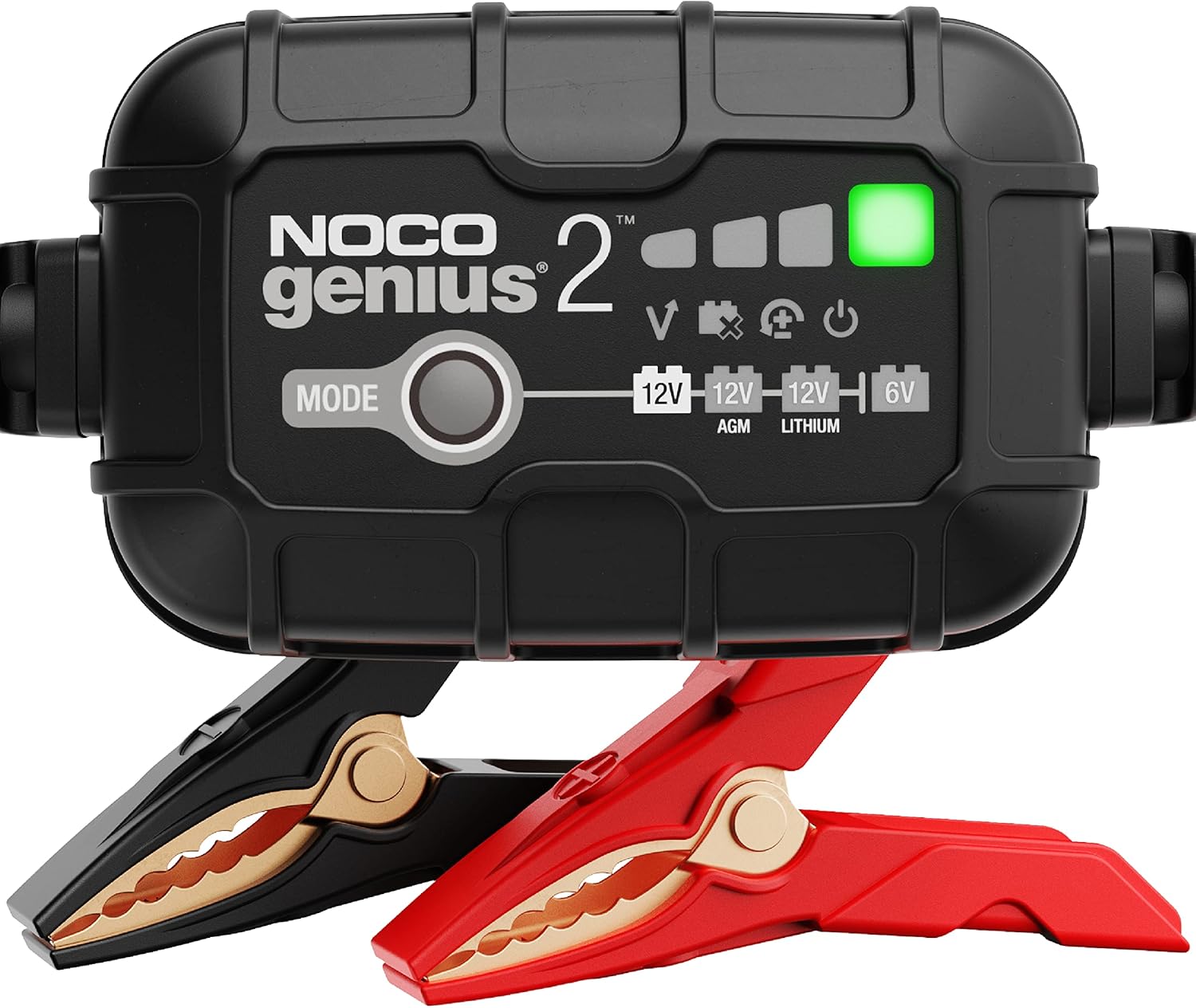
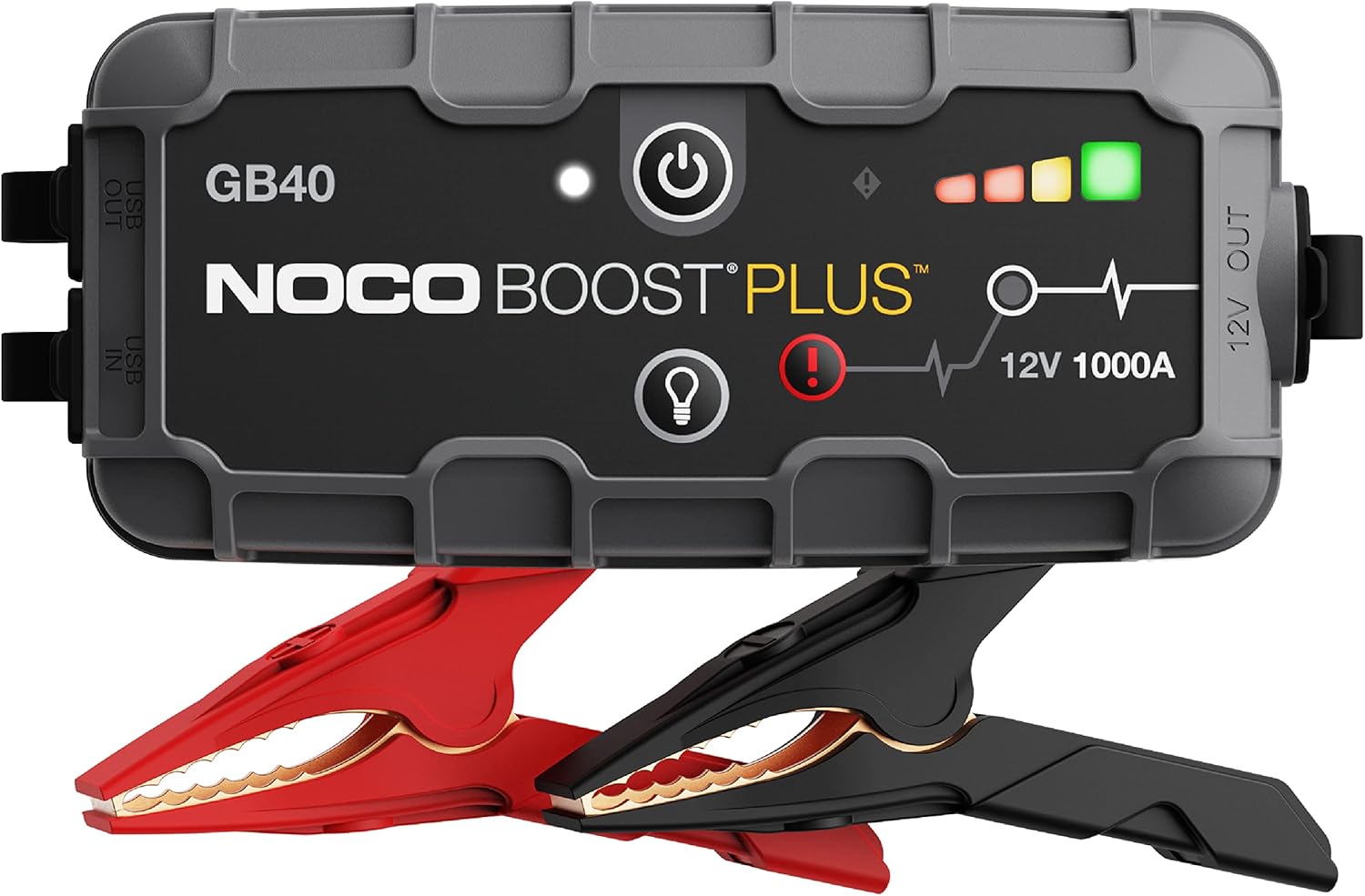

When Cleaning Is Not Enough
Some battery connection problems come back because the corrosion is only the symptom. If buildup returns quickly, look for the root cause.
- An old battery may be venting more acid mist than normal.
- A loose hold-down can let vibration damage the terminal seal.
- A charging system that overcharges the battery can accelerate corrosion and fluid loss.
- Damaged cable ends can trap moisture and create recurring resistance.
- Poor engine or chassis ground connections can mimic battery terminal trouble.
If the positive terminal uses a complex fuse block or integrated cable assembly, do not force it apart or modify it casually. Many modern vehicles use specialized terminal designs that should be replaced as assemblies if damaged.
Common Mistakes to Avoid
- Disconnecting the positive terminal first and increasing the risk of a short to ground.
- Cleaning only the visible outside of the clamp instead of the inside contact surface.
- Using too much water and letting cleaner run into battery vents or electrical connectors.
- Overtightening the clamp until the bolt strips or the terminal deforms.
- Ignoring cable corrosion under the insulation near the terminal end.
- Skipping the battery hold-down inspection and allowing vibration to keep loosening the connections.
A quick wipe-down may make the battery look better, but durable results come from cleaning the actual contact surfaces, securing the clamps properly, and replacing damaged hardware when necessary.
How Often to Inspect Battery Connections
Battery terminals do not need constant maintenance, but they should be checked periodically, especially before seasonal temperature swings. Heat speeds up battery aging, and cold weather exposes weak connections fast.
- Inspect the battery terminals at every oil change or at least twice a year.
- Check them before winter if you live in a cold climate.
- Inspect sooner if you notice slow cranking, repeated jump-starts, or visible corrosion.
- Recheck after battery replacement to confirm the new battery is clamped down and the terminals remain tight.
On vehicles with trunk-mounted or under-seat batteries, terminal issues can be easier to miss because they are out of sight. Add battery inspection to your regular maintenance routine instead of waiting for a no-start.
When to Replace the Battery Terminal or Cable
Cleaning helps only when the metal parts are still structurally sound. Replace the terminal end or battery cable if you see clear physical failure.
- The clamp is cracked, stretched, or cannot tighten securely.
- The bolt or nut is stripped or missing.
- Corrosion has severely eaten away the metal.
- The cable is stiff, swollen, or corroded under the insulation.
- The terminal gets hot during cranking or charging.
Heat at the terminal is a major warning sign of resistance. If a cable or clamp becomes warm after starting attempts, stop using the vehicle until the connection is repaired correctly.
Key Takeaways
- Disconnect the negative terminal first and reconnect it last to reduce the risk of accidental shorting.
- Clean both the battery posts and the inside of the cable clamps until they make solid metal-to-metal contact.
- Tighten the terminals so they cannot rotate by hand, but do not overtighten and damage the clamp or battery post.
- Replace terminals or cables that are cracked, stripped, overheated, or corroded under the insulation instead of trying to reuse them.
- If corrosion returns quickly or the vehicle still starts poorly, test the battery and charging system for a deeper problem.
FAQ
Can I Clean Battery Terminals Without Disconnecting the Battery?
It is possible to wipe light surface residue away, but proper cleaning should be done with the battery disconnected. Removing the cables lets you clean the actual contact surfaces safely and helps prevent hidden resistance from remaining in the connection.
Why Do Battery Terminals Keep Getting Corroded?
Recurring corrosion usually means acid vapors are escaping from the battery, the battery is aging, the charging system may be overcharging, or the terminal area is staying damp and dirty. A loose hold-down or damaged cable end can also contribute.
Which Battery Cable Do I Remove First?
Remove the negative cable first and reconnect it last. That sequence lowers the chance of creating a short circuit if your tool touches metal while you are working on the battery.
Is Baking Soda Safe to Use on Battery Corrosion?
Yes, a mild baking soda and water solution is commonly used to neutralize acidic residue on battery terminals. Use it sparingly, keep it out of battery vents as much as possible, and dry the area thoroughly after cleaning.
How Tight Should Battery Terminals Be?
They should be tight enough that you cannot twist the clamp by hand on the battery post. Do not keep tightening once the connection is secure, because the post is soft and the clamp hardware can strip or deform.
What if My Battery Terminal Still Feels Loose After Tightening?
If the clamp still moves after reasonable tightening, the terminal may be stretched, cracked, or bottoming out on damaged hardware. In that case, replace the terminal end, bolt, or cable as needed rather than overtightening it.
Will Cleaning Battery Terminals Fix a Dead Battery?
Cleaning can restore power flow if poor connection is the issue, but it will not revive a battery that has failed internally or is deeply discharged beyond recovery. If the battery still tests weak after cleaning and charging, replacement may be necessary.
Should I Put Grease on Battery Terminals?
Use a battery-specific protectant after the connection is clean and tightened. The priority is solid metal-to-metal contact first. A light protective coating afterward helps reduce future corrosion, but thick grease should not interfere with the clamping surfaces.
Need Parts for This Repair?
The right parts and supplies vary by vehicle.
Select your make and model to find compatible parts and accessories for your car.
Exact Fit
Parts that fit your make and model
Quality You Can Trust
Top brands and OEM quality options
Fast Shipping
Get the parts you need, delivered fast