

Note: This article contains affiliate links. If you click on these links and make a purchase, I may earn a small commission at no extra cost to you. This helps support my research and content. Read my full affiliate disclosure here.
If you drive a GMC Sierra 2500 HD, a dedicated dash cam can protect you from disputed incidents, record long trips, and document fleet or work activity. The right GMC Sierra 2500 HD dash cam should provide clear daytime and nighttime video, simple mounting that fits the truck's taller windshield and mirror placement, and dependable power options for both driving and parked monitoring. This guide presents seven shortlisted dash cams that meet those needs and explains the factors we used to evaluate them.Below you will find practical guidance on installation, recording modes, and the features that matter most for heavy-duty truck owners, followed by our top picks for different use cases.
Top Picks at a Glance
| Best Overall Dash Cam The best all-around dash cam balancing features, reliability, and value | mangoal Front 4K & Rear 1080P Dash Cam — Custom Fit for GMC Sierra 1500/2500/3500 (Model C) |  |
| Best Budget Dash Cam A low-cost dash cam that covers basic recording needs reliably | ROVE R2-4K DUAL Dash Cam Front and Rear with STARVIS 2 and 128GB Card |  |
| Best Premium Dash Cam A higher-end dash cam with top-tier features and build quality | mangoal 4K Front + 2K Rear Dual STARVIS 2 Dash Cam (Model C) |  |
| Best 4K Dash Cam Ultra-high-resolution recorder for maximum detail in footage | FITCAMX 4K OEM-Style Dash Cam for GMC Sierra (HD2-4925) |  |
| Best Dual-Channel Dash Cam Front-and-rear recording system for complete incident coverage | 70mai A800SE 4K Dual Dash Cam with 128GB Card |  |
| Best Compact Dash Cam A small, unobtrusive recorder that tucks out of sight | VANTRUE E1 Lite Compact 1080P Dash Cam with GPS and Wi‑Fi |  |
| Best Parking-Mode Dash Cam A dash cam with reliable parking surveillance and motion detection | IIWEY N5 PRO 4-Channel 4K Dash Cam with 360° Coverage and Built-In GPS |  |
1. mangoal Front 4K & Rear 1080P Dash Cam — Custom Fit for GMC Sierra 1500/2500/3500 (Model C)
Best Overall Dash Cam

| Compatible with Vehicle Type | GMC Sierra 1500 2022-2026 HD 2024-2026 (Model C) |
|---|---|
| Connectivity Technology | Wi‑Fi |
| Video Capture Resolution | Front 4K and Rear 1080P |
| Field Of View | 150 Degrees |
| Included Memory Card Size | 128 GB |
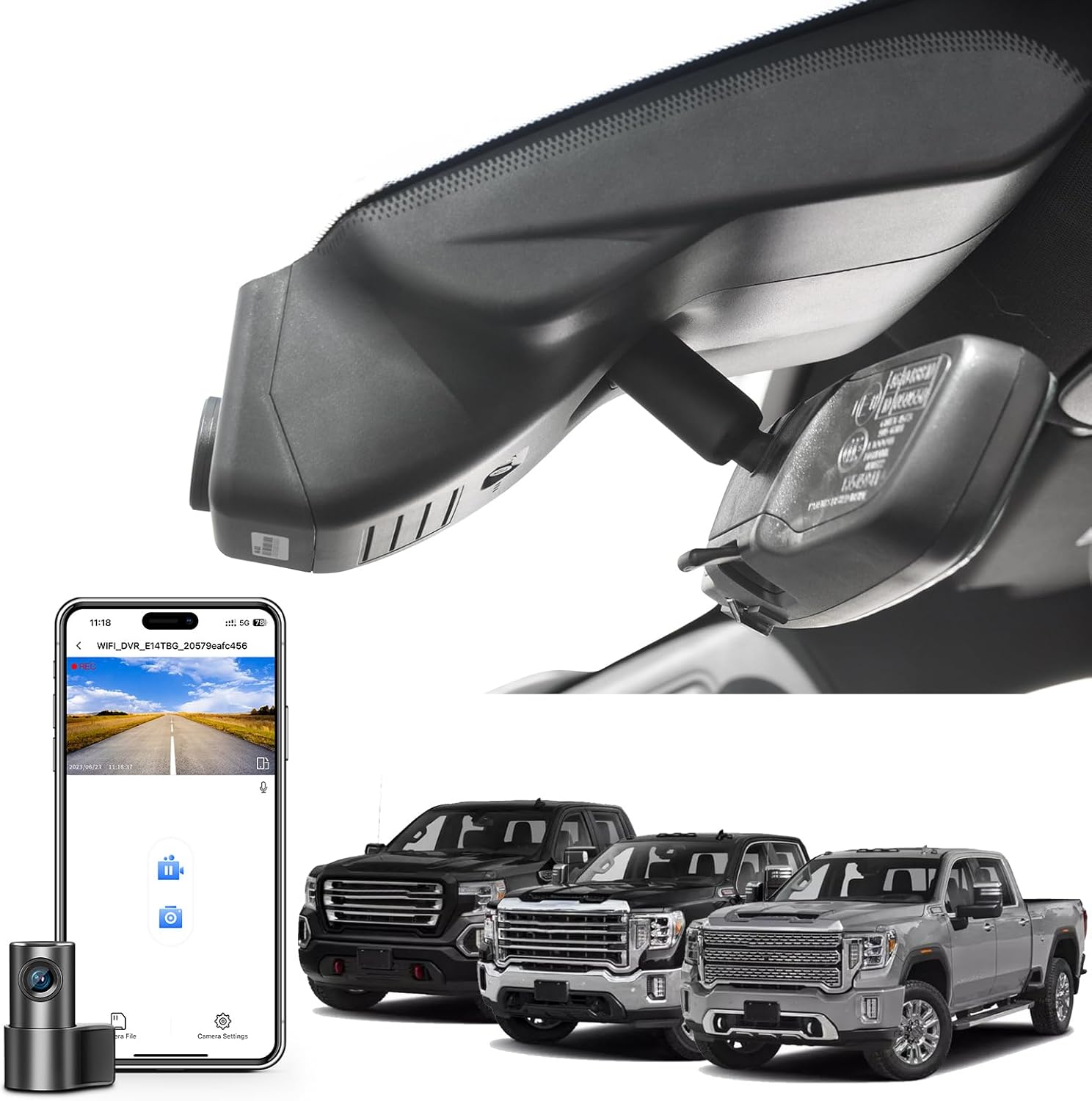
This mangoal dash cam is a custom-fit, two-channel recorder designed to blend into GMC Sierra instrument area while giving high-resolution evidence capture. The front unit records in 4K and the rear in 1080p, using a STARVIS-compatible CMOS sensor to improve low-light clarity; a 150 degree front field of view reduces blind spots and the included GPS logs location and speed. Installation is intended to be tidy with concealed wiring and vehicle-specific adapters including an OBD harness and auto-dimming adapter so the system can look factory-installed. It uses a built-in Wi-Fi link and a phone app for live preview, settings, and downloading clips, and it comes with a 128GB microSD card preinstalled and supports up to 256GB. Important limitations: the camera is model-specific so it will not fit other Sierra variants or EVs, the app preview is compressed compared with recorded video, and some advanced settings are handled only through the app rather than physical buttons. For everyday driving and incident documentation this unit balances image quality, neat installation, and convenience, but confirm exact model compatibility before ordering.
Best for: Drivers who prioritize a neat, factory-integrated dash cam with strong daytime and low-light video and simple phone-based control for everyday documentation of trips and incidents.
Less Ideal for: Buyers who need a universal or multi-vehicle dash cam solution or who want physical on-device controls; also not suitable if you have a Sierra EV or a differently configured Sierra not listed.
- Front 4K and rear 1080p recording for clear incident evidence
- Custom vehicle-specific fit and included adapters for concealed, factory-style installation
- Built-in GPS and Wi‑Fi with a free app for easy file access and playback
- Includes 128GB microSD card and supports larger cards up to 256GB
- STARVIS-class CMOS sensor and 150 degree front view improve low-light detail
- Compatibility limited to the specified GMC Sierra model styles and not compatible with Sierra EVs or other variants
Verdict: The best all-around dash cam for drivers who want a reliable, easy-to-use recorder that balances video quality, features, and long-term durability for everyday automotive use.
2. ROVE R2-4K DUAL Dash Cam Front and Rear with STARVIS 2 and 128GB Card
Best Budget Dash Cam

| Front resolution | 3840x2160P @30fps |
|---|---|
| Rear resolution | 1920x1080P @30fps |
| Sensor | Sony STARVIS 2 (IMX675) |
| Storage support | Includes 128GB, up to 1TB microSD |
The ROVE R2-4K DUAL provides dependable front-facing 4K recording while also capturing the rear in 1080p, making it a practical choice for daily drivers who want clear evidence of incidents. Installation is straightforward and the kit includes mounts, cables, and a free 128GB microSD card so you can start recording right away. The Sony STARVIS 2 sensor plus F1.5 front aperture improves low-light detail, and the supercapacitor increases reliability in extreme temperatures. Built-in GPS stamps speed and location onto footage and the 3" IPS screen and 5GHz WiFi let you preview and quickly download clips to your phone without removing the card. For parked-vehicle monitoring it supports motion and collision-triggered recording, though full 24/7 monitoring requires a separately sold hardwire kit. The unit aims for simplicity rather than advanced driver assistance features, so it is best for buyers who prioritize solid video quality, easy setup, and reliable basic recording over extra sensors or subscription services.
Best for: Shoppers who want dependable, high-resolution front recording and straightforward app-based controls for everyday driving and occasional parking surveillance in a GMC Sierra 2500 HD.
Less Ideal for: Drivers who need integrated advanced driver assistance, fleet telematics, or a fully hardwired 24/7 system out of the box should consider more specialized or wired solutions.
- True 4K front recording with Sony STARVIS 2 sensor for improved low-light clarity
- Includes 128GB microSD card and necessary cables and mounts for immediate setup
- Built-in GPS records speed and route data for evidence-grade videos
- Fast dual-band 5GHz WiFi and app support for quick downloads and firmware updates
- Supercapacitor design boosts durability in high heat or cold conditions
- Full 24/7 hardwired parking mode requires a separate hardwire kit that is sold separately
Verdict: The best budget dash cam for buyers who need dependable front‑facing recording and straightforward features at a low price without unnecessary extras.
3. mangoal 4K Front + 2K Rear Dual STARVIS 2 Dash Cam (Model C)
Best Premium Dash Cam
| Compatible Vehicle Type | GMC Sierra 1500 2022-2026 2500 HD/3500 HD 2024-2026 |
|---|---|
| Video Capture Resolution | Front 4K and Rear 2K |
| Frame Rate | 30fps (4K), 60fps (2K) |
| Connectivity Technology | Wi-Fi |
| Field Of View | 150 degrees |
This mangoal system provides continuous front 4K/30fps and rear 2K/60fps recording using STARVIS 2 IMX678 and IMX675 sensors to capture clear daytime and low-light footage. It is built to integrate behind the rearview mirror on GMC Sierra Model C trucks so wiring stays hidden and the install looks factory-style; the kit includes a 128GB card, OBD and auto-dimming adapters, and a rear camera with long cable. Key features are HDR 2.0 for balanced exposure, a high-precision GPS interface for speed and route logging, 5GHz Wi-Fi with an app for live preview and quick downloads, and parking monitoring with motion and G-sensor event detection. The inclusion of a supercapacitor instead of a battery improves resilience to heat and extends durability. Trade-offs are that the system is tailored to Sierra Model C fitment only and needs careful installation to keep OEM appearance, and advanced functions depend on the app which can vary by phone. For buyers who prioritize top-tier daytime and night video, integrated looks, and GPS logging, this is a strong premium choice for the specified truck.
Best for: Buyers who want a high-end, truck-specific dash cam that emphasizes best-possible video quality, discreet factory-style installation, and thorough trip logging for peace of mind.
Less Ideal for: Drivers seeking a universal or easily transferable dash cam for multiple vehicles or those who prefer a simpler plug-and-play unit without professional-style integration.
- True 4K front and 2K rear recording with STARVIS 2 sensors for superior detail day and night.
- Factory-style fitment for GMC Sierra Model C keeps wiring hidden and maintains OEM look.
- 5GHz Wi-Fi and mobile app enable fast live preview and quick file transfers.
- Built-in GPS logs speed and route for precise incident context.
- Supercapacitor power design increases heat tolerance and long-term reliability compared with standard batteries.
- Compatibility and integrated fit are limited to GMC Sierra Model C configuration only.
Verdict: The best premium dash cam for users willing to pay more for superior video, advanced features, robust build quality, and longer-term dependability.
4. FITCAMX 4K OEM-Style Dash Cam for GMC Sierra (HD2-4925)
Best 4K Dash Cam

| Compatible with Vehicle Type | Sierra 2020-2026 (HD2-4925) |
|---|---|
| Video Capture Resolution | Front 2160P Only |
| Field Of View | 170 degrees |
| Connectivity Technology | Wi-Fi |
| Frame Rate | 30fps |
This FITCAMX HD2-4925 is an OEM-style 4K front dash cam built to fit cleanly into the mirror housing of GMC Sierra 2020–2026 trucks. It records UHD 2160P at 30fps with a 170 degree field of view and an f/1.6 aperture, which helps capture fine detail and maintain usable night footage thanks to wide dynamic range. The unit mounts in the ceiling area and starts and stops automatically with the vehicle; users can connect to the built-in WiFi and the FITCAMX app to preview and download clips to a phone. Included items cover installation needs and a 64GB microSD card is supplied, with support listed up to 64GB. The camera has a G-sensor and loop recording for automatic incident saving. Limitations to note: this model is a single front camera only and cannot be expanded with a rear unit without changing to a different PCB design, and some advanced parking surveillance features require an extra harness. Also the WiFi is local only so footage must be downloaded to view remotely.
Best for: Drivers who need the highest detail front-facing recordings integrated discreetly into their Sierra and want an easy, factory-style install with smartphone access to footage.
Less Ideal for: Drivers who want multi-channel recordings or built-in 24/7 parking surveillance without purchasing additional harnesses or a dual-camera model.
- True UHD 2160P front recording for high-detail footage suitable for reading plates and signs
- OEM-style ceiling mount that blends into the mirror housing for a factory look and clean installation
- Built-in WiFi and app allow live preview and easy downloading of important clips to a phone
- G-sensor and loop recording automatically protect incident footage
- F/1.6 aperture and wide dynamic range improve low-light performance
- Single-front design cannot be upgraded with a rear camera on the same unit
- Maximum supported microSD called out as 64 GB in some specs which limits continuous recording time without card swaps
Verdict: The best 4K dash cam for drivers who prioritize the highest possible image detail to capture license plates, signs, and fine evidence in recordings.
5. 70mai A800SE 4K Dual Dash Cam with 128GB Card
Best Dual-Channel Dash Cam

| Video capture resolution | 2160P front, 1080P rear |
|---|---|
| Included memory card size | 128 GB |
| Field of view | 140 Degrees |
| Connectivity technology | Wi-Fi 6 |
| Special features | Built-In GPS, ADAS, G-sensor |
The 70mai A800SE pairs a 4K front sensor with a flexible 1080p rear camera to capture both forward and rear views simultaneously, which is exactly the point of a dual-channel setup. It records in high-resolution 4K up front to preserve license plates and road details while the rear camera can be angled toward the cabin or rear traffic as needed. Night performance benefits from a bright F1.55 aperture, 7‑layer glass optics, and dual HDR to reduce glare and improve exposure in low light. Built-in Wi‑Fi 6 and the 70mai app make it quick to preview and download clips without pulling the card, and onboard GPS timestamps and ADAS alerts add context and safety cues for on-road incidents. The unit supports loop recording, G‑sensor emergency locking, and optional 24/7 parking monitoring with a hardwire accessory. Expect straightforward windshield mounting and a compact 3‑inch display for setup, but plan for professional hardwiring if you want true continuous parking surveillance. Overall it gives strong front-and-rear coverage for documenting incidents from both angles in a truck like the GMC Sierra 2500 HD.
Best for: Drivers who prioritize simultaneous front and rear evidence and want a compact, high-resolution dual-channel setup that integrates GPS, Wi‑Fi, and ADAS for everyday and incident documentation.
Less Ideal for: Buyers who need an all-in-one always-on fleet solution with preinstalled hardwiring or those unwilling to add an external hardwire kit for continuous parking surveillance.
- 4K front recording captures fine detail useful for incidents and claims
- Adjustable 1080p rear camera records cabin or rear traffic for simultaneous dual-angle evidence
- Superior low-light capture thanks to F1.55 aperture and Dual HDR
- Built-in Wi‑Fi 6 and app access let you quickly view and transfer clips without removing the card
- Includes 128GB microSD and supports up to 512GB, plus GPS and ADAS for added context
- True 24/7 parking mode requires optional hardwire accessory for constant power
Verdict: The best dual-channel dash cam for drivers who want simultaneous front and rear video to document incidents from both perspectives.
6. VANTRUE E1 Lite Compact 1080P Dash Cam with GPS and Wi‑Fi
Best Compact Dash Cam
| Video Capture Resolution | 1080p |
|---|---|
| Field Of View | 160 Degrees |
| Connectivity Technology | Wi‑Fi |
| Frame Rate | 30 FPS |
| Flash Memory Type | microSD |
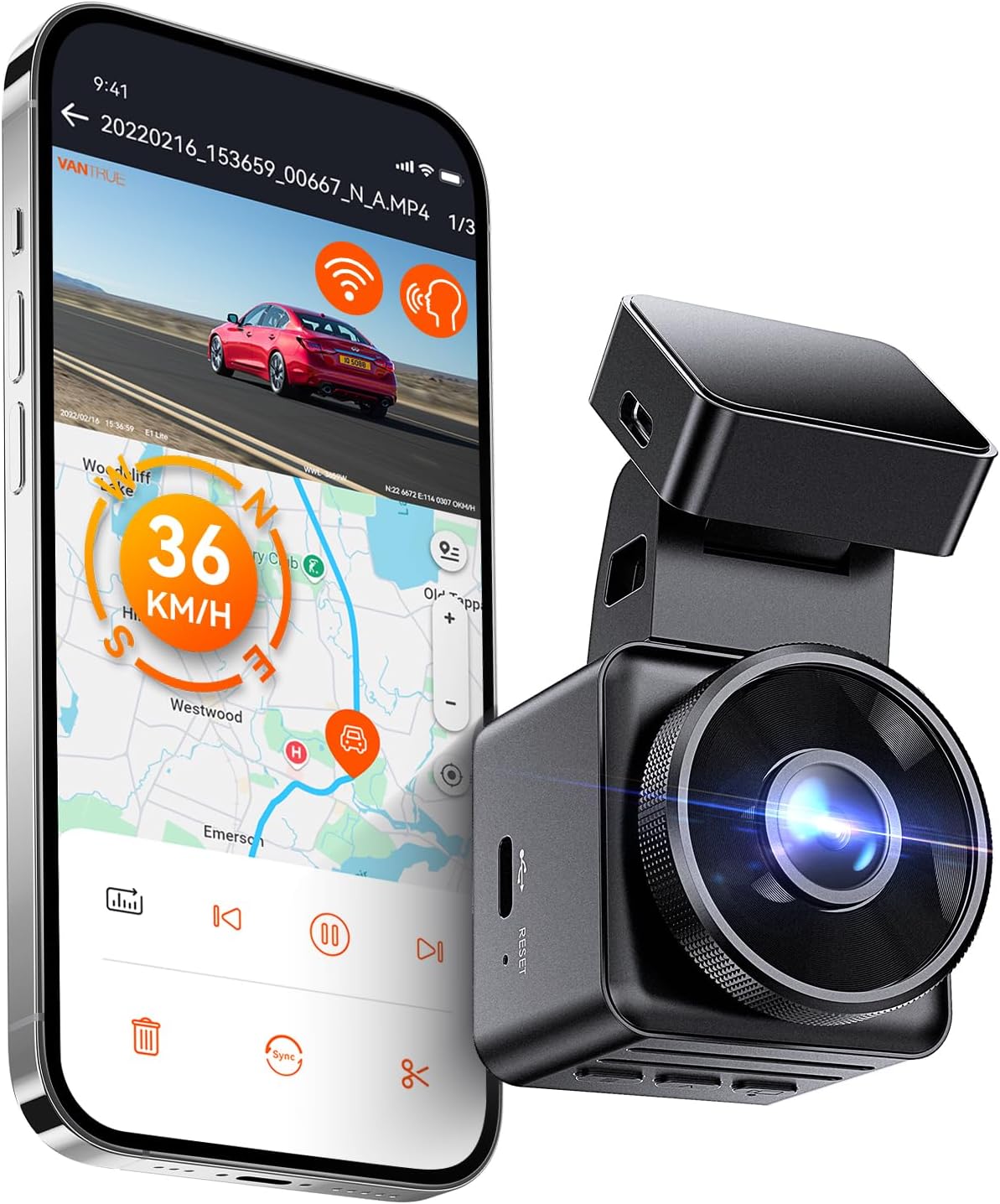
The VANTRUE E1 Lite is a small, windshield-mounted front dash camera designed to stay out of sight while capturing clear 1080p footage. It records Full HD video with HDR and an F1.8 aperture plus a wide 160 to 170 degree field of view, which helps keep license plates and road details readable day or night. Built-in GPS tags speed, location, and route data that can be reviewed in the Vantrue app over Wi‑Fi; the app also lets you live view, download clips, and change settings without removing the unit. The camera supports loop recording, G‑sensor incident locking, motion/impact-triggered parking mode, and voice control for hands‑free commands. Its compact 1.54‑inch display and stealthy profile minimize obstruction of the windshield, and a supercapacitor design improves heat tolerance. Limitations include 1080p rather than 2K/4K resolution and the need to buy a hardwire kit separately for full 24/7 parked surveillance and to avoid reliance on the included charger for power management.
Best for: Drivers who want a discreet, easy‑to‑install front camera that keeps the windshield clear while still providing reliable, app‑accessible video and GPS data for everyday driving and incident capture.
Less Ideal for: Users who need ultra high resolution footage for forensic detail, multi‑camera setups, or full wired parking solutions included out of the box.
- Truly compact, low‑profile housing that reduces windshield obstruction
- Night‑friendly STARVIS/HDR imaging with F1.8 aperture for clearer low‑light detail
- Built‑in GPS records speed, location, and route for evidence and trip logs
- Wi‑Fi and app control let you live view and download clips without removing the camera
- Parking mode with motion and impact detection for parked‑vehicle monitoring (hardwire kit supported)
- Records at 1080p 30fps rather than higher resolution options
Verdict: The best compact dash cam for people who prefer a low-profile, easy-to-install unit that minimizes visual obstruction while still recording clear footage.
7. IIWEY N5 PRO 4-Channel 4K Dash Cam with 360° Coverage and Built-In GPS
Best Parking-Mode Dash Cam

| Video Capture Resolution | 4K front + 1080P x3 |
|---|---|
| Included Memory Card Size | 128 GB |
| Flash Memory Supported Size Maximum | 256 GB |
| Connectivity Technology | App, Wi-Fi |
| Other Special Features of the Product | G-Sensor, Parking Mode, Supercapacitor |
The IIWEY N5 PRO is a four-camera system designed to give full 360 degree surveillance around a vehicle and continuous protection while parked. It records a 4K front view and three 1080P feeds for inside, rear, and side coverage, and includes a free 128GB microSD card so it is ready to use out of the box. For parked-vehicle monitoring it offers a G-sensor for impact-triggered event clips plus a parking mode that supports time-lapse and collision detection when wired to a hardwire kit. The supercapacitor and high operating temperature range make the unit resilient in the hot engine bays and cold climates a heavy-duty truck may see. WiFi 6 and a smartphone app simplify downloading clips and viewing routes from the built-in GPS. Practical limitations are that the hardwire kit required for true 24/7 parking surveillance is sold separately and installation is more involved on larger trucks, and the system records side and rear channels at 1080P rather than 4K which affects detail at distance.
Best for: Drivers who need dependable off-vehicle monitoring and want comprehensive, multi-angle coverage with robust temperature tolerance for a heavy-duty truck.
Less Ideal for: Buyers who want a simple plug-and-play parking recorder without additional wiring or those who need full 4K resolution on every channel.
- Complete 360 degree coverage with adjustable mounts for front, rear, and sides
- 4K front recording for high-detail frontal evidence
- Built-in GPS logs route and speed for incident context
- Supercapacitor and wide operating temperature for reliable truck use
- G-sensor plus parking-mode options for impact and motion detection
- Hardwire kit required for continuous 24/7 parking surveillance is not included
Verdict: The best parking-mode dash cam for owners who need dependable off‑vehicle monitoring, impact and motion detection, and low-power standby operation for parked-vehicle protection.
Choosing the Right GMC Sierra 2500 HD Dash Cam: Key Factors to Consider
Video Resolution and Frame Rate
Higher resolution and a solid frame rate improve your ability to read license plates, capture fine details, and produce usable evidence after an incident. For the Sierra 2500 HD, prioritize units that offer at least 1080p for the front camera and a stable 30 fps or higher frame rate so motion remains smooth when driving on highways or rougher surfaces.
Frame rate matters as much as pixel count; low frame rates can blur fast-moving objects and make it harder to identify details. Also consider how compression affects real-world footage quality. Some systems use efficient codecs that preserve clarity at the same bitrate, while cheaper units may appear sharp in stills but lose detail in motion. Opt for dash cams with documented daytime and night performance to ensure usable footage in varied conditions.
Low-Light and Nighttime Performance
Many incidents occur in low-light conditions or at night, so the dash cam's sensor sensitivity, aperture, and image processing are critical. For a Sierra 2500 HD that may be used for early morning starts, late returns, or overnight work, look for models with good high-ISO performance, wide apertures, and noise-reduction algorithms that retain license plate legibility.
Infrared or enhanced HDR modes can help in specific scenarios, but beware of aggressive processing that creates halos or washes out details. A balanced low-light profile ensures the camera still captures color and detail without excessive grain. Verify real-world night samples where possible before deciding.
Mounting and Field Of View
Mounting matters on a tall truck like the Sierra 2500 HD. You need a mount that places the lens clear of the rearview mirror and gives an unobstructed forward view. Consider units with low-profile adhesive mounts, swivel heads, or ball-joint adjustments so you can fine-tune the angle to the higher windshield and tall cab height.
Field of view should be wide enough to cover adjacent lanes and the truck's hood without excessive fisheye distortion. For front-and-rear setups, ensure the rear camera has a design and cable length suitable for routing across the larger cabin or bed areas unique to a heavy-duty pickup.
Power Options and Parking Mode
Power flexibility is essential for truck owners who want continuous protection while parked or need a clean installation. Look for dash cams that support hardwiring to the vehicle's fuse box, offer a low-voltage cutoff to avoid battery drain, and include buffered parking mode features that record motion or impact events while parked.
Some units provide a separate battery pack or supercapacitor for safer operation in extreme temperatures. For a Sierra 2500 HD that may be left at job sites, robust parking mode and reliable power management will ensure the camera records critical events without risking vehicle startability.
Storage, Loop Recording, and File Management
Dash cams use loop recording to overwrite the oldest footage when the card fills. For practical use in a Sierra 2500 HD, confirm the maximum supported microSD card size and whether the unit formats cards reliably. Faster cards and higher capacity reduce the chance of losing important footage before you can save it.
Look for clear file-segmentation intervals and a dedicated event-lock function triggered by impact or user input. Some cameras offer automatic cloud backup or Wi-Fi transfer for quick offloading. Effective file management reduces time spent handling video and increases the odds you retain the right clips when needed.
Connectivity and Ease of Use
Transferring footage and configuring settings should not require removing the unit or complex tools. Wi-Fi enabled dash cams let you preview footage, change settings, and download clips directly to a phone, which is convenient at job sites or on long trips. If Wi-Fi is not available, check for simple microSD card access or a USB interface that is straightforward to use.
Menus should be intuitive and the companion app, if any, should be stable and responsive. For busy truck owners, a clear indicator light, easy mount release, and simple power connections save time and reduce frustration.
Why a Dedicated Dash Cam Matters for Heavy-Duty Pickup Use
The GMC Sierra 2500 HD is often used for towing, hauling, and job-site tasks that expose it to different driving environments and higher liability risk. A dedicated dash cam documents incidents, captures errant drivers, and records traffic stops or roadside events that can be important for insurance or work logs.
Beyond incident capture, dash cams are useful for road-trip logging, verifying route compliance, and monitoring loads or trailers. Given the truck's size and potential for towing, a dash cam with a stable mount and broad field of view helps record interactions with other vehicles and objects that might otherwise be outside a standard passenger-car camera's view.
- Documents collisions and near-misses from the truck's forward perspective
- Useful for fleet or contractor recordkeeping and trip logs
- Helps identify at-fault behavior from other drivers when towing or hauling
Front-Only Vs Front-and-Rear Setups
Deciding between a front-only camera and a dual front-and-rear system depends on how you use your Sierra 2500 HD. A front-only dash cam covers most roadway incidents, while adding a rear camera records tailgating, rear impacts, and activity at the back of the truck or trailer coupling area.
If you frequently back into job sites, work in urban environments, or leave the truck unattended at job locations, a rear camera can provide valuable coverage. Consider cable routing and the need for a longer rear camera cable to accommodate the larger cabin and potential bed space.
- Front-only: simpler installation, fewer cables
- Front-and-rear: broader coverage, captures rear impacts and parking events
Mounting Tips for the Sierra 2500 HD Windshield
Place the camera near the top center of the windshield, slightly behind the rearview mirror, so it has an unobstructed forward view. On the Sierra 2500 HD, mirror and sensor clusters can vary, so ensure the mount clears these elements and does not block driver sightlines.
Use adhesive pads rated for high temperatures and test the placement before final mounting. For units with suction cups, confirm they maintain a secure hold during hot or cold temperature swings typical in long-haul or seasonal use.
- Mount slightly behind the mirror to minimize obstruction
- Use high-temperature adhesive for long-term stability
- Angle the lens to include the road and minimal hood for context
Storage Solutions and Managing Large Video Files
High-resolution and long-duration recordings quickly consume storage. On long road trips or extended job shifts, plan for high-capacity, high-endurance microSD cards designed for continuous video to avoid file corruption. Set loop recording intervals sensibly so you can find relevant clips without wading through many small files.
If you need to retain footage for longer periods, create a regular offload process using Wi-Fi transfer, a card reader, or a laptop. Label and back up important incident clips with date and time stamps to ensure they are accessible for any follow-up.
- Use high-endurance microSD cards for continuous recording
- Regularly offload and archive important footage
- Enable event-locking to protect footage after impacts
Legal and Privacy Considerations
Laws around dash cam use vary by location, particularly regarding audio recording and video capture of private property. For the Sierra 2500 HD, be mindful of local regulations when recording inside or around private areas while parked. Disable audio recording if required in your jurisdiction or when transporting passengers who expect privacy.
If the truck is used by multiple drivers, set clear policies about who can access footage and retain incident videos only as long as needed. Respecting privacy and understanding local rules prevents unnecessary complications.
- Check local rules on audio and video recording
- Establish a footage retention policy for multi-driver vehicles
- Avoid capturing sensitive information when parked near private property
How We Chose the Best GMC Sierra 2500 HD Dash Cam
We focused on devices that meet the real-world expectations of GMC Sierra 2500 HD owners: robust daytime and nighttime video capture, mounting options compatible with a high windshield and wide mirror footprint, reliable power and parking modes, and straightforward user interfaces for quick footage retrieval. Specific evaluation criteria included video resolution and frame rate for clear detail, low-light performance, field of view and camera placement options for covering blind spots, mounting stability on the Sierra 2500 HD windshield, and power options including hardwire compatibility and buffered parking modes.We also assessed practical usability factors such as onboard storage and support for loop recording, ease of extracting footage via Wi-Fi or removable cards, build quality for vibration resistance on heavy-duty roads, and whether the unit offers front-only or front-and-rear coverage depending on buyer needs. Units lacking necessary low-light performance, unstable mounts, or without a parking mode suitable for trucks were excluded. The result is a curated set of seven dash cams that balance durability, recording quality, and day-to-day convenience for Sierra 2500 HD owners.
Our full evaluation process is outlined in our review methodology.
FAQ
Do dash cams drain the Sierra 2500 HD battery when parked?
Many dash cams offer parking modes with low-voltage cutoffs and hardwire kits that prevent excessive battery drain. The actual draw varies by model and settings, so choose a unit with configurable cutoff thresholds or use a dedicated battery pack to avoid depleting the truck's starting battery.
Can I install a rear camera on a crew-cab Sierra 2500 HD?
Yes, rear cameras designed for dual setups can be routed through the cabin or exterior to provide rear coverage. Ensure the chosen camera has a cable long enough for your vehicle configuration and plan cable routing around trim panels to keep the installation tidy and protected.
Is Wi-Fi connectivity necessary for a dash cam in a work truck?
Wi-Fi is convenient for quickly previewing and offloading clips at job sites without removing the card, but it is not strictly necessary. If you prefer faster bulk transfers, using a microSD card reader or wired USB connection can be more reliable for large files.
What microSD card should I use with a dash cam in the Sierra 2500 HD?
Use a high-endurance microSD card rated for continuous video recording and check the camera's maximum supported capacity. Higher class and V-rating cards handle constant write cycles better and reduce the risk of corruption on long drives.
Will a dash cam record footage while towing a trailer?
A front dash cam will continue recording while towing as long as it has power and an unobstructed view. If you need coverage of the trailer or rear interactions, consider a rear-facing or external camera positioned to monitor the trailer coupling and surrounding lanes.
How do I ensure the dash cam mount stays secure during rough roads?
Choose mounts with adhesive pads rated for temperature extremes or robust suction mounts and verify the camera's vibration resistance. Recheck the mount's adhesion periodically and use a secondary tether if you frequently encounter rough terrain.
Final Verdict
For GMC Sierra 2500 HD owners, prioritize video clarity, reliable mounting, and robust power options when choosing a dash cam. Decide whether you need rear coverage based on towing and parking habits, and opt for devices with proven low-light performance and loop recording features to reduce maintenance.Balance installation simplicity with the coverage you need: a well-placed front camera is sufficient for many drivers, while a dual setup adds protection for backing and trailer interactions. Focus on the factors discussed here to pick a dash cam that reliably documents incidents without creating extra maintenance work.
