

Note: This article contains affiliate links. If you click on these links and make a purchase, I may earn a small commission at no extra cost to you. This helps support my research and content. Read my full affiliate disclosure here.
If you drive a 2018-2022 Honda Accord you want a dash cam that records clear footage without interfering with interior space or vehicle electronics. The right unit protects you with continuous recording, parking-mode monitoring, and solid daytime and nighttime image quality tailored to the Accord's windshield angle and cabin layout.This guide shortlists seven dash cams chosen for reliable installation in the 10th-generation Accord (2018-2022), focusing on factors like video resolution, mounting profile, power options, and usability. Below you will find practical commentary on features that matter for commuting, road trips, and parked-vehicle incidents, plus buying guidance to help you pick the best fit for your driving habits.
Looking for other parts? See all Honda Accord parts & accessories.
Top Picks at a Glance
| Best Overall Dash Cam The best all-around dash cam for most drivers and situations | VIOFO A229 Pro 4K+2K Dual STARVIS 2 Dash Cam (2-Channel) |  |
| Best Budget Dash Cam A low-cost dash cam that still records clear, reliable footage | VANTRUE E1 Lite 1080p Mini Dash Cam with GPS and Wi‑Fi |  |
| Best Premium Dash Cam A high-end model with top-tier video and advanced features | VIOFO A119 V3 Dash Cam — 2K QHD+ Front Camera with GPS | 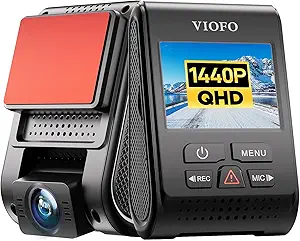 |
| Best Dual-Channel Dash Cam Front-and-rear recording capability to capture both directions of travel | FITCAMX Dual Dash Cam for Honda Accord 2018–2022 (Model A) — Front 4K + Rear 1080P, Built-in WiFi |  |
| Best 4K Dash Cam Ultra-high-resolution recording for the sharpest license-plate and detail capture | FITCAMX 4K Dash Cam for Honda Accord 2018-2022 (Model A) — Front 2160P, Built-in WiFi |  |
| Best Compact Dash Cam A small, low-profile camera that’s easy to mount and conceal | AKEEYO P1 Mini 1080p Front Dash Cam with Wi‑Fi App Control |  |
| Best Parking-Mode Dash Cam Reliable parked-vehicle monitoring with motion or impact-triggered recording | VIOFO A129 Plus Duo Front and Rear Dash Cam (2K60fps + 1080P) |  |
1. VIOFO A229 Pro 4K+2K Dual STARVIS 2 Dash Cam (2-Channel)
Best Overall Dash Cam

| Front resolution | 2160p (4K)@30fps |
|---|---|
| Rear resolution | 1440p (2K)@30fps |
| Sensor | Sony STARVIS 2 (IMX678 front, IMX675 rear) |
| Wi‑Fi | 5GHz |
| Max microSD | 512 GB |
The VIOFO A229 Pro is built as an all-around security dash cam for daily driving and evidence capture. It records 4K@30fps front and 2K@30fps rear video with dual Sony STARVIS 2 sensors and HDR, which improves license plate legibility and night details. Typical use is windshield mounting for continuous driving capture and optional hardwire connection for 24H buffered parking that saves 15 seconds before and 30 seconds after events. Notable features include fast 5GHz Wi‑Fi and app control for quick previews, a quad‑mode GPS logger for accurate speed and location stamps, voice commands for hands‑free locking and settings, and a CPL filter to reduce windshield glare. The unit uses a supercapacitor for stable power in hot climates and supports up to 512GB microSD cards. Trade-offs to expect are a relatively busy feature set that may require time to learn, occasional app responsiveness complaints from some users, and the need to buy a hardwire kit separately if you want constant parking power out of the box. Installation can be straightforward but routing the long rear cable neatly can take extra effort.
Best for: Drivers who want a reliable, feature-rich dual‑channel system that prioritizes clear daytime and nighttime evidence capture and convenient smartphone access for routine review.
Less Ideal for: Buyers who need a minimalist single‑camera setup or want a dash cam that comes with a built hardwire kit and shorter rear cabling for an ultra‑simple install.
- True 4K front and 2K rear recording with Sony STARVIS 2 sensors for clearer day and night detail
- Dual-channel HDR and CPL filter help retain license plate detail and reduce glare through the windshield
- 5GHz Wi‑Fi and app control speed up clip previews and file downloads compared with older 2.4GHz systems
- Buffered 24H parking modes plus G‑sensor automatic locking protect event footage
- Built‑in supercapacitor improves power stability in hot or cold vehicle interiors
- Hardwire kit for full 24H operation is sold separately
- Some users report the app can be slow or less responsive than competing apps
- Long rear cable can be bulky to manage during installation
Verdict: The best all-around dash cam that balances video quality, reliability, ease of use, and features for everyday driving and evidence capture.
2. VANTRUE E1 Lite 1080p Mini Dash Cam with GPS and Wi‑Fi
Best Budget Dash Cam
| Video Capture Resolution | 1080p |
|---|---|
| Field Of View | 160 Degrees |
| Connectivity Technology | Wi‑Fi |
| Flash Memory Type | microSD |
| Frame Rate | 30 FPS |
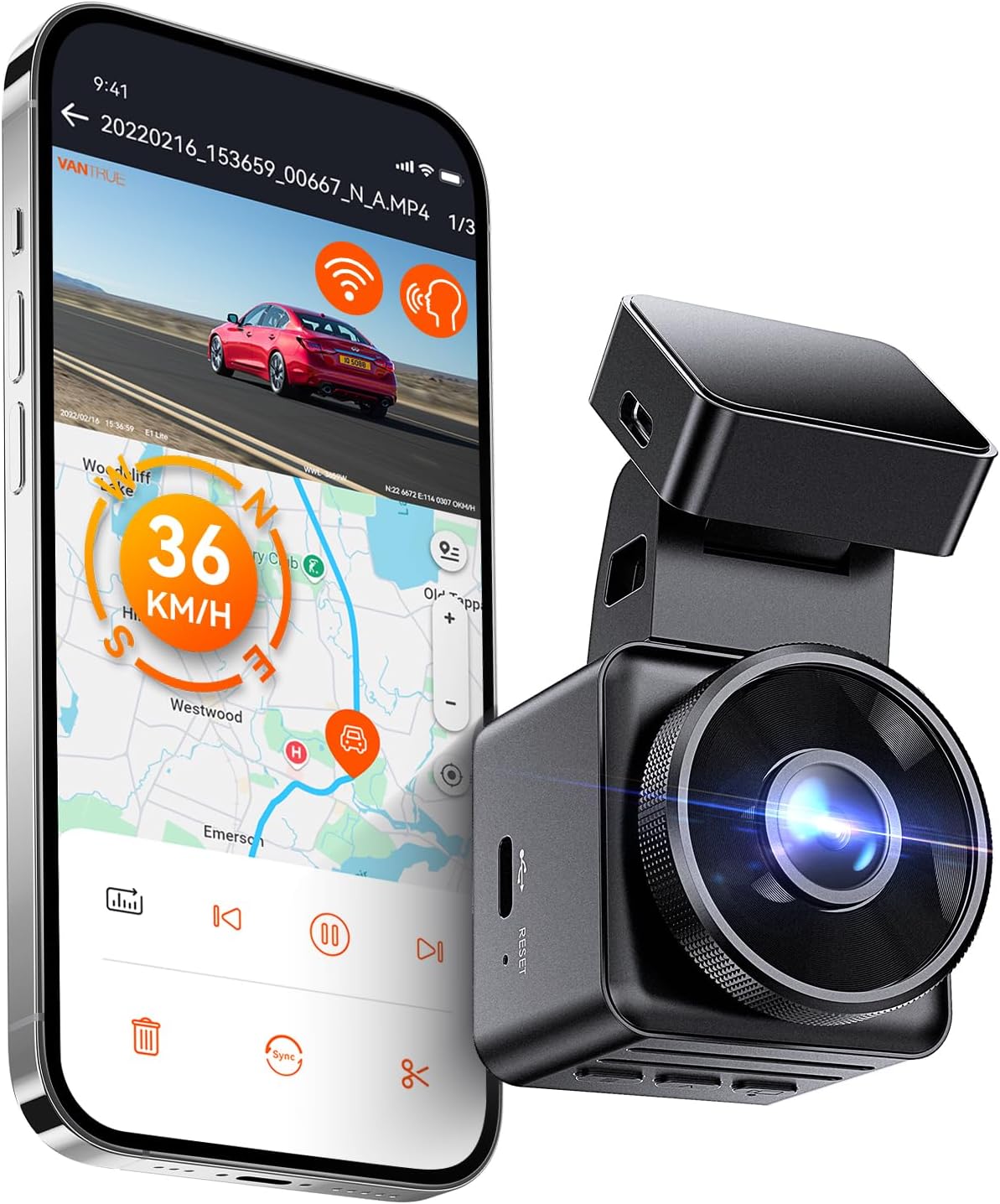
The VANTRUE E1 Lite is a small, set-and-forget front dash cam that records 1080p video with HDR and an F1.8 aperture to improve low-light detail. It mounts to the windshield and automatically logs GPS speed and route, so footage includes location and timestamp for insurance or incident review. The camera connects to the Vantrue app over Wi‑Fi for live view, downloading clips, and changing settings, and voice control plus a small built-in screen mean basic functions can be handled without a phone. Motion and collision detection enable 24/7 parking guard when hardwired, and loop recording with G‑sensor locking keeps important clips separate. Expect solid daytime clarity and generally usable night performance, though fine license plate detail at long ranges can be inconsistent. The unit uses microSD storage (card not included) and does not support PD fast charging so use the supplied car charger or a hardwire kit for continuous monitoring. For a budget-minded buyer the E1 Lite delivers dependable core features, but app connection and Wi‑Fi transfer can be spotty for some users and advanced imaging is limited compared with higher-end models.
Best for: Buyers who want a reliable, low-cost front dash cam that records location-aware 1080p footage and offers app control and basic parking monitoring without extra complexity.
Less Ideal for: Drivers who need top-tier night license plate capture, multi-channel recording, or seamless high-speed Wi‑Fi transfers should consider higher-end models instead.
- Compact stealthy design that does not obstruct the windshield
- Built-in GPS logs speed, route, and exact time with recordings
- HDR plus F1.8 aperture improves low-light performance compared with typical budget cams
- App control and Wi‑Fi enable live view and quick sharing without a subscription
- Voice commands and a small onboard screen allow hands-free and local configuration
- Wi‑Fi connection and file transfer can be unreliable on some phones
- Does not include a microSD card and requires a compatible card for long continuous recording
Verdict: The best low-cost dash cam that gives dependable recording and basic features without breaking the bank for budget-conscious buyers.
3. VIOFO A119 V3 Dash Cam — 2K QHD+ Front Camera with GPS
Best Premium Dash Cam

| Resolution | 2560×1440 (1440p) up to 60fps |
|---|---|
| Image sensor | Sony STARVIS IMX335 5MP |
| GPS | Built-in GPS module |
| Parking modes | Buffered motion/impact, Time lapse, Low bitrate |
| SD card support | microSD up to 256GB (U3 recommended) |
The VIOFO A119 V3 is a front-only dash camera aimed at drivers who prioritize high-quality single-channel footage and useful metadata. It records up to 2560×1440 at 60fps when HDR is off and uses a Sony STARVIS IMX335 sensor plus a 7-element glass lens to deliver strong daytime detail and improved low-light performance. The built-in GPS stamps speed, coordinates, and time directly to video files and lets compatible players show the route. Parking features include motion/impact buffered recording, time lapse, and low-bitrate standby when you add VIOFO's hardwire kit. The unit is compact and mounts discreetly behind the rearview mirror; loop recording, G-sensor emergency lock, and support for microSD cards up to 256GB make it practical for everyday use. Limitations: it is a single-channel front camera only, so it does not capture rear or cabin views, and HDR reduces available framerate at the top resolution. Buyers should also plan to hardwire for full parking-mode functionality and buy a high-end endurance microSD card separately.
Best for: Drivers of 2018–2022 Honda Accord who want a premium, single-channel front dash cam focused on the best daytime clarity and strong low-light performance and who value embedded GPS and reliable incident capture.
Less Ideal for: Drivers seeking multi-channel coverage or integrated rear/cabin monitoring should consider dual-channel systems instead, and those who need built-in parking wiring will need to plan for an additional hardwire kit or installer.
- High-resolution 1440p QHD+ recording with up to 60fps for smoother highway footage
- Sony STARVIS IMX335 sensor and HDR for improved night and low-light detail
- Built-in GPS records speed, route, and timestamp metadata embedded in files
- Buffered parking options (motion/impact and time lapse) when paired with a hardwire kit
- Supports up to 256GB microSD and offers loop recording plus G-sensor locking for incident preservation
- Front-only camera with no included rear or interior channel
- HDR limits the maximum framerate at the highest resolution
Verdict: The best premium dash cam for buyers who want the highest video quality, advanced sensors, and robust feature sets regardless of price.
4. FITCAMX Dual Dash Cam for Honda Accord 2018–2022 (Model A) — Front 4K + Rear 1080P, Built-in WiFi
Best Dual-Channel Dash Cam

| Compatible with Vehicle Type | Honda Accord 2018-2022, Model A |
|---|---|
| Video Capture Resolution | Front 2160P + Rear 1080P |
| Field Of View | 170 Degrees |
| Frame Rate | 30fps |
| Flash Memory Supported Size Maximum | 256 GB |
This FITCAMX unit is a purpose-built dual-channel dash cam that installs into the overhead console of Honda Accord 2018–2022 Model A to deliver simultaneous front 2160p and rear 1080p recording. It is used as a factory-style replacement so the camera blends into the interior rather than sticking to the windshield, and it records automatically when the car starts. The front lens uses a f/1.6 aperture and CMOS sensor with WDR to improve night and high-contrast shots while the rear camera provides clear backup coverage. Built-in WiFi and the FITCAMX app let you preview and download clips to your phone, and an included 128 GB microSD card supports loop recording and G-sensor locking for impact events. Practical limitations include no built-in parking mode unless you purchase an additional harness and occasional app connectivity problems reported when the rear channel is active. Installation requires some skill to fit into the factory cover, but once installed it provides discreet, full two-camera coverage tailored to the Accord roof console.
Best for: Buyers who prioritize discreet, vehicle-integrated two-camera coverage to capture incidents from both front and rear angles on a 2018–2022 Accord and who are comfortable with a more involved install and app-based workflow.
Less Ideal for: Drivers who need immediate out-of-the-box 24/7 parking surveillance or a simple plug-and-play windshield-mounted camera should consider other options.
- Designed to integrate into the overhead console for a factory look and hidden wiring
- Simultaneous dual-channel recording with front 2160p and rear 1080p footage
- Includes 128 GB microSD card and supports up to 256 GB for long loop recording
- Built-in WiFi and app allow previewing and downloading clips without removing the card
- G-sensor locks collision footage to prevent overwriting important events
- No parking mode out of the box; requires additional harness or upgrade for 24/7 surveillance
- App connectivity can be unreliable, especially when the rear camera is connected
Verdict: The best dual-channel dash cam for those who need simultaneous front and rear coverage to document incidents from multiple angles.
5. FITCAMX 4K Dash Cam for Honda Accord 2018-2022 (Model A) — Front 2160P, Built-in WiFi
Best 4K Dash Cam

| Compatible Vehicle Type | Honda Accord 2018-2022, Model A (Small Cover) |
|---|---|
| Video Capture Resolution | Front 2160P Only |
| Frame Rate | 30 fps |
| WiFi | 2.4Ghz |
| Field Of View | 160 Degrees |
This FITCAMX unit is a front-only, integrated dash cam made to replace the overhead console on Honda Accord 2018–2022 Model A so it sits like a factory part with no visible wiring. It records UHD 2160P video at 30 fps using a CMOS sensor and f/1.6 aperture, and stores footage to a MicroSD card with loop recording and G-sensor locked-event protection. Built-in 2.4 GHz WiFi and the FITCAMX app let you preview and download clips to your phone, change settings, and turn audio on or off. The OEM-style housing and PC+ABS construction are intended for durability and heat tolerance in a windshield environment. Limitations to note: this is a single front camera only so you cannot add a rear camera to this PCB, parking mode is not included unless you buy an upgrade harness, and using the camera WiFi can conflict with phone CarPlay or Bluetooth previewing. Installation may require routing a powerline and modest trim work to fit the small Model A cover. For drivers who need crisp, high-detail front footage this unit delivers clear daytime and improved low-light results with WDR, but it focuses on a stealth, factory fit rather than multi-channel coverage.
Best for: Drivers who prioritize the highest-resolution front footage and a stealth, factory-like installation for a 2018–2022 Accord Model A will appreciate the image detail and integrated appearance.
Less Ideal for: Anyone who needs multi-channel coverage, built-in 24/7 parking surveillance out of the box, or who wants simultaneous phone CarPlay use while streaming the camera preview should consider other options.
- Native 2160P/30fps front recording for high-detail footage
- Factory-style integrated fit hides wires and preserves interior appearance
- Built-in WiFi and FITCAMX app for previewing and downloading clips
- G-sensor and loop recording protect and manage important files
- Durable PC+ABS housing rated for wide temperature range
- Front-only design with no compatible rear camera option for this PCB
- No built-in 24-hour parking mode without separate upgrade harness
- Camera WiFi can interfere with phone CarPlay/Bluetooth previewing
Verdict: The best 4K dash cam for drivers who prioritize maximum detail in footage to improve identification of distant or small objects.
6. AKEEYO P1 Mini 1080p Front Dash Cam with Wi‑Fi App Control
Best Compact Dash Cam

| Video resolution | 1080p/30fps |
|---|---|
| Field of view | 140 Degrees |
| Connectivity Technology | Wi‑Fi |
| Storage support | microSD up to 256GB |
| Special features | G‑sensor, Loop recording, 24H parking mode (hardwire) |
The AKEEYO P1 is a small, unobtrusive front dash cam built for drivers who want a low-profile recorder. It captures 1080p/30fps footage with a 140-degree lens to cover multiple lanes and uses loop recording plus a G-sensor to lock collision clips automatically. Setup is smartphone-driven over built-in 2.4GHz Wi‑Fi so you can download and change settings from the app without connecting to a PC. The unit is sold without an SD card and runs from the included USB-A to USB‑C cable; for true 24-hour parking surveillance you will need the separate hardwire kit. Users report clear daytime and decent night footage for its class, and the tiny housing keeps it tucked behind a rearview mirror without blocking sightlines. Downsides include occasional app connection quirks, the need to manage power and a learning curve for initial setup and Wi‑Fi pairing. For compact, wallet-friendly front-only protection the P1 delivers solid performance if you accept app-based controls and add a good Class 10 microSD card.
Best for: Drivers who prioritize a discreet, space-saving dash cam that is easy to hide behind the mirror and controlled from a phone, especially if they want straightforward front-only incident recording.
Less Ideal for: Users who need multi-channel front and rear recording, built-in battery survivability for long off‑vehicle use, or a plug‑and‑play unit that does not rely on a smartphone app.
- Truly compact housing that stays out of the driver’s sightline
- 1080p/30fps recording with 140° field of view to capture multiple lanes
- Built-in Wi‑Fi and smartphone app for on-demand download and settings changes
- G‑sensor and loop recording that lock important clips automatically
- Supports up to 256GB microSD for extended recording capacity
- Memory card not included so you must buy a compatible Class 10/U3 microSD
- Wi‑Fi app pairing can be finicky and may be disrupted by CarPlay/Android Auto
- 24‑hour parking recording requires a separately sold hardwire kit
Verdict: The best compact dash cam for users who want a discreet, space-saving unit that won’t obstruct the windshield or driver view.
7. VIOFO A129 Plus Duo Front and Rear Dash Cam (2K60fps + 1080P)
Best Parking-Mode Dash Cam

| Video Resolution | Front 2560×1440@60fps; Rear 1920×1080@30fps |
|---|---|
| Image Sensor | Front STARVIS IMX335; Rear STARVIS IMX307 |
| Parking Modes | Auto event detection, Time lapse, Low bitrate |
| Power | Built-in supercapacitor |
| Connectivity | 2.4GHz Wi‑Fi, Built‑in GPS |
The VIOFO A129 Plus Duo pairs a 2K 60fps front camera with a 1080p rear camera to capture detailed daytime and nighttime footage, and it includes built-in GPS and Wi-Fi for easy playback and location/speed logging. Typical use is continuous driving recording with loop overwrite plus three parking-mode options when hardwired: automatic impact/event detection, time-lapse, and low-bitrate continuous recording to extend parked surveillance. Notable features are STARVIS image sensors and HDR for improved low-light clarity, a supercapacitor for stable power in temperature extremes, and an app for quick Wi-Fi downloads and settings changes. Practical benefits include clear license-plate capture on the front camera, reliable locked-event files via the G-sensor, and flexible parking recording modes for longer unattended coverage. Important limitations are that the hardwire kit is optional and required to use parking modes without draining the vehicle battery, and a microSD card is not included so you must supply a high-endurance card for 24/7 use.
Best for: Drivers who want dependable parked surveillance that captures incidents with locked event files and configurable long-duration recording, and who are willing to install a hardwire kit for true 24/7 protection.
Less Ideal for: Casual users who only need basic driving footage or who do not want to install a hardwire kit or purchase a separate high-endurance microSD card for continuous parking surveillance.
- High-resolution front recording at 2560×1440 60fps for clear detail and smoother motion capture
- STARVIS sensors plus HDR for better night and high-contrast scene performance
- Three parking-mode options (impact/event, time-lapse, low bitrate) for adaptable parked surveillance
- Built-in GPS and Wi‑Fi for stamped location/speed data and easy file transfer
- Supercapacitor power design for reliable operation in hot and cold conditions
- Parking-mode operation requires an optional hardwire kit to run reliably without the car engine on and to avoid battery drain
Verdict: The best parking-mode dash cam for owners who need dependable surveillance while parked, offering motion/impact detection and buffered recording for incidents.
Choosing the Right 2018-2022 Honda Accord Dash Cam: Key Factors to Consider
Video Resolution and Low-Light Performance
Resolution affects how much detail the camera captures for license plates, street signs, and facial features. On the 2018-2022 Accord, choose a unit with consistent daytime clarity and sensor performance that holds up under backlight and shadow caused by the windshield angle.
Low-light or night performance is equally important. A camera that drops to noisy or blurred footage after dusk will be less useful for overnight incidents or poorly lit streets. Look for cameras with good dynamic range and proven night exposure handling for accurate, usable recordings.
Mounting Profile and Placement
The Accord's windshield slope and rearview mirror position create a limited area for mounting. A low-profile mount or compact housing helps keep the camera behind the mirror so it does not obstruct your view or interfere with cabin sensors.
Consider whether the unit uses an adhesive puck or a suction mount. Adhesive mounts tend to be neater long term, while quick-release designs ease removal for security. Also confirm the camera's field of view aligns with the hood line for consistent front-facing footage.
Power Options and Parking Mode
Decide between hardwiring to a fused constant/ignition source, using a dedicated hardwire kit with a low-voltage cut-off, or relying on the 12V accessory outlet. Hardwiring enables true parking mode without occupying the outlet, but installation must suit the Accord's fuse box layout and require proper voltage cut-off to avoid battery drain.
Some owners prefer a battery pack or supercapacitor-equipped cameras to protect files during sudden power loss. Confirm parking-mode behavior, such as motion detection or G-sensor-triggered recording, and whether the camera can record long-duration events without corrupting files.
Storage, File Management, and Loop Recording
Most dash cams use loop recording to overwrite the oldest files, so card size and write reliability matter. Choose a camera that supports high-endurance microSD cards and formats recordings in common, easily readable file types.
Reliable file management systems will lock incident files automatically and minimize the chance of incomplete files after power cuts. Consider how easy it is to access clips for download, whether via USB, microSD removal, or a wireless app, and how the camera organizes incident versus normal footage.
Connectivity and User Interface
A clear on-device menu and responsive controls make daily use simpler, especially for quick playback or adjusting sensitivity. WiFi-enabled dash cams provide convenient clip transfer to a phone without removing the card, which is handy for on-the-go drivers who need to share footage quickly.
However, connection stability varies between models. Prioritize units with intuitive apps, straightforward firmware updates, and minimal setup steps for pairing with your smartphone to avoid frustration when you need to retrieve a clip.
Durability, Warranty, and Heat Tolerance
Dash cams in a windshield environment face heat, vibration, and UV exposure. The 2018-2022 Accord's interior can get hot in summer, so choose cameras rated for higher operating temperatures or those using supercapacitors instead of internal batteries to reduce risk of heat-related failure.
Check warranty coverage and manufacturer responsiveness for firmware fixes. Robust build quality and a clear support path reduce long-term ownership issues, particularly if you rely on the camera for evidence or frequent recording.
Choosing the Right Field of View
Field of view determines how much of the road and adjacent lanes the camera captures. For the Accord, a moderate wide angle (around 120 to 150 degrees) typically balances seeing license plates straight ahead without extreme fisheye distortion at the edges.
Excessively wide lenses can make distant details harder to read, while narrow lenses miss peripheral incidents. Think through your typical driving environment: urban streets with side traffic favor wider coverage, while highway-focused mileage benefits from sharper, less distorted central detail.
- Aim for balanced FOV to capture hood line and sky without heavy distortion
- Consider lens distortion corrections in firmware that preserve plate legibility
- If you need lane-to-lane coverage, check how the camera renders side details at typical Accord speeds
Mounting and Cable Routing Tips for the Accord
To keep the installation tidy, route the power cable along the headliner and down the A-pillar trim into the fuse box or 12V outlet. Tucking the wire under trim reduces visibility and prevents snagging during seat adjustments or sunroof use.
If hardwiring, identify a suitable fused circuit and consider a low-voltage cut-off kit to protect the vehicle battery. When using adhesive mounts, clean the glass thoroughly and allow time for the adhesive to cure before driving long trips.
- Place the camera behind the rearview mirror to minimize obstruction
- Avoid mounting where the camera blocks sensors or the driver's line of sight
- Secure any spare cabling with small zip ties or adhesive clips to prevent rattles
How to Test Your Dash Cam After Installation
After mounting and wiring, verify the camera records continuously while driving and correctly saves event files when you simulate an incident by braking sharply in a safe area. Play back several clips to confirm timestamp accuracy and image clarity at typical driving speeds.
Check parking-mode behavior by leaving the vehicle parked for a short period and inducing a small motion event near the car. Confirm the camera wakes, records, and then returns to standby as expected, and that files are not corrupted during power transitions.
- Drive in varied lighting to evaluate exposure and WDR handling
- Test night recording on local streets to verify low-light detail
- Confirm phone app connectivity and file transfer before relying on wireless download
Storage Strategies and MicroSD Recommendations
Choose high-endurance microSD cards rated for continuous video write cycles. Larger capacities mean fewer overwrites but take longer to back up. For routine use in the Accord, 64GB to 128GB cards provide a good balance between retention and manageability depending on video resolution and frame rate.
Keep spare formatted cards on hand and periodically back up important clips. Regularly check the card for errors and reformat it in-camera every few months to reduce fragmentation and potential recording issues.
- Use manufacturer-recommended, high-endurance cards
- Format new cards in the camera before first use
- Maintain a backup routine for incident clips you want to preserve
Maintaining Camera Performance Over Time
Clean the windshield area around the camera regularly to remove dust, fingerprints, and residue that can degrade image quality. Inspect the mount and adhesive periodically to ensure the camera has not shifted from vibration and thermal cycles.
Keep firmware up to date to receive performance improvements, bug fixes, and compatibility updates for smartphone apps. If your camera exhibits unusual file corruption or unstable recording, consult support and consider switching to supercapacitor-equipped units if heat is a suspected factor.
- Wipe the windshield with a lint-free cloth and mild glass cleaner
- Check recordings after extreme temperature events
- Update firmware during non-critical hours to avoid disrupting evidence retention
How We Chose the Best 2018-2022 Honda Accord Dash Cam
We narrowed the field using criteria that matter specifically for the 2018-2022 Honda Accord and owners who want dependable dash-cam coverage. Primary evaluation metrics included video quality and low-light performance, since windshield angle and cabin shading affect capture on this model. Installation and mounting profile were assessed so units fit cleanly behind the rearview mirror without obstructing sightlines or internal sensors. Power and wiring options were tested for compatibility with the Accord's fused accessory circuits and common 12V outlets, including support for hardwiring and low-voltage parking modes.We also prioritized recording reliability features such as loop recording, automatic file locking on G-force events, and stable firmware behaviors to reduce corrupted files. Usability was considered via menu clarity, phone app connectivity, and whether the camera required frequent microSD maintenance. Warranty and firmware update responsiveness were added as tiebreakers. Exclusions: devices with poor mounting solutions for the Accord's windshield slope, unreliable parking mode behavior, or unsupported power configurations were removed from consideration.
Our full evaluation process is outlined in our review methodology.
FAQ
Will a dash cam void my Accord's warranty?
Usually installing a dash cam does not void the vehicle warranty, but damage caused by improper wiring or modifications can be excluded. Use proper hardwiring practices or professional installation and avoid splicing into critical vehicle systems to reduce risk.
Can I hardwire a dash cam to the Accord's fuse box?
Yes, many owners hardwire dash cams to the fuse box using a fused add-a-circuit or dedicated hardwire kit. Make sure to identify ignition-switched and constant-power circuits and consider a low-voltage cut-off to protect the battery.
What microSD capacity is right for daily driving?
For typical daytime commuting and some night driving, 64GB to 128GB balances retention with manageable backup time. Higher resolutions and frame rates fill cards faster, so choose capacity based on your chosen recording settings.
How do I ensure parking mode records without draining the battery?
Use a hardwire kit with a low-voltage cut-off or select a camera with an efficient parking-mode algorithm. Some owners use dedicated battery packs to avoid tapping the vehicle battery while maintaining extended surveillance.
Is WiFi useful in a dash cam for daily use?
WiFi simplifies clip transfer and initial setup, especially when you want quick access to recordings without removing the microSD card. WiFi is convenient but may be slower than direct file access, and connection stability varies by model.
How often should I check or reformat my microSD card?
Check the card for errors monthly and reformat it in-camera every one to three months depending on use intensity. Regular reformatting and using high-endurance cards reduces the chance of corrupted files.
Final Verdict
For a 2018-2022 Honda Accord, prioritize a dash cam that balances clear daytime detail with robust low-light handling, a low-profile mount that fits behind the mirror, and power options that suit how you use the vehicle. Decide whether you need hardwiring and parking mode based on how often the car is parked unattended and your tolerance for installation complexity.Weigh tradeoffs between wide coverage and optical clarity, and pick storage and connectivity options that match how you will retrieve and preserve footage. With attention to mounting, power management, and reliable file handling, you can choose a dash cam that provides dependable evidence and peace of mind for daily driving and longer road trips.
Explore More:
- Check out all Honda Accord parts & accessories
- Explore Electronics
- Browse all Accessories
