

Note: This article contains affiliate links. If you click on these links and make a purchase, I may earn a small commission at no extra cost to you. This helps support my research and content. Read my full affiliate disclosure here.
If you drive a Nissan Versa, swapping the factory radio can noticeably improve sound, smartphone connectivity, and usability. Choosing the right Nissan Versa car stereo matters because it affects daily listening quality, navigation access, and how easily you control media while driving.This guide highlights seven shortlisted options that represent the best balance of sound performance, installation fit, and modern features. We evaluated units on audio quality and how straightforward they are to install in a Versa. Read on for the factors that mattered and the top picks for common needs.
Looking for other parts? See all Nissan Versa parts & accessories.
Top Picks at a Glance


SJoyBring 7" Double-Din Car Stereo with Wireless Apple CarPlay, Android Auto and Dash Cam

| Screen resolution | 1280 x 720 |
|---|---|
| Screen size | 7 inch |
| Audio output | 240W 4.2-Channel (RCA outs) |
| Dash cam | 1280 x 720, 170° wide-angle |
This SJoyBring double-din head unit turns a Nissan Versa into a modern infotainment setup by offering wireless Apple CarPlay and Android Auto, Bluetooth streaming, mirror link and a 7-inch QLED display with physical controls for quick adjustments while driving. It is typically installed in the factory dash opening and used for hands-free navigation, media, phone calls and reversing assistance. Notable features include a built-in 720p dash cam with loop recording, an included HD night-vision backup camera, 4.2-channel 240W RCA outputs for adding amplifiers and a stable Bluetooth module with an external antenna for clearer calls. The unit supports video playback and phone screen mirroring via USB. Practical benefits for a Versa include modern smartphone integration without running cables, improved rear visibility, and upgrade paths for audio with the RCA outputs. Important limitations are that it requires measuring the dash opening and likely an aftermarket dash kit, harness adapter and antenna adapter for a proper Nissan Versa installation, and some users report occasional UI lag and the need to request firmware updates from the manufacturer.
Best for: A balanced all-round buyer who wants to modernize a Nissan Versa with smartphone-first features, improved reversing camera capability, and the option to expand audio without overpaying for premium factory replacements.
Less Ideal for: Buyers who need a strictly plug-and-play, dealer-level integration or who require guaranteed immediate firmware support should consider higher-end factory-matching units or professional-installation-focused options.
- Wireless Apple CarPlay and Android Auto for cable-free phone integration
- Included dash cam with loop recording and 170° wide-angle coverage
- HD night-vision backup camera supplied for safer reversing
- 4.2-channel RCA outputs and dual subwoofer outs for aftermarket audio expansion
- Not a direct plug-and-play fit for many Nissan Versa dashboards and likely needs a dash kit and wiring adapters
- Some users report UI responsiveness issues and occasional minor glitches
- Firmware updates are not directly posted and require contacting the manufacturer
Verdict: A cost-effective way to bring wireless CarPlay/Android Auto, a dash cam and a backup camera to a Nissan Versa, but plan for a dash kit, harness adapters and possible firmware steps before installation.
Zomolither 10.1" Android 15 Car Stereo for Nissan Versa Sedan (2015–2019) with Wireless CarPlay and Android Auto

| Display Size | 10 Inches |
|---|---|
| Operating System | Android 15 |
| Memory | 4GB RAM + 64GB ROM |
| Bluetooth | Bluetooth 5.1 |
| CPU | 8 Core Qualcomm |
This single-DIN replacement head unit turns the Nissan Versa dash into a modern infotainment center with a 10.1-inch IPS touchscreen running Android 15 on an 8-core Qualcomm platform with 4GB RAM and 64GB storage. Typical use is daily driving and road trips where you want fast app navigation, reliable wireless CarPlay/Android Auto, and improved audio. Notable features include Bluetooth 5.1 for stable hands-free calling, built-in GPS with offline map support, WiFi for app downloads and traffic updates, DSP/Hi-res audio processing for clearer sound, and a backup camera input with automatic reverse switching. The unit is aimed at performance-oriented users who want responsive UI and audio tuning options; the upgraded cooling and ample memory help keep apps snappy. Installation is straightforward for Versa sedans but may require panel transfer and minor wiring adjustments, and factory advanced audio or original reverse-camera integrations might not work without additional adapters. Some users report occasional app instability or boot delays on first power-up, so expect a brief learning and setup period after installation.
Best for: Performance-oriented buyers who prioritize responsiveness, modern connectivity, and improved in-car audio and navigation for a Nissan Versa Sedan 2015–2019.
Less Ideal for: Drivers who want a plug-and-play swap that preserves every factory electronic feature without additional wiring or adapters should consider alternatives that explicitly support their factory systems.
- Modern Android 15 OS with 8-core Qualcomm CPU and 4GB+64GB for smooth multitasking
- Wireless CarPlay and Android Auto for phone integration without cables
- DSP and Hi-Res audio support for clearer, tunable sound
- Bluetooth 5.1 and WiFi for stable streaming, hands-free calling, and app updates
- Built-in GPS and backup camera input with automatic reverse display
- May not integrate seamlessly with advanced factory audio or existing factory reverse camera without adapters or rewiring
- Some users report occasional app crashes or delayed startup on power-up
Verdict: A performance-focused, feature-rich touchscreen upgrade that brings wireless CarPlay/Android Auto, DSP audio, and fast Android 15 responsiveness to Nissan Versa sedans (2015–2019).
FeirTon 9" Android 13 Car Stereo for Nissan Versa Note (2014–2018) with CarPlay & Android Auto
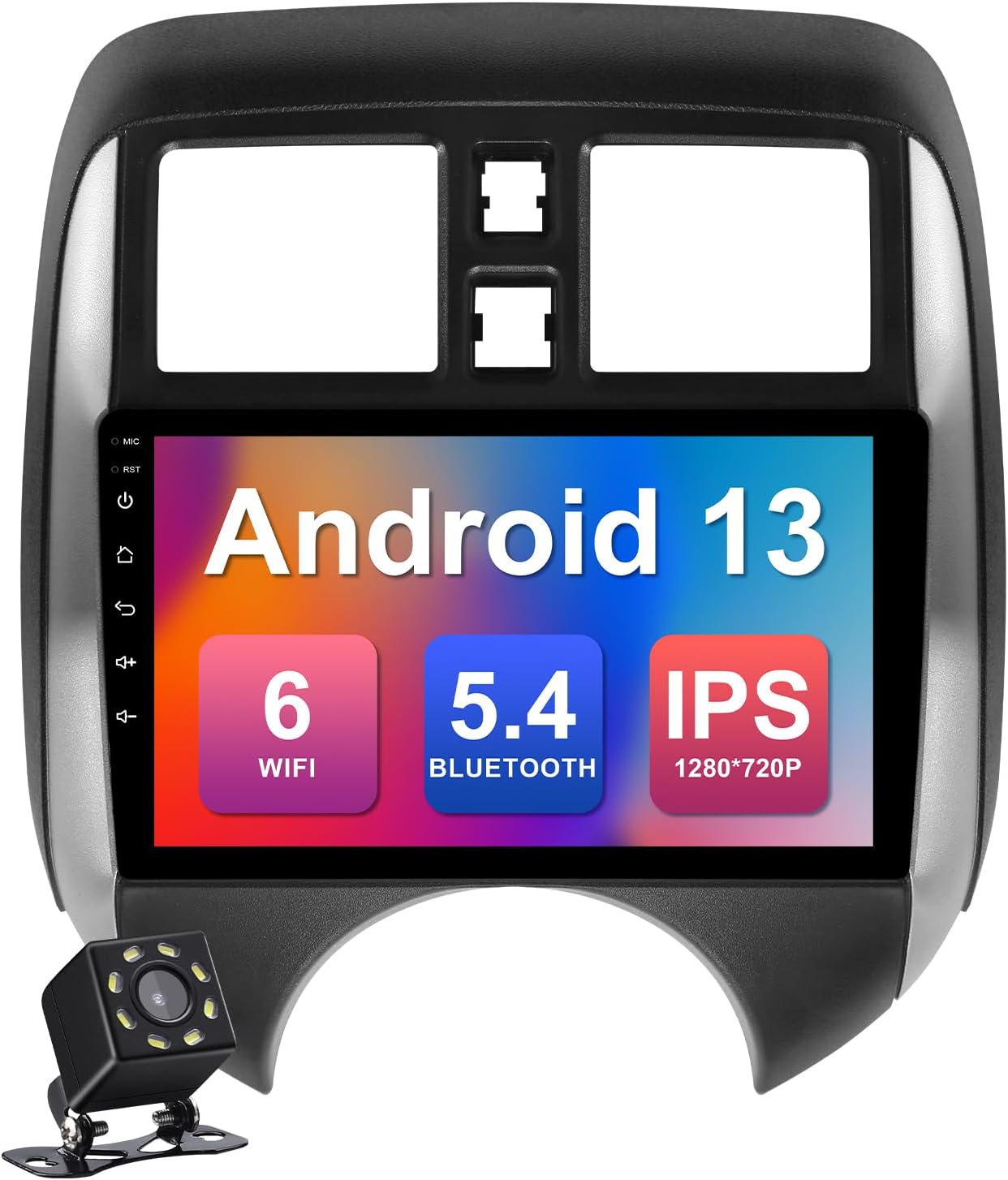
| OS | Android 13 |
|---|---|
| Memory | 2GB RAM + 32GB ROM |
| Screen Resolution | 1280×720P |
| Bluetooth Version | 5.4 |
| WIFI Version | WIFI 6 |
This FeirTon 9-inch car stereo replaces the factory head unit in Nissan Versa Note (2014–2018) and runs Android 13, so it behaves like an in-dash Android tablet with navigation, apps, and media playback. Typical use is as a daily driver upgrade: connect a phone via wired or wireless CarPlay/Android Auto for maps and calls, stream music over Bluetooth 5.4, or run navigation directly using the built-in GPS and WiFi 6. Notable features include a 1280×720 IPS touchscreen, 2GB RAM with 32GB storage, 4×45W audio output, and support for steering wheel controls and aftermarket backup cameras. In practice the unit gives modern smartphone integration and better audio for factory speakers, and many buyers report a near-factory fit and straightforward installation. Limitations to expect are occasional software freezes reported by some users, and slower performance if the system updates or if heavy apps are installed; advanced steering wheel integration or full feature wiring may require extra harnesses or configuration. The unit is a strong value for owners who want modern infotainment without a dealer-level upgrade.
Best for: Practical optimizers who want a cost-effective, full-featured infotainment upgrade that feels and installs like a factory replacement for a Nissan Versa Note and prioritizes daily usability over flagship specs.
Less Ideal for: Drivers seeking the highest-end performance, long-term software support, or professional-grade audio components should consider premium aftermarket units or shop-installed options instead.
- Designed specifically for Nissan Versa Note 2014–2018 for a near-factory fit
- Android 13 platform lets you run navigation apps and third-party streaming software
- Wired and wireless CarPlay/Android Auto support for easy smartphone integration
- Modern connectivity: WiFi 6 and Bluetooth 5.4 improve streaming stability and speed
- Powerful audio output (4×45W) that noticeably improves factory speaker sound
- Some users report occasional freezing or buggy behavior after longer use
- 2GB RAM is modest and can limit multitasking with heavy apps
Verdict: A budget-friendly, feature-rich factory-style replacement for the Nissan Versa Note that brings modern smartphone integration and better audio at a practical price.
Katutude 7" Double-Din Android 14 Car Stereo for Nissan Versa (2012–2019) with Wireless CarPlay and Android Auto

| Display Size | 7 Inches |
|---|---|
| Operating System | Android 14 |
| Memory | 2G+32G |
| Radio | FM/RDS |
| Phone Connectivity | Wireless CarPlay and Wired Android Auto |
This double-din replacement is designed specifically for Nissan Versa 2012–2019 and brings a 7-inch IPS touchscreen running Android 14 to older factory dashboards. It pairs with phones via wireless CarPlay or wired Android Auto, and also supports Bluetooth, WiFi, mirror link and online or offline navigation apps for everyday driving. The unit includes a waterproof night-vision backup camera and retains steering wheel control compatibility so you can manage audio and calls without taking your hands off the wheel. Practical extras like FM/RDS radio, split-screen, multiple audio formats and two USB ports make it useful as a daily driver upgrade. Expect a budget-level experience: the feature set is generous for the price but may require some setup for maps, app installs and calibration of the steering wheel controls. The included harness and camera simplify installation for standard fits, but advanced features and long-term software support may not match higher-end factory-quality head units.
Best for: Budget-conscious Nissan Versa owners who want a big feature upgrade—touchscreen, wireless CarPlay and navigation—without replacing the entire dash or spending on premium head units.
Less Ideal for: Drivers seeking factory-quality longevity, frequent official software updates, or dealers who expect manufacturer-grade integration should consider higher-tier factory-quality replacements.
- Designed to fit Nissan Versa 2012–2019 for a clean dashboard integration
- Wireless CarPlay plus wired Android Auto for phone mirroring and hands-free use
- Built-in WiFi, GPS navigation support for online and offline maps
- Includes night-vision waterproof rear camera and retains steering wheel controls
- Budget-focused unit may require manual setup and occasional calibration for features
- Software updates and long-term support are not guaranteed at higher-end levels
Verdict: If you want the biggest set of smartphone features for a Nissan Versa at a low price, this unit delivers a practical, well-integrated upgrade with a few expected budget compromises.
CAMECHO 10.1" Android Car Stereo for Nissan Versa Sedan with Wireless CarPlay and Android Auto

| System | Android 15 |
|---|---|
| Memory | 4GB RAM + 64GB ROM |
| Display | 10.1" IPS 1280×720 |
| Bluetooth | 5.0 |
| Power output | 4×45W |
This double-DIN head unit replaces the factory radio in a 2015–2019 Nissan Versa Sedan (low-end version without Canbus) and brings a full Android environment to the dash. It runs Android 15 on a 10.1-inch IPS touchscreen with 4GB RAM and 64GB storage, letting you run navigation apps, stream music, and use wireless Apple CarPlay or Android Auto hands-free. The unit includes Bluetooth 5.0 for calls and audio, FM/RDS radio with presets, split-screen and mirror-link capabilities, and an AHD backup camera input for clearer reversing images. Practical benefits include built-in GPS, dual USB ports, a 32-band EQ for audio tuning, and a 4x45W amplifier output for stronger sound without adding an external amp. Important limitations are that Canbus is not included so some factory features may need extra setup, steering wheel buttons require learning through the provided app, and WiFi is limited to 2.4 GHz which may restrict connectivity in some hotspots.
Best for: Reliability-focused buyers who want a durable, feature-rich factory replacement for a Nissan Versa Sedan and prioritize consistent connectivity, dependable navigation, and straightforward in-car media rather than experimental or boutique audio upgrades.
Less Ideal for: Drivers seeking a plug-and-play unit with full factory integration or those with premium factory audio systems should look for a model that explicitly includes a Canbus interface and premium-audio compatibility.
- Wireless Apple CarPlay and Android Auto for phone mirroring without cables
- Built-in GPS and WiFi for online and offline navigation
- AHD-compatible backup camera input with improved night vision
- 4GB RAM and 64GB storage plus split-screen for multitasking and apps
- 32-band EQ and 4x45W output for customizable, louder audio
- Does not include Canbus module so some vehicle integrations may require additional parts or setup
- WiFi limited to 2.4 GHz which can hinder modern hotspot performance
- Steering wheel control requires a learning procedure via an app rather than plug-and-play
Verdict: A comprehensive, reliability-minded Android upgrade for 2015–2019 Nissan Versa Sedans that delivers wireless CarPlay/Android Auto and solid navigation but requires extra work for full factory integration.
Electrosmart Android 13 Car Radio for Nissan Versa Sedan with 10.1" Touchscreen and Wireless CarPlay/Android Auto
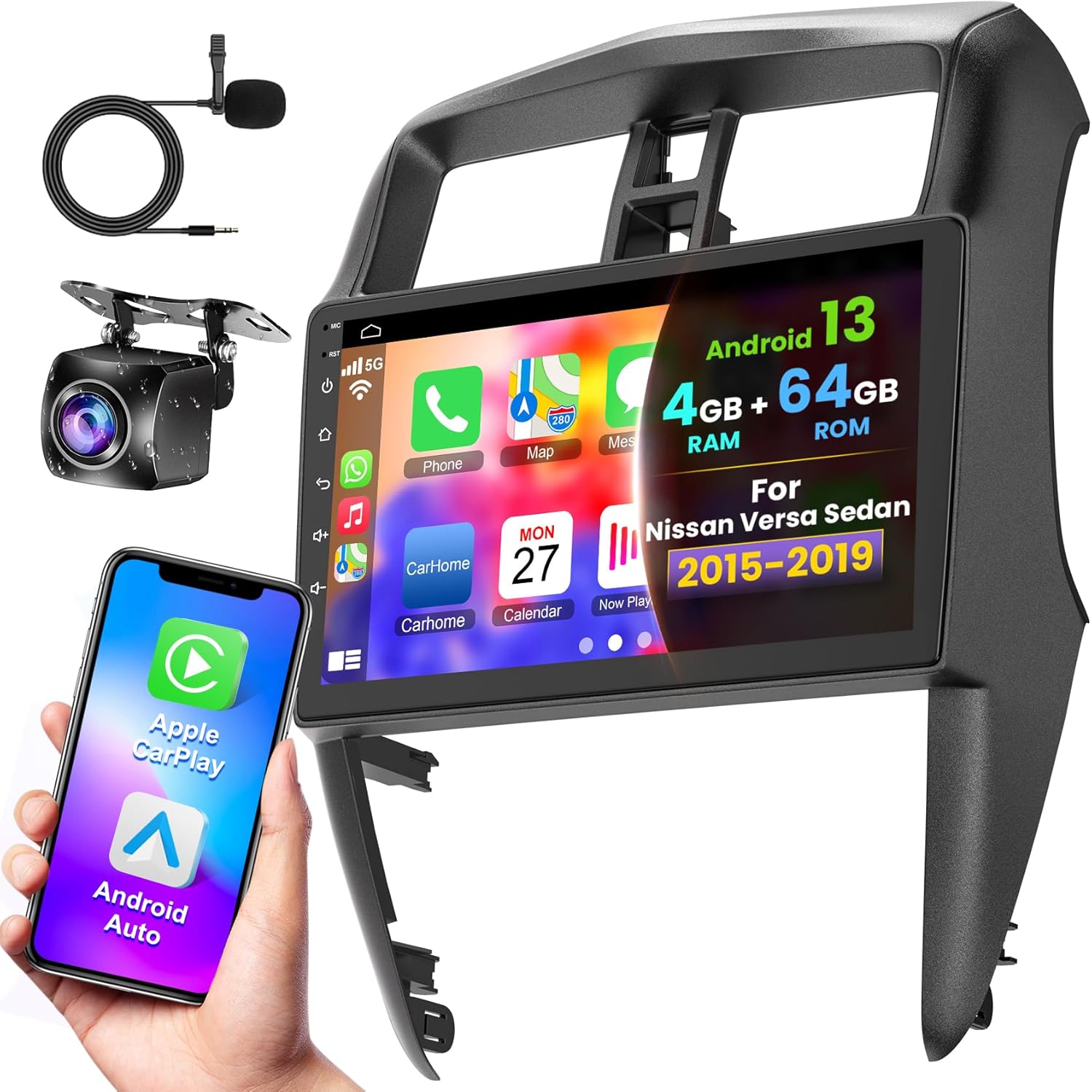
| Operating System | Android 13 |
|---|---|
| Memory | 4GB RAM + 64GB ROM |
| Display | 10.1-inch IPS touchscreen |
| Connectivity | Wireless CarPlay, Android Auto, Bluetooth 5.2 |
| Navigation | Built-in GPS with offline maps |
This dash unit replaces the factory stereo in Nissan Versa sedans (2015–2019) and turns the center stack into a modern infotainment system. It runs Android 13 on a 10.1-inch IPS touchscreen with 4 GB RAM and 64 GB storage so you can install apps, stream over WiFi or a hotspot, and run built-in GPS with offline maps and POIs. Wireless CarPlay and Android Auto work for phone calls, navigation, and media without a cable, and Bluetooth 5.2 adds hands-free calling and audio. The package includes a waterproof rear-view camera and the harnesses needed for a plug-and-play install on the specified Versa model, though some trim removal and reuse of metal clips may be required. Users report occasional software quirks such as touch lag, inconsistent app compatibility, and mixed camera image quality, so expect some finicky setup and occasional troubleshooting. For drivers who value smartphone integration and navigation in an older Versa, this gives a big functional upgrade, but it is not a perfect, seamless OEM replacement in every detail.
Best for: Drivers prioritizing convenience who want a modern, smartphone-first infotainment setup for a 2015–2019 Nissan Versa sedan without extensive custom installation.
Less Ideal for: Buyers seeking a flawless, factory-identical replacement or those unwilling to troubleshoot occasional software quirks should consider professional-grade or dealer options instead.
- Designed specifically to fit Nissan Versa sedans 2015–2019 for a largely plug-and-play installation
- Android 13 with 4 GB RAM and 64 GB ROM supports apps, offline maps, and smoother multitasking than older head units
- Wireless CarPlay and Android Auto provide phone integration without a wired connection
- Includes waterproof rear-view camera and necessary installation cables in the box
- Bluetooth 5.2 supports hands-free calling and steering wheel control programming
- Some users report touch responsiveness lag and occasional audio/video sync issues when playing video
- Preinstalled apps and some Play Store apps may be incompatible or require WiFi to function properly
- Steering wheel control support can require manual mapping and may not restore every factory button
Verdict: If you want easy smartphone integration and navigation for a 2015–2019 Nissan Versa sedan, this Android 13 replacement delivers major upgrades but expect some setup and occasional software quirks.
METEESER 10.1" Android Car Stereo for Nissan Versa Sedan 2015–2019 (8‑Core, 4+64GB)

| Display Size | 10.1 Inches |
|---|---|
| RAM + Storage | 4GB + 64GB |
| Processor | 8‑Core Qualcomm |
| Bluetooth | BT 5.1 |
| Warranty | 2-year |
This METEESER 10.1" Android stereo is a full replacement double‑DIN radio built for the Nissan Versa Sedan (2015–2019). It installs in place of the factory unit to add a high‑resolution IPS touchscreen driven by an 8‑core processor and 4GB RAM with 64GB storage, which helps apps and navigation run smoothly. Key features you get are wireless CarPlay and Android Auto, Bluetooth 5.1, dual USB ports, built‑in GPS with offline/online maps and a DSP for clearer audio. The unit also supports backup cameras, OBD2 and steering wheel control integration and includes a cooling fan for continuous use. Practical benefits include faster phone mirroring, access to Play Store apps, picture‑in‑picture multitasking and stronger Wi‑Fi for map updates. Limitations to note are potential integration issues with factory premium audio systems and occasional compatibility quirks with some vehicles for steering wheel button mapping, plus the need for careful CANbus/setup steps during install and reliance on the seller for software or support updates.
Best for: A cautious buyer who wants a direct, feature‑rich replacement for their Nissan Versa Sedan radio and prioritizes reliability, clear navigation and modern smartphone integration without chasing bleeding‑edge hardware.
Less Ideal for: Drivers who prefer to preserve a factory premium audio system or want a plug‑and‑play swap with zero configuration; professional installers or custom shops may be better for highly modified vehicles.
- Large 10.1" IPS touchscreen for clearer maps and media controls
- Wireless CarPlay and Android Auto for phone integration without cables
- 8‑core CPU with 4GB+64GB gives snappy app performance and onboard storage
- Built‑in GPS, upgraded 5G Wi‑Fi and offline map support for reliable navigation
- Supports backup camera, OBD2 and steering wheel control for practical in‑car features
- May not integrate cleanly with vehicles that have factory premium audio systems such as JBL or Bose
- Steering wheel control mapping can require extra wiring or CANbus setup and occasional troubleshooting
- Customer support and firmware help may be inconsistent for complex setup issues
Verdict: A feature-packed, smartphone‑friendly replacement head unit that modernizes a Nissan Versa Sedan but may need careful CANbus/steering‑control setup and has limited support for factory premium audio systems.
Choosing the Right Nissan Versa Car Stereo: Key Factors to Consider
Dash Fit and Mounting
Physical fit matters because the stereo must mount securely and align with the Versa dash opening. Some vehicles use single din or double din pockets, trim brackets, and dash adapters. Confirming the unit's footprint and whether the installation requires a specific mounting kit affects cost and time.
A proper fit reduces vibrations, ensures climate controls and air vents are not obstructed, and keeps the dash looking factory-clean. If the faceplate sits incorrectly it can make controls harder to use and increase cabin noise. Factor in whether a filler panel or trim ring is needed and whether the factory mounting locations support the new head unit.
Wiring and Harness Compatibility
Simpler wiring reduces installation time and the risk of electrical issues. Many aftermarket stereos use standard harnesses, but the Versa may require a vehicle-specific adapter to preserve steering-wheel controls and power connections. Verify that the chosen unit supports retainers or interfaces for factory features.
Understanding whether the head unit requires splicing, separate CAN bus interfaces, or additional adapters helps you plan for professional installation or a weekend DIY. Proper harness compatibility preserves functionality like power-on memory, chimes, and any factory-installed amplifiers.
Audio Performance and Tuning
Sound quality is a primary reason to upgrade a factory radio. Look for units with good signal-to-noise ratio, clean preamp outputs, and built-in equalization or time-alignment tools. These features let you tune the system to reduce distortion and improve clarity at different volumes.
Better audio performance also supports adding external amplifiers or aftermarket speakers if you plan further upgrades. Consider how many preouts are available and whether the unit offers high-voltage outputs for cleaner signal to downstream components.
Smartphone Integration
Modern integration options—wireless or wired Apple CarPlay and Android Auto—affect convenience and safety. Being able to use navigation, voice commands, and messaging through the car stereo reduces distraction compared with handling a phone directly. Check whether the unit supports the smartphone features you use most and whether it connects via USB or Bluetooth.
Some head units provide built-in apps and touch controls while others require the phone for map and streaming functions. Think about how you typically use your phone in the car to choose the integration level that fits your habits.
User Interface and Controls
The control layout and display readability influence how safely and easily you operate the stereo while driving. Larger touchscreens and tactile knobs make quick adjustments simpler. If you drive at night or in bright sunlight, screen brightness and contrast matter for legibility.
Also consider whether the interface supports steering-wheel control retention and customizable shortcuts. Well-designed menus reduce the time spent navigating settings and let you keep attention on the road.
Expandability and Future Upgrades
Think beyond the head unit for potential future additions like amplifiers, subwoofers, backup cameras, or steering-wheel control modules. A unit with multiple preouts, dedicated camera inputs, and spare ports provides flexibility and reduces future upgrade complexity.
Choosing an expandable head unit prevents early obsolescence and allows you to build a more capable system over time without replacing the stereo again.
Match a Stereo to How You Use Your Nissan Versa
Start by matching a Nissan Versa car stereo to the way you actually use the car. Commuters who spend long hours behind the wheel prioritize reliable hands-free audio and simple controls. Drivers who carry passengers will often want clear speech and multiple media inputs for backseat devices. Owners who value a modern interface may prefer a unit that supports a broad feature set, while do-it-yourself installers often pick simpler systems that minimize dash modification.
Thinking in terms of use cases makes it easier to balance features you will use every day against advanced options that are nice to have but seldom used. It also helps narrow the broad field of aftermarket units down to a practical shortlist before you start comparing installation requirements and accessory needs.
- Daily commuting: prioritize stable Bluetooth car stereo connectivity and clear hands-free calling.
- Family and rideshare: look for simple controls, multiple inputs, and durable finishes.
- Tech-forward owners: consider expandable systems that can accept modules or accessories later.
- DIY installers: choose units with straightforward mounting and minimal dash trimming.
Single DIN or Double DIN for the Versa Dash
The Nissan Versa dashboard accepts different head unit form factors depending on the model year and trim. Choosing between a single din car stereo and a double din head unit is more than aesthetics. Single DIN units are compact and often simpler to install, leaving more factory trim intact. Double DIN head units provide a larger display area and more room for integrated controls, which can improve usability for touchscreen-focused systems.
When deciding, consider how much of the dash you are willing to alter and whether a larger screen will interfere with ventilation, sightlines, or existing trim pieces specific to the Versa. A properly selected dash kit will preserve the factory look and keep vents and controls accessible.
- Single DIN: better for minimal dash modification and simpler installs.
- Double DIN: preferable when a larger touchscreen or added features are required.
- Confirm the Versa model year and trim to determine the available mounting space and compatible dash kit.
Practical DIY Installation Timeline and Tools for a Versa
Installing an aftermarket car radio in a Nissan Versa usually follows a predictable sequence but plan for at least two to four hours for a clean, careful job. This timeline covers removing trim panels, unscrewing the factory unit, fitting any mounting kit, connecting the harness, and testing functions before reassembly. If you are new to head-unit installs, allow extra time and keep the work area well lit.
Having the right tools and pre-assembled parts can prevent delays. A small set of trim tools reduces the chance of damaging plastic panels. Labeling screws and clips as you remove them makes reassembly straightforward, and temporarily testing the unit on the bench can confirm power-up before putting everything back in place.
- Minimal tool list: plastic trim pry tools, Phillips and flat screwdrivers, socket set, electrical tape, and a multimeter.
- Plan for bench testing the unit and verifying fit with the dash kit before wiring into the vehicle.
- Allow extra time if you plan to add accessories such as a backup camera or additional mic wiring.
Post-install Checklist and Common Troubleshooting on a Versa
After installing an aftermarket car radio, follow a compact checklist to confirm everything functions correctly in the Nissan Versa. Verify that power is stable with the ignition on and off, that the unit retains memory settings, and that all physical controls are secure. Test audio briefly at low volume to confirm speaker connections and to verify there is no unwanted noise or distortion from loose panels.
If problems arise, systematic troubleshooting saves time. Start by checking fuse locations in the vehicle and the unit, then confirm ground and accessory power connections. Many issues stem from a single loose connector or a mismatched wiring adapter. For persistent problems, documenting symptoms and the steps you have already taken will speed up help from forums or a professional installer.
- Check: power on/off behavior, memory retention, speaker output, and trim fitment.
- Troubleshoot order: fuses, ground connection, harness seating, and configuration settings.
- Keep installation photos to help reverse steps if the unit needs to be removed later.
Accessories and Complementary Upgrades That Make Sense for a Versa
Certain accessories reduce installation complexity and improve long-term satisfaction with your Nissan Versa stereo upgrade. A vehicle-specific dash kit preserves a factory look while ensuring a secure mount. Antenna adapters allow the new head unit to receive radio signals without cutting into factory wiring. If you plan to add a reversing camera or external mic, choosing pre-terminated extension cables and harnesses designed for the Versa minimizes clutter and exposure to the elements.
Beyond fitment accessories, think about user-facing add-ons that increase convenience. A security bezel or locking faceplate can deter theft. A dedicated microphone kit positioned near the driver's visor often yields better call quality than the unit's built-in mic. For owners making an incremental investment, selecting accessories that can be reused if you change head units in the future preserves value.
- Dash kit: ensures a clean fit and access to vents and controls.
- Antenna adapter: necessary in many installs to retain radio reception.
- Backup camera and mic kits: choose vehicle-compatible cable lengths and mounting points.
- Security and mounting extras: locking faceplates and quality hardware improve durability.
Avoiding Common Mistakes when Upgrading a Versa Head Unit
Owners often make predictable mistakes during a head unit upgrade. Common errors include assuming all model years share identical mounting points, neglecting to check space for depth behind the dash, and failing to verify HVAC control clearance with a larger faceplate. Each Nissan Versa configuration has subtle differences, so a quick trial fit of the head unit and dash kit before finalizing wiring prevents these issues.
Another frequent misstep is overlooking the retention of vehicle features. If you want to keep steering wheel functions or factory warning chimes, confirm whether the selected aftermarket solution will support them or if an additional interface module is required. Finally, rushing reassembly can lead to snapped clips and rattles, so take care to align panels and confirm fasteners are returned to their original positions.
- Do not assume identical fitment across all Versa years and trims.
- Verify clearance and depth behind the dash before committing to a large double DIN touchscreen.
- Plan how you will retain or adapt steering wheel controls and factory alerts.
How We Chose the Best Nissan Versa Car Stereo
We focused on products that fit the Nissan Versa specifically and prioritized features that change the real-world ownership experience. Key evaluation criteria included physical fit and dash compatibility for the Versa, audio performance including preamp and EQ flexibility, connectivity options such as Bluetooth and wired smartphone integration, installation complexity and harness compatibility, and build quality for daily durability. We also considered user-facing controls and display clarity, since ergonomics affect safety and convenience while driving.Excluded from consideration were devices that require extensive custom fabrication or that lack documented fitment for the model. We did not include specialty race-focused or single-purpose units that sacrifice everyday usability. The result is a list of practical, installable head units that address the most important performance and compatibility concerns for Nissan Versa owners.
Our full evaluation process is outlined in our review methodology.
FAQ
Will a new aftermarket stereo fit my Nissan Versa?
Many aftermarket stereos are designed to fit common dash sizes found in the Nissan Versa, but fit varies by model year and trim. Check whether the unit matches the Versa's single or double din opening and whether a dash kit is required. Installation guides and fitment charts for the vehicle year can clarify whether additional adapters are necessary.
Can I keep my steering-wheel audio controls after upgrading the stereo?
You can often retain steering-wheel controls using an interface module or vehicle-specific harness adapter. These interfaces translate the factory control signals to the aftermarket head unit. Confirm compatibility with the chosen stereo and the Versa model year to ensure the interface supports all desired functions.
Do aftermarket stereos support Apple CarPlay and Android Auto in the Versa?
Many modern head units support Apple CarPlay and Android Auto either wired or wirelessly. Whether the feature is available depends on the specific unit you choose. Verify if the head unit offers the connection type you prefer and whether it requires a USB input or pairing process that fits your routine.
Is it difficult to install a new car stereo in a Nissan Versa?
Installation difficulty ranges from straightforward to moderately complex depending on the unit and the need for adapters. Basic plug-and-play replacements with vehicle-specific harnesses are usually manageable for someone comfortable with simple wiring. More advanced installs that involve amplifiers, custom dash kits, or camera wiring may benefit from professional installation.
Will changing the stereo affect my car warranty or electronics?
Replacing the head unit generally does not void the vehicle warranty for unrelated systems, but local warranty rules vary. Improper installation can cause electrical issues, so using correct harnesses and following vehicle wiring diagrams reduces risk. If you are concerned about warranty implications, consult the vehicle manufacturer or a qualified installer.
Final Verdict
Upgrading the Nissan Versa car stereo can transform daily driving by improving sound, smartphone access, and control ergonomics. Prioritize fit and wiring compatibility first to avoid installation headaches, then focus on audio features and smartphone integration based on how you use the system.Balance immediate needs against potential future upgrades by choosing a head unit with the right outputs and inputs for expansion. That approach keeps the installation manageable today while leaving room for improved speakers or amplifiers later.
Explore More:
- Check out all Nissan Versa parts & accessories
- Explore Electronics
- Browse all Accessories
