

Note: This article contains affiliate links. If you click on these links and make a purchase, I may earn a small commission at no extra cost to you. This helps support my research and content. Read my full affiliate disclosure here.
Replacing the factory stereo in a GMC Acadia can dramatically improve audio clarity, smartphone integration, and everyday usability. Choosing the right upgrade matters because fitment, connection options, and installation complexity all affect how well a new unit performs in real driving conditions. This guide covers seven shortlisted options that suit the Acadia, each evaluated for installation fit, connectivity, and sound quality. Read on to see which features matter most and which tradeoffs are common when upgrading the factory system.
Looking for other parts? See all GMC Acadia parts & accessories.
Top Picks at a Glance


1. PHEZEN 8" Android 13 Car Stereo with CarPlay & Android Auto for 2007–2012 GMC Acadia

| Compatible vehicles | 2007–2012 GMC Acadia |
|---|---|
| Operating system | Android 13 |
| Memory | 2GB RAM + 32GB ROM |
| Screen size | 8 inch |
| Features | Wireless/Wired CarPlay, Android Auto, GPS, WiFi, Bluetooth |
This PHEZEN 8-inch Android 13 stereo is a direct-style in-dash replacement for the 2007–2012 GMC Acadia that brings smartphone integration, navigation, and media features to an older factory dashboard. It runs Android 13 with 2GB RAM and 32GB storage for responsive multitasking, and supports wireless and wired Apple CarPlay and Android Auto so you can use phone navigation, calls, and music through the Acadia’s speakers. The unit includes WiFi for app access, built-in Bluetooth with hands-free calling and phonebook syncing, FM radio, and a split-screen mode for running navigation and media simultaneously. It accepts a reversing camera input and can learn steering wheel controls to keep operation familiar. Installation requires verifying dash fitment and following the manual, and advanced features like wireless mirror link and camera setup may need extra wiring or configuration. For reliability-focused owners, the unit offers modern connectivity and offline/online navigation but relies on proper installation and occasional configuration for optimal performance.
Best for: Reliability-focused Acadia owners seeking a practical factory-replacement upgrade to restore dependable smartphone integration, navigation, and hands-free calling while keeping controls familiar.
Less Ideal for: Drivers who want top-tier audiophile sound tuning, the highest-performance head units, or those unwilling to invest in proper installation and wiring should consider alternatives.
- Direct-fit replacement for 2007–2012 GMC Acadia dash to modernize infotainment
- Android 13 with 2GB RAM and 32GB storage for smoother multitasking than typical older units
- Supports wireless and wired CarPlay and Android Auto for seamless phone integration
- Backup camera input with wide-angle night-vision capable camera support and steering wheel control learning
- Requires careful fitment check and likely professional wiring for full features
- 2GB RAM and 32GB storage are adequate but limit heavy app use or large media libraries
- Some advanced wireless mirror-link features may need extra setup or companion apps
Verdict A practical factory-style upgrade that brings modern smartphone integration and navigation to 2007–2012 GMC Acadia owners who prioritize reliable, familiar operation over high-end audio performance.
2. AWESAFE Android 13 Car Stereo with Wireless CarPlay/Android Auto for GMC Acadia

| Operating system | Android 13 |
|---|---|
| Storage | 32GB ROM |
| Memory | 2GB RAM |
| Screen | 7 inch IPS 1024×600 |
This AWESAFE head unit replaces the factory radio in supported GMC Acadia model years and brings a smartphone-first infotainment experience. It runs Android 13 with 2GB RAM and 32GB storage, a 7-inch 1024×600 IPS touchscreen, Bluetooth hands-free calling, FM radio and built-in Wi-Fi for online maps and app downloads. You can use wired or wireless CarPlay and Android Auto to run navigation, voice assistants and music apps, and there is a rear camera input for easier reversing. Steering wheel control learning and preset FM memory make it fit into everyday driving without losing common conveniences. Expect solid sound improvements over older factory units and modern features like split-screen and offline map support. Limitations include modest RAM that can feel slow when juggling many apps and occasional reports of unstable CarPlay or Bluetooth reconnections with some phones, so the experience is best for drivers who prioritize phone integration and navigation over snappy multitasking performance.
Best for: Convenience-driven buyers who want modern smartphone integration and GPS in their GMC Acadia without replacing the whole dash, prioritizing easy access to navigation and media over high-end processing speed.
Less Ideal for: Drivers who demand the fastest interface or heavy app multitasking should consider units with more RAM and faster processors instead.
- Wireless and wired CarPlay and Android Auto support for hands-free navigation and media
- Built-in Wi-Fi and Android 13 let you install apps and use online or offline navigation
- Rear camera input and steering wheel control learning for practical OEM-like integration
- 7-inch IPS touchscreen with split-screen lets you run maps and media at the same time
- 2GB RAM can feel sluggish when running multiple apps or heavy navigation tasks
- Some users report intermittent CarPlay or Bluetooth dropouts requiring reboots
Verdict A budget-friendly way to add wireless CarPlay/Android Auto, navigation and a backup camera to compatible GMC Acadia models, best for buyers focused on convenience rather than raw performance.
3. Oskkude 7" Android 14 Double-Din Car Stereo with Wireless CarPlay and Android Auto

| Screen size | 7 inches |
|---|---|
| Operating system | Android 14 |
| Memory | 4GB RAM + 64GB storage |
| Connectivity | Wireless CarPlay, Android Auto, WiFi, Bluetooth |
| Camera support | AHD backup camera with automatic reverse switch |
This Oskkude 7-inch double-din replaces the factory radio in GMC Acadia (2013–2017) and turns the dash into a modern Android head unit. It runs Android 14 with 4 GB RAM and 64 GB storage, so apps, navigation and media load quickly and you can install Play Store apps over the built-in WiFi. Wireless CarPlay and Android Auto provide hands-free voice control and mapped navigation while Bluetooth handles streaming and calls. The IPS touchscreen supports split-screen so you can run navigation alongside music controls, and the unit accepts a supplied AHD backup camera that switches on automatically when reverse is selected. Steering wheel control integration and a configurable equalizer help tailor audio while FM/RDS and a variety of media codecs keep playback flexible. Limitations are typical of aftermarket head units: the camera view may differ from factory optics and some Acadia dash trim or wiring can require careful installation; advanced features depend on correct setup and occasional software updates from the seller. This unit is a feature-rich upgrade for drivers wanting responsive infotainment and modern connectivity in their Acadia.
Best for: Performance-oriented Acadia owners who prioritize responsive infotainment and modern connectivity features to improve navigation, media and voice control while driving.
Less Ideal for: Drivers who want a plug-and-play OEM-identical experience with factory camera framing and styling or those unwilling to perform or pay for a careful installation should consider other options.
- Modern Android 14 OS with 4GB RAM and 64GB storage for smooth app performance and local media storage
- Wireless CarPlay and Android Auto for hands-free navigation, calls and voice control
- Built-in GPS and WiFi let you use online and offline maps and install apps from the Play Store
- Supports split-screen multitasking and steering wheel control for in-car convenience
- Includes AHD backup camera support with automatic reverse activation and configurable parking guide lines
- Aftermarket camera image and angle can differ from factory camera perspective
- Installation can require wiring changes or dash trim adjustments for a seamless fit
- Advanced features and updates rely on seller-provided software and proper initial setup
Verdict A performance-focused infotainment upgrade for 2013–2017 GMC Acadia owners who want modern Android features, wireless CarPlay/Android Auto and built-in navigation, provided they accept aftermarket installation and camera differences.
4. Dfuorty 7" Android 14 Car Stereo for GMC Acadia 2013–2017 with Wireless CarPlay/Android Auto
| Display Size | 7 Inches |
|---|---|
| Operating System | Android 14 |
| Memory | 2GB RAM |
| Storage | 32GB ROM |
| Compatibility | GMC Acadia 2013-2017 |
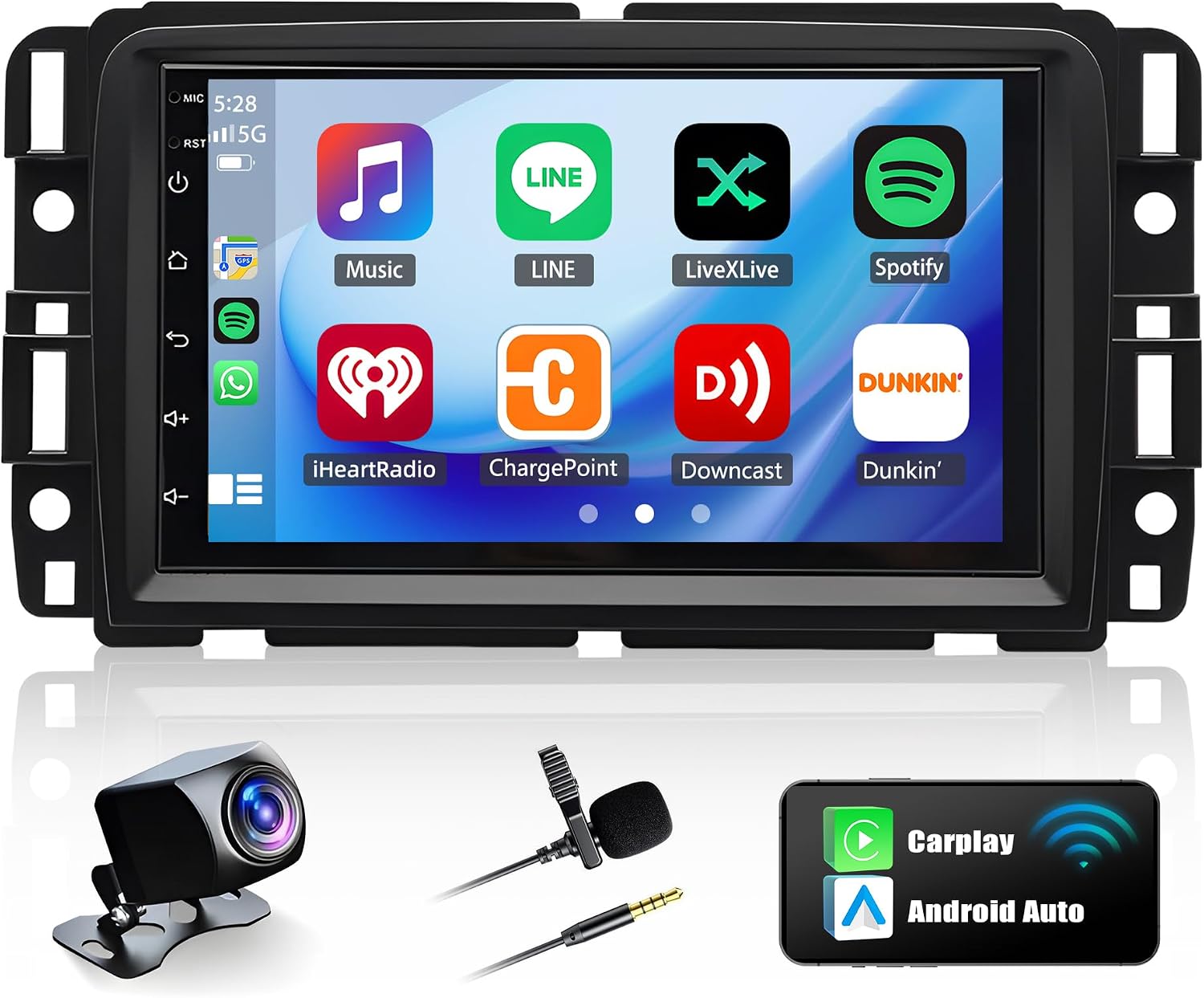
This Dfuorty 7-inch Android 14 head unit is a budget-focused replacement for the GMC Acadia (2013–2017) that turns the factory radio into a modern multimedia center. It runs Android 14 on a quad-core CPU with 2GB RAM and 32GB storage, so common apps, navigation and music run smoothly for everyday use. Wireless CarPlay and Android Auto work over Bluetooth/WiFi for hands-free navigation and calls, while built-in GPS plus WiFi lets you use online or offline maps. The 7-inch IPS touchscreen is bright with wide viewing angles and supports split-screen mirroring. Audio features include DSP, EQ, subwoofer output and 4x45W channels for a noticeable sound upgrade versus basic factory radios. Installation is intended to be plug-and-play with supplied cables and trim, and the unit supports front and backup cameras as well as steering wheel control integration. Limitations include modest memory for heavy multitasking, reliance on aftermarket wiring for some rear-seat or DAB+ options, and potential variations in fit that require confirming the Acadia dash shape before buying.
Best for: Budget-conscious Acadia owners who want a modern touchscreen, phone integration, and navigation without paying for a premium OEM-style replacement.
Less Ideal for: Drivers who need high-end audio processing, large app libraries, or factory-level integration with every vehicle option should consider a higher-spec or dealer-grade unit.
- Designed specifically for GMC Acadia 2013–2017 for easier fit and wiring
- Wireless CarPlay and Android Auto for phone integration without cables
- Built-in GPS and WiFi for online and offline navigation
- DSP and EQ with 4×45W output for improved in-car sound
- Supports steering wheel controls and front/reverse cameras
- Only 2GB RAM and 32GB storage, which can limit heavy multitasking and many installed apps
- Some accessory features like DAB+ or rear-seat passthrough require additional adapters not included
Verdict A wallet-friendly, vehicle-specific upgrade that brings wireless CarPlay/Android Auto and navigation to GMC Acadia owners, with sensible features for everyday driving but limited headroom for power users.
5. Heyuelect 9-inch Car Stereo for GMC Acadia (2013–2016) with Wireless CarPlay and Android Auto

| Memory | 4GB RAM |
|---|---|
| Storage | 64GB ROM |
| Screen size | 9 inch |
| Camera support | AHD rearview camera included |
This Heyuelect 9-inch replacement radio is built to install as a direct dash panel swap in GMC Acadia models from 2013 through 2016. It provides a 1080p-capable 2.5D touchscreen with EQ audio, built-in navigation, Bluetooth hands-free calling, FM/RDS, and wired or wireless CarPlay and Android Auto for phone navigation and media. The unit retains original steering wheel controls, seat heating functions, and factory camera input so OEM systems continue to operate after installation. A supplied AHD rearview camera with wide 170 degree view and night vision is included for improved reversing visibility. Typical use is daily driving where drivers want modern phone integration and multimedia while preserving factory features and appearance. Limitations include reliance on a compatible vehicle wiring harness and professional or experienced DIY installation to achieve a flush fit and full functionality, and software or map updates may require vendor support. The radio’s strengths are integration and modern connectivity, while buyers should expect to manage installation details and future software support directly with the seller.
Best for: Practical, risk-averse Acadia drivers who prioritize preserving factory functions and appearance while adding modern smartphone integration and navigation.
Less Ideal for: Buyers who want a plug-and-play swap with manufacturer-backed updates or those unwilling to arrange professional installation should consider alternatives.
- Direct dash panel replacement designed for GMC Acadia 2013–2016 for a factory-like fit and appearance
- Wireless and wired CarPlay plus Android Auto for hands-free navigation and media control
- Maintains original steering wheel controls, seat heating functions, and factory camera inputs
- Includes AHD rearview camera with 170 degree wide angle and night vision for improved reversing visibility
- May require professional installation or wiring adapter to fully integrate with vehicle systems
- Software, maps, or feature updates depend on seller support rather than a vehicle manufacturer ecosystem
Verdict A factory-style 9-inch upgrade for 2013–2016 GMC Acadia owners who want modern phone integration and preserved OEM functions, provided they can handle installation and vendor-supported updates.
6. iCarSEPTON 7" Android 15 Car Radio with Wireless CarPlay/Android Auto and 5G WiFi

| Display Size | 7 Inches |
|---|---|
| CPU | 1.5GHz Cortex-A53 8-core |
| Storage | 32GB ROM (advertised 64GB in description) |
| Audio Output | 4×60W |
| Radio Band | FM 87.5–108MHz with RDS |
This head unit replaces the factory radio with a modern 7-inch touchscreen running Android 15 and a quad-core CPU for responsive menus and multitasking. It is typically used to add wireless CarPlay and Android Auto, real-time navigation, streaming over 5G WiFi, Bluetooth hands-free calling, and a reversing camera feed. Notable features include split-screen display, DSP audio tuning with FM/AM RDS, rear camera support (CVBS/AHD), steering-wheel control compatibility, and plug-and-play wiring harnesses for a straightforward install when the dash opening matches. Practical benefits are faster map updates and streaming over 5G WiFi, clearer reversing visibility, and a more usable interface for calls and media without changing vehicle wiring. Important limitations are the need to confirm physical fitment and CANBUS wiring on the Acadia before buying, somewhat mixed documentation quality, and potential camera cable length or configuration steps that may require minor routing or wiring adjustments.
Best for: Practical optimizers who want to modernize a compatible GMC Acadia with smartphone integration, navigation, and a backup camera while avoiding a full dash overhaul.
Less Ideal for: Buyers seeking a direct drop-in certified factory replacement without any wiring or CANBUS adjustments, or those who prefer dealer-installed infotainment solutions.
- Wireless CarPlay and Android Auto for phone integration without a cable
- 5G WiFi and built-in GPS for faster map updates and online navigation
- Backup camera input with automatic reverse activation for safer parking
- DSP audio tuning and 4x60W output for improved sound over older factory units
- Plug-and-play wiring and steering wheel control support to simplify installation when dash fitment is correct
- Fitment requires verifying console shape and correct CANBUS/protocol wiring for the Acadia
- Instructions are terse and sometimes poorly translated which can complicate nonprofessional installs
- Included camera cable length may be short and could need extension during routing
Verdict A cost-effective way to bring wireless CarPlay/Android Auto, 5G WiFi navigation, and a backup camera to a compatible GMC Acadia if you confirm dash fitment and are comfortable with modest wiring work.
7. Inexaccessories 7" Touchscreen Car Stereo with DVD, Wireless CarPlay & Android Auto for 2007–2012 GMC Acadia

| Applicable car models | 2007–2012 GMC Acadia |
|---|---|
| Display size | 7 inch IPS touchscreen |
| Phone integration | Wired/wireless CarPlay and Android Auto |
| Camera | Included HD night-vision backup camera |
| Media | DVD/CD playback |
This Inexaccessories 7-inch infotainment unit replaces the factory radio in 2007–2012 GMC Acadia and brings modern features like wireless CarPlay and Android Auto, built-in DVD playback, Bluetooth hands-free calling, and a supplied HD night-vision backup camera. Installation is a dash-swap job using the provided connectors and external microphone and it will reuse the vehicle mounting points when the Acadia dash trim matches the listed fitment. In daily use the wireless phone integration makes navigation and media simple without cables, the equalizer and DSP let you tune sound to taste, and automatic reverse-camera switching improves parking visibility at night. Users report generally straightforward installs and louder output than some factory units, though a few have encountered intermittent hum or menu differences versus product images and may need minor adjustments such as wiring the amp control or troubleshooting a video flip. The included camera and steering-wheel control support make this a practical upgrade for Acadia owners who want a feature-rich, OEM-style replacement while accepting some hands-on setup to eliminate quirks.
Best for: Balanced buyers who want a modern, full-featured infotainment upgrade for a 2007–2012 GMC Acadia without resorting to a dealer retrofit and who are willing to do a moderate DIY install or have it professionally fitted.
Less Ideal for: Drivers who want a completely plug-and-play factory-identical experience with guaranteed perfect fit and zero aftermarket quirks should consider dealership or premium branded alternatives.
- Wireless Apple CarPlay and Android Auto for phone apps and navigation without a constant USB cable
- Included HD night-vision backup camera with automatic reverse switching for safer parking
- DVD playback option adds physical-media capability where maps or media access may be limited
- Steering wheel control support and external microphone for hands-free operation and easier integration
- Adjustable equalizer and DSP let you tailor audio balance and tone to your vehicle and speakers
- Some units have reported audible hum or buzzing that may require troubleshooting or additional grounding fixes
- User interface and on-screen menus may differ from images and can include translation issues in the manual
- Backup camera cable length or video orientation may need adjustment during installation
Verdict A feature-packed, vehicle-specific replacement that modernizes a 2007–2012 GMC Acadia with wireless CarPlay/Android Auto and a backup camera, best for buyers comfortable with a modest install and occasional setup tweaks.
Choosing the Right GMC Acadia Car Stereo: Key Factors to Consider
Dash Fit and Mounting
Dash fit determines whether the stereo will sit correctly in the Acadia dash without gaps or unsightly adapters. A proper fit reduces vibration, prevents exposed wiring, and preserves the vehicle interior finish.
Consider whether the unit is single DIN, double DIN, or requires a specific fascia adapter. Some installations need minor trim pieces or brackets; others are designed for direct fit. Knowing the required mounting depth and connector access also prevents surprises during installation.
Wiring and Harness Compatibility
Using a compatible wiring harness or adapter maintains factory features like steering-wheel controls, power antenna, and retained vehicle settings. Proper harness compatibility reduces installation time and avoids cutting factory wires.
Look for head units that work with readily available Acadia harness adapters or that support standard ISO connectors. If retaining steering-wheel controls is important, confirm whether an additional interface module is required and how it integrates with the vehicle.
Smartphone Integration
Smartphone connectivity affects navigation, calls, and media streaming while driving. Features like Apple CarPlay and Android Auto provide familiar interfaces and safer access to apps.
Decide whether you need wired or wireless integration. Wireless connections add convenience but can introduce occasional latency or reconnection issues. Confirm that the head unit supports the phone platforms and app types you use most often.
Audio Outputs and Sound Quality
Preamp outputs, equalization options, and built-in amplification determine how easily the system can be tuned and expanded. Higher-quality preouts allow for cleaner connections to external amplifiers and subwoofers.
Assess the number of preamp channels, signal-to-noise ratio, and whether the head unit includes a parametric or graphic EQ. These features let you shape sound to the Acadia�s acoustics and to any aftermarket speakers or amps you may add.
User Interface and Controls
Clear controls and a logical interface reduce driver distraction and make common tasks faster. Consider screen size and button layout if you frequently change sources or adjust settings while driving.
A touchscreen can simplify navigation through menus, but tactile buttons are helpful for quick actions. Voice control compatibility may also improve hands-free usability, depending on the head unit and phone pairing.
Installation Complexity and Serviceability
Installation complexity affects cost and the likelihood of professional help. Simple plug-and-play installs are faster and less disruptive, while more complex setups may require dash removal, custom brackets, or professional tuning.
Also consider serviceability: whether the unit can be removed or replaced without major dash disassembly and whether firmware updates are accessible. Planning for potential future upgrades reduces long-term hassle.
FAQ
Will a standard double DIN head unit fit in a GMC Acadia?
In many model years a double DIN head unit fits the Acadia with the correct fascia and mounting kit. Fit depends on the specific dash year and factory trim, so confirm the Acadia model year and dash configuration before purchasing. Installation may also require a harness adapter to retain electrical connections.
Can I keep steering-wheel controls after installing an aftermarket stereo?
Often you can retain steering-wheel controls using a small interface module designed for the Acadia. These modules translate factory control signals to the new head unit. Verify compatibility with the chosen unit and check whether additional programming or wiring is required during installation.
Do aftermarket stereos support Apple CarPlay and Android Auto in the Acadia?
Many aftermarket head units offer Apple CarPlay and Android Auto, either wired or wireless. Support depends on the head unit model and the phone you use. Wired connections are typically more stable, while wireless setups provide greater convenience but may vary in reliability.
How much sound improvement can I expect from a new head unit alone?
A new head unit can noticeably improve clarity, dynamic range, and source quality compared with an aged factory unit, especially if it has better preamps and digital processing. However, the biggest gains often come when the head unit is paired with upgraded speakers or amplification. Expect meaningful but system-dependent improvements.
Is professional installation necessary for an Acadia stereo upgrade?
Professional installation is not always required, but it can simplify integration and ensure clean wiring and retained features. If you are comfortable with vehicle electronics and have the correct harnesses and kits, a DIY install is possible. Complex setups, such as amplifier or camera integration, often benefit from professional help.
How We Chose the Best GMC Acadia Car Stereo
To assemble this list we focused on real-world compatibility with the GMC Acadia dash and wiring harness, followed by connectivity, audio performance, installation complexity, and long-term reliability. We prioritized units that support common smartphone features, offer clear speaker and preamp outputs for clean sound, and include mounting and trim solutions that fit Acadia dashboards. Ease of installation and availability of wiring harness adapters were factored in to minimize modification work. Usability under driving conditions, such as clear controls and predictable input switching, was also important. We excluded units that require extensive dash cutting, obscure wiring hacks, or lack documented fitment solutions for this vehicle. The result is a curated set of options that balance fitment, features, and installation practicality for Acadia owners.
Our full evaluation process is outlined in our review methodology.
Conclusion
When upgrading a GMC Acadia car stereo, prioritize fitment, wiring compatibility, and the type of smartphone integration that suits your driving habits. Balance audio output quality and expansion potential against installation complexity to find the right tradeoff.Focus on a head unit that provides the connectivity and controls you use most, while ensuring a straightforward installation path that preserves factory features. That approach reduces headaches and delivers the clearest improvements for daily use.
Explore More:
- Check out all GMC Acadia parts & accessories
- Explore Electronics
- Browse all Accessories
