

Note: This article contains affiliate links. If you click on these links and make a purchase, I may earn a small commission at no extra cost to you. This helps support my research and content. Read my full affiliate disclosure here.
Adding a dedicated backup camera to your GMC Sierra 1500 transforms how you park, hitch, and reverse around obstacles. The right system reduces blind spots, improves nighttime visibility, and makes trailer hookups less stressful. This guide highlights seven top backup camera options shortlisted for fit and suitability for the Sierra 1500.Each pick was evaluated for image clarity, mounting options, and how much wiring or modification is required. Below you will find systems suited to different needs and installer skill levels, plus advice on installation approaches and what to prioritize when selecting a rear camera for this truck.
Looking for other parts? See all GMC Sierra 1500 parts & accessories.
Top Picks at a Glance
| Best Overall Backup Camera A balanced OEM‑style pick with reliable image and fitment | ACAUTO Rear View Backup Camera for Chevy Silverado/GMC Sierra 2016–2018 |  |
| Best Budget Backup Camera An affordable, no‑frills direct replacement that saves money | eRapta ERT01 HD License Plate Backup Camera (Wired) |  |
| Best OEM‑Fit Backup Camera A factory‑style replacement built to match exact OE part numbers | T1A Backup Camera Replacement for 2016–2019 Silverado/Sierra (Part 84062896) |  |
| Best Tailgate‑Handle Backup Camera Integrated camera inside a replacement tailgate handle assembly | APPERFiT Tailgate Handle Backup Camera Kit with Lock Cylinder |  |
| Best High‑Resolution Backup Camera A higher‑definition AHD/1080P camera for crisp daytime images | PixelMan PMD2A-S AHD 1080P Metal Backup Camera |  |
| Best Weatherproof/Heavy‑Duty Camera Built to IP68/IP69 standards for extra durability in harsh conditions | Master Tailgaters Tailgate Handle with IP68 Backup Camera for Silverado/Sierra (1999–2006) |  |
| Best Wireless / Portable Backup Camera A no‑hardwiring or magnetic wireless kit for quick installs | pemacom P15 7" Wireless Solar Magnetic Backup Camera System |  |
1. ACAUTO Rear View Backup Camera for Chevy Silverado/GMC Sierra 2016–2018
Best Overall Backup Camera

| Compatible Devices | Fit for Chevy Silverado 2016-2018 |
|---|---|
| Real Angle of View | 170 Degrees |
| Connector Type | RCA |
| Optical Sensor Technology | CCD CMOS |
| Video Capture Resolution | 720p |
This ACAUTO backup camera is a plug-and-play replacement made to match the factory camera location and harness on 2016–2018 Silverado/Sierra trucks. It provides a 170 degree wide-angle CCD/CMOS sensor with an RCA connector and 720p video capture, so you get a noticeably wider field of view and clear daytime imaging for backing and hitching. The camera reports good night performance and IP68 waterproofing, which helps it survive wet conditions and low-light reversing. Installation is surface-mount and customers commonly swap it into the tailgate handle or housing without dealer programming; the unit shows factory-style guide lines when the vehicle system supports them. Expect a fisheye perspective that can distort distance perception compared with some factory lenses, and some users note the image can be a bit dark at night versus higher-end cameras. Overall it is a straightforward, durable-feeling replacement that gets a nonworking OEM camera back to full function without complicated wiring or reprogramming.
Best for: DIY mechanics who need a reliable, factory-style replacement camera for a 2016–2018 Sierra or Silverado and prioritize easy installation, dependable day/night visibility, and a durable unit.
Less Ideal for: Drivers who need a perfectly distortion-free, high-resolution aftermarket video system or who require advanced features like wireless connectivity or higher-than-720p resolution.
- Direct-fit design that plugs into the factory harness for easy DIY replacement
- Wide 170° field of view reduces rear blind spots
- IP68 waterproof rating for reliable outdoor performance
- Supports night vision and produces clear daytime images
- Displays reversing guide lines when the vehicle system provides them
- Fisheye wide-angle can distort distances and may occlude parts of the bumper in some installations
- Night image can be darker than premium cameras in very low-light conditions
Verdict: The top pick for most DIY mechanics who want a direct‑fit, dependable backup camera that balances clear day/night imaging, simple installation, and durable construction.
2. eRapta ERT01 HD License Plate Backup Camera (Wired)
Best Budget Backup Camera

| Field Of View | 148 Degrees |
|---|---|
| Video Capture Resolution | 720p (CVBS output) |
| Connector Type | RCA |
| Power | 12–24V DC |
| Waterproof Rating | IP69K |
The eRapta ERT01 is a straightforward wired license-plate backup camera aimed at replacing or adding a basic rear‑view feed on vehicles with an RCA video input. It mounts behind the plate or on a trunk and connects to the reverse light for power; a 26 ft RCA cable is included so you can run the video and power into the cab without buying extras. The camera offers a very wide roughly 148–149 degree field of view, 720p‑listed sensor technology but uses standard CVBS signaling so real-world displays are SD; that is fine for backing up and parking. Ten LEDs provide visible night fill and the unit is rated IP69K for strong water and dust resistance. Installation can require drilling or fishing wires through the tailgate on some trucks, and picture tuning varies unit to unit, so expect basic installation work and modest image quality rather than a high‑resolution OEM replacement. For a budget replacement that restores rear visibility and mirror/guide options, it does the job reliably.
Best for: Buy this if you want a low‑cost, wired replacement that restores a functioning rear camera feed and guide lines on a Sierra without paying for a premium OEM‑style system.
Less Ideal for: Not a good choice if you need factory‑quality high‑resolution video, wireless integration, or a plug‑and‑play module built specifically for advanced Sierra infotainment systems.
- Wide ~148–149° field of view reduces blind spots when reversing
- Includes 26 ft RCA video cable and power lead for long runs to the cab
- Built‑in LED night illumination for usable low‑light reversing
- IP69K waterproof metal housing for strong weather and dust protection
- Simple license‑plate or trunk mounting with two brackets included
- Uses CVBS (RCA) signaling so actual image is standard‑definition on many displays
- Wire routing on pickup trucks can be time consuming and may require drilling or panel removal
- Image color and exposure vary between units due to inconsistent calibration
Verdict: Choose this pick if you need a low‑cost replacement camera that restores rear visibility and plug‑and‑play function without premium extras.
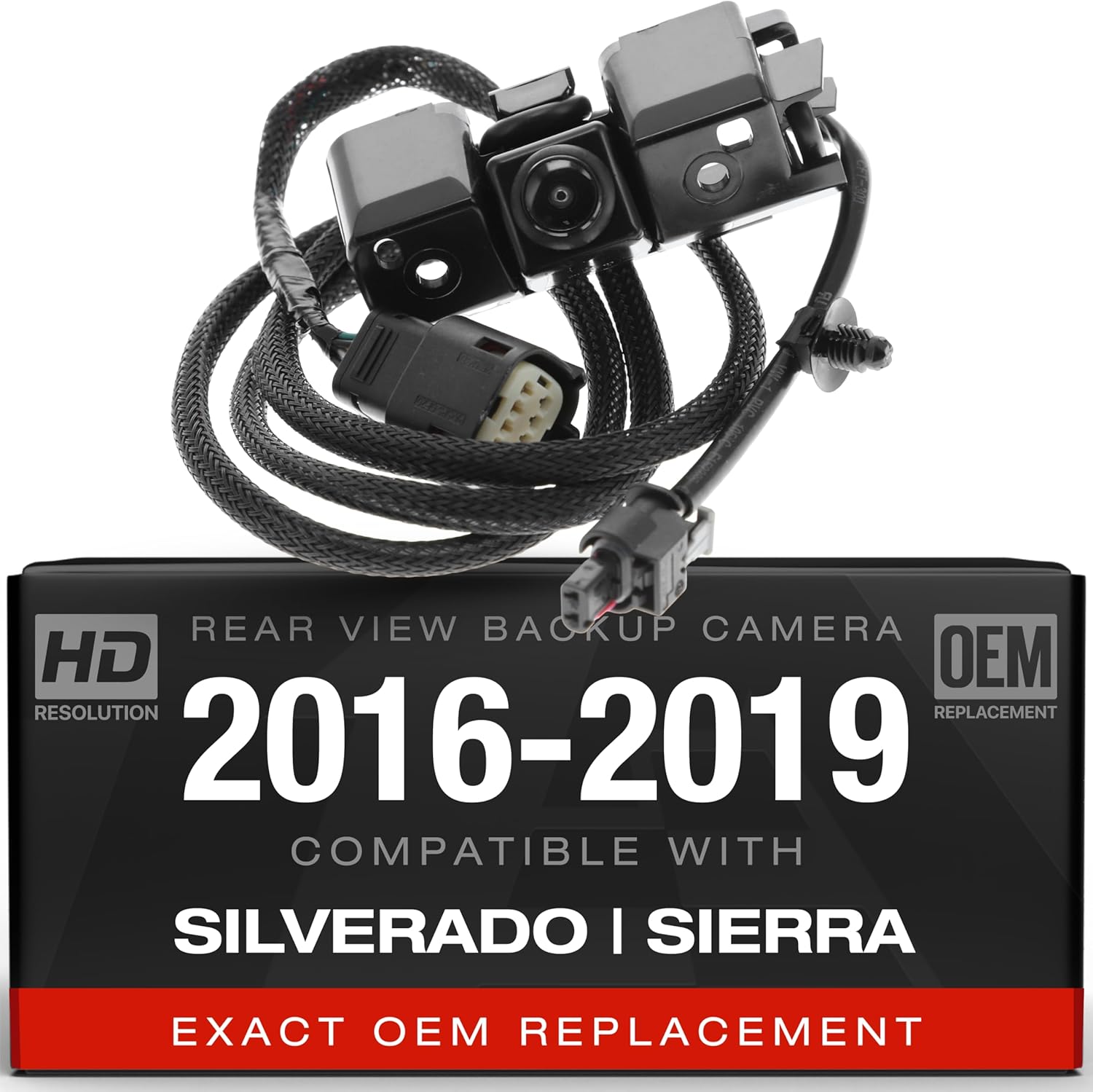
3. T1A Backup Camera Replacement for 2016–2019 Silverado/Sierra (Part 84062896)
Best OEM‑Fit Backup Camera
| Compatible devices | Monitor |
|---|---|
| Optical sensor technology | CMOS |
| Field of view | 120 Degrees |
| Connector type | RCA |
| Video capture resolution | 720p |
This T1A backup camera is built as a direct, factory-style replacement for 2016–2019 Silverado and Sierra trucks that use part numbers like 84062896. It connects via an RCA-style connector and uses a bracket-mount design so the camera installs into the stock tailgate opening without modification. The camera uses a CMOS sensor with a 120 degree wide-angle lens and outputs a 720p MP4-compatible signal to a monitor. In daily use it restores a clear reverse view for towing and parking; owners report noticeably crisper images compared with aged, hazy factory units. Installation is straightforward for a DIYer with basic tools and torx drivers, and the camera is described as weather-resistant thanks to its plastic-and-metal construction. Limitations include a 720p resolution and LED display tech, so while image quality improves over worn originals it will not match modern HD factory screens on newer trucks. Expect a simple plug-and-play swap rather than any extra programming or module work.
Best for: Buyers who prioritize a plug-and-play replacement that matches factory fit and wiring so the camera swaps into the original harness with minimal fuss.
Less Ideal for: Drivers who need the highest-resolution image or advanced features like digital overlays and night-enhanced HDR should consider modern aftermarket HD camera systems instead.
- Direct-fit design compatible with factory part numbers for seamless swap
- Wide 120 degree field of view for good coverage when reversing
- Uses common RCA connector and bracket mount for straightforward installation
- Durable plastic and metal construction for weather resistance
- 720p output improves clarity over fogged or worn original cameras
- Maximum video resolution is 720p so it will not deliver HD clarity on newer high-resolution displays
Verdict: For buyers who want a camera that matches original equipment specifications and connectors for a seamless, no‑programming swap with the factory harness.
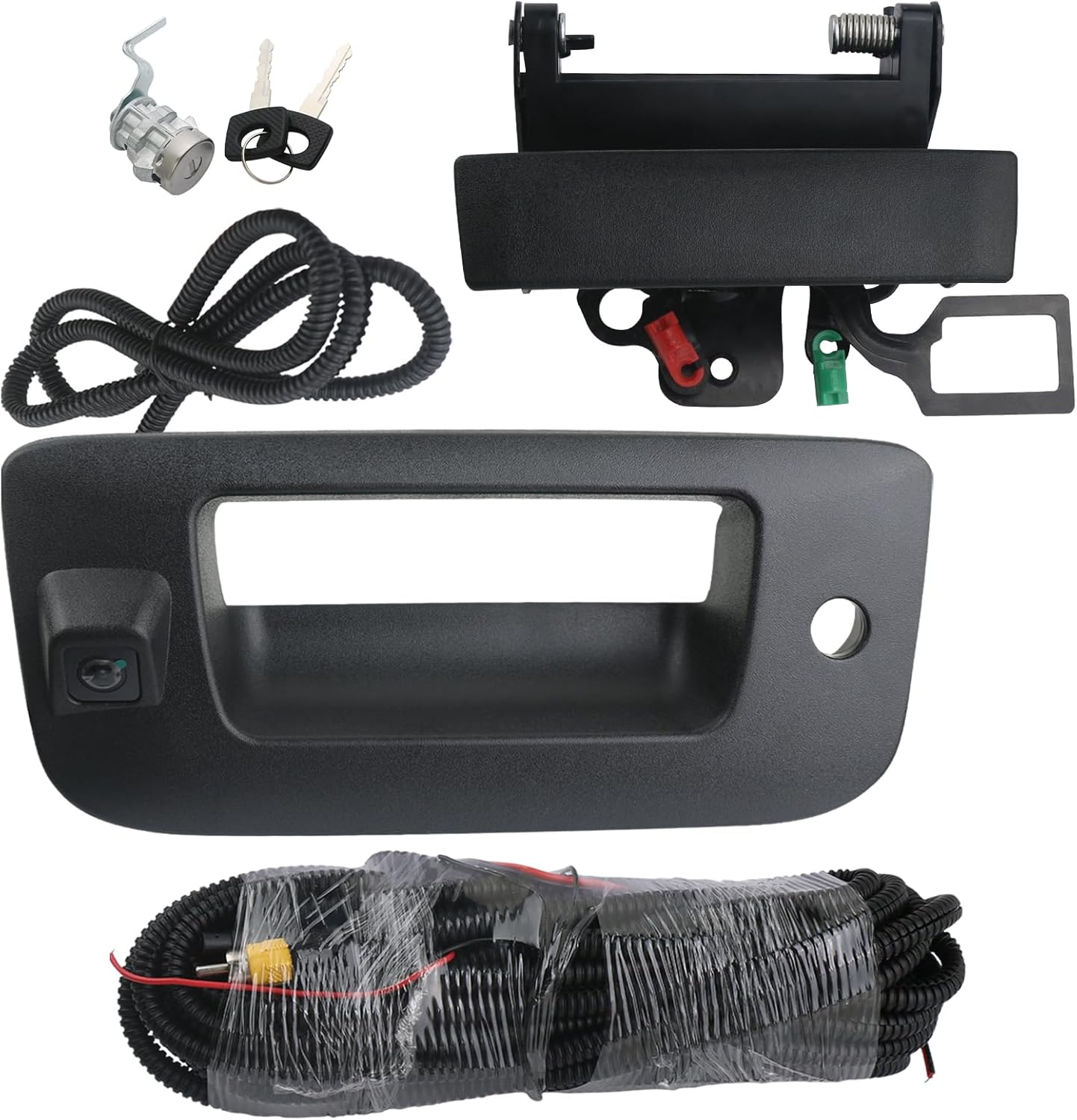
4. APPERFiT Tailgate Handle Backup Camera Kit with Lock Cylinder
Best Tailgate‑Handle Backup Camera
| Video Capture Resolution | 720p |
|---|---|
| Field Of View | 130 Degrees |
| Connector Type | RCA |
| Optical Sensor Technology | CMOS |
| Video Capture Format | H.264 |
This APPERFiT kit replaces the factory tailgate handle with a matching handle, trim and lock cylinder while adding a built-in 720p wide-angle backup camera. It is intended as a one-piece swap for the tailgate latch area and includes wiring and RCA output for connection to a monitor or aftermarket head unit. Installation is typically a bolt-in process that gives a factory-like appearance and restores a missing or broken lock. The camera uses a CMOS sensor with a 130 degree field of view and records in H.264, which provides a clear, reasonably wide image for backing up; several owners report easy installation and a snug fit. Expect practical limits: some users found the camera angle cannot be adjusted and it may not show the hitch or trailer coupler without modification, and a minority reported intermittent camera failures or wiring confusion. For trucks needing a clean, integrated replacement that adds a camera and lock, this kit covers both functions in one assembly.
Best for: Buyers who want a single factory-looking part to replace a damaged tailgate handle while adding a hidden backup camera and restoring tailgate lock functionality.
Less Ideal for: Drivers who need precise hitch or trailer coupler visibility or professional-grade camera reliability should consider purpose-built adjustable hitch-view cameras instead.
- Direct tailgate handle replacement that preserves factory look
- Integrated 720p CMOS backup camera with 130 degree field of view
- Includes trim, lock cylinder and two keys to restore tailgate security
- Supplied wiring and RCA connector for simple hookup to most monitors
- Fixed camera angle may not show hitch or trailer coupler without modification
- Some users report intermittent camera or wiring reliability issues
Verdict: This slot is for the combined tailgate handle + camera assemblies that replace the factory latch and give a hidden, factory‑looking camera with hitch‑friendly sight lines.
5. PixelMan PMD2A-S AHD 1080P Metal Backup Camera
Best High‑Resolution Backup Camera

| Video Capture Resolution | 1080p (AHD switchable; defaults to HD) |
|---|---|
| Field Of View | 170 Degrees |
| Optical Sensor Technology | CMOS |
| Connector Type | RCA |
| Optical Sensor Size | 1/2.7in |
The PixelMan PMD2A-S is a compact license-plate style backup camera built around a 1/2.7in AHD sensor and a 170 degree wide-angle glass lens that aims for clearer, more color-accurate images than basic backup cams. It connects via RCA and can output a higher-definition AHD signal (1080p) if your GMC Sierra 1500 aftermarket display supports AHD input; otherwise it defaults to standard HD output. The metal alloy housing, dual mounting brackets and long double-shielded RCA cable make hidden or plate-mounted installs straightforward, and the thicker copper core power wire simplifies wiring to the Sierra's reverse circuit. Night performance is improved by the larger sensor and aperture, so you get usable detail without auxiliary lights. Watch for mixed reports about true 1080p on some setups and the fisheye distortion common with wide lenses, which can affect judging exact distances for hitching without calibration. Installation instructions are sparse so a quick wiring guide or video helps if you are retrofitting an aftermarket head unit in a Sierra.
Best for: Buyers upgrading a GMC Sierra 1500 with an aftermarket monitor who prioritize clearer rear images for hitching and spotting obstacles and who are willing to match the camera to a display that accepts AHD signals.
Less Ideal for: If you plan to keep a factory display without AHD input or need perfectly linear distance perception without lens distortion, choose a camera designed specifically for that factory system or with a narrower field of view.
- Supports AHD 1080p output on compatible displays for sharper detail
- 170 degree glass wide-angle lens gives broad rear coverage
- Metal alloy housing and dual brackets for durable, hidden or plate-mounted installation
- Includes long double-shielded RCA cable and thicker power wire for reliable signal and easier routing
- Will only deliver 1080p if the vehicle display accepts AHD input; otherwise output may be lower resolution
- Wide-angle lens produces noticeable fisheye distortion that can alter perceived distances
Verdict: Pick this when you prioritize sharper, higher‑resolution video for easier hitching and obstacle ID in daylight and on aftermarket displays that support HD inputs.
6. Master Tailgaters Tailgate Handle with IP68 Backup Camera for Silverado/Sierra (1999–2006)
Best Weatherproof/Heavy‑Duty Camera

| Compatibility | Chevrolet Silverado / GMC Sierra 1999–2006 |
|---|---|
| Waterproof Rating | IP68 |
| Field of View | 170 Degrees |
| Connector Type | RCA |
| Voltage | 12 Volts |
This replacement tailgate handle houses a waterproof IP68 backup camera aimed slightly downward to show the hitch and blind area behind the truck. It connects with a standard RCA video plug and requires a 12V power connection; optional parking grid lines can be enabled by compatible displays. In practice the camera delivers a usable 600-line image and good low-light sensitivity (.1 lux) for trailer hookup and daily reversing. The bezel gives a factory look and the integrated design keeps the camera protected compared with surface mounts. Installation is aftermarket style so you will run the RCA and power leads through the tailgate into the cab; some buyers reported needing extra harness length or an additional power run, and the instructions and included wiring vary between units. While many owners praise durability and weather sealing, a minority report mount or connector issues over time, so add protective loom and secure the bezel during install if you plan heavy offroad or jobsite use.
Best for: Buyers who need a weatherproof, integrated tailgate camera that looks factory and prioritizes a sealed, protected installation for regular towing and outdoor use.
Less Ideal for: If you want a plug-and-play OEM replacement for newer vehicle systems or a wireless, no-wiring solution, this aftermarket bezel camera may not meet those needs.
- IP68 waterproof rating and low light sensitivity for reliable wet-weather performance
- 170 degree wide-angle lens aimed to show the hitch and immediate rear area
- Integrated tailgate bezel provides a factory-style appearance and protected mounting
- Standard RCA output and 12V power make it compatible with most aftermarket monitors
- Wiring harness and instructions can be inconsistent so additional wiring or connectors may be needed
- Some users report occasional camera or mount failures after months of use, so long-term durability has mixed feedback
Verdict: Opt for this camera if you need a rugged, fully sealed unit that resists water, salt, car‑washes, and rough jobsite use for long‑term reliability.
7. pemacom P15 7" Wireless Solar Magnetic Backup Camera System
Best Wireless / Portable Backup Camera

| Screen Size | 7 Inches |
|---|---|
| Video Capture Resolution | 1080p |
| Field Of View | 170 Degrees |
| Connector Type | USB |
| Voltage | 12 Volts |
The pemacom P15 is a plug‑and‑play wireless backup camera designed for quick, tool‑free use on pickups and trailers. The camera magnetically mounts to steel surfaces and streams a 1080p feed to the 7‑inch LCD monitor over a 2.4GHz digital link, so you can check behind a GMC Sierra 1500 without running video cables through the bed. Built‑in solar charging plus a 15,000mAh battery extends runtime for long trips and the unit supports a second camera to cover blind spots. Practical controls let you tweak brightness and parking guide lines, and the wide 170° lens gives broad coverage for hitching and reversing. Expect occasional button lag on the monitor and some users report the image is slightly below true 1080p in daytime; also pairing and charging behavior can take a little troubleshooting. For Sierra owners who tow or switch between truck and trailer frequently, this system provides fast setup and dependable wireless video where a permanent wired install would be impractical.
Best for: Sierra owners who need a fast, no‑wiring rear view for towing or occasional trailer use and prioritize easy setup and portability over a permanent factory‑style install.
Less Ideal for: Drivers seeking a permanent, hardwired OEM‑quality rear camera integrated into the truck’s dash or tailgate electronics should choose a wired factory‑grade solution instead.
- True wireless magnetic mount for rapid, tool‑free placement on a truck or trailer
- Solar panel plus large internal battery for extended runtime without constant recharging
- 170° wide‑angle lens and 1080p capture for broad rear coverage while hitching or reversing
- Dual video channels allow adding a second camera to reduce blind spots
- 7‑inch anti‑glare LCD with adjustable image settings and parking guidelines
- Monitor controls can be unresponsive at times requiring multiple presses
- Some users report daytime image clarity slightly below advertised 1080p
- Magnetic mount requires a steel surface or an added mounting plate to attach securely
Verdict: Choose this wireless or magnetic portable system when you want fast, tool‑free setup or a trailer/camper solution that avoids running long video cables.
Choosing the Right GMC Sierra 1500 Backup Camera: Key Factors to Consider
Image Quality and Low-Light Performance
A camera with sharp resolution and dependable low-light performance directly affects how well you can detect obstacles, small children, and trailer couplers behind the Sierra 1500. Higher resolution sensors deliver clearer shapes and finer detail, which matters when judging distances during slow maneuvers. Low-light or infrared capability improves visibility after sunset and in shaded parking areas.
Color accuracy and contrast help you distinguish pavement, curbs, and reflective surfaces. Avoid cameras that wash out highlights or hide shadow detail, since those limitations can make judging depth and gap distances more difficult when reversing in tight spots.
Field of View and Image Distortion
Field of view determines how much of the area behind the truck you can see. Wider lenses show more area but can introduce barrel distortion that skews perceived distance. For a full-size truck like the Sierra 1500, you want a balance: wide enough to reveal pedestrians and cross-traffic, but not so fisheye that judging hitch alignment becomes confusing.
Consider whether the system offers adjustable viewing modes or on-screen guides. A camera that provides consistent geometry across the image makes it easier to estimate distances and align trailers, while excessive distortion can falsely compress or stretch objects near the bumper.
Mounting Style and Fitment
Mounting options affect aesthetics, protection, and installation complexity. Common choices for the Sierra 1500 include tailgate or bumper-mounted housings, license-plate frames, and recessed housings designed to sit close to the body. The right mount should provide a stable, vibration-free image and be placed to avoid spray from the tires.
Select a mount that aligns with how you use the truck. For towing, centerline mounts or tailgate locations that offer a clear view of the hitch area are preferable. Also consider whether the mount requires drilling, trim removal, or replacement of an existing bracket, since that changes both time and skill needed for a clean installation.
Wired Vs Wireless Systems
Wired systems typically deliver the most consistent image with no interference and lower latency, which is beneficial for precise maneuvers and hitching. However, they require routing a cable through the cabin or underbody, which increases installation time. Wireless systems simplify installation by avoiding long video runs, but they can be susceptible to interference and signal dropouts, especially around heavy electrical loads or trailers.
Think about your tolerance for installation work and whether you will often attach metal trailers or use a bed cap that could affect wireless signals. For permanent installs where reliability matters, many owners opt for wired kits; for temporary or renter-friendly setups, wireless units can be attractive.
Monitor Integration and Display Options
Deciding how you will view the camera image is critical. Options include dedicated in-cabin monitors, integration with an existing infotainment screen, or mirror-mounted displays. Compatibility with the Sierra 1500's factory electronics is a consideration if you want a clean look and OEM-like operation.
Evaluate screen size, resolution, and where the monitor will mount so it does not obstruct sight lines. Also confirm trigger behavior: some systems switch to rear view automatically when the truck is put into reverse, while others require manual activation. Clear, well-positioned displays reduce head movement and make parking safer.
Durability, Weather Resistance, and Maintenance
Backup cameras are exposed to road spray, salt, and stone impacts. A robust housing with a high IP rating and corrosion-resistant connectors will last longer on a Sierra 1500 that sees year-round use. Look for features such as heated lenses or hydrophobic coatings that help clear water and ice in cold or wet climates.
Also consider ease of cleaning and accessibility for occasional lens maintenance. Systems that require frequent realignment or are mounted in highly exposed locations may demand more upkeep, so factor expected maintenance into your selection.
Installation Approaches for Different Skill Levels
Installation ranges from simple license-plate bracket swaps to running video cables through the cab and tapping into reverse light circuits. If you are comfortable with basic hand tools and following wiring diagrams, a bumper- or plate-mounted camera with a plug-and-play harness can be completed in a couple of hours.
For installations that integrate with an in-dash screen or require drilling, consider a professional install to ensure watertight seals and proper routing. Wireless kits reduce wiring but still need good ground connections and clean power taps for reliable operation.
- Basic: License plate or adhesive-mounted camera, plug into a standalone monitor.
- Intermediate: Bumper or tailgate mount, route a video cable to an aftermarket head unit.
- Advanced: Integrate with factory infotainment or hardwire into reverse-light trigger circuits.
Choosing the Right Mount for Towing
If you frequently tow, prioritize camera placement that shows the hitch and trailer attachment point. Centerline mounts or tailgate locations that look down the hitch line reduce guesswork during hookup. Some mounts offer a split-view or downward-angled option specifically for hitch alignment.
Ensure the mounting height and angle give a clear path to the hitch without being obscured by the bumper or tailgate trim. A slightly lower mount often gives a better view of the hitch ball and pin rather than a broad rearward view that misses the connection point.
- Center-mounted versus offset: centerline typically best for hitching.
- Consider adjustable-angle housings to fine-tune the view for different trailer heights.
Signal and Power Considerations
Wired video typically uses composite cables or dedicated digital links; ensure cable runs avoid sharp edges and heat sources. Grounding and a stable 12V source are necessary for reliable operation. When tapping into reverse lights, use insulated connectors and confirm the trigger wire behavior before finalizing connections.
Wireless transmitters add convenience but can add delay. If you rely on the camera for precise maneuvering, test the system in real conditions before regular use. For trucks with bed covers or metal canopies, signal loss can be a factor and may require a wired approach.
- Use grommets where cables pass through metal panels.
- Fuse the power lead near the battery or source to protect against shorts.
Legal and Visibility Considerations
Some states have regulations about obstructed license plates or lighting modifications. Confirm that the chosen mount does not block plate visibility or violate local vehicle codes. Also consider how the camera and mount interact with backup sensors or tailgate functions on the Sierra 1500.
Keep sightlines and mirror use in mind. A camera should augment, not replace, normal mirror checks. Proper positioning ensures you get supplemental information without creating blind spots or false confidence in a single view.
- Avoid mounting that obscures plate illumination or registration stickers.
- Position camera to complement mirrors, not replace them.
Maintenance Tips to Keep the Camera Clear
Regularly clean the lens with mild soap and water to avoid scratches from abrasive debris. For cold climates, remove snow and ice buildup before using the camera to prevent distorted or obscured images. Inspect cable connections annually for corrosion or looseness, especially if the truck sees winter road treatments.
If the image shifts or vibrates, check mounting fasteners and vibration dampeners. Small tweaks to angle and tightness can restore a stable, usable picture without a full reinstallation.
- Use a soft cloth and non-abrasive cleaner for lens care.
- Check seals and gaskets after off-road use or high-pressure washes.
How We Chose the Best GMC Sierra 1500 Backup Camera
We focused on attributes that matter for GMC Sierra 1500 owners and real-world use on this truck. Primary evaluation criteria included image quality under varied lighting, camera field of view and parking grid accuracy, and mounting options that fit the Sierra 1500 rear fascia or license plate area. We also assessed wiring requirements and compatibility with factory or aftermarket monitors, plus the durability of housings and IP weather ratings for long-term outdoor exposure.Additional filters: systems needed clear documentation and accessible replacement parts, and we prioritized designs that minimize permanent body modifications. We excluded devices lacking concrete mounting information for full-size trucks or those without at least a basic night-vision capability. Overall, choices favored practical balance between visibility performance, installation complexity, and resilience to road conditions that Sierra 1500 owners commonly face.
Our full evaluation process is outlined in our review methodology.
FAQ
Will a backup camera interfere with the Sierra 1500's factory sensors?
Most cameras operate independently of factory ultrasonic sensors and should not interfere. However, verify placement so the camera housing does not obstruct sensor coverage and confirm any electrical taps do not disrupt factory wiring.
Can I mount a camera to the license plate on my Sierra 1500?
Yes. License plate mounts are a common, low-effort option that avoid drilling. Ensure the mount does not block plate illumination and that the camera angle provides a useful view for your typical reversing tasks.
Is a wireless backup camera reliable for towing a trailer?
Wireless can work for occasional towing, but metal trailers and heavy electrical loads can affect signal stability. For frequent towing, a wired connection is usually more reliable and provides consistent latency for precise maneuvering.
Do backup cameras require professional calibration?
Most systems only require basic angle adjustment during installation and do not need professional calibration. If you integrate the camera with a factory display or use on-screen parking guides, a professional installer can ensure correct alignment and trigger behavior.
How do I prevent water or road grime from obscuring the camera lens?
Choose a housing with a hydrophobic coating or heated element if you frequently drive in wet or icy conditions. Regular cleaning and a slightly recessed mount can also reduce the amount of spray and grit that collects on the lens.
Final Verdict
For the GMC Sierra 1500, prioritize a camera that balances clear daytime and low-light imaging with a mounting style that suits how you use the truck. If you tow frequently, choose a mount and field of view that make hitch alignment straightforward. For daily driving and parking, focus on durable housings and an easy-to-view monitor placement.Weigh installation complexity against long-term reliability: wired options typically offer consistent performance, while wireless kits can simplify fitting. Use the factors discussed here to match image quality, mount type, and installation approach to your needs so you can reverse and park with greater confidence.
Explore More:
- Check out all GMC Sierra 1500 parts & accessories
- Explore Electronics
- Browse all Accessories
