

Note: This article contains affiliate links. If you click on these links and make a purchase, I may earn a small commission at no extra cost to you. This helps support my research and content. Read my full affiliate disclosure here.
If you drive a Honda Accord, a mirror dash cam can upgrade both daily safety and parking confidence by combining a forward-facing recorder with a low-profile rear view display. The right unit captures clear footage of incidents, reduces blind spots when reversing, and can give you continuous parking monitoring without cluttering the cabin. This guide covers seven shortlisted mirror dash cams that fit the Accord and focuses on the features that matter most for everyday use and long-term reliability. Expect practical notes on video quality, mounting and wiring, parking mode behavior, and how each option performs in common driving conditions. Below are the top picks followed by decision-making guidance to help you choose the best mirror dash cam for your driving needs.
Looking for other parts? See all Honda Accord parts & accessories.
Top Picks at a Glance
| Best Overall Mirror Dash Cam The best all-around mirror dash cam balancing features and usability | WOLFBOX G840S 12" 4K Mirror Dash Cam with Front/Rear Cameras and GPS |  |
| Best Budget Mirror Dash Cam A low-cost mirror dash cam that covers essential recording needs | Jansite 10" Touchscreen Mirror Dash Cam with Dual 1080P Cameras |  |
| Best Premium Mirror Dash Cam Higher-end mirror dash cam with advanced features and build quality | WOLFBOX G900 Pro 12" Mirror Dash Cam with Front 4K and Rear 2.5K (128GB Included) | 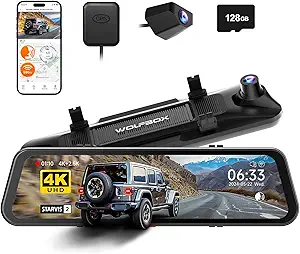 |
| Best 4K Mirror Dash Cam Ultra-high-resolution mirror dash cam for maximum detail and clarity | Pelsee S12 Pro 12" 4K Mirror Dash Cam with STARVIS 2 and 1080P Rear Camera |  |
| Best Dual‑Lens Mirror Dash Cam Mirror dash cam with front and rear (or cabin) simultaneous recording | QOZ V969 10" 4K Front + 2.5K Rear Rearview Mirror Dash Camera |  |
| Best Compact Mirror Dash Cam A slim, low-profile mirror dash cam that preserves mirror space | AUKEPO 4.3" Dual-Cam Rearview Mirror Dash Cam (1080P, G-Sensor) |  |
| Best Parking‑Mode Mirror Dash Cam A mirror dash cam with reliable parked-vehicle monitoring and impact detection | Roadwitness 12" 4K Front and 2.5K Rear Mirror Dash Cam with ADAS and WiFi |  |
1. WOLFBOX G840S 12" 4K Mirror Dash Cam with Front/Rear Cameras and GPS
Best Overall Mirror Dash Cam

| Video Capture Resolution | 2160p |
|---|---|
| Included Memory Card Size | 32 GB |
| Screen Size | 12 |
| Field Of View | 170 Degrees |
| Connectivity Technology | USB |
The WOLFBOX G840S is a mirror-style dash cam that replaces your factory mirror with a 12-inch touchscreen while recording a 4K front view and a 1080p rear feed. Installation typically means clipping or strapping the unit over the existing mirror and routing the rear camera cable to the license plate or backup light; hardwiring is supported if you want a true 24-hour parking monitor. The large IPS display and touch controls make reviewing footage and adjusting settings simple in the car. Notable features include built-in GPS logging, Wi‑Fi for phone transfer, loop recording, a G‑sensor that locks impact clips, and HDR/WDR processing for better night and high‑contrast shots. Practical benefits include a wide 170 degree front field of view that reduces blind spots and clear daytime and nighttime video for incident capture. Limitations to expect are the mirror’s size, which can interfere with sun visors in some vehicles, occasional app quirks and playback lag reported by users, and a rear camera cable that can be short on larger vehicles or tricky to route in hatchbacks. Build and long‑term reliability vary between units, so plan for careful mounting and follow wiring recommendations for parking mode.
Best for: Buyers who want an all‑in‑one mirror dash cam that prioritizes video clarity, an easy-to-use touchscreen interface, and features like GPS and parking monitoring for everyday driving and incident documentation in a sedan.
Less Ideal for: Drivers who need a minimal, unobtrusive setup or who cannot accommodate a 12-inch mirror due to tight cabin space or OEM mirror brackets should consider smaller mirror units or a traditional windshield dash cam instead.
- True 4K front recording for clear daytime detail and license plate capture
- Large 12" touchscreen that doubles as a usable rearview mirror and makes on‑device review easy
- Built‑in GPS and 5.8GHz Wi‑Fi for location logging and quick video transfer to phones
- Wide front and rear fields of view (170°/140°) to reduce blind spots and assist with parking
- Parking monitor support and loop recording with G‑sensor to lock important clips
- Rear camera cable length and mounting options can complicate installations on some vehicles
- Some users report app instability and occasional playback or GPS failures
- Large mirror size can interfere with sun visors or OEM mirror mounts on certain cars
Verdict: The best all-around mirror dash cam for most buyers, offering reliable video quality, easy installation, useful features, and solid in-car performance.
2. Jansite 10" Touchscreen Mirror Dash Cam with Dual 1080P Cameras
Best Budget Mirror Dash Cam

| Screen Size | 10 Inches |
|---|---|
| Video Capture Resolution | 1080p |
| Field Of View | 140 Degrees |
| Control Method | Touch |
| Flash Memory Supported Size Maximum | 64 GB |
This Jansite mirror dash cam replaces the standard rearview mirror with a 10-inch touchscreen that records the road ahead and the area behind your car in 1080p. It mounts over the factory mirror using rubber straps and includes a 6 m (19.6 ft) rear camera cable so you can run the waterproof backup camera to the bumper for reversing guidance. The touchscreen gives quick access to split-screen, brightness and view-angle adjustments and the unit supports loop recording plus a G-sensor to lock collision footage. Night-vision enhancements, WDR/HDR processing, and a wide 170° front field of view help capture usable footage in low light and reduce blind spots when reversing. Expect a straightforward install if you hide wiring, but the display is a black-screen style so it will not serve as a reflective mirror when turned off. The unit relies on microSD storage (card not included) and lacks smartphone app streaming or built-in Wi-Fi, so reviewing clips requires removing the card or connecting to a PC. Build quality and long-term reliability vary between units based on user reports, but for budget-focused buyers the Jansite delivers core front-and-rear recording and reversing assistance without premium extras.
Best for: Drivers who want reliable front-and-rear recording and reversing guidance on a tight budget, prioritizing straightforward features over wireless convenience. This is aimed at owners who will accept occasional fiddling with installation and microSD file handling to save money.
Less Ideal for: Shoppers who need smartphone connectivity, seamless wireless downloads, or a factory-style mirror replacement that functions as a reflective mirror when off should consider higher-end models.
- Dual 1080p front and rear cameras for clear daytime footage
- 10-inch touch display with split-screen and on-screen parking guidelines
- Long 19.6 ft rear camera cable simplifies routing to the bumper
- G-sensor and loop recording for automatic event protection and continuous capture
- Enhanced night visibility with WDR/HDR and wide-angle lenses
- No smartphone app or Wi-Fi for wireless file transfer
- Black-screen design cannot act as a reflective mirror when powered off
- Quality control is inconsistent across units based on user reports
Verdict: The best budget mirror dash cam for shoppers who want dependable front-and-rear recording and basic features without a big upfront cost.
3. WOLFBOX G900 Pro 12" Mirror Dash Cam with Front 4K and Rear 2.5K (128GB Included)
Best Premium Mirror Dash Cam
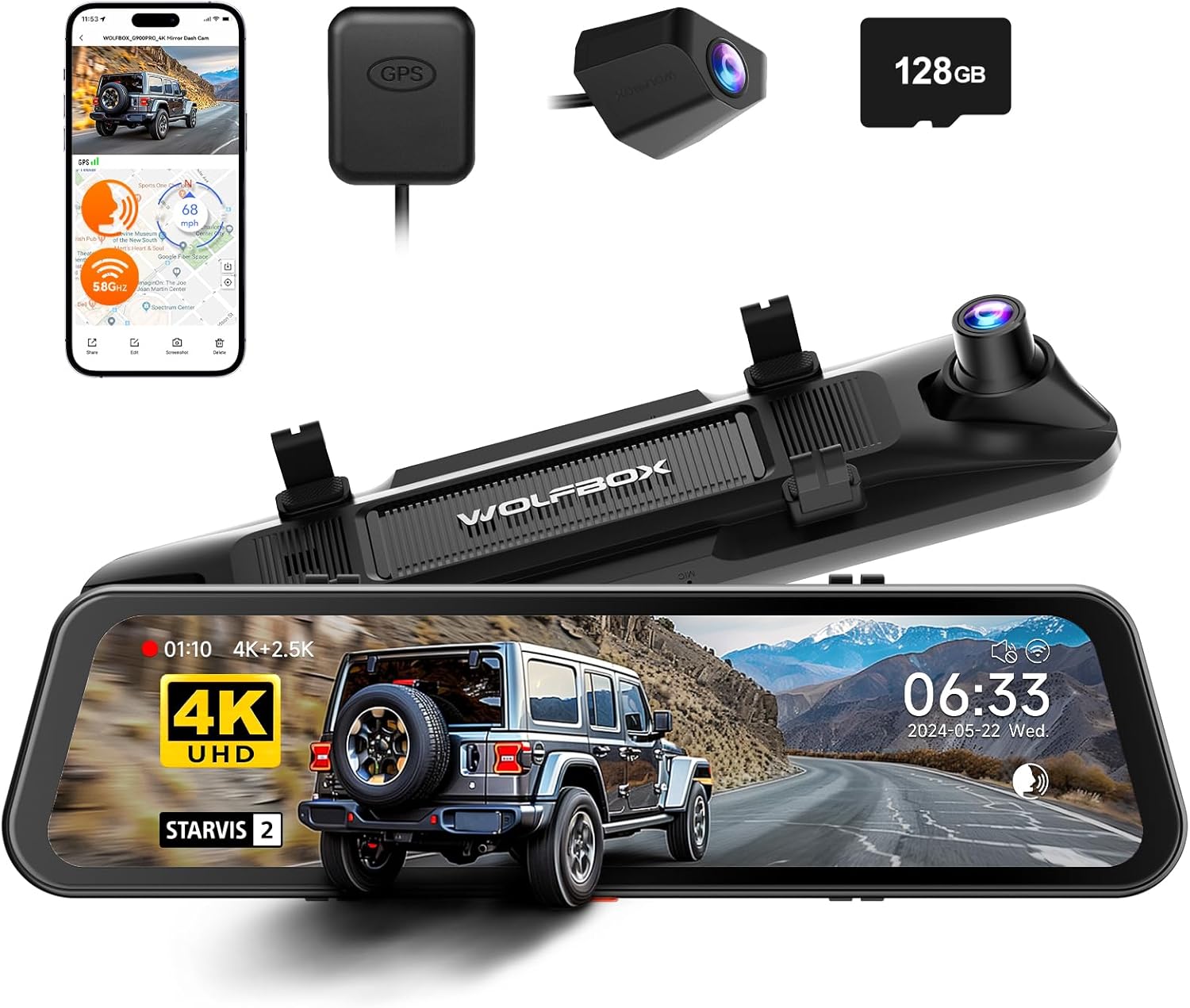
| Screen size | 12 Inches |
|---|---|
| Front resolution | 4K (3840×2160) @30fps |
| Rear resolution | 2.5K (2560×1440) @30fps |
| Front sensor | STARVIS IMX678 |
| Included memory card | 128 GB |
The WOLFBOX G900 Pro replaces your Accord’s factory mirror with a 12-inch display that doubles as a 4K front dash cam and a 2.5K rear camera. It mounts over the stock mirror and records 3840×2160@30fps front and 2560×1440@30fps rear, while the STARVIS IMX678 front sensor and seven-glass lens improve night and low-light detail compared with ordinary dash cams. In practice it functions as a digital rearview mirror for reversing and blind spot visibility and as continuous front/rear recording for documentation. The built-in GPS timestamps footage, 5.8GHz Wi-Fi and an app let you download clips without removing the card, and voice, touch, and app controls offer multiple hands-free ways to operate it. Included 128GB storage and support for up to 512GB give ample space for long drives. Downsides to expect are a slightly slow boot time, occasional software quirks reported by users, and rear-camera night noise on unlit roads; some Honda owners may need a professional hardwire or routing to hide cables for a clean, factory-like install. Overall it delivers premium resolution and sensor performance for buyers who want a high-quality mirror dash cam upgrade for a Honda Accord.
Best for: Honda Accord owners seeking a high-resolution mirror replacement who prioritize the best possible video quality, improved low-light capture, and a large, integrated display rather than a basic plug-in dash cam.
Less Ideal for: Buyers who want a completely stock-looking, bolt-in factory replacement without any visible wiring or those who need flawless OEM-level night rear-camera clarity in unlit conditions without additional lighting.
- True 4K front recording for clear daytime detail and better evidence capture
- STARVIS IMX678 front sensor and 7-glass lens improve low-light performance over typical CMOS units
- 12-inch mirror display that doubles as a digital rearview for wider rear visibility
- 5.8GHz Wi‑Fi plus app control lets you quickly download and manage clips without removing the SD card
- Includes 128GB card and supports up to 512GB for extended recording
- Rear camera footage can be noisy on completely dark, unlit roads
- Reported occasional software/boot-up slowdowns and some quirky behavior in rare units
Verdict: The best premium mirror dash cam for buyers willing to pay more for top-tier video resolution, superior sensors, refined software, and durable construction.
4. Pelsee S12 Pro 12" 4K Mirror Dash Cam with STARVIS 2 and 1080P Rear Camera
Best 4K Mirror Dash Cam

| Video Capture Resolution | 2160p front, 1080p rear |
|---|---|
| Sensor | STARVIS 2 |
| Screen Size | 12 Inches |
| Field Of View | 160 Degrees |
| Included Memory Card Size | 64 GB |
The Pelsee S12 Pro turns your factory mirror into a 12-inch monitor while recording high-resolution front and rear footage. The front camera captures up to 4K@25fps with a STARVIS 2 sensor and HDR, which helps preserve license-plate level detail in good lighting, while the rear camera records 1080P and switches to a live view with parking guidelines when you reverse. It is typically used as a permanent mirror replacement mounted over the Accord’s existing mirror, with the rear camera wired to the taillight circuit if you want automatic reverse activation. Notable features include AI-powered full-color night vision, Advanced Driver Assistance alerts, voice commands for hands-free control, built-in GPS, and a preinstalled 64GB card. Practical benefits are crisp daytime footage, clear low-light performance compared with ordinary sensors, and fast 5.8GHz Wi-Fi transfers to your phone. Important limitations are the 25 fps frame rate, occasional reports of inconsistent ADAS behavior when the display mode changes, and the rear camera’s susceptibility to glare if mounted externally or if your rear glass is heavily tinted; larger Accords may need the optional rear cable extension for a clean install.
Best for: Buyers who want the sharpest front-camera evidence from a mirror dash cam on a Honda Accord and who prioritize daytime and low-light image clarity for capturing license plates and distant details.
Less Ideal for: Drivers who need a true multi-vehicle universal fit without mirror-size checks or those who want the absolute highest rear-camera resolution and glare resistance without adding external mounts or extension cables.
- True 4K-capable front recording with STARVIS 2 sensor for improved low-light detail
- 12-inch IPS mirror display that doubles as a live rearview and menu screen
- Built-in GPS and preinstalled 64GB card for immediate use and accurate timestamping
- 5.8GHz Wi‑Fi and companion app allow quick transfer and review of clips without removing the SD card
- Voice control and ADAS alerts add hands-free convenience and extra situational awareness
- Rear camera is 1080P and can lose color or suffer glare in some night or external mounting conditions
- ADAS functions may require calibration and can be less reliable when the display is not showing the front camera
Verdict: The best 4K mirror dash cam for drivers who prioritize the clearest possible footage to capture fine details like license plates and distant events.
5. QOZ V969 10" 4K Front + 2.5K Rear Rearview Mirror Dash Camera
Best Dual‑Lens Mirror Dash Cam

| Video Resolution | Front 4K (3840×2160) + Rear 2.5K |
|---|---|
| Screen Size | 10 Inches IPS |
| Field Of View | 170° front |
| Included Memory Card Size | 64 GB |
| Mounting Type | Rearview Mirror Mount |
The QOZ V969 replaces your factory mirror with a 10-inch IPS touchscreen that records the road in 4K while simultaneously capturing a 2.5K rear view, making it a strong choice when you want continuous front-and-rear coverage. Installation mounts over the existing mirror and the package includes a 64GB microSD and wiring for the rear camera; a longer 20 ft rear cable is provided for larger vehicles. Key features you will use every day are ADAS with lane and collision warnings, blind spot alerts, wide dynamic range and enhanced night vision for clearer low-light footage, loop recording with G-sensor lock, and built-in Wi‑Fi with an app for reviewing clips. Practical limits include no built-in GPS or internal battery for graceful shutdown unless you buy optional modules, so time stamps and last-second crash saves can be affected without hardwiring. Also the mirror surface and display balance visibility with function so reflection clarity differs from a plain glass mirror. For an Accord driver who prioritizes thorough dual-channel documentation and active driver alerts, this unit delivers a lot of features in one package.
Best for: Drivers who want continuous, simultaneous front-and-rear video and active safety alerts for comprehensive incident documentation on a Honda Accord, and who are willing to hardwire optional modules if they need GPS or parking surveillance.
Less Ideal for: Drivers who want a simple, non-display replacement mirror or who prefer built-in GPS and battery-backed shutdown without purchasing additional accessories.
- True dual-channel recording with 4K front and 2.5K rear for clear evidence capture
- Large 10" IPS touchscreen that shows split views and lets you adjust camera angles on-screen
- ADAS, blind-spot and lane-change alerts add active driving warnings beyond passive recording
- Includes 64GB microSD and long rear cable plus tools to simplify install
- WDR and enhanced night vision improve usable footage in mixed lighting conditions
- No built-in GPS or internal battery; GPS and 24H parking require separate accessories
- Mirror surface is a functional display so reflected image is not identical to a conventional mirror
Verdict: The best dual-lens mirror dash cam for users who need continuous coverage of both the road ahead and the rear/cabin for comprehensive incident documentation.
6. AUKEPO 4.3" Dual-Cam Rearview Mirror Dash Cam (1080P, G-Sensor)
Best Compact Mirror Dash Cam

| Display size | 4.3" |
|---|---|
| Front resolution | Full HD 1080P |
| Rear cable length | 23FT |
| Special features | G-Sensor, Loop Recording, Night Vision |
This AUKEPO mirror dash cam mounts over your existing mirror and provides simultaneous front and rear recording on a 4.3-inch display. The front lens records Full HD 1080P while a waterproof rear camera connects with the included long cable for backup monitoring. It supports loop recording so the device keeps recording when the micro-SD card fills and a built-in G-sensor locks footage automatically during impacts or when motion is detected in parking mode. Night-vision is advertised and daytime image quality on the front camera is generally good, but multiple users report that the rear camera and low-light performance are inconsistent. Installation requires routing the rear cable and power wiring, which may be fiddly but is straightforward for someone comfortable with basic car wiring. The screen is compact and designed to minimize obstruction compared with larger mirror units, making it suitable where a low-profile setup is a priority, though drivers expecting premium low-light rear imaging should consider higher-end options.
Best for: Buyers who prioritize a discreet, space-saving mirror unit that records front and rear without replacing large factory equipment and who are comfortable routing a rear cable during installation.
Less Ideal for: Drivers who need best-in-class low-light rear imaging or a large high-resolution display for reversing should look at higher-end mirror or standalone camera systems.
- Compact 4.3-inch mirror-mounted display keeps the setup low-profile and less obtrusive than oversized mirrors
- Dual-channel recording captures both front and rear simultaneously for comprehensive coverage
- Loop recording and G-sensor auto-lock important clips during collisions or sudden movement
- Waterproof rear camera and 23 ft rear cable allow mounting on trucks or longer vehicles without extra cables
- Rear camera image quality and night performance reported as mediocre in some user experiences
Verdict: The best compact mirror dash cam for buyers who want discreet, space-saving installation that doesn't obstruct view or overwhelm the factory mirror.
7. Roadwitness 12" 4K Front and 2.5K Rear Mirror Dash Cam with ADAS and WiFi
Best Parking‑Mode Mirror Dash Cam

| Screen Size | 12 Inches |
|---|---|
| Video Capture Resolution | 4K (3840*2160P) front, 2.5K rear |
| Connectivity Technology | USB-C, Wifi (5.8GHz) |
| Special Features | Parking Monitor, G-sensor, ADAS, Blind Spot Detection |
This Roadwitness mirror dash cam converts your factory mirror into a 12-inch touchscreen display while recording a true 4K front feed and a 2.5K rear feed simultaneously. It is designed to be used as a daily driving camera and a parked-vehicle monitor: the device supports time-lapse 24/7 surveillance, automatic incident detection, G-sensor event locking, and a battery protection feature to avoid draining the car battery when hardwired. The bright 1200 nit IPS screen and touch/app controls make reviewing footage and adjusting settings straightforward, and built-in 5.8GHz WiFi speeds up file transfers. Notable safety aids include ADAS lane and collision alerts plus blind-spot detection for extra awareness while maneuvering. Practical limitations include the need for a separate hardwire kit to enable full 24-hour parking mode and occasional user reports of installation complexity or inconsistent long-term image quality, so expect some effort routing the rear camera cable and tuning settings for best night performance.
Best for: Drivers who want a mirror-style dash cam that provides reliable standby recording, motion-triggered event capture, and easy in-car review via a large touchscreen and app control, with the intention to hardwire for continuous parking monitoring.
Less Ideal for: Drivers who cannot or will not hardwire a device for parking mode or who need a simple plug-and-play dash cam with minimal installation routing should consider other options.
- True 4K front recording and 2.5K rear recording for detailed daytime footage
- Built-in parking monitor with time-lapse plus G-sensor incident locking for standby recording
- 1200 nit 12" IPS touchscreen for clear live view and easy playback in bright conditions
- 5.8GHz WiFi and app control for faster transfers and remote configuration
- ADAS and blind-spot alerts add active safety cues while driving
- Full 24/7 parking surveillance requires hardwiring; battery protect will limit runtime without professional installation
- Some users report inconsistent image clarity over long-term use and limited rear camera cable length for certain installations
Verdict: The best parking-mode mirror dash cam for owners who need effective standby recording, motion detection, and low-power surveillance while the vehicle is parked.
Choosing the Right Honda Accord Mirror Dash Cam: Key Factors to Consider
Video Resolution And Night Performance
High-resolution front and rear channels make it more likely footage will show license plates, lane markings, and other critical details. Resolution matters less than sensor quality and dynamic range for nighttime capture. Pay attention to low-light specs, aperture, and whether the camera uses an Exmor-type sensor or WDR/HDR processing.
A unit that records at a higher bitrate with consistent frame rates will produce clearer evidence in collisions or parking incidents. Also consider whether the rear view mirror camera has its own exposure controls or relies on the same processing as the front. This affects how well shadows and bright headlights are handled on the Accord during dawn, dusk, and night driving.
Mounting Fit And Mirror Coverage
Mirror dash cams typically clip over the factory mirror or replace it. For the Accord, a secure clip-on fit that does not obstruct sightlines or interfere with the rearview mirror mount is essential. Check the unit's clip range, thickness allowance, and whether rubberized pads are included to prevent rattling.
The screen size and placement should not block the mirror's reflective surface when the display is off. Also evaluate whether the rear camera field of view complements the factory sightlines to reduce blind spots while reversing or changing lanes.
Installation And Wiring Options
Installation can range from simple plug-and-play to a more permanent hardwire kit. Consider whether you want a quick install using the cigarette lighter or a professional hardwire to the fuse box for continuous parking mode. For the Accord, routing the rear-camera cable through door trim or the headliner should be straightforward, but you will want a cable long enough to reach the rear window without stretching.
Look for included mounting accessories, adhesive pads, and a clear wiring guide. A model that supports a fused-tap hardwire kit and provides an easy ground point will simplify professional installation and keep the cabin neat.
Parking Mode And Power Management
Parking mode is a key reason owners choose mirror dash cams. Modes typically include motion detection, time-lapse, and impact-triggered buffered recording. For the Accord, consider a camera that supports low-voltage cutoffs or smart parking modes to avoid draining the battery if hardwired. Buffered recording preserves pre-impact footage, which is crucial for hit-and-run or lot incidents.
Also check how the unit handles long-term parking—does it use low-power mode, write at lower bitrates to conserve storage, or provide an external GPS/event log to simplify incident review? These details affect how useful parking mode will be in real-world use.
Display Usability And Menu Design
Mirror dash cams combine a reflective mirror surface with an embedded display. The display should be readable in sunlight, with adjustable brightness and a responsive touchscreen or physical buttons that are safe to use while parked. Menus should be organized logically for adjusting resolution, loop length, exposure, and parking mode preferences.
Avoid models with deeply nested menus or unclear icons that make quick adjustments difficult. Clear on-screen status for recording, GPS lock, and parking mode engagement helps you confirm the system is functioning on the Accord without guessing.
Storage, Loop Recording, And Data Access
Look for reliable microSD support with clear guidance on maximum card size and recommended class ratings. Loop recording keeps the card usable without manual management by overwriting oldest footage, but the unit should tag events automatically using the G-sensor so incident clips are preserved.
Consider how easy it is to remove and read the card or access files via Wi-Fi or USB. A model that offers simple offload options and consistent file naming will make evidence retrieval for insurance or police reports much less stressful.
Understanding Mirror Dash Cam Configurations
Mirror dash cams for the Honda Accord come in a few common layouts: single front-facing camera with a mirror display, dual-channel front and rear cameras with an integrated mirror screen, or mirror units that act as both a recorder and the replacement reflective surface. Knowing these configurations helps you prioritize features based on how you drive the Accord and where you need coverage.
A dual-channel mirror dash cam provides continuous coverage of the road ahead and the area behind the vehicle, which is useful for documenting rear-end collisions and backing incidents. Single-channel mirror units are simpler and less invasive but will not capture rear events unless paired with a separate backup camera input.
- Dual-channel units provide simultaneous front and rear recording.
- Mirror-only recorders are lower profile but offer limited rear coverage.
- Check whether the rear camera mounts on the rear glass or integrates with the existing backup camera feed if you plan to use it for reversing assistance.
Wiring Tips Specific to the Accord
Routing power and the rear-camera cable on a Honda Accord is generally straightforward, but attention to detail will reduce rattle and make the installation look factory. Tuck the front-camera power cable up under the headliner and down the A-pillar trim, taking care to avoid interfering with airbag seams.
For the rear camera, run the cable along the headliner and down the C-pillar or through the trunk grommet depending on the rear camera type. Use existing wiring holes when possible and secure the cable with zip ties or adhesive clips to prevent it from dragging or chafing over time.
- Avoid burying cables behind airbag seams.
- Secure excess cable in the trunk with electrical tape to prevent noise.
- Test the camera angles and display before finalizing trim snaps.
Mounting Tips To Avoid Glare And Vibration
Proper mirror alignment reduces glare and improves the effective field of view. Position the mirror dash cam so the display does not reflect direct sunlight into your eyes when it is off. Many models include dimming settings, but physical placement is the first line of defense against glare.
Prevent vibration by using the provided pads and ensuring the clip engages tightly with the factory mirror. If you notice image shake at highway speeds, recheck the mounting points and add small foam pads to dampen vibration without obstructing the reflective surface.
- Place the unit centrally to maintain even weight distribution.
- Use rubber pads to reduce vibration and rattling.
- Adjust the rear-camera mounting height to eliminate bumper-level obstructions in the frame.
Using Parking Mode Effectively
When relying on parking mode, set sensitivity conservatively at first and test events to avoid excessive false triggers from passing traffic or wind-blown objects. Use buffered event recording so the footage includes moments before an impact or motion event.
If you hardwire the unit, enable a low-voltage cutoff to protect your Accord battery. Periodically check recorded parking events to verify settings and to confirm the system is preserving important clips without filling the card too quickly.
- Test sensitivity in a safe environment before leaving the car unattended.
- Use lower bitrates for long-term parking if your device allows it.
- Label event files with time and date for easier retrieval.
Legal And Privacy Considerations
Using a mirror dash cam in the Accord is generally legal for recording public roads, but laws vary by jurisdiction regarding audio recording and cockpit-facing cameras. Confirm local regulations if you intend to capture in-cabin audio or record while parked on private property.
Be mindful of privacy when storing or sharing footage that includes identifiable people. Secure the microSD card and avoid uploading sensitive clips to public platforms without consent from those involved.
- Mute audio recording if required by local law.
- Encrypt or password-protect sensitive files when possible.
- Keep a backup of important incident footage separate from the vehicle.
How We Chose the Best Honda Accord Mirror Dash Cam
We selected mirror dash cams for this Honda Accord roundup using a consistent, vehicle-focused editorial process that emphasizes real-world usability and installation practicality. Primary evaluation criteria included video resolution and sensor performance for both front and rear channels, since clear footage is critical for incident documentation and nighttime reliability. Installation and fit were assessed for how neatly a unit mounts over the Accord's factory mirror, the ease of routing power and rear-camera wiring, and the availability of hardwiring or fused-tap options for parking mode. We also considered display usability, touchscreen responsiveness, and menu clarity to make sure drivers can operate the mirror without distraction. Additional filters covered firmware stability, parking mode implementation (motion and impact triggers, buffered recording), and build quality for long-term durability in varied temperatures. Units with confusing setups, missing core features like loop recording or G-sensor event tagging, or lacking reliable parking mode options were excluded. The goal was to surface products that strike a practical balance between camera performance and straightforward installation for Honda Accord owners.
Our full evaluation process is outlined in our review methodology.
FAQ
Will a mirror dash cam fit over the Accord's factory mirror?
Many mirror dash cams are designed to clip over standard factory mirrors and will fit the Accord, but clip widths and mirror thickness vary. Check the unit's specifications for clip range and included padding, and confirm that the display does not obstruct your view when switched off.
Can I hardwire a mirror dash cam to the Accord for parking mode?
Yes. Hardwiring to a fused accessory source or using a dedicated hardwire kit lets the camera run in parking mode without the cigarette lighter. Be sure to use a low-voltage cutoff or smart fuse tap to prevent battery drain and follow safe wiring practices for the Honda Accord.
How much storage do I need for front and rear recordings?
Storage needs depend on resolution and bitrate. For continuous dual-channel 1080p recording, plan for a high-capacity, high-endurance microSD card of at least 64 to 128 GB to avoid frequent overwrites. If you use higher resolutions or long parking mode recording, opt for larger capacities and follow the manufacturer's class rating guidance.
Will the mirror display be readable in bright sunlight?
Readability varies by unit. Look for adjustable brightness and an anti-glare display. Positioning the mirror to avoid direct sunlight reflection and enabling a higher brightness setting will help maintain visibility in bright conditions.
Does the rear camera work as a backup assist when in reverse?
Some mirror dash cams include a dedicated backup trigger input that can show the rear view when the Accord is shifted into reverse. Confirm whether the unit supports a reverse trigger wire and test the delay and image orientation before relying on it for close-quarter parking.
How do I prevent false parking-mode recordings from filling the card?
Start with moderate sensitivity settings and test in the parking environment. Lowering motion sensitivity, using time-lapse parking mode if available, and enabling event-only recording will reduce unnecessary footage. Also consider a larger capacity microSD card and regular maintenance to archive important clips.
Final Verdict
For Honda Accord owners, prioritize a mirror dash cam that delivers dependable front and rear video, a secure and vibration-free mount, and a parking mode that protects the vehicle without draining the battery. Balance resolution and sensor quality so footage remains usable day and night, and choose installation options that match your comfort level with wiring. Final decisions usually hinge on whether you want a simple clip-on setup or a hardwired dual-channel system with buffered parking recording. Focus on proven parking features, easy data access, and a neat installation to get the most practical, long-term value from a mirror dash cam in your Accord.
Explore More:
- Check out all Honda Accord parts & accessories
- Explore Electronics
- Browse all Accessories
